Angular 19: A Look at the New Features
Welcome to Angular 19! This release is packed with new capabilities and refinements aimed at making development more streamlined and boosting performance. Highlights include experimental reactive primitives such as linkedSignal and the resource API, an experimental Incremental Hydration feature, and upgrades to the Angular Language Service. This overview explores these updates and how they can enhance your projects.
The linkedSignal Primitive (Experimental)
The linkedSignal is a writable signal that automatically syncs with a source signal, resetting its value based on a computation whenever the source changes.
export declare function linkedSignal<S, D>(options: {
    source: () => S;
    computation: (source: NoInfer<S>, previous?: {
        source: NoInfer<S>;
        value: NoInfer<D>;
    }) => D;
    equal?: ValueEqualityFn<NoInfer<D>>;
}): WritableSignal<D>;
Its initial value comes from a computation function. After that, you can manually update it with the set method, but if the source signal's value changes, the linked signal recalculates its value using the same computation logic.
Consider this example to see it in action:
 protected readonly colorOptions = signal<Color[]>([{
    id: 1,
    name: 'Red',
  }, {
    id: 2,
    name: 'Green',
  }, {
    id: 3,
    name: 'Blue',
  }]);

  protected favoriteColorId = linkedSignal<Color[], number | null>({
    source: this.colorOptions,
    computation: (source, previous) => {
      if(previous?.value) {
        return source.some(color => color.id === previous.value) ? previous.value : null;
      }
      return null;
    }
  });

  protected onFavoriteColorChange(colorId: number): void {
    this.favoriteColorId.set(colorId);
  }

  protected changeColorOptions(): void {
    this.colorOptions.set([
      {
        id: 1,
        name: 'Red',
      },
      {
        id: 4,
        name: 'Yellow',
      },
      {
        id: 5,
        name: 'Orange',
      }
    ])
  }}
We have a colorOptions signal holding a list of colors, each with an id and name. We also have a linked signal, favoriteColorId, which tracks the user's chosen color. Its initial value is returned by the computation function, which would be null since there's no previous state. Like any writable signal, you can use its set method to assign an ID, as shown in onFavoriteColorChange. If the list of selectable colors changes (see changeColorOptions), the favoriteColorId signal recalculates its value via the computation method. In the example, if the chosen color is still in the new list, its value stays the same; if not, it resets to null.

The resource API (Experimental)
Angular has introduced an experimental API named resource() to handle asynchronous operations. It comes with built-in features to prevent race conditions, track loading states, manage errors, allow manual value updates, and trigger data fetches on demand.
Here’s an example of how to use it:
 fruitId = signal<string>('apple-id-1');

  fruitDetails = resource({
    request: this.fruitId,
    loader: async (params) => {
      const fruitId = params.request;
      const response = await fetch(`https://api.example.com/fruit/${fruitId}`, {signal: params.abortSignal});
      return await response.json() as Fruit;
    }
  });

  protected isFruitLoading = this.fruitDetails.isLoading;
  protected fruit = this.fruitDetails.value;
  protected error = this.fruitDetails.error;


  protected updateFruit(name: string): void {
    this.fruitDetails.update((fruit) => (fruit ? {
      ...fruit,
      name,
    } : undefined))
  }

  protected reloadFruit(): void {
    this.fruitDetails.reload();
  }

  protected onFruitIdChange(fruitId: string): void {
    this.fruitId.set(fruitId);
  }
First, we declare the resource. The optional request parameter takes an input signal connected to the async operation (in this case, fruitId, but it could be a computed signal with multiple values). We also define a loader function that asynchronously fetches data (returning a promise). The resulting fruitDetails resource allows us to:
- access the current value signal (returns
undefinedif the resource isn't ready), - check the status signal (one of:
idle,error,loading,reloading,resolved,local), - read additional signals like
isLoadingorerror, - invoke the
loaderagain using thereloadmethod, - modify the resource's local state with the
updatemethod
The resource automatically reloads when the request signal (here, fruitId) changes. The loader also runs when the resource is initially created.
For RxJS users, Angular provides a counterpart called rxResource. In this version, the loader returns an Observable, while all other properties remain as signals.
 fruitDetails = rxResource({
    request: this.fruitId,
    loader: (params) => this.httpClient.get<Fruit>(`https://api.example.com/fruit/${params.request}`)
  })
Changes to effect()
Angular 19 brings key updates to the effect() function, shaped by community feedback.
A major change is the removal of the allowSignalWrites flag. This flag was meant to restrict when signals could be written inside effect(), steering developers toward computed() in some cases. However, it often created unnecessary hurdles rather than guidance. Angular 19 now allows signal writes within effect() by default, removing friction and promoting new patterns like linkedSignal and the Resource API.
effect(
   () => {
       console.log(this.users());
   },
   //This flag is removed in the new version
   { allowSignalWrites: true }
);
There’s also a notable shift in when effects run. Instead of queuing as microtasks, effects now execute as part of the change detection cycle within the component hierarchy. This change addresses timing issues where effects ran too early or late, ensuring a more predictable order aligned with the component tree.
These updates aim to make effect() more practical and intuitive. It remains in developer preview in version 19, allowing room for further iteration based on real-world use.

Custom Equality in RxJS Interop
The toSignal function now supports a custom equality function, giving developers more control over when value changes trigger updates. Earlier, toSignal relied on a basic equality check, which sometimes led to needless component re-renders.
With this enhancement, you can define a custom equality function to determine what counts as a meaningful change, improving performance by only updating when necessary. This feature not only offers tailored comparisons but also standardizes an equality check in places where it might have been missing, making signal behavior more consistent and efficient.
// Create a Subject to emit array values
const arraySubject$ = new Subject<number[]>();


// Define a custom equality function to compare arrays based on their content
const arraysAreEqual = (a: number[], b: number[]): boolean => {
   return a.length === b.length && a.every((value, index) => value === b[index]);
};


// Convert the Subject to a signal with a custom equality function
const arraySignal = toSignal(arraySubject$, {
   initialValue: [1, 2, 3],
   equals: arraysAreEqual, // Custom equality function for arrays
});
Introducing afterRenderEffect
The afterRenderEffect function is an experimental API for side effects that should run only after rendering completes. If its dependencies change, the effect runs after each render cycle, letting you react to state updates once the DOM is ready.
Unlike afterRender and afterNextRender, this effect tracks specific dependencies and re-runs after every render when they change, making it well-suited for ongoing post-render tasks tied to reactive data.
In contrast, afterRender and afterNextRender don't track dependencies and always schedule a callback following the render cycle.
  counter = signal(0);

  constructor() {
    afterRenderEffect(() => {
      console.log('after render effect', this.counter());
    })

    afterRender(() => {
      console.log('after render', this.counter())
    })
  }
In the example, the afterRender callback runs after every render cycle, while afterRenderEffect only executes after a render if the counter signal has changed.
The @let Template Syntax
The @let syntax was introduced in 18.1 and became stable in 19.0. This feature simplifies defining and reusing variables within templates, answering a long-standing community request to store expression results without less ergonomic workarounds.
Here’s how to use @let in your templates:
@let userName = 'Jane Doe';
<h1>Welcome, {{ userName }}</h1>


<input #userInput type="text">
@let greeting = 'Hello, ' + userInput.value;
<p>{{ greeting }}</p>


@let userData = userObservable$ | async;
<div>User details: {{ userData.name }}</div>
@let lets you declare variables directly in the template for reuse throughout it. These variables are read-only and scoped to the current template and its children—they can't be reassigned or accessed from parent/sibling components. This immutability and scoping make templates more predictable and easier to debug.
Experimental Incremental Hydration
Building on Deferrable views in v17 and event replay in v18, Angular now previews Incremental Hydration—a way to selectively hydrate parts of the app on demand.
To activate it, add it to the application configuration:
export const appConfig: ApplicationConfig = {
  providers: [
    provideClientHydration(
      withIncrementalHydration()
    )
    ...
  ]
};
Incremental hydration builds on the defer block. To use it, add a new hydrate trigger.
@defer (hydrate on hover) {
 <app-hydrated-cmp />
}
Supported incremental hydration triggers include:
idle,interaction,immediate,timer(ms),hover,viewport,never(the component stays dehydrated indefinitely),when {{ condition }}
By allowing selective rehydration of server-rendered parts on the client, this improves load times and interactivity, activating only necessary components at first.
New routerOutletData Input
Angular 19 adds a routerOutletData input to RouterOutlet, simplifying how parent components pass data to child components rendered in the outlet. When set, this data becomes available in the child via the ROUTER_OUTLET_DATA token, which is a Signal. This enables dynamic updates, so changes to the input data are reflected in the child automatically, removing the need for static values.
Parent component:
<router-outlet [routerOutletData]="routerOutletData()" />Child component routed through the outlet:
export class ChildComponent {
  readonly routerOutletData: Signal<MyType> = inject(ROUTER_OUTLET_DATA);
}
RouterLink with UrlTree
Since version 18.1, the RouterLink input also accepts a UrlTree object.
<a [routerLink]="homeUrlTree">Home</a>
This allows all navigation options (like query params, handling strategies, or relativeTo) to be included directly in the UrlTree. However, if you try to pass a UrlTree while also using inputs like queryParams or fragment, Angular throws an error stating this isn't allowed:
'Cannot configure queryParams or fragment when using a UrlTree as the routerLink input value.'Default Query Params Strategy
You can now set a default query parameter handling strategy for all routes in the provideRouter() configuration.
export const appConfig: ApplicationConfig = {
  providers: [
    provideRouter(routes, withRouterConfig({defaultQueryParamsHandling: 'preserve'}))
  ]
};
While Angular's default remains 'replace', you can opt for 'preserve' or 'merge'. Previously, this strategy had to be set per navigation, either via RouterLink or router.navigate options.
Standalone by Default
In Angular v19, standalone: true is now the default for components, directives, and pipes.
The following component is treated as standalone:
@Component({
  imports: [],
  selector: 'home',
  template: './home-component.html',
  // standalone in Angular 19!
})
export class HomeComponent {…}
For non-standalone components, an explicit flag is required:
@Component({
  selector: 'home',
  template: './home-component.html',
  standalone: false
  // non-standalone in Angular 19!
})
export class HomeComponent {…}
This is a significant step from v14's introduction of standalone capabilities, simplifying the framework and making it more accessible to newcomers while enriching features like lazy loading and component composition. For existing projects, an automated migration during ng update adjusts the standalone flag settings, ensuring compatibility and a smoother transition to the new defaults.
Migrations for standalone API and injection patterns
A new optional migration is now available for Angular that helps transition dependency injection code from the traditional constructor-based pattern to the more modern inject() function approach.
ng g @angular/core:injectThe migration rewrites the conventional constructor syntax:
constructor(private productService: ProductService) {}into the more concise alternative:
private productService = inject(ProductService);After the migration completes, you may run into compilation errors, particularly in test files where services are instantiated manually. To address this, the migration tool provides several configuration options, including handling of abstract classes, preserving backward-compatible constructors, and managing nullable fields to ensure the transition doesn't break existing functionality.
A second migration focuses on introducing lazy loading for standalone components defined in route configurations. It converts direct component references into dynamic imports, which helps improve performance by loading components on demand rather than upfront.
ng g @angular/core:route-lazy-loadingBefore the migration, the route looks like this:
{
  path: 'products',
  component: ProductsComponent
}
After the migration, it becomes a dynamic import that enables lazy loading:
{
  path: 'products',
  loadComponent: () => import('./products/products.component').then(m => m.ProductsComponent)
}
Initializer provider functions
Angular v19 ships with three new helper utilities:
- provideAppInitializer,
- provideEnvironmentInitializer,
- providePlatformInitializer
These functions offer a more intuitive way to configure initialization logic compared to the existing APP_INITIALIZER, ENVIRONMENT_INITIALIZER, and PLATFORM_INITIALIZER tokens. They serve as convenient wrappers that make initializer registration more readable for developers setting up application, environment, or platform-level hooks.
export const appConfig: ApplicationConfig = {
  providers: [
    provideAppInitializer(() => {
      console.log('app initialized');
    })
  ]
};
To ease adoption, Angular v19 also includes a migration that automatically converts existing initializer implementations to this new function-based format, saving developers from manual refactoring efforts.
Automatic flush() in fakeAsync
In Angular v19, the flush() method inside fakeAsync() tests now runs automatically when the test completes. Previously, developers had to explicitly call flush() or discardPeriodicTasks() to clean up pending async operations; otherwise, an error about leftover periodic timers would surface. This manual cleanup step is now a thing of the past, resulting in cleaner test code and fewer task-related errors.
it('async test description', fakeAsync(() => {
  // ...
  flush(); // not needed in Angular 19!
}));
New angular diagnostics
Angular's Extended Diagnostics provide sophisticated real-time code analysis that spots potential problems and reinforces code quality throughout development. These checks go beyond typical errors and warnings, catching subtle issues such as unused functions, missing imports, and other violations of best practices. This helps developers identify problems early and maintain clean, efficient Angular applications.
Angular 19 adds two more diagnostics to the existing set:
- Uninvoked functions – this check detects when a function appears in an event binding but isn't actually called, commonly caused by missing parentheses in the template. The fix is to ensure functions used in event bindings include parentheses so they execute properly instead of being treated as property references.
- Unused Standalone Imports – this check identifies standalone components, directives, or pipes that have been imported but never used within the component or module. This situation typically arises when such entities are listed in the imports array but don't appear anywhere in the template or code. To resolve this, make sure every imported standalone item is actively used in the application; otherwise, remove the unnecessary imports to keep the codebase tidy and efficient.
Strict standalone flag
The strictStandalone option has been added to angularCompilerOptions to enforce standalone usage across components, directives, and pipes. This flag defaults to false, meaning no enforcement happens unless explicitly enabled.
Since all components are now standalone by default starting with version 19, enabling this flag effectively prevents any component, directive, or pipe from being explicitly marked as non-standalone.
✘ [ERROR] TS-992023: Only standalone components/directives are allowed when 'strictStandalone' is enabled. [plugin angular-compiler]Playwright support in Angular CLI
When you run ng e2e without an existing e2e target in your project configuration, the CLI will now ask which e2e package you prefer to use. Starting with v19, Playwright appears as one of the available choices. This option is backed by a community-created schematic that can also be invoked manually (even in Angular projects running versions below v19) with the following command:
ng add playwright-ng-schematicsTypescript support
Angular v18.1 brought support for TypeScript 5.5. With v19.0, support for version 5.6 is added, while compatibility with anything older than 5.5 is removed. Below are some noteworthy features worth mentioning:
Inferred Type Predicates – TypeScript now infers type predicates automatically, narrowing types in scenarios where explicit predicate definitions were previously necessary.
const availableProducts = productIds
  .map(id => productCatalog.get(id))
  .filter(product => product !== undefined);

/*  TypeScript now knows availableProducts are no longer considered as possibly undefined */
availableProducts.forEach(product => product.displayDetails());
Control Flow Narrowing for Constant Indexed Accesses – TypeScript is now capable of narrowing expressions like obj[key] when both obj and key are effectively constant values.
function logUpperCase(key: string, dictionary:Record<string, unknown>): void {
   if(typeof dictionary[key] === 'string') {
        /* valid since ts 5.5 */
        console.log(dictionary[key].toUpperCase());
  }
}
Disallowed Nullish and Truthy Checks – TypeScript will now raise an error when truthy or nullish checks always evaluate to true (which is syntactically valid JavaScript but typically signals a logical mistake). The following examples will trigger such errors:
if(/^[a-z]+$/) {
  /* missing .test(value) call, regex itself is always truthy  */
}

if (x => 0) {
    /* "x => 0" is an arrow function, always truthy */
}
Support for Typescript isolated modules
TypeScript's isolatedModules feature gained support in Angular 18.2, potentially delivering up to a 10% improvement in production build times. This is achieved by allowing the bundler to handle code transpilation, which optimizes TypeScript constructs and cuts down on Babel-based transformation passes.
To enable isolatedModules in your Angular project, you can update your TypeScript configuration (tsconfig.json) as shown here:
"compilerOptions": {
...
"isolatedModules": true
}
This setting imposes some additional constraints, such as prohibiting cross-file type inference, permitting only exported const enums, and requiring explicit type-only export declarations (using import type syntax).
Without isolatedModules, the compiler performs full type-checking across the entire codebase during compilation. With isolatedModules enabled, however, each file is compiled independently, and certain cross-file type analyses are skipped in favor of faster builds.

Angular Language Service enhancements
The most recent version of Angular Language Service now supports the latest features, including:
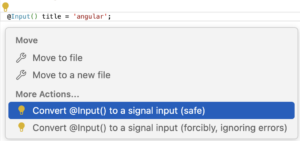
- angular diagnostic for unused standalone imports,
- migration for
@Inputto signal-based inputs, - migration to signal queries,
- in-template autocompletion for all directives that aren't yet imported,
These improvements mean you can look forward to some practical refactoring tools integrated directly into your preferred IDE.
Server Route Configuration (experimental)
A new Server Route Configuration API is being introduced in Angular to offer more flexibility in hybrid rendering setups. It enables developers to specify how each route should be rendered — whether via the server, pre-rendered at build time, or on the client. This configuration approach makes it simpler to optimize performance by selecting the appropriate rendering mode for individual routes.
Here's an example illustrating how the server route configuration would look:
import {RenderMode, ServerRoute} from '@angular/ssr';

export const serverRouteConfig: ServerRoute[] = [
  { path: '/login', renderMode: RenderMode.Server },
  { path: '/fruits', renderMode: RenderMode.Prerender },
  { path: '/**', renderMode: RenderMode.Client }
];
In this setup:
- The /login route uses server-side rendering (SSR), ensuring fresh data is rendered with each request.
- The /fruits route is configured for static site generation (SSG), with content generated at build time to deliver faster loading.
- All remaining routes fall back to client-side rendering (CSR).
The proposed solution also supports defining functions to resolve path parameters in dynamic routes during prerendering:
export const serverRouteConfig2: ServerRoute[] = [
  {
    path: '/fruit/:id',
    renderMode: RenderMode.Prerender,
    async getPrerenderParams() {
      const fruitService = inject(FruitService);
      const fruitIds = await fruitService.getAllFruitIds();
      return fruitIds.map(id => ({id}));
    },
  },
];
Summary
Angular 19 brings a collection of meaningful updates aimed at improving application performance, simplifying reactivity, and giving developers more control. The release includes more intuitive state management options, cleaner configuration approaches, and refinements that make Angular both faster and more enjoyable to work with. Alongside these improvements, experimental features like Incremental Hydration and Server Route Configuration are on the horizon, signaling continued momentum toward even greater flexibility and efficiency in upcoming releases.
We welcome your feedback — share how these changes impact your development workflow and what you think about where Angular is headed!