Version 7.1.0 of Angular has introduced several enhancements to the Router, as detailed in this commit:
- Guards now have the ability to return a
UrlTree, which cancels the ongoing navigation and redirects to the URL the tree represents.- A concept called “guard priority” has been introduced, acting as a decider when multiple guards return a
UrlTreein the same navigation.- The
runGuardsAndResolversconfiguration now supports a new value:pathParamsChange.This article will guide you through the adoption of these new features. We'll also delve into the reasoning behind their introduction and inspect their implementation in the Angular source code.
Many of these subjects were also discussed by Jason Aden during his presentation at AngularConnect 2018, which you can view starting here.
Using UrlTree Returns for Navigation and Redirects in Guards
Why This Was Needed
Previously, when navigation triggered several guards, each one could independently call navigateByUrl. This created ambiguity, as it was not clear which guard's navigation should take precedence.
With this update, the guard holding the highest priority that returns a UrlTree will abort the current navigation in favor of a redirect to the specified URL.
We'll clarify what constitutes "highest priority" in a moment.
Relevant Background
To fully grasp this change, it's crucial to distinguish between a simple URL string and a UrlTree.
In the Angular Router, a string URL is internally represented as a UrlTree. You can transform a URL string into a UrlTree using the parseUrl method from the Router service:
const url = 'target';
const tree: UrlTree = this.router.parseUrl(url);
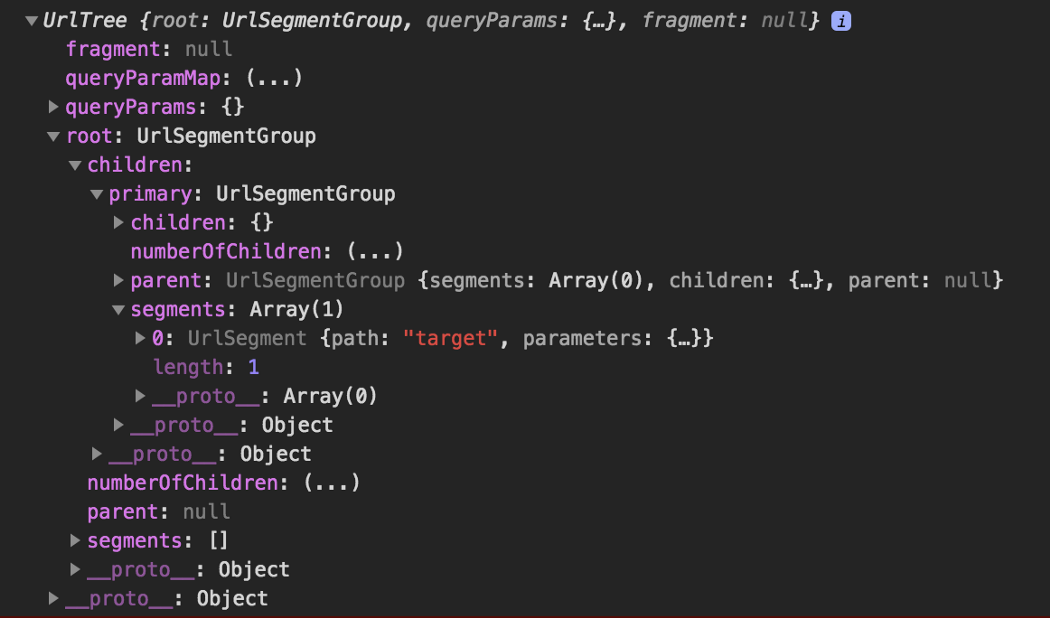
The UrlTree created from the string 'target'
For a deeper dive into the relationship between URLs and UrlTrees in Angular, I've explored the topic in detail here.
What Has Changed
Prior to this modification, guard functions were limited to returning boolean values, where true allowed the navigation to continue and false halted it.
For the CanActivate, CanActivateChild, and CanDeactivate guards, a third option now exists: returning a UrlTree. When this occurs, the ongoing navigation is halted, and a new navigation begins, aimed at the path the UrlTree indicates. For instance, an authentication guard could redirect an unauthenticated user straight to the login page.
A Practical Example
This sample application is configured with two routes:
const ROUTES: Route[] = [
  { path: 'target', component: TargetComponent },
  { path: 'redir', component: NeverGetHereComponent, canActivate: [CanActivateRouteGuard] }
];
We'll configure the application so that navigating to /redir always leads to /target, skipping the display of NeverGetHereComponent. Instead of relying on the redirectTo: 'target' property in the route definition for path: 'redir', we'll delegate the redirection task to the CanActivateRouteGuard.
Starting with a standard guard, we'll adjust its canActivate method to output a UrlTree rather than a Boolean:
import { Injectable } from '@angular/core';
import { CanActivate,
         ActivatedRouteSnapshot,
         RouterStateSnapshot,
         Router,
         UrlTree } from '@angular/router';

@Injectable()
export class CanActivateRouteGuard implements CanActivate {

  constructor(private router: Router) {}

  canActivate(route: ActivatedRouteSnapshot, state: RouterStateSnapshot): boolean | UrlTree {
    const url = 'target';
    const tree: UrlTree = this.router.parseUrl(url);
    return tree;
  }
}
At line 15, we generate a UrlTree based on the string 'target'.
As mentioned earlier, [parseUrl](https://angular.io/api/router/Router#parseUrl) is a method of the Router service, designed to accept a URL string and convert it into a UrlTree.
With the guard ready, we'll attach it to the { path: 'redir' ... } route.
{ path: 'redir',
  component: NeverGetHereComponent,
  canActivate:[CanActivateRouteGuard] }
Now, when we attempt to route to /redir, the navigation proceeds normally until guard checks occur. When our guard returns a UrlTree pointing to target, the navigation to redir is cancelled, and a fresh navigation is initiated for target. This behavior is observable by clicking the redirect link in the Stackblitz demo:
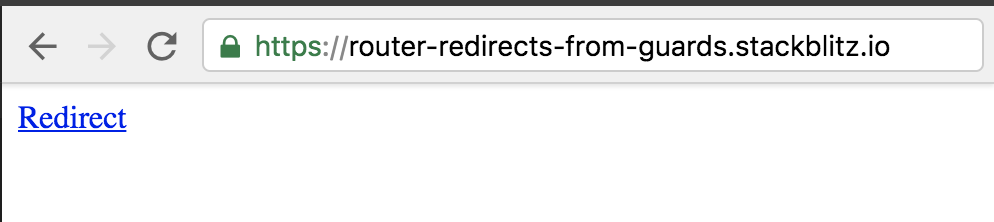
Subsequently, the browser console reveals:
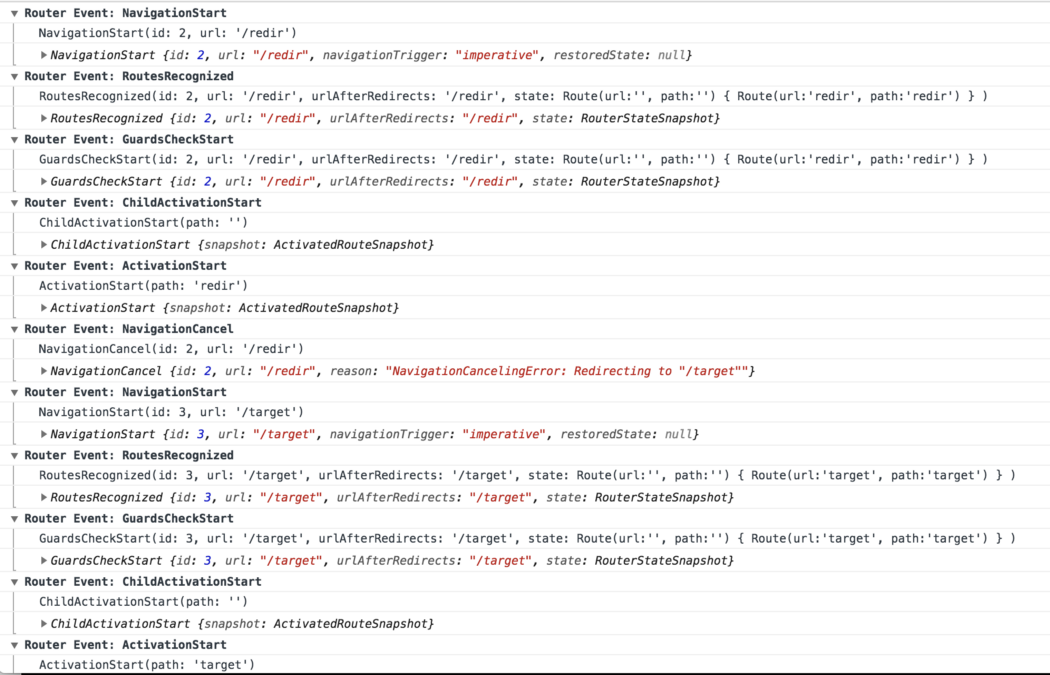
This confirms a NavigationCancel event with the message "NavigationCancellingError: Redirecting to ‘/target’", followed by a NavigationStart for ‘/target’.
And that's all it takes to enable redirects from route guards!
Establishing Guard Priority
Frequently, a single route is protected by multiple guards. You might wonder what happens when several of them attempt to redirect during a single navigation. What if they all return UrlTrees?
With Angular 7.1.0, a system for guard priority is now in place. This is achieved internally through a custom RxJS operator named prioritizedGuardValue. While we won't dive into its implementation specifics, this operator ensures that the guard with the top priority wins when multiple guards return UrlTrees.
Imagine this configuration:
{ path: 'redir',
  canActivate: [CanActivateRouteGuard, CanActivateRouteGuard2],
  children: [{
    path: 'dir',
    component: NeverGetHereComponent,
    canActivate: [ChildCanActivateRouteGuard]
    }]
}
parent and child canActivate guards
Here's how priority is assigned among multiple canActivate guards:
- The
canActivateguards belonging to the current route are evaluated before those of its child routes. - Within a single
canActivatearray, the guard at index 0 holds the highest priority, followed by index 1, and so on.
An alternative way to view this is that the guard nearest to the application's root has the highest priority. In the example above, CanActivateRouteGuard has the top priority, succeeded by CanActivateRouteGuard2, and finally ChildCanActivateRouteGuard.
All guards in a given canActivate array run concurrently, but the router pauses for higher-priority guards to conclude before making decisions. Thus, in this scenario:
- Even if
CanActivateRouteGuard2instantly returns aUrlTree:
the router will still awaitCanActivateRouteGuard's result before proceeding with a new navigation. - If
CanActivateRouteGuardproduces aUrlTree:
that one will take precedence. - If it returns
false:
the entire navigation fails, preventing any redirects. - If it simply yields
true:
then theUrlTreefromCanActivateRouteGuard2becomes the destination.
You can explore the various outcomes in the tests for the prioritizedGuardValue operator.
Additionally, you can try it out in this Stackblitz project. Feel free to adjust the delays, return values, and the placement of the three guards within the canActivate arrays in app.module.ts.
runGuardsAndResolvers Now Supports pathParamsChange
The official docs outline the runGuardsAndResolvers option as follows:
defines when guards and resolvers will be run. By default they run only when the matrix parameters of the route change. When set to
paramsOrQueryParamsChangethey will also run when query params change. And when set toalways, they will run every time.
The new pathParamsChange value triggers guards and resolvers only when the path or its path parameters are modified. Alterations to other parameters, like matrix or query parameters, will not activate them.
Motivation Behind This Feature
According to the source code:
`pathParamsChange` Run guards and resolvers path or any path params change. This mode is useful if you want to ignore changes to all optional parameters such as query *and* matrix params.
How to Use It
Being a property of Routes, runGuardsAndResolvers is set within the route configuration:
{ path: '...', runGuardsAndResolvers: 'pathParamsChange'}
Recap
With Angular 7.1.0, Route Guard functions gained the capability to return a UrlTree, which cancels the current navigation and redirects to a specific route.
To implement a redirect from a guard, follow these steps:
- Develop a guard function that leverages
parseUrlto produce aUrlTree. - Attach the guard to a route in the standard fashion.
A new option, pathParamsChange, now exists for controlling when resolvers and guards execute. This is beneficial when you wish to run them only on core navigations, disregarding changes to optional parameters like matrix or query params.