
Choosing Where to Store JWT Tokens on the Client Side
In a previous piece, I covered the fundamentals of OAuth 2.0, including the generation of access and refresh tokens. This time, the focus shifts to the client-side storage of those tokens.
Access tokens are typically short-lived JWT tokens signed by your backend and attached to every HTTP request for authorization. In contrast, refresh tokens are long-lived, opaque strings kept in your database, used solely to obtain a new access token once the old one expires.
Where Should Tokens Be Stored on the Front-End?
Two primary storage locations dominate the discussion: localStorage and cookies. While both have their proponents, the security community generally favors cookies, viewing them as the more secure option.
Let's compare localStorage and cookies directly. This analysis draws heavily from a well-known article and its subsequent discussion.
Local Storage

Pros: Convenience is its main selling point.
- It's a purely JavaScript-based API, which is incredibly handy when you lack a dedicated backend and rely on third-party APIs where you can't dictate cookie policies.
- It works seamlessly with APIs that require an authorization header, such as
Authorization Bearer ${access_token}.
Cons: It's an open book for XSS attacks.
An XSS vulnerability allows an attacker to execute arbitrary JavaScript on your site. Once that happens, they can simply read the access token directly from localStorage. This threat is realistic since almost every site includes third-party scripts (e.g., React, Vue, jQuery, Google Analytics) which could become the attack vector.
httpOnly Cookies
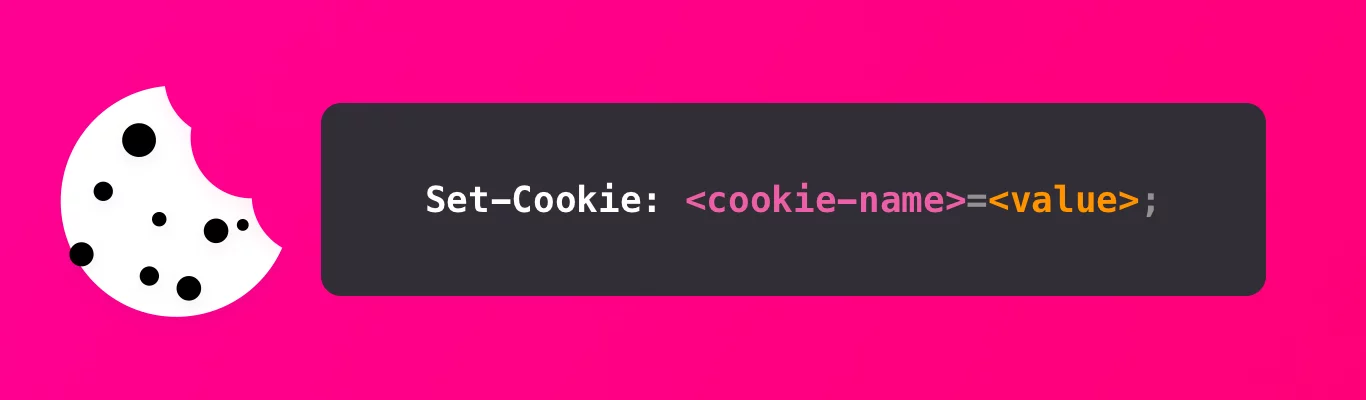
Pros: JavaScript can't touch them, making them resistant to XSS.
- Setting the
httpOnlyandsecureflags ensures the cookie is sent to the server but is completely inaccessible to JavaScript running in the browser. An attacker who injects script into your page cannot read the token from this cookie. - The browser automatically attaches the cookie to every HTTP request sent to your domain.
Cons: Cookies aren't always a viable option.
- There is a hard 4KB size limit on cookies. If your JWT is large, it won't fit. This is a significant constraint.
- Cookies are tied to the domain. If your API is on a different domain and can't accept cookies, or if it strictly requires an authorization header, this approach falls apart.
Analyzing the XSS Threat

Storing tokens in localStorage is risky because a single XSS flaw can let an attacker steal the token for later use. However, choosing httpOnly cookies doesn't make XSS attacks impossible; it just changes how they play out. An attacker can still execute code on your page and, in doing so, simply make an HTTP request from the victim's browser, causing the request to include the cookies automatically. While they can't read the token itself, they rarely need to. Using the victim's browser to send the authenticated request is often just as effective, if not more effective, than doing it from their own machine.
Dealing with CSRF Attacks
CSRF attacks trick a user's browser into sending an unwanted request to a site where they are authenticated. For instance, if a site accepts an email change via:
POST /email/change HTTP/1.1
Host: site.com
Content-Type: application/x-www-form-urlencoded
Content-Length: 50
Cookie: session=abcdefghijklmnopqrstu

email=myemail.example.com
An attacker can craft a malicious HTML form on their site that auto-submits a POST request to https://site.com/email/change with a hidden email field. The user's session cookie is sent along automatically, making it look like a legitimate request.
The good news is that this is largely preventable. You can set the sameSite attribute on your cookie and use an anti-CSRF token to validate that requests originate from your own site.
Opting for Cookies Over localStorage
While not perfect, cookies are the safer choice when circumstances permit. Here's the case for that position:
- XSS vulnerabilities are a threat in both scenarios, but
httpOnlycookies raise the bar significantly, making the exploitation much more difficult. - CSRF attacks are a concern with cookies, but they can be effectively neutralized with the
sameSiteflag and anti-CSRF tokens. - If you need to use the
Authorization: Bearerheader or have a JWT larger than 4KB, using a cookie-based refresh token is a viable path forward.
This logic aligns with the official stance from OWASP:
Avoid storing session identifiers in local storage because JavaScript can always access them. Cookies can reduce this risk if you use the httpOnly flag.
– OWASP: HTML5 Security Cheat Sheet

How to Implement Token Persistence with Cookies
To summarize, here are the typical approaches to token storage:
- Option 1: Keep the access token in
localStorage(and possibly the refresh token there too, or in anhttpOnlycookie). This exposes the access token to XSS theft. - Option 2: Put both access and refresh tokens in
httpOnlycookies. This reduces XSS exposure but introduces a CSRF risk that must be mitigated. - Option 3: Store the refresh token in an
httpOnlycookie. This is the most robust option, offering a good balance of security. The access token is held elsewhere.
Option 3 is widely considered the strongest of the three, so we'll focus on it.
Keeping the Access Token in Memory and the Refresh Token in a Cookie
Storing an access token "in memory" means placing its value in a client-side variable, like
const accessToken = XYZ, rather than in the persistentlocalStorageorcookies.
Why does this defend against CSRF?
While an attacker could trick a user's browser into submitting a form to /refresh_token to get a new token, they cannot read the response from that HTML form. To pull off a successful attack, they'd need to use fetch or AJAX and then read the response. However, this requires the Authorization Server to have proper CORS policies in place that block unauthorized origins, making it impossible for the attacker's script to read the data.
How does this setup work?
Step 1: Issue Both Tokens During Authentication.
Upon successful login, the Authorization Server sends back an access_token in the response body and sets a refresh_token as an httpOnly cookie.
For the refresh token cookie, ensure it has these attributes:
- The
httpOnlyflag to block any JavaScript access. - The
secure=trueflag to enforce transmission over HTTPS only. - The
SameSite=strictflag to prevent CSRF, whenever possible. This requires the API server to be on the same site as the front-end. If that isn't possible, the server needs to implement proper CORS and other safeguards.
Step 2: Keep the Access Token in Memory
Your client-side code should hold the access token in a variable (const accessToken = xyz). The token will be lost on page refresh. That is perfectly fine; it's precisely the job of the refresh token to replace it. The trade-off is between the short-lived inconvenience of losing the in-memory token and the much greater security risk of storing it in a place that malicious scripts can easily scrape.
Step 3: Refresh the Access Token When Needed
When your in-memory access token is lost or expires, you call the /refresh_token endpoint. The refresh token is automatically attached to this request via the cookie. The server responds with a fresh access token, which you can then use for the subsequent API calls. This configuration also frees you from the cookie's 4KB size limit since the main access token is not stored in a cookie, and you can use the Authorization header freely.
Wrap-Up
That should give you a solid foundation for securely managing tokens on the client side.
Further Reading
This article was written with help from several key resources:
- Please Stop Using Local Storage
- The Ultimate Guide to handling JWTs on front-end clients (GraphQL)
- Cookies vs Localstorage for sessions — everything you need to know
Get in Touch
We welcome your comments and questions below.