
RxJS and Angular: Part III
In my earlier two pieces, we explored shifting from imperative component logic to a functional, reactive approach driven by RxJS, and we enjoyed ourselves considerably in the process.
Now, we aim to push further — tackling challenges directly in a reactive paradigm from the outset, without first sketching an imperative solution. Instead, we’ll frame our thinking around data flows and streams from the very beginning.
To illustrate, let’s pick a problem that proves genuinely tricky to handle with traditional imperative code.
Building an “Inactivity Notice” Popup with RxJS
If you’ve ever used PayPal in a desktop browser, you’ve likely encountered this prompt:
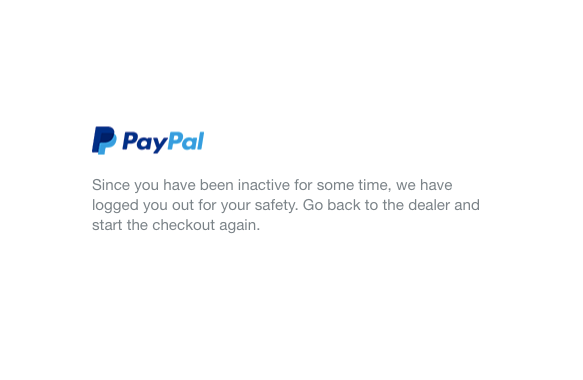
PayPal signs you out following a period of inactivity
This function is undeniably valuable — especially for safeguarding user security — so we should implement it in the clearest, most straightforward manner possible. Rather than starting with an imperative method (involving setTimeout or similar) and later converting to RxJS, we’ll build it purely with RxJS to strengthen our reactive instincts.
First, we need to define the data stream. The essential output we seek is a boolean indicating whether the user has engaged in activity like mouse movement or clicks within the last minute. To achieve this, we must track and collect those events over time, leveraging interval:
const perMinute$ = interval(60_000);
Next, we choose the events that signal user activity and combine them using merge:
const events$ = merge(
  fromEvent(document.body, 'click'),
  fromEvent(document.body, 'mousemove'),
  fromEvent(document.body, 'scroll')
);
This event list isn’t exhaustive; you can extend it with any events that suit your requirements.
Then comes the challenging part: tallying how many events occur within a minute. Fortunately, RxJS offers a neat operator called bufferWhen. This operator takes another Observable as a trigger. It gathers events from the source stream into an array, and when that inner Observable fires, it releases the array and begins anew. In our case, we’ll feed events$ as the source and use the interval timer (set to one minute) to count:
const bufferedEvents$ = events$
  .pipe(bufferWhen(() => interval$))
  .subscribe(console.log);
When you open the console and engage with the page, you’ll see output similar to this:

Numerous events captured within just a few seconds
Observe that every 5 seconds (I shortened the interval to 5 seconds here to avoid flooding the console with over 10,000 entries), our Observable produces an array containing all matching events from that period. So, how do we detect inactivity? If no events occur within that window, the resulting Array comes back empty. Consequently, our final implementation looks like this:
const bufferedEvents$ = events$
  .pipe(
    bufferWhen(() => interval$),
    filter((events) => events.length === 0)
    // no events in a timeframe means an empty array
  )
  .subscribe(() => alert('You have been inactive for a minute!'));
RxJS can take a fairly intricate issue and resolve it declaratively in such a compact manner that it fits comfortably within a single tweet!
Implementing an “You’ve been inactive” notification in just a few lines of #rxjs pic.twitter.com/89woZghmj4
— Armen Vardanyan (@Armandotrue) September 22, 2020
Leveraging RxJS for Dynamic DOM Data
Consider building a “scroll to top” button that only appears after the user scrolls down a certain amount. One approach might involve a HostBinding, recalculating window.scrollY, comparing it to a threshold (say, 500px), and storing a boolean — but we’ve vowed to use RxJS directly. So, let’s switch on our reactive mindset: what data do we need? It’s the scroll position, window.scrollY. When does this change? Whenever the user scrolls. Thus, our stream originates from the scroll event, and we map it to the scroll distance. Here’s the solution:
@Component({
  selector: 'my-app',
  template: `
    <div>
      lots of content that creates vertical scroll here
      <button *ngIf="showBtn$ | async">Scroll to top</button>
    </div>
  `,
})
export class MyComponent {
  showBtn$ = fromEvent(document, 'scroll').pipe(
    map(() => window.scrollY > 500)
  );
}
That’s compact, concise, and functions flawlessly!
Well, nearly. If we attach a tap(() => console.log('Working')) to our Observable, we’ll notice the event fires excessively often. How do we address this? Honestly, we don’t need to recompute the distance constantly — it’s enough to throttle the process slightly. Can you guess where this is heading? Right — by adding debounceTime(50), we ensure the calculation runs only after a 50-millisecond pause in scrolling. This will dramatically cut down on value updates (and potential re-renders) while preserving the smooth appearance and disappearance of the button. Though this is a small tweak, it paves the way for a broader conversation about enhancing Angular performance with RxJS, which we’ll explore in the upcoming section.