Understanding the Foundations: Bundled vs. Unbundled Development
The Core Distinction
[Note: the insights shared here could significantly streamline your front-end workflow.]
Created by Evan You, Vite is a development and build server that stands out for its remarkable speed. It is framework-agnostic, meaning its utility extends well beyond Vue.js applications. Currently, it provides support for Vue.js, React (including Preact), and Svelte.
The key innovation lies in Vite's use of the browser's native ES modules support to deliver modularized applications directly, bypassing the traditional bundling step.
Important note: Vite still employs bundling for production releases. Its production build process relies on Rollup, which itself is ESM-based, enabling highly optimized output.
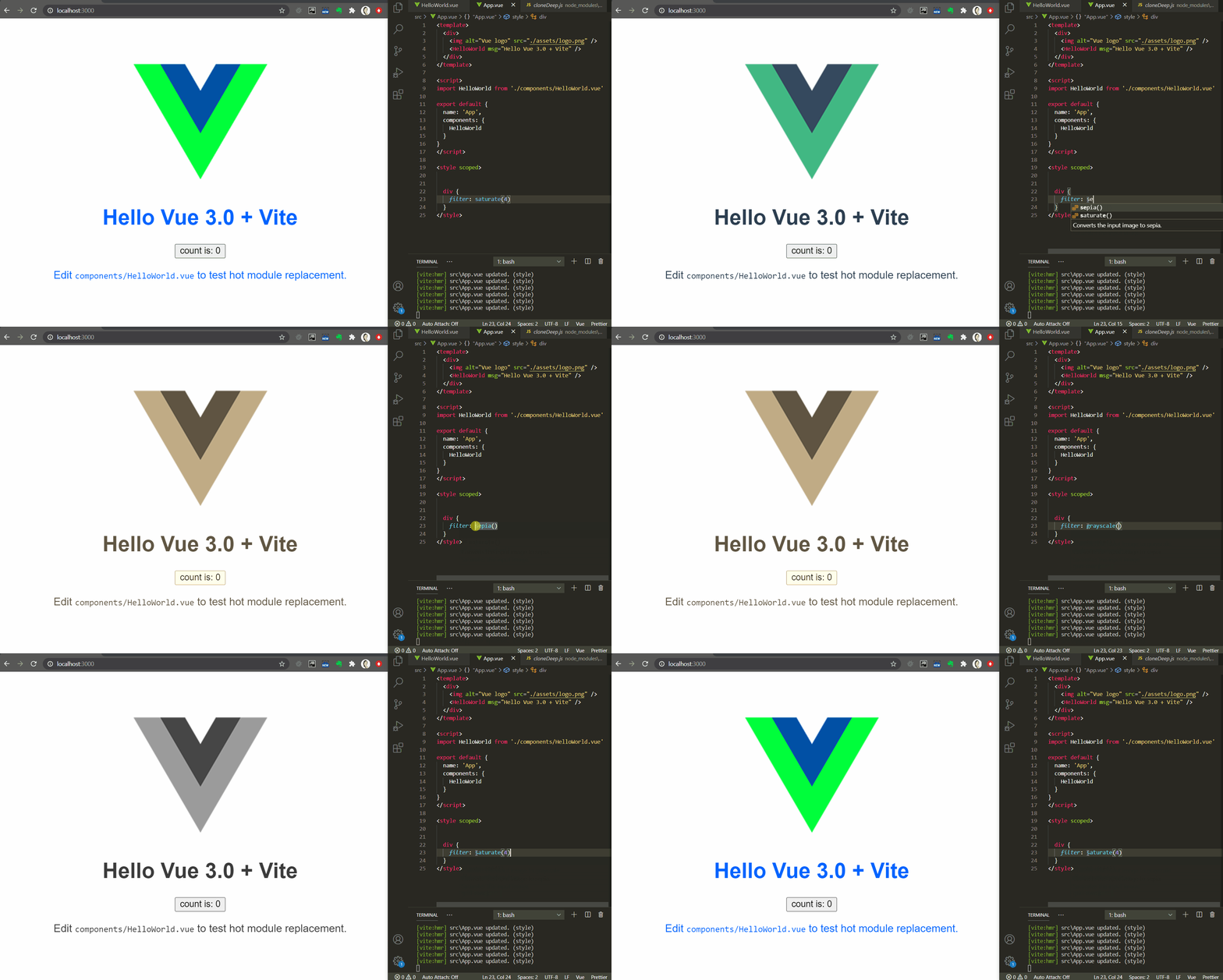
Beyond its core serving capabilities, Vite also offers HMR (Hot Module Replacement) for the previously mentioned frameworks. This feature, combined with the concept of 'unbundled development', allows Vite to reflect code changes in a running application nearly instantaneously, liberating developers from the lengthy compilation waits typical of other setups.
Fun fact: 'Vite' translates to 'fast' in French.
This leads to two central questions: how does this technology function under the hood (to be explored in part II)? And, more pressing, is it ready for adoption today (the focus of part I)?
This initial segment will highlight Vite's principal features and offer practical advice for teams considering a switch. The follow-up piece will delve into the technical mechanics that make Vite work.
For a practical demonstration, check out this excellent video by Tim Benniks.
I. [Refresher] Fundamental Concepts
A. Comparing Bundled and Unbundled Development
Comprehensive definitions can be found here, courtesy of @FredKSchott. Here's a summary:
- 'Bundled development' represents the standard build process for most front-end developers. In this model, source code—which browsers cannot interpret directly—is first compiled and then bundled. The necessity for bundling stems from the fact that browsers lack native support for the module formats used in source code (see section B). We must therefore concatenate everything into large, executable scripts. The major drawback is that any code change necessitates a rebuild of either part or the entire application, a process that consumes valuable time.
- 'Unbundled development' presents a different paradigm. With the advent of an official, standardized module system in JavaScript, this approach posits that we can bypass the bundling phase entirely, as all tools and browsers can now communicate using a common format. In this model, when a source file is modified, only the directly affected modules are recompiled (if necessary) and sent to the browser. Consequently, there is no need for a full rebuild, and updates are delivered within milliseconds.
B. The Rationale Behind Bundled Development
[While slightly tangential, this question is worth addressing] Why have front-end developers adhered to this build process for so long?
A primary reason is historical. Prior to the widespread adoption of ES modules (late 2017 for Chrome and early 2020 for Edge), browsers did not have any standard module system implemented. As a result, the modularized source code had to be bundled into a format browsers could process.
Could the community have devised a browser-friendly module system earlier?
Perhaps, but there was a more fundamental obstacle: before ES6, JavaScript lacked an official module format. This void led the community to create its own solutions, resulting not in one, but in several competing standards. These included CommonJS (CJS), Asynchronous Module Definition (AMD), Universal Module Definition (UMD), as well as libraries relying on globals and frameworks with proprietary systems (like Angular JS's scope and dependency injection).
In the node.js environment, CJS was the standard from the start, making this issue specific to browsers.
For a deeper dive into JavaScript's module history, see this opinionated article.
Why did no single format emerge victorious? CJS was not suited for the browser environment. AMD was browser-compatible and had loaders like require.js and curl.js, but its dependency configuration proved complex. UMD, it seems, arrived too late to the scene.
Ultimately, the community consensus was that the most pragmatic solution was a bundler (Webpack being the prime example) capable of parsing all module formats and compiling them back into a simple, universally understood script.
C. The Rise of Unbundled Development
With ES modules gaining browser support, a new wave of ESM-based dev servers emerged, including es-dev-server, Snowpack, and Vite.
What sets Vite apart from its peers, Snowpack and es-dev-server (as discussed here and here)?
- For development, Vite includes built-in HMR support and offers especially granular HMR for Vue applications. (Snowpack introduced HMR only in v2)
- For production builds, Vite relies on Rollup, which, due to its ESM foundation, is capable of generating smaller bundle sizes.
II. An Overview of Vite's Capabilities
This section draws inspiration from this tweet by Evan You.
A. High-Level Features
Vite operates as both a development server that leverages ES modules and a production bundler built on Rollup (which is also ESM-centric). Although Vite offers first-class support for Vue, a point of ongoing discussion here, it remains framework-agnostic and can accommodate others through plugins. Functioning plugins are currently available for React, Preact, and Svelte. Furthermore, VitePress, a static site generator built on Vue and Vite (conceived as "VuePress's brother"), is in active development.
In its development mode, Vite provides HMR (Hot Module Replacement) for the frameworks listed earlier. When paired with unbundled development, this enables Vite to apply updates to a running application almost instantly (more detail in Part II).
B. On-the-fly Code Transformation
During development, Vite is capable of compiling various file types into ES modules:
- Vue Single File Components (SFCs)
- Static assets, including CSS files and images, which can be imported directly in JavaScript code, similar to Webpack. For CSS, Vite offers support for pre-processors and PostCSS.
- TypeScript and JSX, which are processed using esbuild, an exceptionally fast build tool.
This transformation is handled by a set of Koa middlewares, which function in a manner analogous to Webpack's loaders.
Vite is itself built on top of the Koa web framework.
C. Handling Dependencies
Dependency management is a critical differentiator. For non-development dependencies, Vite first searches for an ES module distribution. If none is found, it pre-bundles the dependency into ESM format.
Here, 'dev dependencies' refer to tools required at build time but not shipped to the browser (e.g., ESLint, Babel). These are executed within Vite's Node.js environment and therefore do not need ESM transformation.
The technical details of this process are covered in Part II.
D. Configuration and Extensibility
Customization is achieved by placing a vite.config.(j|t)s file in the project root. This file (in either ESM or CJS format) must export an object matching the type defined here.
Config files unlock several key capabilities:
- Custom Transformations: To handle non-standard file types, you can add plugins (as Koa middlewares) via the config (see section A). This involves defining a transform function (
code => transformedCode) within the config.
For a step-by-step guide on plugin creation, refer to this article.
- Extending HMR: To enable HMR for other frameworks, Vite exposes an API that can be integrated at the end of modules that should accept updates. For an example, see its usage in the React plugin.
What exactly is
import.meta.hot? It's a special context created by Vite to expose its HMR API to your modules (explained in Part II).
- Production Customization: For production builds, you can integrate custom Rollup plugins through the same config file.
E. Deliberate Omissions
Currently, certain tasks are intentionally outside Vite's scope (reference), including:
- Code linting
- Type-checking during development (though it is performed during the build; see also TypeScript limitations)
- Executing tests
- Code formatting
The underlying philosophy is that these responsibilities are better suited for specialized tools (like IDEs or test runners), and incorporating them into Vite would be duplicative.
III. How can I 'migrate' my app to use Vite?
Nb: A package (along with tutorials) exists for creating an app with Vite, so this point is omitted here.
Nb2: At the time of writing, there is no official documentation, guideline, or tutorial on migrating an existing app to Vite. The following section is entirely experimental, and any comments or feedback would be greatly appreciated.
A. For any app:
Although Vite is built mainly with Vue in mind, it remains framework-agnostic and can be adapted to other frameworks via plugins. Setting plugins aside, a set of operations apply universally to any migration, outlined below.
- A sensible first move is to install Vite:
yarn add --dev vite
- [if possible] Convert non-dev dependencies distributions to ES modules, or, where feasible, move them to dev dependencies (in package.json). For each dependency, Vite will either leverage an ES distribution (the optimal choice), or, if absent, pre-bundle it into ESM.
A notable share of front-end NPM packages are still shipped in CJS/AMD/UMD formats without ES builds.
B. Vue app:
For a Vue application, the following additional steps (beyond those in A.) are required:
-
As Vite supports only Vue 3, the first step (if necessary) is upgrading to Vue 3. You can do this with the Vue CLI plugin:
vue add vue-next -
[optional] You can uninstall CLI packages. However, if your project relies on CLI features that Vite does not provide (see test execution below), you may choose to retain this package:
yarn remove @vue/cli-service -
Update the `scripts` in `package.json`:
"scripts": { - "serve": "vue-cli-service serve", - "build": "vue-cli-service build", + "dev": "vite", + "build": "vite build" }, -
(this depends on your `index.html` entry point – we use the default one generated by the Vue create-app) insert the top-level module import in the entry point and strip out anything Webpack-related:
<!DOCTYPE html>
<html lang="en">
  <head>
    <meta charset="utf-8">
    <meta http-equiv="X-UA-Compatible" content="IE=edge">
    <meta name="viewport" content="width=device-width,initial-scale=1.0">
-    <link rel="icon" href="<%= BASE_URL %>favicon.ico">
-    <title><%= htmlWebpackPlugin.options.title %></title>
+    <link rel="icon" href="/favicon.ico">
+    <title>My new Vite app!</title>
  </head>
  <body>
    <noscript>
      <strong>We're sorry but ....</strong>
    </noscript>
    <div id="app"></div>
-    <!-- built files will be auto injected -->
+    <script type="module" src="/src/main.js"></script>
  </body>
Running tests:
As noted, Vite intentionally keeps testing outside its scope. This aligns (and works) with the new Vue 3 testing package, vue-test-utils-next, which does not require any CLI plugin for running tests. Documentation for migrating Vue 2 test utils is in progress.
C. React app:
-
[important] Since React ships in CJS and UMD rather than ESM, the React Vite plugin necessitates installing @pika/react and @pika/react-dom.
@pika/react and @pika/react-dom are built by @FredKSchott (SnowPack); they automatically convert React builds into ES modules. The repository checks daily for React releases and stays always up-to-date.
"dependencies": { - "react-dom": "^16.13.1", - "react-dom": "^16.13.1", + "@pika/react": "^16.13.1", + "@pika/react-dom": "^16.13.1" }, -
At the root level, add a Vite config file to specify that Vite must use the React plugin (details here)
-
Rename files with JSX from `(j|t).s` to `(j|t).sx`
-
(this depends on your `index.html` entry point – we use the default one from the React create-app) add the top-level module import in the entry point:
  <body>
    <noscript>You need to enable JavaScript to run this app.</noscript>
    <div id="root"></div>
    <script type="module" src="/src/index.jsx"></script>
  </body>
Running tests:
Given that React testing utilities lack ESM distributions, ensure all testing packages are listed as 'dev' dependencies (in package.json); otherwise, Vite will raise an error.
Summary:
Vite is a development and production server grounded in ES modules.
In development, Vite taps native ESM rather than bundling and compiles on the fly requested files into ES modules. Combined with HMR support for Vue, React / Preact, and Svelte, this lets Vite update a running app in the browser instantly upon source changes.
In production, Vite delivers a bundled build via Rollup, ensuring highly optimized bundles (thanks to ESM support).
Now that we have a sense of what Vite can do, let's explore how it operates — see you in part II.