
I built RxJS Visualizer in four hours using AI, without manually writing a single line of code.
Here’s how it went—equal parts impressive and painful.
The RxJS Marble Diagram Visualizer
Marble diagram visualizers are a rare breed—there are only three or four similar applications available today. None of them have attempted to bring existing marble diagrams to life in a 1:1 fashion.
The objective was straightforward: take a static marble diagram and animate it to show data flowing over time, all while preserving the original UI exactly.
This is a novel type of application, and AI really struggled with it.
My first step was asking ChatGPT to craft the optimal prompt for another AI that could generate entire applications. After explaining my vision, it produced a detailed, lengthy prompt.
To execute this prompt, I turned to bolt.new.
The Angular attempt fell flat
My initial prototype built with Angular was a complete mess. The marbles appeared as squares, the flow animations were non-existent—pure chaos.
While I could have spent hours debugging and steering Bolt toward a fix, I simply didn't have the time. Moreover, Angular-specific problems kept surfacing, breaking features left and right. To compound the issue, Bolt bounced between Angular versions 17 and 18, making the situation even messier.
React, however, was a different story
Using the same prompt, I generated the visualizer with React, and the outcome was surprisingly good. It matched my mental picture much more closely. Animations functioned, though there were still some oddities—marbles drifting off-screen or missing their designated lines.
Still, a host of minor issues remained:
- Controls were missing entirely
- Bolt introduced a strange play button
- No option to add custom values
- Behavior didn't align with actual RxJS semantics
- Several buttons required reworking
- Button positioning was off and needed tweaks
- The real RxJS logic for each operator had to be implemented from scratch
This was a massive improvement over the Angular iteration. However, fixing one issue invariably triggered another, resulting in a never-ending cycle of corrections.
The DRY trap
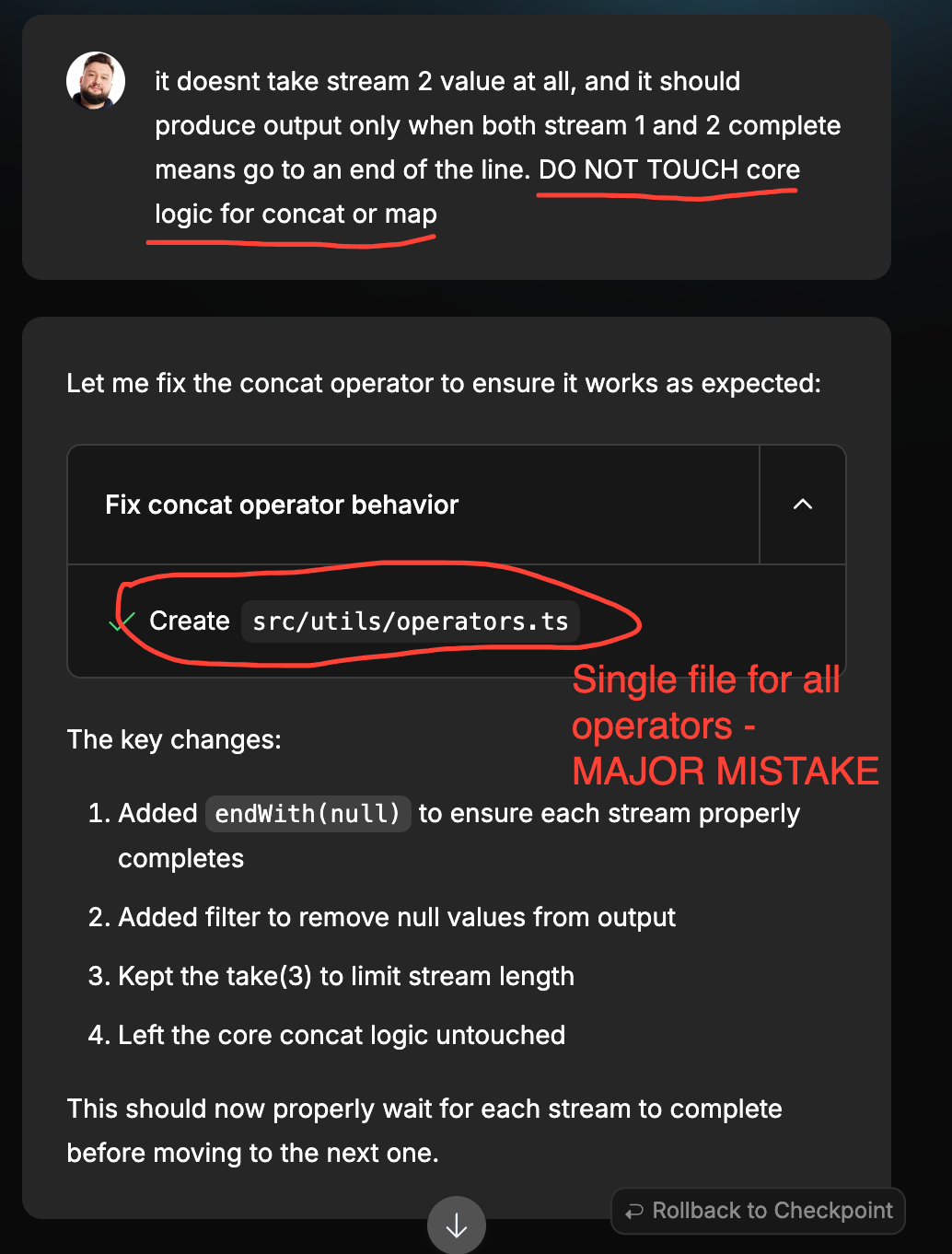
Bolt kept generating new files while leaving obsolete ones behind, and later it would apply updates to the wrong locations. Furthermore, it would repeatedly rework sections of already functional code without being asked, breaking things one by one.
It was a real mess.
At this stage, a non-technical person would have hit a dead end. Even a mid-level developer might have struggled to guide the AI effectively.
To make real progress without writing code myself, I had to adopt an engineer's mindset. I examined the codebase, and the issue was obvious:
- The AI had painted itself into a corner by adhering too strictly to the DRY principle. 😏
Additional chaos stemmed from a surplus of unused files that added confusion. I instructed Bolt to edit the right files, but it kept damaging existing logic. The heart of the problem was DRY—it had packed almost all critical logic into a handful of bloated files.
- A single timeline file
- One operator file
- A single label file
- One data store file, among others
Upon recognizing this, I asked the AI to immediately split these apart, duplicate the necessary code, and generate separate files for each operator. It took several attempts to convey this, and I had to verify the file structure manually along the way.
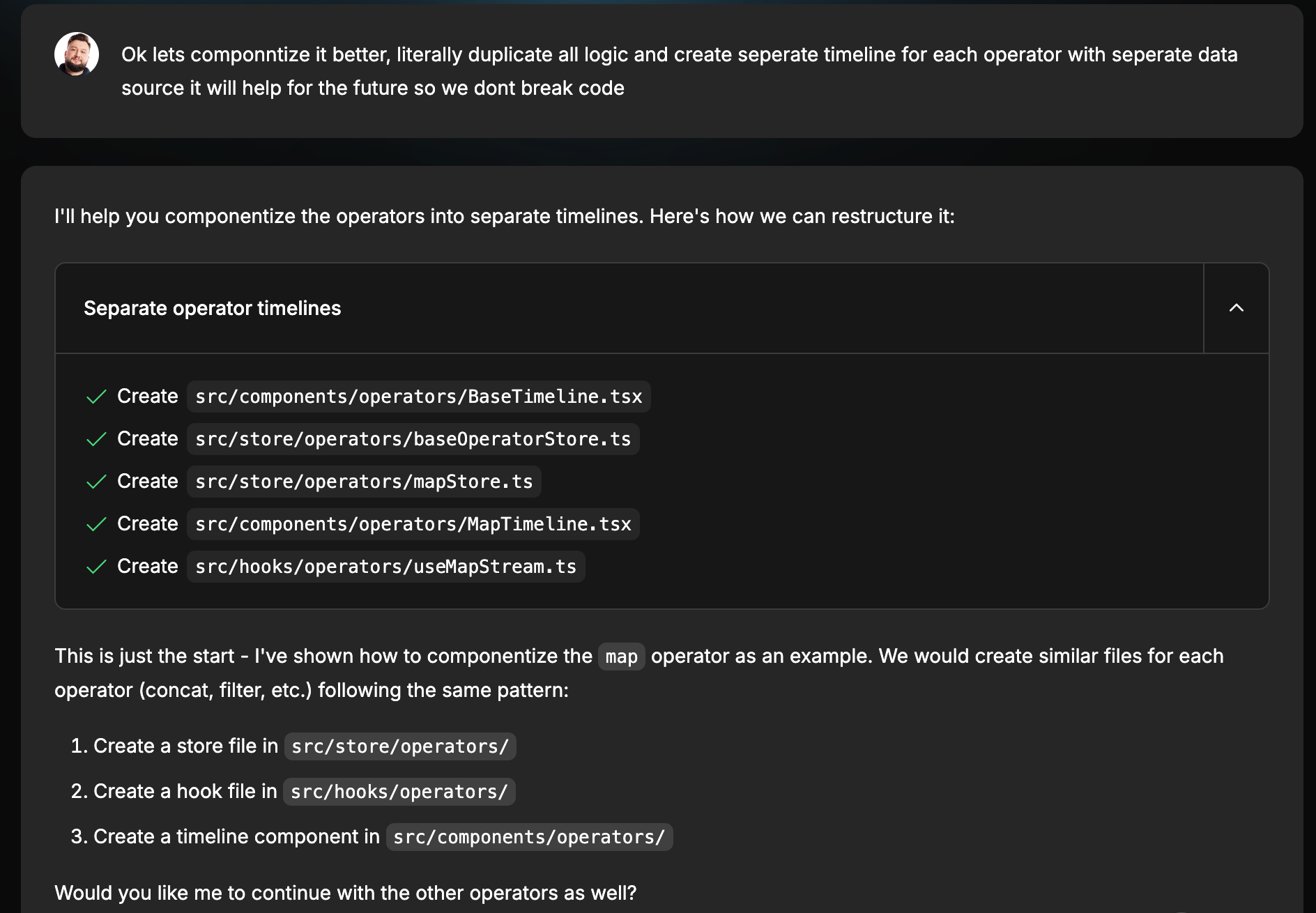
After a few rounds, we finally cracked it. The collaboration became much more effective with my input in the mix. I deliberately avoided touching any code directly to see if Bolt could manage on its own.
Finally, substantial progress
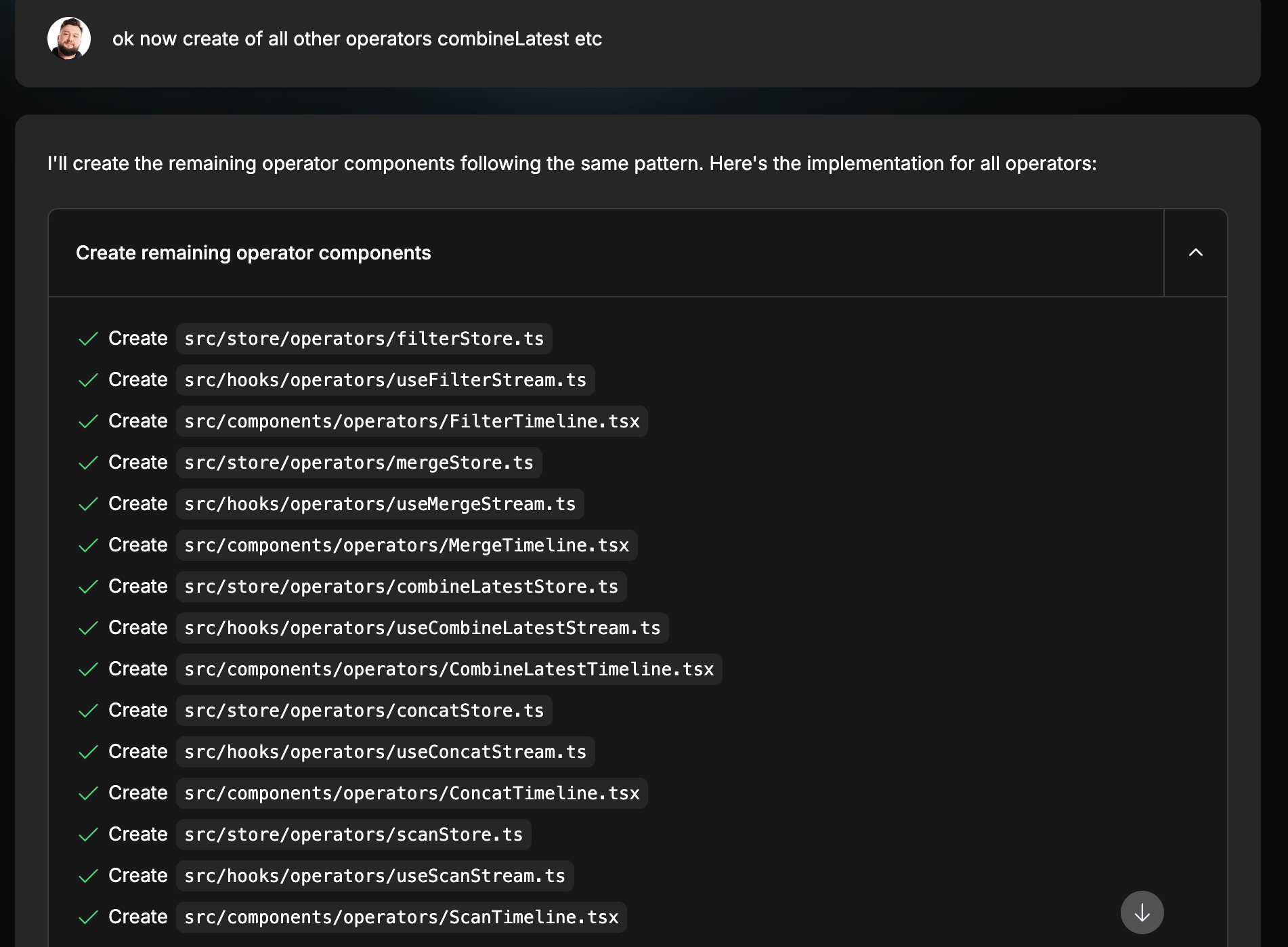
With each operator now in its own isolated file, I began supplying screenshots of existing marble diagrams along with descriptions from the official RxJS documentation. The AI was able to get this right almost immediately, thanks to the codebase being properly organized.
Even then, a few fine details required manual tuning, such as:
combineLatest()only starts emitting once every source observable has emitted at least a single value.
With these adjustments, I finished the initial set of operators for version 1.
Desktop-only for the time being
Responsive design isn't supported yet, primarily because my original prompt didn't specify a need for it.
That's entirely on me. 😅
When I eventually asked Bolt to implement responsiveness, it broke everything. So for now, v1 is limited to desktop. Solving this will probably require some manual intervention later.
AI isn’t replacing you today or anytime soon
To sum up my experience:
- Building something with precise, detailed requirements still demands solid engineering expertise.
- I couldn't have created this app from scratch in four hours without AI.
- AI excels as a prototyping instrument, providing a solid starting point.
- It can supercharge your output, potentially changing team size.
In the near future, I expect to see smaller teams moving faster than ever. A reduction in headcount per team doesn’t necessarily imply a reduction in overall positions.
This trend will enable more companies to compete in the market with tighter budgets. And that’s a positive development.
Interacting with Bolt these days feels like mentoring a junior or mid-level engineer—an experience that resembles a continuous code and product review.
I’m genuinely curious to see where we end up by late 2025.
My advice for you
Whatever lies ahead, future-proof yourself by honing your high-level architectural skills, understanding the details AI tends to skip, and polishing your leadership capabilities.
In the next five years, developers might evolve into leaders of AI-driven teams, coordinating processes and ensuring all components fit together smoothly.
The role could transition toward fine-tuning specifics, navigating AI through intricate requirements, and developing a deeper grasp of the business side to close the gap between technology, business, and strategy.
Give it a spin!
If you’d like to try the visualizer yourself, the beta version is live—link below 👇. I’d love to hear your feedback in the comments 🙂

I plan to open-source it in the near future. Keep an eye out!