
The Angular ecosystem is vast, and it's almost certain that we've all stumbled upon less-than-ideal code during our careers. Countless articles on "Angular Anti-Patterns" exist — some of which I've contributed to — but this piece takes a different route.
Conventional advice often leans on vague directives like "keep components lightweight" or "separate your concerns," which sound great in theory but are hard to apply when you're staring at a real codebase. You might ace an interview question about anti-patterns, yet fail to spot them in an actual project.
Here, we'll focus on specific symptoms. These aren't necessarily bad practices in isolation, but they often point to underlying issues that could be causing chronic pain in your Angular projects.
A crucial caveat: every item on this list is just a potential indicator, not a definitive bug. We don't propose a grand refactor just to eliminate these symptoms; instead, we aim to help you recognize them and make informed decisions.
Let's dive into the first one.
The Input Overload
At times, we encounter components that strive for maximum customization. While flexibility is a virtue, it can quickly become a burden. Consider a component designed to render a dropdown:
<app-dropdown [multiselect]="true" [options]="options" [searchable]="true" [virtualScrolling]="false" [clearable]="true" />
I deliberately omitted the component's internals, but you can visualize the chaos: a dozen conditional checks for the multiselect flag, a tangled template, and a never-ending list of @Input() declarations.
Identifying the Issue
- The component becomes monumental and tough to manage.
- Its usage in other templates is clunky and verbose.
- Unless properties are marked as required, important configuration details can be inadvertently omitted.
Proposed Solutions
- Split it into distinct components: one for single-select and another for multi-select.
- Consolidate input properties into a single configuration object.
- Offer defaults through an injectable provider that can be customized per use-case.
This dramatically cleans up the consuming template:
<app-multiselect [options]="options" [config]="multiselectConfig"/>
Or, we can leverage a sensible default configuration:
const appConfig: ApplicationConfig = {
    providers: [
        { provide: MultiselectConfig, useValue: { searchable: true, virtualScrolling: false, clearable: true } }
    ],
};
With this setup, the config input becomes optional, only used to override the pre-set defaults. The component can also implement a mergeConfig method to ensure that only the provided properties from the input are overridden, keeping the rest at their defaults.
Furthermore, if a specific section of the app needs a different set of defaults, we can easily supply them via route-level providers:
const routes: Routes = [
    {
        path: 'feature',
        loadChildren: () => import('./feature/feature.routes'),
        providers: [
            { provide: MultiselectConfig, useValue: { searchable: false, virtualScrolling: true, clearable: false } }
        ]
    },
];
This demonstrates that while flexibility is good, an over-engineered generic beast fosters complexity. It's often wisest to break down components into more specific variants and use configuration objects along with Dependency Injection to streamline the process.
When is an Exception Made?
In large-scale, highly adaptable UI libraries, a large number of inputs can be justified. Still, even there, the advice about breaking down components and using config objects holds value. Let's move on to the next symptom.
Parent Component Injection
When we've already decomposed a complex UI into smaller parts, we may face challenges with inter-component communication that the standard @Input / @Output pattern can't easily solve.
A classic temptation is to push a formControl or formGroup directly into a child component as an input. This works fine in basic scenarios, but introduces pitfalls, especially when the child component runs with an OnPush change detection strategy. The parent might update a value, but the child, being OnPush, might not register the change unexpectedly.
In such tricky spots, some developers (though thankfully this is rare) get the idea to simply inject the parent component into the child and read its public members. Here's a basic illustration of the pattern:
@Component({
    selector: 'app-child',
    template: `{{ parentComponent.someProperty }}`
})
export class ChildComponent {
    parentComponent = inject(ParentComponent);
}
Identifying the Issue
- It establishes a rigid coupling — the child component is completely dependent on being inside the parent's template. This can be loosened with the
optionalDI modifier, but that adds yet another layer of complexity. - Unit testing becomes a chore, as you'd have to mock the parent within the child's test setup.
- It can still trip up the change detection cycle, especially with
OnPush. - Diagnosing data flow bugs becomes a daunting task.
Proposed Solutions
- Steer clear of this pattern entirely.
- Prefer injectables like services or
InjectionTokens for data sharing when direct inputs seem insufficient.
Here's a refactored version where the formGroup is moved to a service:
export const CustomFormGroup = new InjectionToken<FormGroup>('CustomFormGroup', {
    factory: () => new FormGroup({
        // whatever controls go here
    }),
});

@Component({
    selector: 'app-child',
})
export class ChildComponent {
    form = inject(CustomFormGroup);
}

@Component({
    selector: 'app-parent',
    template: `<app-child />`,
})
export class ParentComponent {
    form = inject(CustomFormGroup);
}
Now, both components can access the same formGroup from the service without being entangled. For a smaller form, implementing ControlValueAccessor could be an even cleaner approach, creating a truly isolated component.
When is an Exception Made?
For components that are explicitly designed to operate in tandem, this is a valid pattern. Take a TabsComponent that projects TabComponents into its template:
<app-tabs>
    <app-tab title="Tab 1">Content 1</app-tab>
    <app-tab title="Tab 2">Content 2</app-tab>
</app-tabs>
In this example, a TabComponent is meaningless outside the context of a TabsComponent, so injecting its parent is perfectly reasonable. Next up, we'll examine a somewhat more subtle scenario.
The Bulky Template Loop
Discussions around component decomposition often revolve around a size threshold. It's rarely clear exactly when a chunk of template code becomes too large and warrants its own component. However, a template's *ngFor or @for loop with a complex body is a strong signal. Let’s look at an example:
@for (comment of comments(); track comment.id) {
    <div class="comment">
        <div class="comment-header">
            <img [src]="comment.author.avatar" />
            <span>{{ comment.author.name }}</span>
        </div>
        <div class="comment-body">
            {{ comment.body }}
        </div>
        <div class="actions">
            <button (click)="likeComment(comment)">Like</button>
            <button (click)="replyToComment(comment)">Reply</button>
        </div>
    </div>
}
Identifying the Issue
- This is a substantial UI block that's ready to be encapsulated.
- It represents a distinct cognitive unit that breaks the template's logical flow. We think of a "single comment" as a separate concept from a "list of comments," even if they share functionality.
- It clutters the primary template, making it harder to scan.
Proposed Solutions
The fix here is straightforward. Extract the loop's body into a dedicated child component:
@for (comment of comments(); track comment.id) {
    <app-comment [comment]="comment"
        (like)="likeComment(comment)"
        (reply)="replyToComment(comment)">
    />
}
When is an Exception Made?
If the code inside the loop is trivial, creating a new component might just add unnecessary layers:
@for (tag of tags(); track tag.id) {
    <div class="tag">{{ item }}</div>
}
There’s no value in breaking out such a small, simple HTML snippet. But this leads us to examine potential issues *within* the child component itself.
Services in “Presentational” Components
A vast portion of discussion in front-end frameworks revolves around the container/presenter pattern, which suggests a clean split between logic and UI. In theory, we should have purely presentational components that receive data via inputs and emit events via outputs, and we should have container components that house the logic to fetch data or orchestrate forms.
For instance, the <app-comment> component we discussed earlier fits this bill: it takes comment data as an input and uses outputs to notify its parent about user interactions.
This separation is beneficial for reuse. Consider a site with comments scattered across various sections — product reviews, blog posts, videos. They all render the same UI, but their underlying logic differs. A comment on a video might need to update a completely different resource (videos/<videoid>/comments/<commentid>) than one on a blog post (posts/<postid>/comments/<commentid>).
Given this, it's sensible to make the CommentComponent as agnostic as possible, letting the parent container handle all specific update logic.
But imagine the following code happens to appear inside the CommentComponent:
@Component({
    selector: 'app-comment',
    template: `...`
})
export class CommentComponent {
    readonly #commentService = inject(CommentService);
}
Identifying the Issue
- This marks the component as context-bound and less reusable, as it now requires the
CommentServiceto be available in its zone. - It contradicts the component’s purpose — it's now responsible for far more than just displaying data.
- Testing becomes more complicated due to the need to mock the injected service.
Proposed Solutions
This often isn't a straightforward fix. If a service is already injected and being used, it's a sign of that tight coupling we want to avoid. The primary strategy is to shift this logic up to the parent component (whether it's a container or a smart component that uses a facade) and have the presentation component only handle display and event emission.
When is an Exception Made?
If a component is intended solely for a very specific context, this could be acceptable. Take, for example, a UserComponent that shows user details and allows them to change their password – injecting a UserService into it might be perfectly pragmatic. But generally, seeing a service in a supposed "dumb" component is a telling sign that the component has outgrown its role and needs refactoring.
Manual Change Detection Calls
Our final symptom is less common but can be seen in the wild. You might discover code with an explicit call to change detection. Let's examine a potential snippet:
@Component({
    selector: 'app-comment',
    template: `...`
})
export class SomeComponent {
    readonly #cdr = inject(ChangeDetectorRef);

    someMethod() {
        someObservable$.subscribe(() => {
            this.#cdr.detectChanges();
        });
    }
}
It's not mandatory that this code includes an Observable, but that's a typical pattern you might see alongside it. The question is, why? Angular’s change detection is highly advanced and can track template dependencies automatically. As most of us know, it's incredibly rare that this built-in process needs manual intervention.
Identifying the Issue
- It can puzzle the next developer. The implicit question is: “Why is change detection being triggered by hand here?”
- It might be a band-aid over a misunderstanding. Change detection is a nuanced subject; some may place a manual trigger “just in case” a binding changes, without actually knowing why the default mechanism isn't catching it.
- Every manual call adds another change detection cycle globally, which could degrade performance – especially in apps with many components.
Proposed Solutions
- Avoid manual change detection unless you have definitive proof you need it.
- For async data, use the
asyncpipe in your template to simplify subscriptions. - Use an
@Input()setter (pre-Angular 16) or a signal-basedcomputed()derived from the input signal. - If you're working with events, ensure your state updates run synchronously within those event handlers.
- Use pure pipes to handle data transformations in the template.
- If you suspect you need manual CD, analyze the entire system and ask *why* it’s reacting this way. Sometimes rethinking your data flow or moving to signals/observables can eliminate the need altogether.
- If manual CD is truly unavoidable, at least document it thoroughly with a detailed comment explaining the exact scenario that necessitated the call.
When is an Exception Made?
Pinpointing an exact scenario is tough, but a classic use case involves a component that integrates with a third-party library which is not aligned with Angular’s change detection. For example, if a library registers event listeners that trigger changes outside of Angular’s zone, it can cause a flood of unnecessary CD cycles. In that case, utilizing ngZone.runOutsideAngular() to run the component and then manually calling change detection when necessary could be the optimized approach.
An Overabundance of subscribe Calls
This is a pattern almost every Angular developer has encountered: a component that is littered with subscription calls. A typical example might look like this:
@Component({...})
export class SomeComponent implements OnInit {
    readonly #dataService = inject(DataService);
    form = new FormGroup({
        name: new FormControl(''),
        email: new FormControl(''),
    });

    ngOnInit() {
        this.#dataService.getData().subscribe(data => {
            this.form.patchValue(data);
        });

        this.form.valueChanges.subscribe(value => {
            this.#dataService.updateData(value);
        });

        this.form.statusChanges.subscribe(status => {
            if (status === 'VALID') {
                this.#dataService.saveData(this.form.value);
            }
        });
    }
}
The component above is doing a considerable amount of work just to manage its subscriptions. And notably, there isn't even any logic to clean up those subscriptions when the component is destroyed.
Why is this a problem?
- Maintenance burden - you have to track every subscription and manually handle unsubscription in the component's lifecycle
- Race condition risk - when data from one stream is required inside another subscription, timing mismatches can lead to subtle bugs and force you to add extra coordination logic
- Poor readability - this is not just a matter of taste; the code is genuinely difficult to scan and understand
- It tends to scale poorly, with each new feature adding even more nested subscriptions
How can you address this?
- If an Observable is being used solely to assign a value to a local property, like
someObservable$.subscribe(data => this.data = data), replace that subscription with theasyncpipe in the template, or convert the Observable into a signal - If you are heavily subscribing to Reactive Forms controls, it might be worth switching to template-driven forms with signals and leveraging tools like
computed,linkedSignal, oreffect. More details are available in my blog post. - For handling side-effects around HTTP requests (such as loading and error states), the Resource API is a solid alternative to manual subscriptions.
When is this pattern acceptable?
There are cases where you are dealing with a third-party API that is inherently imperative, like Reactive Forms, and a subscription might be unavoidable. In those situations, keep the number of subscriptions as small as possible and only resort to them when you are certain there is no reactive alternative.
No Custom Directives (or Almost None)
This last point is more of a general guideline, but if a project has very few or no custom directives, it could indicate that the team is not taking advantage of everything Angular offers.
What is the issue?
- In a sizeable application, you will likely encounter complex template logic that is a perfect candidate for a directive, but instead gets duplicated across multiple places
- There are times when components are used to handle UI behavior that could be handled by a directive, resulting in unnecessarily complex template code
- A lack of custom directives can also suggest a limited familiarity with the breadth of Angular's capabilities
What steps can you take?
There isn't a catch-all solution, but a good starting point is to learn more about what directives can do. I wrote a comprehensive piece on Angular Directives that covers everything you would need to know.
After that, start observing your templates for recurring patterns. For example, if you find yourself repeatedly conditionally rendering elements for authenticated users, you could create a custom *appAuthenticated directive to centralize that logic. Here is a simple implementation:
@Directive({
    selector: '[appAuthenticated]'
})
export class AuthenticatedDirective implements AfterViewInit {
    readonly #templateRef = inject(TemplateRef);
    readonly #viewContainerRef = inject(ViewContainerRef);
    readonly #authService = inject(AuthService);

    ngAfterViewInit() {
        if (this.#authService.isAuthenticated()) {
            this.#viewContainerRef.createEmbeddedView(this.#templateRef);
        }
    }
}
Once that directive exists, you can use it in any template to easily control visibility based on authentication status:
<div *appAuthenticated>
    <button>Logout</button>
</div>
Lastly, look out for components that do not heavily modify their own UI and essentially act as behavior "wrappers" for existing elements. In those scenarios, a directive might be a simpler and cleaner option.
When is it okay to skip directives?
For a very small project without much UI logic, having zero custom directives is perfectly fine. But as your codebase expands, pay attention to emerging patterns in your templates and consider whether a directive would be a better fit.
Wrapping Up
Angular is a vast framework with many interconnected concepts, and there are numerous best practices—and anti-patterns—that we are all learning about. Recognizing a bad pattern is sometimes the hardest part, and I hope this article gave you a new lens for examining your Angular projects to spot underlying issues early and resolve them efficiently.
A Quick Note
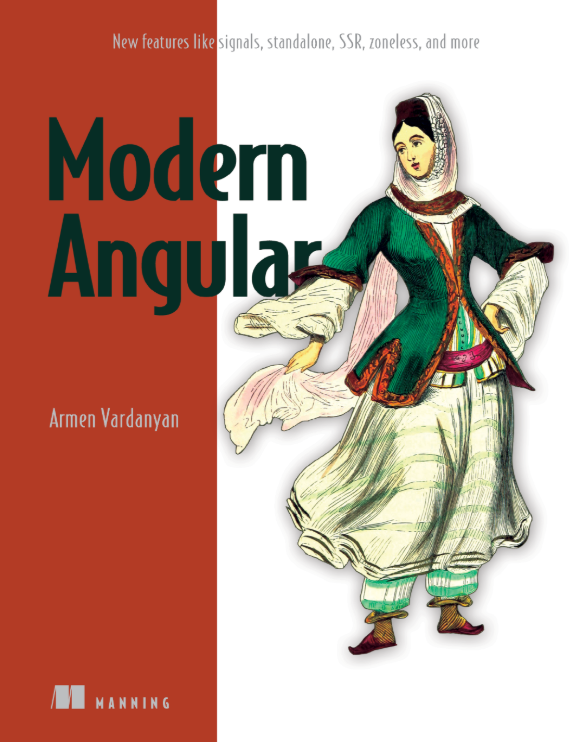
My book, Modern Angular, is now available in print! I dedicated a lot of time to covering every new Angular feature from v12 through v18, including enhanced dependency injection, RxJS interoperability, Signals, SSR, Zoneless, and much more.
If you are maintaining a legacy project, I think this book will help you catch up on all the exciting updates our favorite framework has introduced. You can find it here: https://www.manning.com/books/modern-angular