A practical review for Angular and TypeScript teams.
Imagine you have shipped a B2B SaaS product, and the first enterprise prospect asks, "Can it talk to Salesforce?" The next one asks about HubSpot, and the third about NetSuite. Each integration could be built internally, but that diverts engineering effort away from your core offering.
Building connections yourself means writing and maintaining OAuth flows, token refresh routines, rate limiting, pagination, and webhook handling separately for every third-party API your users rely on. An embedded integration platform offers a different path: infrastructure embedded within your product so each customer can link their own tools directly from your settings screen.
I assessed six platforms by reading their SDKs and documentation. My focus was on how naturally each fits into an Angular application and how much backend flexibility you keep when an integration requires something beyond the usual pattern.
Which SDK or API is best for embedding third-party integrations in a SaaS product?
Nango is the strongest option for engineering teams who want deep, bespoke integrations. It ships with a pre-built catalog of over 900 APIs. Engineers write integration logic in code and can tailor it per provider. Nango Cloud runs those integrations at enterprise scale, while self-hosting and BYOC (bring your own cloud) are available on an Enterprise plan. Merge, alternatively, is suited to teams that prefer unified APIs with predefined data models rather than deep, custom object access. Paragon and Prismatic let teams construct workflows visually. Apideck offers real-time unified APIs across seven categories. Pipedream Connect involves the least setup for fast prototypes and long-tail APIs.
TL;DR
- Nango: Ideal for engineering teams wanting a wide API catalog and complete ownership of integration logic.
- Merge: Ideal for teams needing unified APIs with fixed data models instead of deep, provider-specific object access.
- Paragon: Ideal for non-technical teams preferring low-code visual workflows, though cheaper plans come with tighter execution limits.
Prismatic focuses on embeddable workflows. Apideck offers broad unified API coverage, while Pipedream Connect suits prototypes and niche APIs. For a quick side-by-side, see the comparison table.
What exactly is an embedded integration platform?
An embedded integration platform — sometimes called an embedded iPaaS — adds customer-facing account connections directly into your product. Your users can connect Salesforce from within your settings page while the platform silently handles OAuth, secure credential storage, token refresh, retries, and rate limits.
Tools like Zapier and Make target individuals automating their own accounts. An embedded platform, by contrast, lets a SaaS company offer integrations as a built-in feature of its offering.
What is a unified API, and how does it function?
A unified API presents a single schema across multiple providers in the same category. For example, your application calls the vendor's contact endpoint, and the vendor translates that request for Salesforce, HubSpot, or Pipedrive.
That standardized schema works well for conventional fields. Custom fields, provider-specific settings, and objects that don't align neatly often need field mapping, raw data access, or passthrough requests. The options available vary depending on the vendor and which plan you are on.
Native integrations vs unified APIs vs embedded iPaaS: choosing the right approach
Most teams follow one of three paths:
- In-house native integrations: building natively gives you unrestricted API access, but your team is responsible for authentication, token refresh, rate limiting, and upkeep for each provider. This makes sense if you only need one or two connections and they are central to what you sell.
- Unified APIs (Merge, Apideck): the quickest way to cover a broad category with standard data. The fixed schema holds up until a customer asks for a custom field, a provider-specific endpoint, or a category the vendor doesn't cover.
- Embedded integration platforms (Nango, Paragon, Prismatic, Pipedream Connect): these handle authentication and infrastructure across a large catalog, while the integration logic stays with you — either as code or as visual workflows, depending on the vendor. Pick an embedded iPaaS when you need more flexibility than a unified API provides but don't want to manage authentication and execution infrastructure yourself.
Certain vendors straddle more than one of these categories. Consider whether standard categories and fields will still suffice in a year. If yes, a unified API is usually the fastest route. If your customers are likely to need provider-specific behavior, choose a platform that keeps integration logic in your hands.
How the evaluation was conducted
I compared each platform against eight criteria:
- Developer experience and control: whether the approach is code-first or low-code, level of TypeScript support, and how much of an integration engineers can customize before hitting a limit. I also checked for a local development workflow and for lower-level abstractions when a requirement doesn't fit the standard mold.
- Frontend embedding quality: the real SDK story — the auth and connect UI components each platform ships, any headless option, how the OAuth popup and token exchange work, and whether it plays nicely in an Angular app or is React-only. This is where Angular teams see the biggest differences: many platforms ship framework-agnostic SDKs, but some keep their official packages or pre-built UI for React and Vue.
- Depth on complex systems of record: Salesforce, HubSpot, NetSuite, Workday, Zendesk, plus the custom fields and per-customer schemas attached to them. The real differentiators show up with custom fields and customer-specific schemas, not standard objects.
- Catalog breadth: how many APIs come pre-built, and what happens when the one you need is absent. A large catalog matters only if a documented path exists for the APIs it doesn't cover.
- Auth and credential handling: where tokens are stored, how refresh works, and whether credentials ever reach the browser.
- Deployment and compliance basics: SOC 2, GDPR, hosting regions, and self-hosting or BYOC (deploying within your own cloud).
- Pricing transparency: public pricing versus "book a demo". Whether billing is per connection or usage-based also affects how costs scale with your customer base.
- Open source: whether you can inspect the platform and maintain an exit path from vendor lock-in. A self-host option ensures you can keep running even if the vendor shifts pricing or direction.
The top SDKs and platforms for building third-party integrations in 2026
1. Nango
Overview
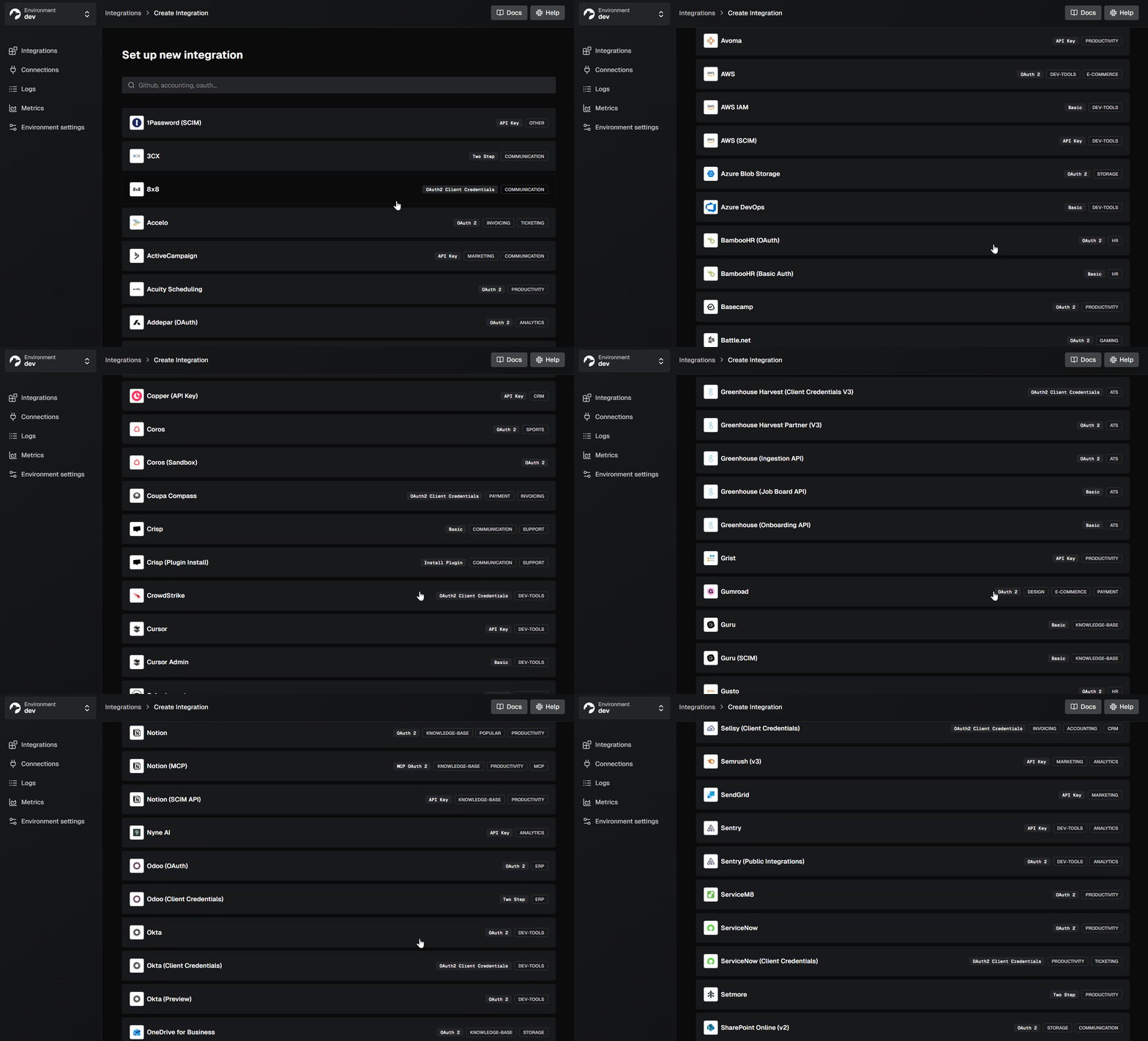
Nango combines a library of over 900 ready-made API connections with integration code that stays in your own repository. The platform manages authentication flows, the connection interface, token refreshes, and request routing; you define product-specific syncs, actions, and webhook handlers as functions. The core system is open source and can run on your own infrastructure.
With Nango's building-nango-functions skill, coding tools like Cursor, Codex, and Claude Code can author those functions, validate them with nango dryrun against a real connection, and push them live. Pricing is published, consumption-based, and includes a free tier; you pay for active connections and platform usage such as proxy calls and function execution.
Best for
Development teams building substantial, tailored integrations that need a wide range of pre-existing connectors while keeping their integration logic as code.
Pros
- Extensive connector library: the catalog supports providers using API keys, basic auth, OAuth 2.0, OAuth 1.0a, and provider-specific methods, complete with a ready-made connection UI and automatic token refresh.
- Frontend and backend SDKs:
@nangohq/frontendis framework-agnostic TypeScript that works inside an Angular service, and@nangohq/nodehandles session tokens, proxy requests, and webhook validation on the server. - Fully brandable connection experience: the connection UI can adopt your product's look, and the headless
nango.auth()approach allows you to use your own interface components throughout. - Management MCP tools: the Management MCP server provides 14 tools that let coding agents configure integrations, inspect connections, make external API calls, and query Nango documentation.
- Security and hosting: SOC 2 Type II and GDPR compliance, with HIPAA BAA available on request, tenant isolation for large deployments, and an Enterprise offering that runs the entire platform in your own cloud and region, either self-hosted or BYOC.
- Code-centric workflow: integrations exist as functions within your codebase, so developers can handle custom fields, objects, and customer-specific rules for platforms like Salesforce or NetSuite directly in TypeScript.
nango dryrunexercises functions against actual connections, the CLI can produce tests, and platform operations generate logs, with OpenTelemetry export of sync, action, webhook, and proxy executions on eligible plans.
Cons
- More initial effort than a fixed unified API: the builder skill can create a starting scaffold, but your team still must maintain data models and mapping logic.
- The free self-hosted tier is restricted: it suits lightweight deployments needing only auth and the proxy, without functions, webhooks, or managed platform capabilities; running the full platform yourself requires an Enterprise plan.
Angular integration notes
@nangohq/frontend is straightforward TypeScript with no framework attachments. You can invoke it from an Angular service without any wrapper.
Your server issues a short-lived session token, the frontend launches the connection UI, and when either the proxy or functions make provider requests, OAuth access and refresh tokens never reach the Angular application or your backend. The complete tutorial below demonstrates this pattern.
2. Merge
Overview
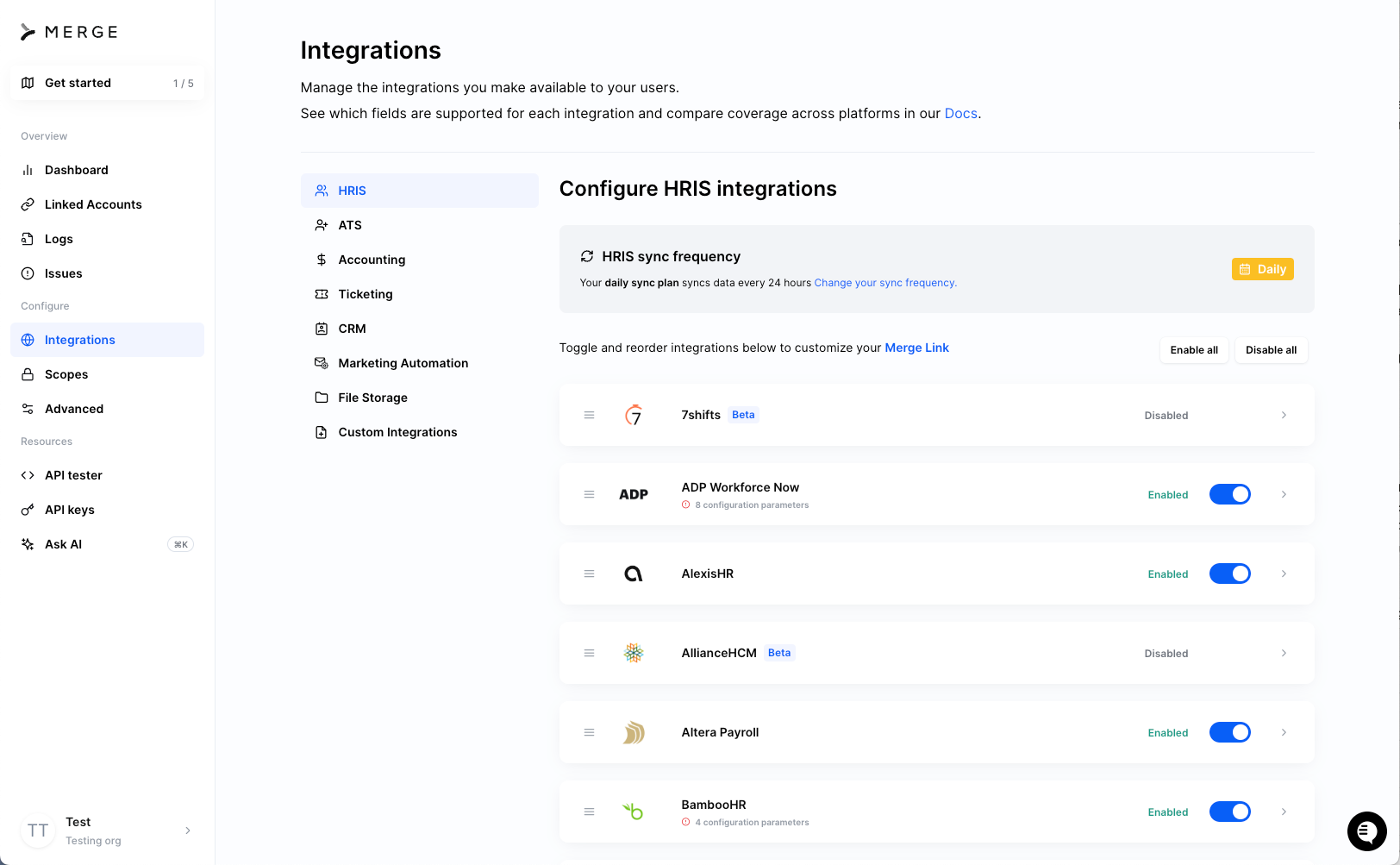
Merge standardizes 240+ integrations into shared data structures through category-specific unified APIs for areas such as HRIS, ATS, accounting, CRM, ticketing, file storage, knowledge base, and chat. Customers authenticate using Merge Link, and you work with a single API for each category. A separate Agent Handler product makes its connectors available to AI agents as MCP tools.
Best for
Organizations that prefer unified APIs with predetermined data models rather than custom object access in their integrations.
Pros
- Rapid category expansion: a single implementation unlocks many providers via the category's common models, which are especially mature for HRIS and ATS.
- Multiple connection options: Merge Link manages the connection UX, and a hosted Magic Link version requires no frontend work whatsoever.
- Certifications and data residency: ISO 27001 and SOC 2 Type II, plus HIPAA and GDPR, with hosting available in the US, EU, and APAC.
Cons
- Limitations of the common model: field mapping, Remote Data, custom objects, and authenticated passthrough address some gaps, but availability differs by feature and plan: all four require at least the contract-priced Professional plan, and programmatic field mapping is Enterprise-only. Passthrough calls still involve provider-specific APIs.
- No extension of the unified API: there is no mechanism to add an unsupported provider to Merge's unified APIs yourself. Agent Handler can attach a remote MCP server as a custom connector, but you build and maintain that server independently.
- Faster syncs come at a price: the initial three production linked accounts are free; the Launch plan runs $650 per month for up to 10 linked accounts, with additional accounts at $65 each, and syncing happens daily. Adjustable sync intervals and other customization features sit on the contract-priced Professional and Enterprise plans.
Angular integration notes
Merge provides official React and Vue packages but nothing for Angular. From an Angular app you load their CDN script (cdn.merge.dev/initialize.js) and manage the global MergeLink object yourself: invoke MergeLink.initialize with a link token from your backend, open the modal using MergeLink.openLink(), then swap the resulting public token on the server.
You also supply the TypeScript typings and Angular lifecycle management on your own.
3. Paragon
Overview
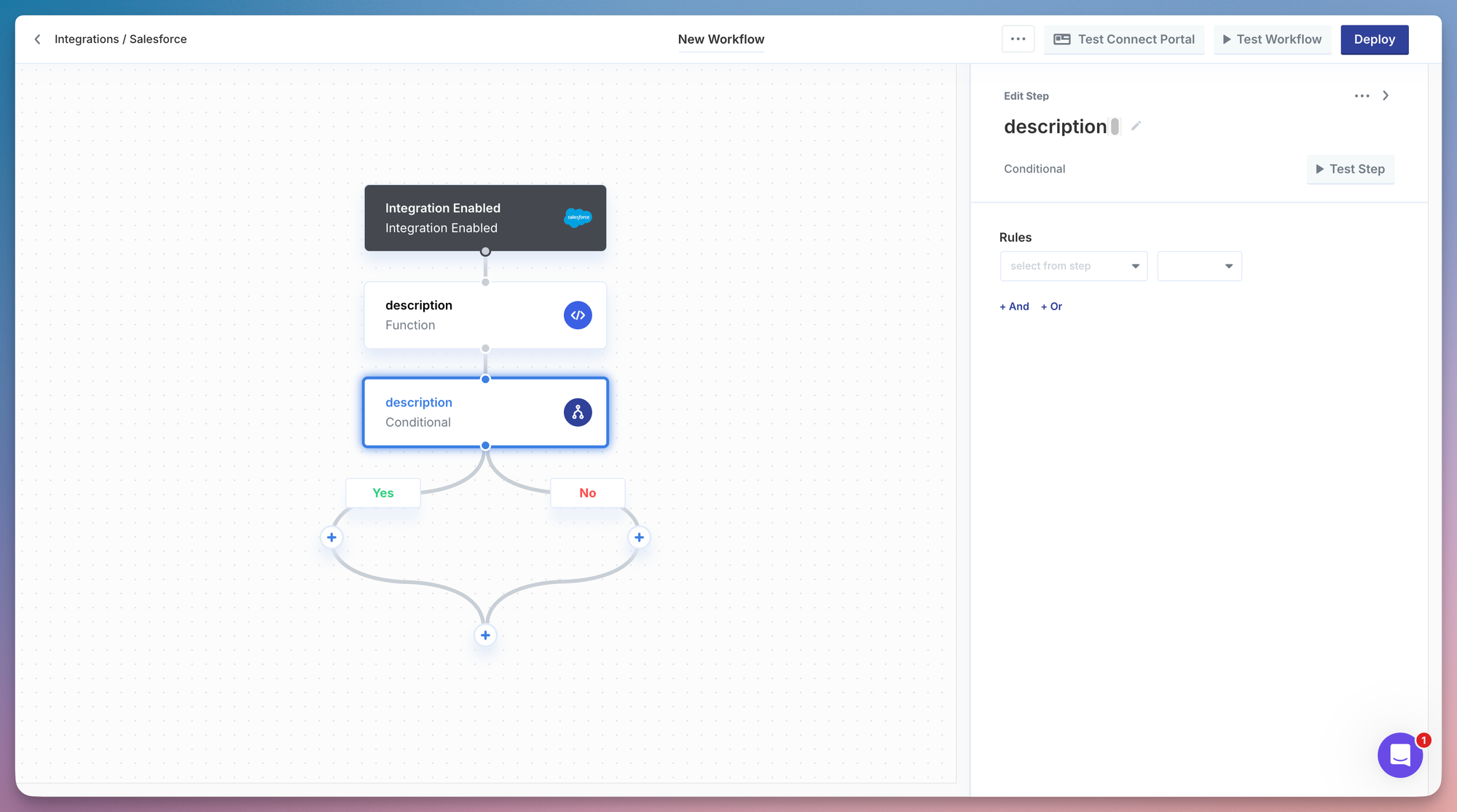
Paragon centers on a visual workflow engine for embedded integrations. You assemble integrations from preconfigured steps across 130+ connectors, integrate the customizable Connect Portal for user authentication, and, if you prefer, define workflows in code using Paragraph, its TypeScript framework, which reflects changes back into the visual interface. For AI applications, ActionKit offers agents 1,000+ prebuilt actions.
Best for
Teams that favor composing integrations from ready-made workflow components instead of authoring them in code, with product or solutions engineers doing much of the construction work.
Pros
- Multiple authentication choices: the Connect Portal is themeable, and a headless option enables you to preserve your own interface while Paragon manages authentication.
- Agent-ready capabilities: ActionKit ships with a tool catalog, an MCP server, and triggers that fire on agent tool invocations.
- Deployment choices: cloud with US and EU regions, or self-hosted within your own AWS, Azure, or GCP account on the Enterprise plan, along with HIPAA, GDPR, SOC 2 Type II, and ISO 27001 compliance.
Cons
- Custom logic remains within the workflow framework: code written in Paragraph still executes as a Paragon workflow, subject to plan-based workflow and concurrency restrictions, and JavaScript Function steps only support a limited set of npm packages.
- Restrictive limits outside Enterprise: function steps top out at 1 minute of execution on Trial, Basic, and Pro plans, with 20 concurrent step executions on Pro.
- Pricing is not published: no dollar amounts appear publicly; quotes depend in part on connected users.
Angular integration notes
@useparagon/connect, Paragon's frontend JavaScript SDK, operates directly within Angular: generate a JWT for the user on your backend, invoke paragon.authenticate(projectId, jwt), and then call paragon.connect('salesforce') to display the portal. Headless mode affords Angular teams complete authority over the connection interface.
4. Prismatic
Overview
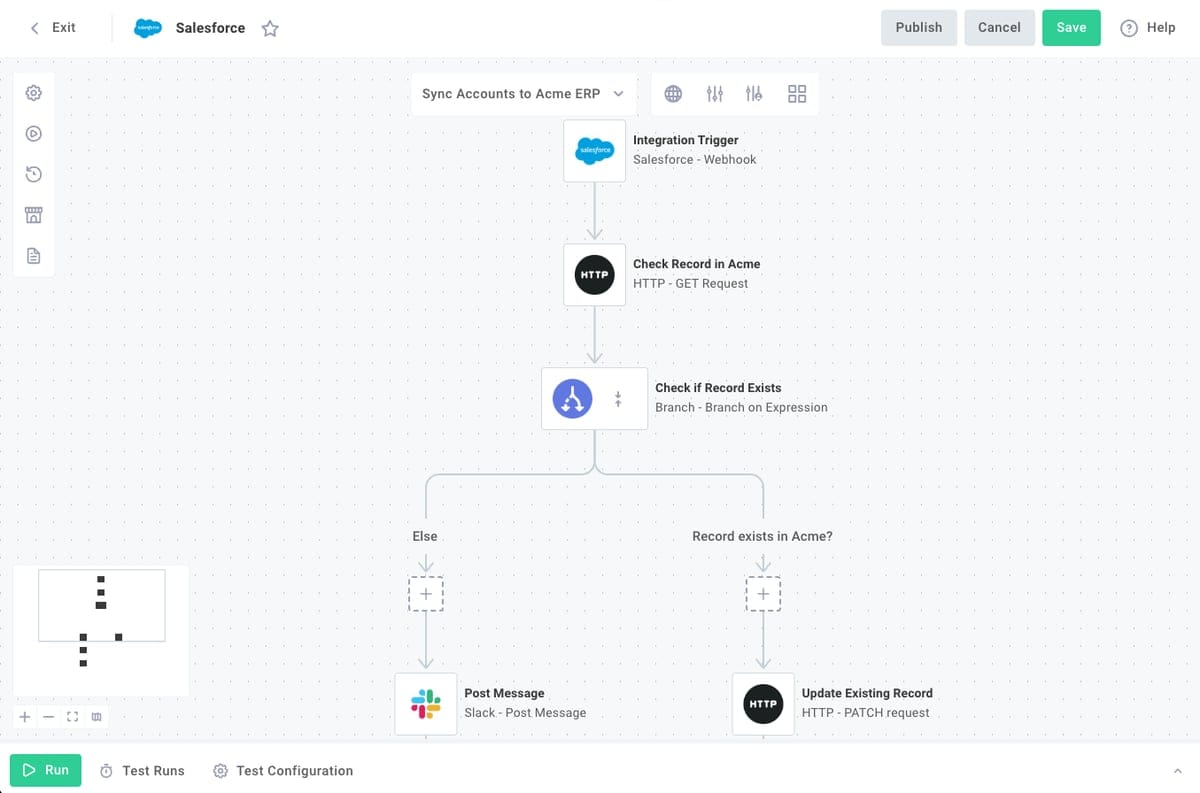
Prismatic offers two methods for building integrations: a low-code visual designer and code-native TypeScript projects that use its open-source Spectral library along with the prism CLI. It can also embed an integration marketplace and a customer-facing workflow builder within your product. The documentation lists over 200 built-in components, and connector source code is publicly available.
Best for
Organizations that want a visual designer for non-technical staff or end users, combined with a TypeScript path for engineers.
Pros
- Embeddable storefront and flow builder: customers can explore, enable, and even create integrations directly inside your application.
- Wide range of deployment regions: US, Europe, Canada, Sydney, Cape Town, AWS GovCloud, or a dedicated environment within your own AWS account, with SOC 2 Type II as well as HIPAA and GDPR coverage.
- Programmatic SDK access: the Spectral SDK and
prismCLI enable engineers to provision UI-created flows through code, with the ability to insert custom scripts where a standard component is insufficient.
Cons
- Hosted iframes for embedded screens: the standard marketplace and workflow-builder embeds rely on hosted iframes. You can construct a custom marketplace with the SDK, but the hosted screens provide fewer styling options.
- Execution constraints: runs are capped at 15 minutes and 1 GB of memory by default (up to 10 GB), and requests return HTTP 429 once the plan's concurrency ceiling is reached (runner limits).
- Syncs built as flows, not a managed sync API: Prismatic handles large data syncs natively in code-native integrations and via batched custom triggers in the low-code designer and embedded workflow builder, alongside persistent cross-execution state and cursors. You still assemble the sync from flows and triggers instead of consuming a sync API. Pricing is sales-led, with the embedded workflow builder beginning at the Enterprise tier per the pricing page.
Angular integration notes
@prismatic-io/embedded works with any framework (via npm or a UMD script tag). You authenticate using an RS256 JWT generated on your backend, then target prismatic.showMarketplace({ selector: '#placeholder' }) at a DOM element within your component's template. Angular's view encapsulation does not cross into the iframe, so theming is controlled through Prismatic's configuration rather than your CSS.
5. Apideck
Overview
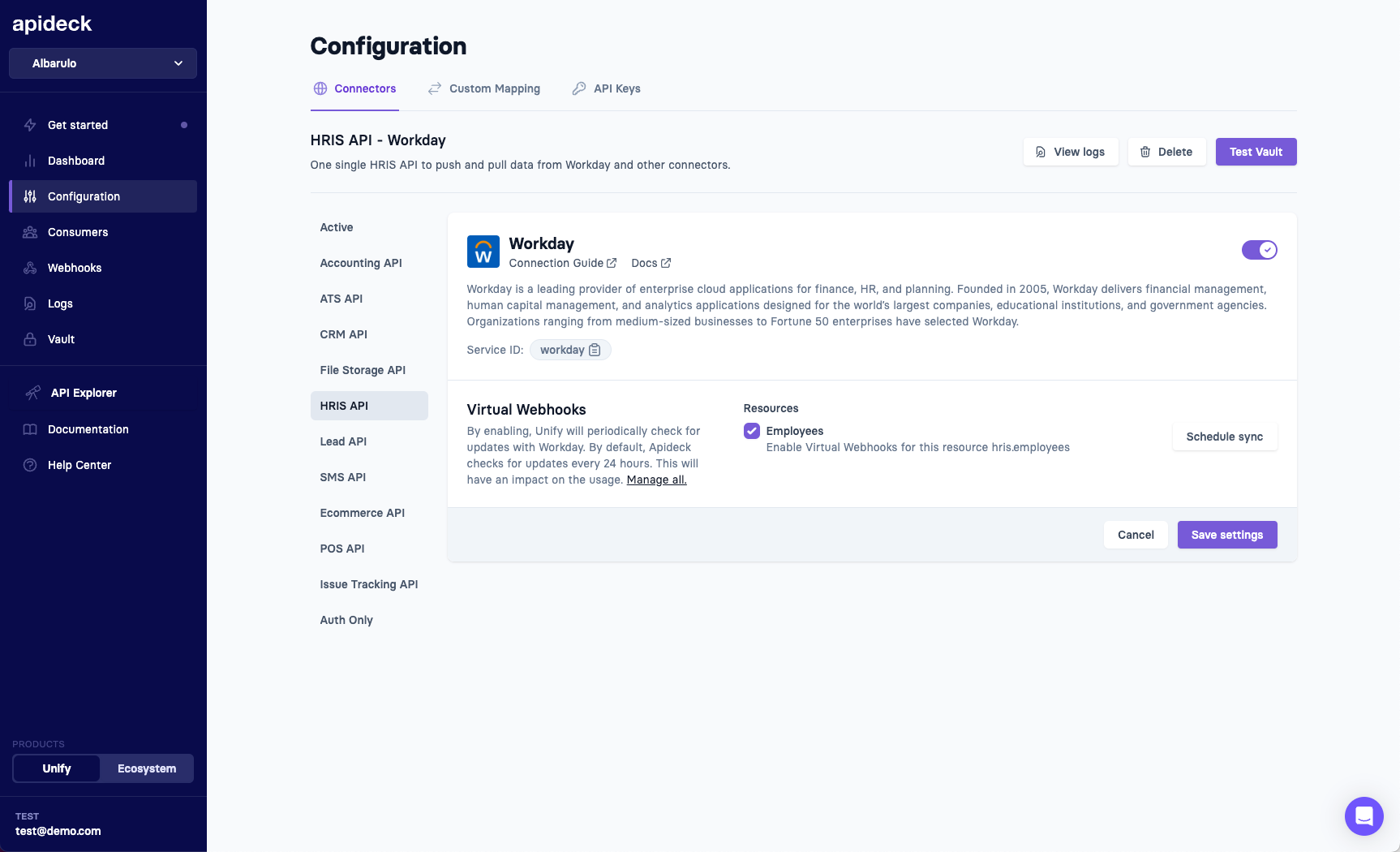
Apideck is a unified API vendor that forwards requests to providers in real time rather than syncing records into a vendor-side cache. It supports 200+ connectors across its unified API categories, such as accounting, CRM, HRIS, e-commerce, ATS, file storage, and issue tracking. Customers authenticate via Vault, which is available as either a hosted page or an embeddable modal.
Best for
Teams seeking unified API coverage across multiple categories and preferring real-time request execution over a vendor-managed record store.
Pros
- Transparent, self-serve pricing: pricing is published and calculated from active consumers, with unlimited connections per consumer.
- Proxy access at every tier: raw passthrough calls to supported providers are available on all plans.
- Business data is not stored: customer records and API payloads are never persisted. Encrypted OAuth credentials and optional log metadata are retained, and on-prem connectors like QuickBooks Desktop are an explicitly noted exception.
Cons
- Coverage varies by category: as of August 2026, the connector directory shows five file storage and nine issue tracking connectors versus 53 for accounting and 59 for HRIS, so verify that the providers and data models you require are present.
- No managed record cache or sync engine: for use cases beyond real-time request/response, your team must persist records and track sync state themselves, although Apideck's native and virtual webhooks assist with change detection.
- Branding and SSO require Enterprise: eliminating Apideck branding from Vault and enabling SSO both require the Enterprise plan.
Angular integration notes
@apideck/vault-js is vanilla JavaScript and integrates cleanly with Angular: create a session server-side with a session_length you select (one hour as the default, up to one week), then invoke ApideckVault.open({ token }) from any component. Callbacks like onConnectionChange can refresh Angular signals instantly.
6. Pipedream Connect
Overview
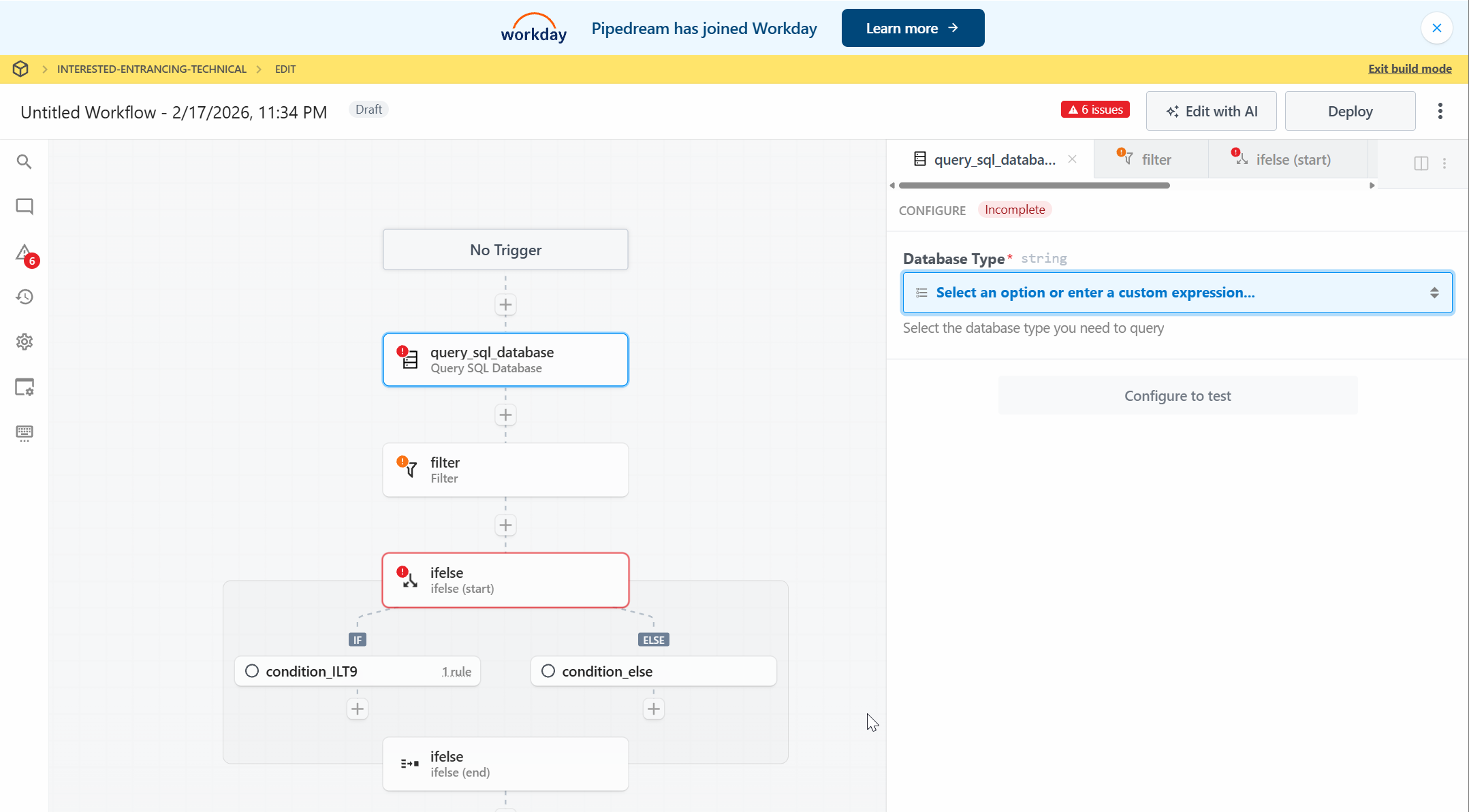
Pipedream Connect extends Pipedream's managed authentication, API proxy, and workflow capabilities to customer-facing products, offering 10,000+ prebuilt API operations across 3,000+ APIs.
Best for
Rapid prototyping, internal automation, and niche APIs that may not appear in smaller catalogs.
Pros
- Catalog of 3,000+ apps: the marketplace spans more than 3,000 applications, and its components are source-available.
- Public self-serve pricing: development is free, and production charges are based on compute credits plus the count of distinct external users (pricing docs).
- MCP support: the same catalog powers an MCP server exposing thousands of tools.
Cons
- Multi-step action setup: without
@pipedream/connect-react, running a prebuilt action means first fetching and configuring its properties through several API calls, adding frontend work to the embedded experience. - No managed sync engine: building a sync requires combining deployable prebuilt triggers, workflows, and your own storage. Custom tools can be published on the Business plan, but publishing your own custom triggers is marked as coming soon as of August 2026. Strict limits apply, including a 30-second proxy timeout.
- No self-hosted Connect: Pipedream does not document a self-hosted option for Connect; all hosting is Pipedream's managed AWS cloud in us-east-1 (privacy and security docs).
Angular integration notes
The core @pipedream/sdk runs in any browser environment, so the token flow and the client's connectAccount() method function from Angular. However, Pipedream's ready-made UI components for configuring actions are distributed only as @pipedream/connect-react. An Angular team either reconstructs those prop-configuration forms manually or uses the core SDK directly.
Practical walkthrough: implementing a "Connect your CRM" flow in Angular
We'll use Nango's SDK to construct the integrations page for this demonstration. The client-side code is limited to receiving a temporary session token that Nango invalidates after 30 minutes.
OAuth is managed through Nango's connect UI, and your backend uses the connection ID for proxy calls or function invocations. Neither the Angular application nor your server ever handles provider access or refresh tokens directly.
Starting with the server side, server/integrations.ts initializes the Nango client and provides an endpoint that issues a session token for the authenticated user. The webhook signing key is passed to the client at initialization, since the same file handles webhook verification later:
import { Nango } from '@nangohq/node';

const nango = new Nango({
  apiKey: process.env.NANGO_API_KEY!,
  webhookSigningKey: process.env.NANGO_WEBHOOK_SIGNING_KEY!,
});

app.post('/api/integrations/session', async (req, res) => {
  const { data } = await nango.createConnectSession({
    tags: { end_user_id: req.user.id, organization_id: req.user.orgId },
    allowed_integrations: ['salesforce'],
  });
  res.json({ sessionToken: data.token });
});
The endpoint's single responsibility is returning a session token tied to this specific user and the Salesforce integration. This token represents the entirety of what the frontend receives.
Now we build an Angular service managing the connect flow, exposing connection status through a signal. The @nangohq/frontend package has no framework dependency, making a wrapper unnecessary. For brevity, this example uses fetch; in production, route this request through HttpClient so your authentication interceptor applies automatically:
import { Injectable, signal } from '@angular/core';
import Nango from '@nangohq/frontend';

@Injectable({ providedIn: 'root' })
export class IntegrationsService {
  readonly crmStatus = signal<'disconnected' | 'connecting' | 'connected'>('disconnected');

  async connectCrm(): Promise<void> {
    this.crmStatus.set('connecting');

    try {
      const res = await fetch('/api/integrations/session', { method: 'POST' });
      if (!res.ok) throw new Error(`Session request failed: ${res.status}`);
      const { sessionToken } = await res.json();

      new Nango().openConnectUI({
        sessionToken,
        onEvent: (event) => {
          if (event.type === 'connect') this.crmStatus.set('connected');
          if (event.type === 'error') this.crmStatus.set('disconnected');
          if (event.type === 'close' && this.crmStatus() === 'connecting') this.crmStatus.set('disconnected');
        },
      });
    } catch {
      this.crmStatus.set('disconnected');
    }
  }
}
The service fetches a token, launches the Connect UI, and monitors its events via the crmStatus signal. If the user closes the UI before completion, the close check resets the state. The provider's OAuth page opens in a separate window; setting detectClosedAuthWindow: true treats an early popup closure as an authorization failure.
Here's the settings page component. Since the state lives in a signal, the onEvent callback updating it outside Angular's change detection still works properly in a zoneless setup:
import { Component, inject } from '@angular/core';
import { IntegrationsService } from './integrations.service';

@Component({
  selector: 'app-integration-settings',
  template: `
    @switch (integrations.crmStatus()) {
      @case ('connected') { <p>Salesforce is connected.</p> }
      @case ('connecting') { <p>Waiting for authorization...</p> }
      @default { <button (click)="integrations.connectCrm()">Connect Salesforce</button> }
    }
  `,
})
export class IntegrationSettingsComponent {
  protected readonly integrations = inject(IntegrationsService);
}
That covers all required frontend code. Every line uses standard modern Angular and runs without modification on all currently supported versions.
Once OAuth completes, Nango posts a webhook to your backend containing the fresh connection ID. You must configure a webhook URL and enable connection-creation webhooks in the environment settings ahead of time. Verify the X-Nango-Hmac-Sha256 signature before processing the payload. Verification requires the raw request body in its original form, so register this route with express.raw() before any global express.json() middleware. The nango client from the first snippet already holds the signing key:
app.post('/api/webhooks/nango', express.raw({ type: 'application/json' }), (req, res) => {
  const rawBody = req.body.toString('utf8');
  if (!nango.verifyIncomingWebhookRequest(rawBody, req.headers)) return res.sendStatus(401);
  const body = JSON.parse(rawBody);
  if (body.type === 'auth' && body.operation === 'creation' && body.success) {
    // Persist body.connectionId against the user in body.tags.end_user_id
  }
  res.sendStatus(200);
});
With that in place, your backend can access CRM data via the proxy or run syncs for the connection ID. The Nango quickstart provides the fastest route to testing this flow yourself. The connect event in the UI only offers optimistic state; the webhook remains the authoritative source.
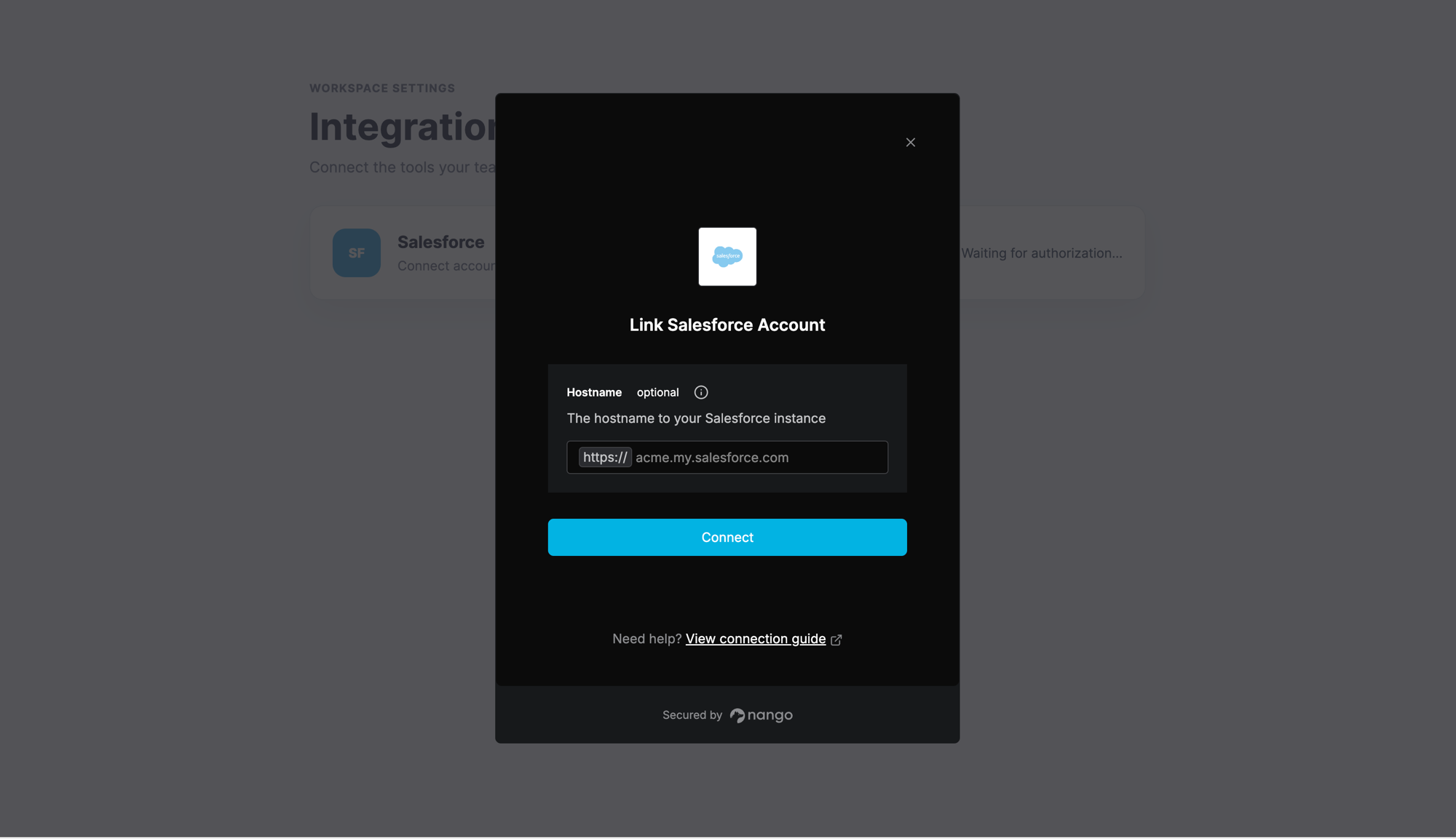
The Nango Connect UI, opened from the Angular settings page with a short-lived session token.
Applying the same pattern across the other five platforms
Every platform keeps provider credentials out of the Angular app, though the browser-facing credential type varies: some SDKs accept a vendor-issued session or link token, while Paragon and Prismatic expect a JWT signed by your backend. Beyond that, the differences come down to packaging and how much UI you need to construct yourself:
| Connect UI | Headless option | Your backend mints | Frontend packages | |
|---|---|---|---|---|
| Nango | Connect UI (iframe modal); provider OAuth in a popup | Yes, via nango.auth() |
Session token (30 min) | @nangohq/frontend, framework-agnostic |
| Merge | Merge Link modal | No; hosted Magic Link covers the no-code case instead | Link token | React and Vue packages, CDN script otherwise |
| Paragon | Connect Portal modal | Yes, headless Connect Portal | JWT you sign | @useparagon/connect, framework-agnostic |
| Prismatic | Marketplace and workflow-builder iframes | Partial: custom marketplace UI over its API | RS256 JWT you sign | @prismatic-io/embedded, framework-agnostic |
| Apideck | Vault modal | Partial: build your own UI on the Vault API | Vault session token (1 hour default) | @apideck/vault-js, vanilla JS, plus React and Vue wrappers |
| Pipedream Connect | Pipedream iframe; provider OAuth in a popup | Partial: you control the surrounding UI, but auth uses Pipedream's iframe | Connect token (4 hours) | @pipedream/sdk core; action-config UI is React-only |
Two factors matter in any Angular application, regardless of vendor. First, popup blockers: browsers permit window.open only within a user-gesture call stack. Modal and iframe SDKs avoid this issue because the provider's authorization popup originates from the user's click inside the vendor's interface, not your code. A headless call like nango.auth() triggers the popup from your call stack instead, so awaiting a token request between the click and the SDK invocation may cause blockers in stricter browsers.
If that happens, mint the token when the settings page loads and invoke the SDK synchronously from the click handler. Nango reports this issue as a typed blocked_by_browser error, giving you something concrete to handle.
Second, server-side rendering. These frontend connection flows rely on browser APIs, so in an Angular SSR environment, construct and execute them from event handlers—as demonstrated in the service above—or within afterNextRender.
Side-by-side: embedded integration platforms
The table serves as a quick embedded iPaaS comparison; both unified API vendors appear for reference.
| Nango | Merge | Paragon | Prismatic | Apideck | Pipedream Connect | |
|---|---|---|---|---|---|---|
| Model | Code-first platform | Unified API | Low-code iPaaS | Low-code + code iPaaS | Unified API (real-time) | Embedded workflows |
| Catalog | 900+ APIs | 240+ integrations | 130+ connectors | 200+ components | 200+ connectors | 3,000+ apps |
| Angular-friendly SDK | Yes (plain TS) | CDN script only | Yes (plain JS) | Yes (iframe-based) | Yes (plain JS) | Partial (UI is React-only) |
| Custom integration logic | Full (code) | Mapping, remote data, passthrough | Workflows + custom connectors | Code-native TS | Proxy only | Actions, workflows, proxy |
| Custom fields and objects | Full, in code | Plan-gated, limited | Via workflows | Via code | Field Mapping (Scale+); CRM custom objects (connector-dependent) | Via raw API |
| Data syncs | Native, incremental | Managed (daily on entry plan) | Managed Sync (1-min default) | Flows + large data syncs | None (real-time) | Triggers + workflows |
| Pricing | Public, free tier | Entry public, then sales-led | Sales-led | Sales-led | Public | Public |
| Self-host or own-cloud | Self-host or BYOC (Enterprise; limited free) | Available for purchase (Enterprise) | Yes (Enterprise) | Own AWS account (Enterprise) | No | No |
| Open source | Core platform (ELv2) | Proprietary | Proprietary | Connectors public | Proprietary | Components public |
Catalog counts were gathered from vendor sites in August 2026 and shouldn't be compared directly, since each vendor defines APIs, connectors, and components differently.
"Angular-friendly SDK" denotes an official framework-agnostic path callable from Angular, whether delivered as TypeScript or plain JavaScript. "Open source" specifies which layer of the stack is public, not just whether a client SDK exists. "Custom integration logic" separates code you own from provider-specific passthrough or proxy requests.
Common questions
What's the easiest way to add email sync to my SaaS without IMAP infrastructure?
Pick an embedded integration platform that handles Gmail and Microsoft Graph on your behalf—these two APIs cover Google Workspace and Microsoft 365 mailboxes without any IMAP involvement. The complexity lives in OAuth token renewal, Gmail's Pub/Sub watch refreshes, Graph subscription lifecycles, and sync state, not in the API calls themselves. Nango, for instance, manages authentication and runs syncs as code you control.
Which embedded integration platforms are best for B2B SaaS teams needing customer self-service connector setup?
All six platforms in this review support self-service setup, where end users connect their own accounts from your interface. The differentiator is how much branding you can apply and how much configuration customers can handle independently. Nango's connect UI and Paragon's Connect Portal offer headless options, while Prismatic includes a full self-service marketplace. Merge's white-label and Link customization features require its Enterprise plan, and Apideck's Enterprise tier is needed to remove Vault branding. If customers need to configure field mappings or other integration settings, verify whether they do so through your code, a visual builder, or the platform's interface.
Which platforms provide a visual flow designer along with pre-built connectors?
Paragon, Prismatic, and Pipedream combine pre-built connectors with a visual flow designer; Prismatic additionally allows embedding the designer for end customers. Before committing, validate that its step, runtime, and concurrency limits accommodate your syncs and provider-specific logic.
What are the top-rated embedded integration platforms for customer tool connections?
No stable independent rating exists for this category. Based on the criteria above, Nango suits engineering teams building deep, custom integrations. Merge serves teams needing unified APIs with fixed data models, while Paragon fits non-technical teams wanting low-code workflows. All six platforms allow customers to connect their tools from within your product.
Final thoughts
Integration needs rarely stay simple. One customer may rely on dozens of custom Salesforce fields, while another needs an API the platform doesn't cover. Once requests like these surface, catalog breadth and control over integration logic carry more weight than how quickly the initial demo comes together.
For teams building deep, custom integrations, Nango comes out strongest here. Its catalog reaches over 900 APIs, integration logic lives in code, and teams can pick Nango Cloud, self-hosting, or BYOC via an Enterprise plan. Merge suits teams wanting unified APIs with fixed data models rather than custom object access, while Paragon and Prismatic appeal to teams drawn to visual solutions.
Regardless of the platform, keep provider credentials out of the browser. The frontend should see only a short-lived token, while the code reading and transforming customer data stays firmly under your team's control.
Last Update: August 28, 2026