Angular 17: A New Chapter in the Renaissance
Early in 2023, Sarah Drashner, who oversees the Angular team at Google, introduced the phrase Angular Renaissance. This concept describes an ongoing refresh of the framework that has powered modern JavaScript development for the past seven years.
This transformation is gradual and maintains backward compatibility while embracing contemporary trends in front-end frameworks. The focus rests on developer experience and runtime performance. Standalone Components and Signals are two prominent features that have already emerged from this initiative.
Angular 17 adds further pieces to the Angular Renaissance puzzle: a fresh syntax for control flow, lazy loading for page segments, and improved server-side rendering support. The CLI also now defaults to esbuild, making builds considerably faster.
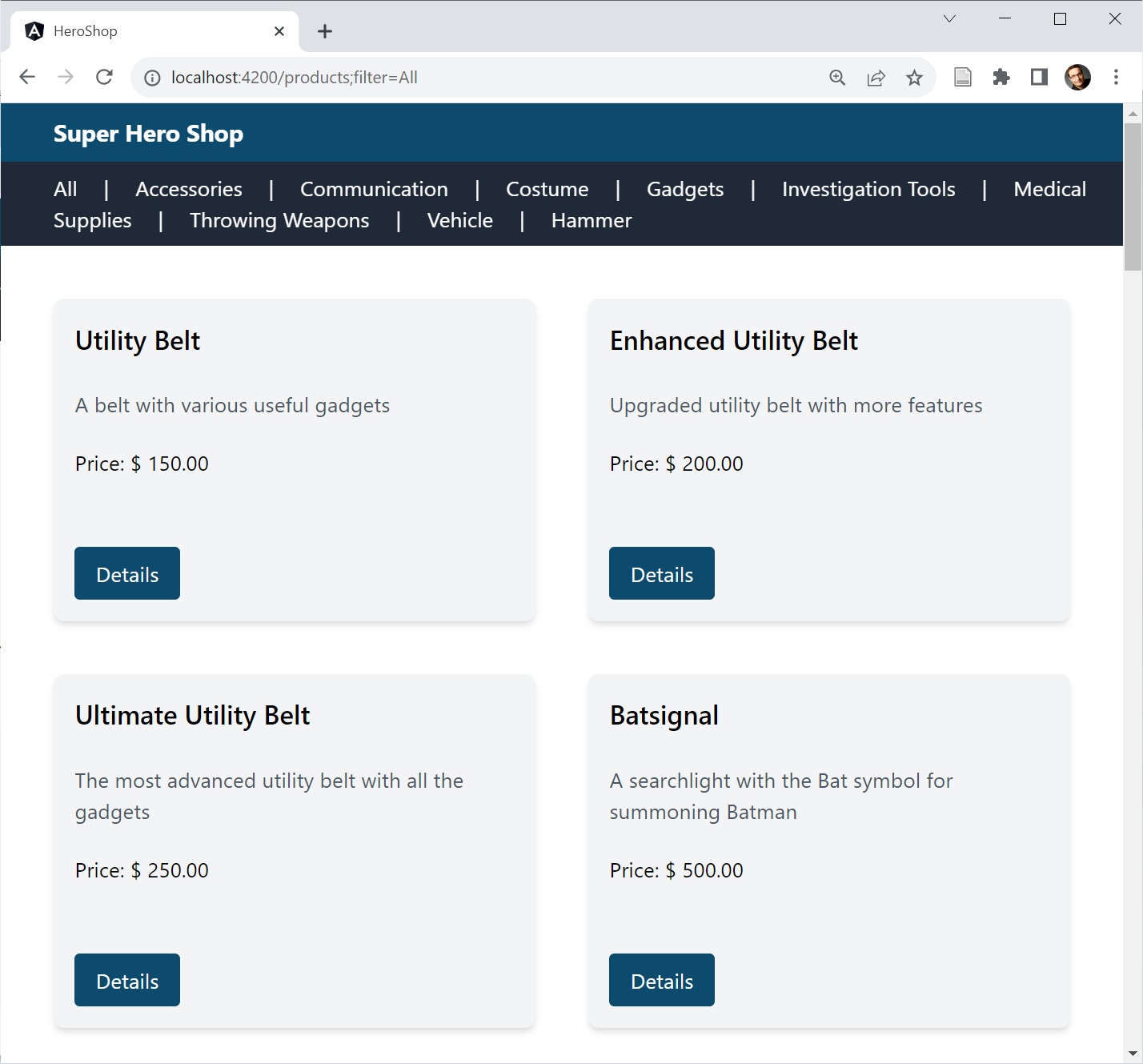
This article walks through these updates using a sample application:
Revamped Control Flow in Templates
Angular has historically leaned on structural directives like *ngIf and *ngFor to manage control flow in templates. However, because this logic needed an overhaul to support the planned fine-grained change detection and the eventual move away from Zone.js, the core team decided to rebuild it from the ground up. The outcome is the built-in control flow, which visually stands apart from the surrounding markup:
@for (product of products(); track product.id) {
    <div class="card">
        <h2 class="card-title">{{product.productName}}</h2>
        […]
    </div>
}
@empty {
    <p class="text-lg">No Products found!</p>
}
A notable addition is the @empty block, which Angular renders when the iterated collection contains no items.
Signals served as one motivation for this new syntax, but they are not a prerequisite for using it. These control flow blocks work equally well with standard variables or with observables combined with the async pipe.
The required track expression helps Angular identify elements that have shifted positions within the iterated collection. This capability allows Angular—specifically, its new reconciliation algorithm—to minimize rendering work and reuse existing DOM nodes. When iterating over collections of primitives, such as arrays of numbers or strings, the track expression can point to the pseudo variable $index, as recommended by the Angular team:
@for (group of groups(); track $index) {
    <a (click)="groupSelected(group)">{{group}}</a>
    @if (!$last) {
        <span class="mr-5 ml-5">|</span>
    }
}
Beyond $index, the pseudo variables familiar from *ngFor remain available: $count, $first, $last, $even, and $odd. Their values can also be captured into template variables when needed:
@for (group of groups(); track $index; let isLast = $last) {
    <a (click)="groupSelected(group)">{{group}}</a>
    @if (!isLast) {
        <span class="mr-5 ml-5">|</span>
    }
}
The new @if structure makes it easier to express else and else-if branches:
@if (product().discountedPrice && product().discountMinCount) {
    […]
}
@else if (product().discountedPrice && !product().discountMinCount) {
    […]
}
@else {
    […]
}
Additionally, multiple cases can be handled with a @switch block:
@switch (mode) {
    @case ('full') {
      […]
    }
    @case ('small') {
      […]
    }
    @default {
      […]
    }
}
Unlike ngSwitch and *ngSwitchCase, this new syntax is type-safe. In the example above, each @case block must contain string values because the mode variable passed to @switch is also a string.
This new control flow syntax reduces the reliance on structural directives, which are robust but can be unnecessarily verbose. Even so, structural directives are far from deprecated. Valid use cases remain, and maintaining backward compatibility is essential given the breadth of the existing ecosystem.
Migrating to Built-in Control Flow Automatically
For teams wanting to move their codebase to the new control flow syntax, a schematic is now available in the @angular/core package:
ng g @angular/core:control-flowDeferred Loading
Not every section of a web page carries equal weight. On a product page, the item itself matters most. Recommended products are secondary—until the user scrolls them into view, that is. In the visible area of the browser window, known as the viewport, these secondary elements suddenly gain importance.
For performance-sensitive applications, such as online shops, it is wise to hold off on loading less critical page sections. This way, the essential content becomes available sooner. Previously, implementing this approach in Angular required manual effort. Angular 17 introduces the @defer block to make this task straightforward:
@defer (on viewport) {
    <app-recommentations [productGroup]="product().productGroup">
        </app-recommentations>
}
@placeholder {
    <app-ghost-products></app-ghost-products>
}
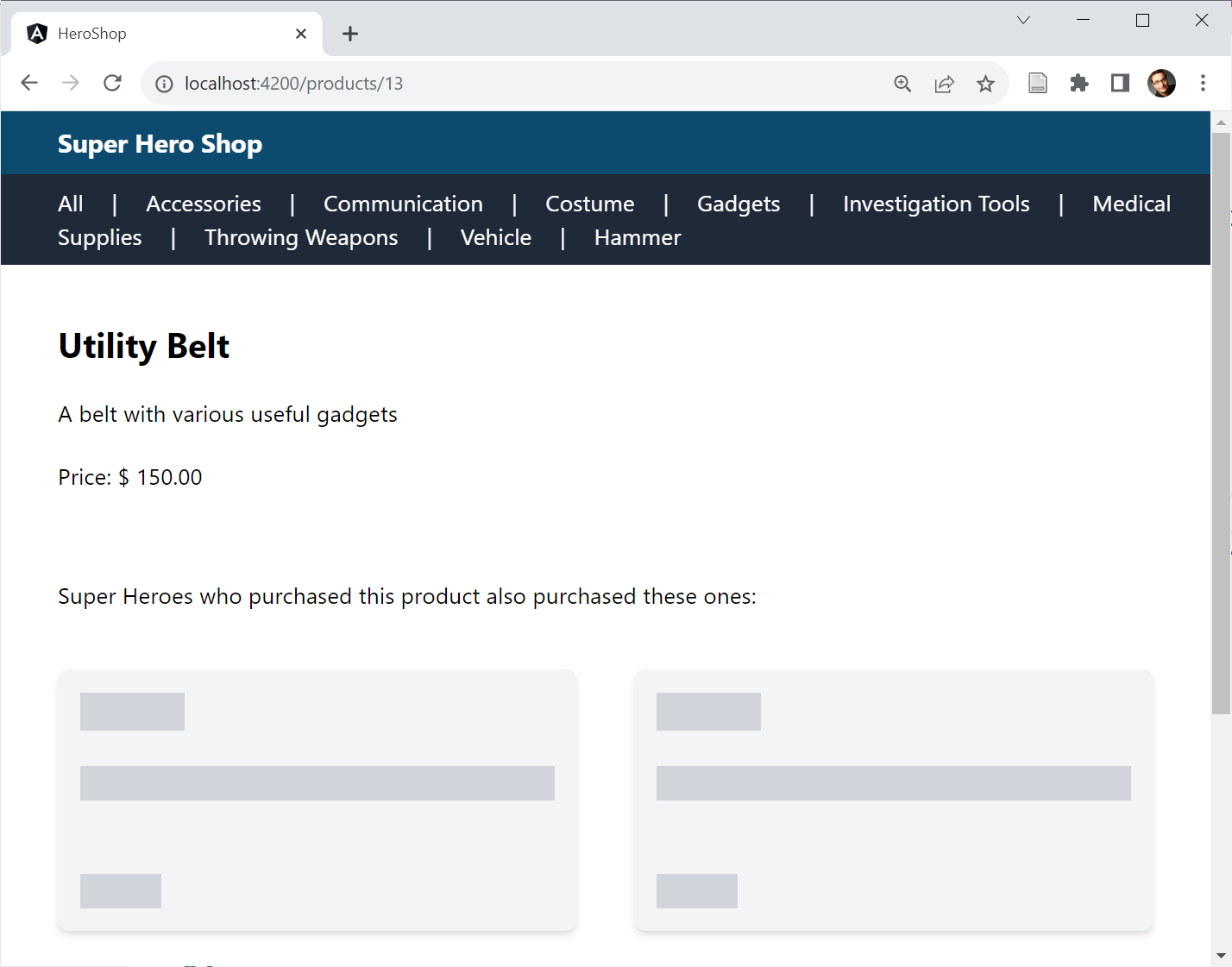
With @defer, the enclosed section is not loaded until a specified trigger occurs. In the meantime, the content designated under @placeholder is displayed. In the demo application, ghost elements stand in for the product suggestions initially:
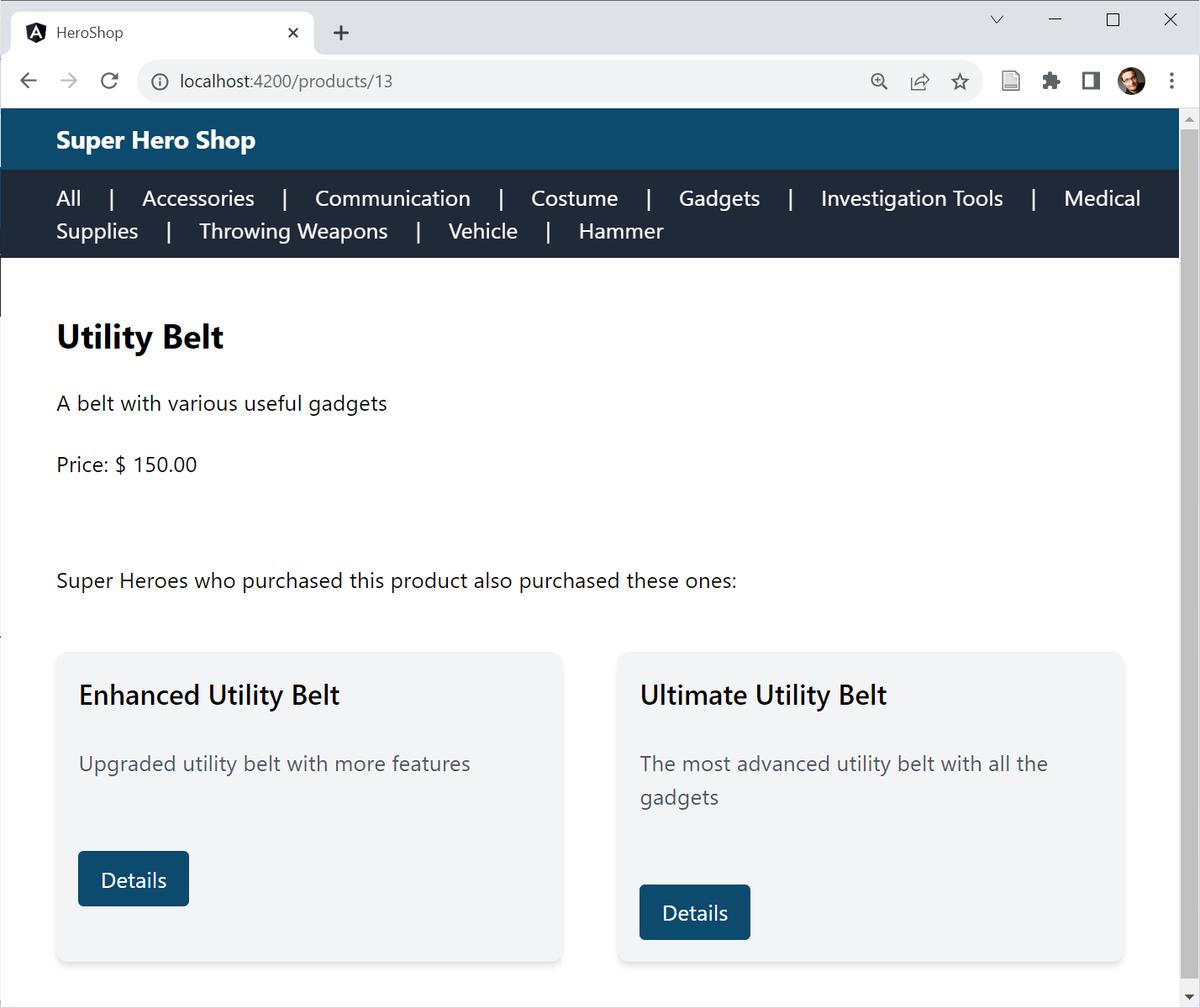
Once loading finishes, @defer swaps out those ghost elements for the actual suggestions:
The example relies on the on viewport trigger, which fires when the placeholder scrolls into the viewport. Several other trigger options exist as well:
| Triggers | Description |
|---|---|
| on idle | The browser reports that there are no critical tasks pending (default). |
| on viewport | The placeholder is loaded into the visible area of the page. |
| on interaction | The user begins to interact with the placeholder. |
| on hover | The mouse cursor is moved over the placeholder. |
| on immediate | As soon as possible after the page loads. |
| on timer(duration) | After a certain time, e.g. on timer(5s) to trigger loading after 5 seconds. |
| when condition | Once the specified condition is met, e.g. when (userName !=== null) |
By default, on viewport, on interaction, and on hover require a @placeholder block. These triggers can also target other page sections, referenced through a template variable:
<h1 #recommentations>Recommentations</h1>
@defer (on viewport(recommentations)) {
    <app-recommentations […] />
}
Furthermore, @defer can be instructed to prefetch the bundle at an earlier moment. Much like route preloading, this approach ensures the bundle is ready the moment it is needed:
@defer(on viewport; prefetch on immediate) { […] }Alongside @placeholder, @defer offers two more blocks: @loading and @error. Angular displays the former while fetching the bundle and the latter if a failure arises. To prevent flickering, both @placeholder and @loading support a configured minimum display time via the minimum property:
@defer ( […] ) {
    […]
}
@loading (after 150ms; minimum 150ms) {
    […]
}
@placeholder (minimum 150ms) {
    […]
}
The after property further specifies that the loading indicator appears only when the loading process exceeds 150 ms.
Faster Builds with esbuild
The Angular CLI originally leaned on webpack for bundling. However, webpack now faces competition from newer tools that are simpler to configure and significantly quicker. esbuild is one such tool, boasting over 20,000 downloads per week and remarkable adoption.
The CLI team has been developing an esbuild integration over several releases. Angular 16 included this integration as a developer preview. With Angular 17, it has become stable and is the default for new projects, used through the Application Builder discussed below.
For existing projects, switching to esbuild is worth considering. This involves updating the builder entry in angular.json:
"builder" : "@angular-devkit/build-angular:browser-esbuild"Put simply, -esbuild is appended to the end. In most cases, ng serve and ng build behave as they did before, only much faster. The former leverages the vite dev server, which accelerates development by only building npm packages as needed. The CLI team also incorporated various other performance tweaks.
Running ng build sees dramatic speedups as well, courtesy of esbuild. Commonly cited improvements range from 2x to 4x.
Straightforward SSR with the Application Builder
Server-side rendering (SSR) support has seen major simplification in Angular 17. For new projects, the ng new command now includes a --ssr flag. Without it, the CLI prompts the developer about setting up SSR:

To enable SSR at a later point, adding the @angular/ssr package suffices:
ng add @angular/ssrThe @angular scope indicates this package comes directly from the Angular team. It serves as the successor to the community-driven Angular Universal. To ensure ng build and ng serve account for SSR from the start, the team has introduced a new builder. This application builder leverages the esbuild integration mentioned earlier, producing bundles that work both in the browser and on the server.
Running ng serve launches a development server that handles both server-side rendering and delivery of the browser bundles. Similarly, ng build --ssr generates bundles for both environments along with a simple Node.js-based server, the source of which is generated by the aforementioned schematics.
For situations where running a Node.js server isn't feasible, ng build --prerender prerenders the application's routes during the build phase.
Additional Enhancements
Beyond the main features covered above, Angular 17 includes a number of other refinements:
-
The router now supports the View Transitions API. This browser-provided API enables animating transitions via CSS, such as when moving from one route to another. This optional feature is activated when configuring the router, using the withViewTransitions function:
export const appConfig: ApplicationConfig = {
    providers: [
        provideRouter(
            routes,
            withComponentInputBinding(),

            // Activating View Transitions API:
            withViewTransitions(),
        ),
        [...]
    ]
};

[...]

bootstrapApplication(AppComponent, appConfig)
    .catch((err) => console.error(err));
For illustration, the example uses CSS animations sourced from this documentation page.
-
Signals, introduced in version 16 as a developer preview, are now stable. A notable shift from version 16 is that Signals are now designed for use with immutable data by default. This simplifies Angular's ability to detect where data structures managed via Signals have changed. Updating signals involves the set method, which assigns a new value, or the update method, which maps the old value to a new one. The mutate method has been dropped, as it conflicts with the immutable semantics.
While Signals have graduated from developer preview, the effects method remains in developer preview. The Angular team still has cases they want to investigate more closely.
-
A change to a data-bound Signal now causes Angular to mark only the component(s) directly affected—those binding to that Signal—as dirty. This contrasts with the traditional approach, which also flags all parent components. Combined with
OnPush, this leads to performance gains. It also marks an initial step toward the envisioned more granular change detection. -
A new diagnostic issues a warning when the getter call is omitted when reading signals in templates (for example, {{ products }} rather than {{ products() }}).
-
Animations now support lazy loading.
-
The Angular CLI now generates standalone components, directives, and pipes by default. The ng new command also bootstraps a standalone component by default. This behavior can be turned off with the --standalone false flag.
-
The ng g interceptor command now generates functional interceptors.
Closing Thoughts
Angular 17 propels the Angular Renaissance forward. The updated control flow syntax simplifies template structure. The new reconciliation algorithm, working alongside this control flow, significantly boosts re-rendering performance.
Deferred loading allows less critical page areas to be loaded later, accelerating initial page rendering. The adoption of esbuild makes both ng build and ng serve noticeably quicker. The CLI also now comes with direct support for SSR and prerendering.
Delving Deeper into Modern Angular
Our free eBook covers everything you need to know about Standalone Components:
- The conceptual model behind Standalone Components
- Migration strategies and compatibility with existing code
- Standalone Components with the router and lazy loading
- Standalone Components and Web Components
- Standalone Components with DI and NGRX
Access the eBook here:
Feel free to download it now!