Decoding Angular's "Expression has changed" Error: A Complete Walkthrough
Angular developers will eventually run into a particular change detection error that can be puzzling at first: ExpressionChangedAfterItHasBeenCheckedError. This guide breaks down everything you need to know about it—why it surfaces, how to pinpoint it, and, most importantly, the practical steps to resolve it.
We will also dive into the rationale behind this error, showing how it's a protective mechanism built into Angular's Development Mode to help you write more predictable applications.
Article Overview
Here's a breakdown of the topics we will explore:
- Uncovering the root cause of the "Expression has changed" error
- A closer look at Angular's Development Mode and its role
- Step-by-step debugging to locate the exact template expression causing the issue
- Effective solutions to eliminate this error
- Final thoughts
We'll start with a hands-on debugging session, which you can also follow in a video, and then systematically move towards the explanation and the fix. Let's get started.
A Typical Scenario That Triggers the Error
This error often appears as your application grows and your templates become more complex, especially when you integrate lifecycle hooks like AfterViewInit alongside other features.
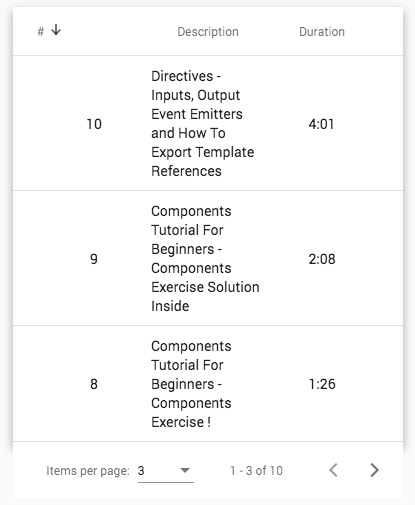
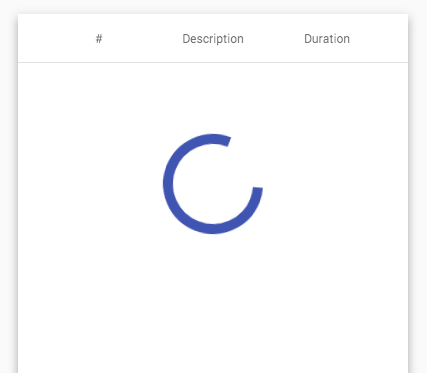
Consider a component from a previous article on Angular Material Data Tables. This component is responsible for displaying a table with pagination and a loading indicator that appears while data is being fetched.
In its loaded state, the component looks like this:
And here is how it appears while the data is being fetched:
To understand the error being thrown, let's examine a simplified version of this component's logic.
The ngAfterViewInit() hook is used because we need to access the page Observable from the Paginator, which is referenced via the @ViewChild() decorator. Clicking the paginator buttons emits events that trigger the loading of a new data page through dataSource.loadLessons().
Keep in mind that the
tapoperator is the modern, pipeable replacement for the older RxJsdooperator.
Since the page Observable doesn't emit an initial value, we use startWith() to kick off the process. This ensures the first page of data loads automatically, avoiding a blank state until the user interacts with the paginator.
Here's the simplified data source:
The loadLessons() method synchronously emits a new value for the loading$ Observable, setting the loading flag to true, before initiating the asynchronous backend call.
This same loading$ Observable is used in the ngIf directive within the template to control the visibility of the loading indicator.
Example of the Error Message
Executing the code described above leads to the following change detection error:
CourseComponent.html:13 ERROR Error: ExpressionChangedAfterItHasBeenCheckedError: Expression has changed after it was checked. Previous value: '[object Object]'. Current value: 'true'.
at viewDebugError (core.js:9515)
at expressionChangedAfterItHasBeenCheckedError (core.js:9493)
at checkBindingNoChanges (core.js:9662)
The error message indicates a problem with a template expression, but it doesn't specify which one. Our next step is to pinpoint the source of the issue.
Debugging the "Expression has changed" Error
The following debugging process is demonstrated step-by-step in this accompanying video, which also offers further insights into the error's cause:
To isolate the problematic expression, we'll use the call stack provided in the Chrome DevTools console, which points directly to where the error was thrown.
We can start by clicking the link on the first line of the call stack:
at viewDebugError (core.js:9515)
This action opens the DevTools Javascript Debugger at the line where the error originated. Next, we'll set a manual breakpoint on that specific line.
After reloading the component and triggering the error again, our new breakpoint will pause execution, giving us the following view:
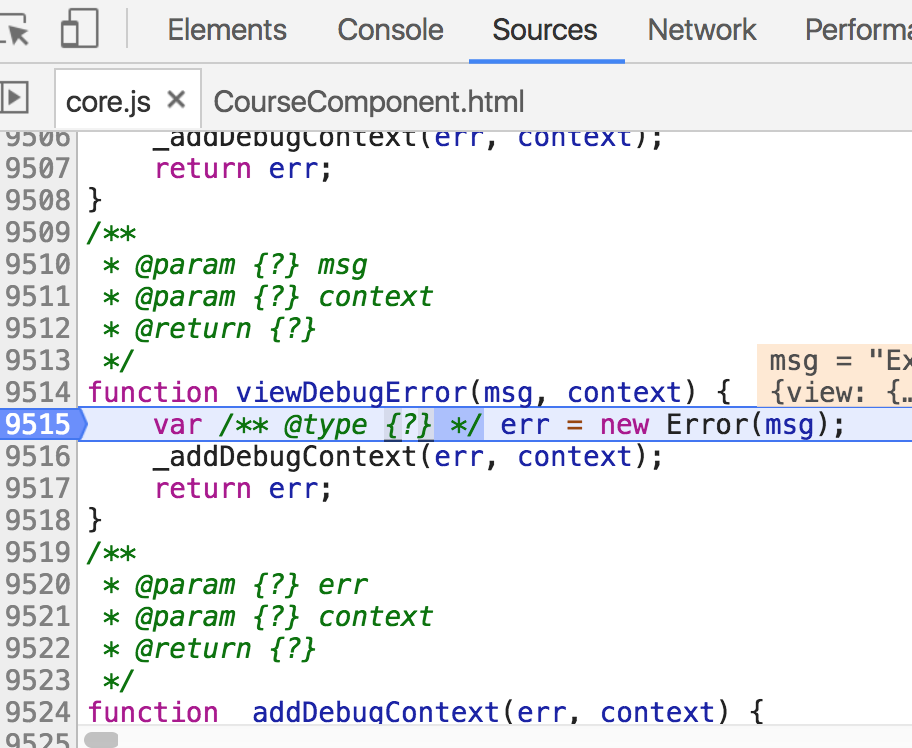
At this point, the execution is paused, allowing us to inspect the current variables and navigate the call stack to understand the sequence of events.
In this example, line 9515 shows where the error happens, and the blue triangle indicates our chosen breakpoint location.
Examining the call stack, if we move upwards through the functions, we will eventually encounter a call to viewDebugError.
Finding the Previous Value of the Expression
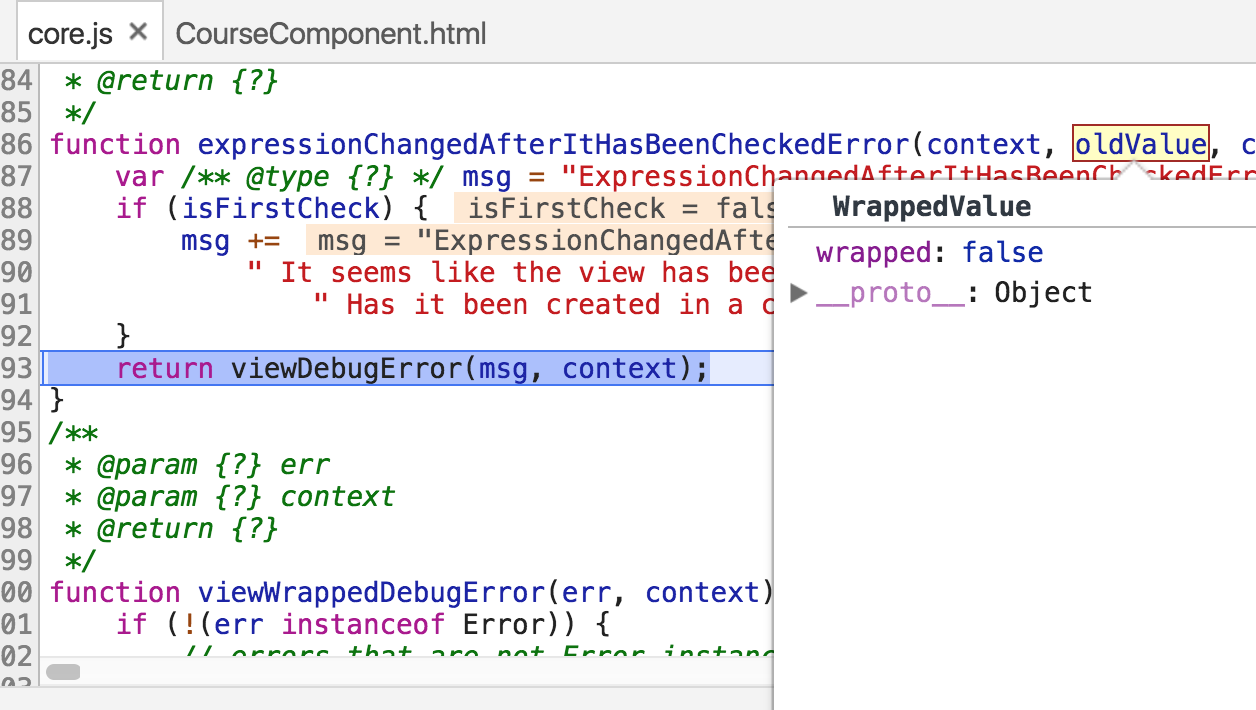
By inspecting the oldValue variable in the debugger, we can see that the old value was false, while the new value, according to the error message, is true.
Locating the Culprit Expression
To find out which exact template expression is the source of the error, we continue to move up the call stack. Eventually, a template expression will come into view:
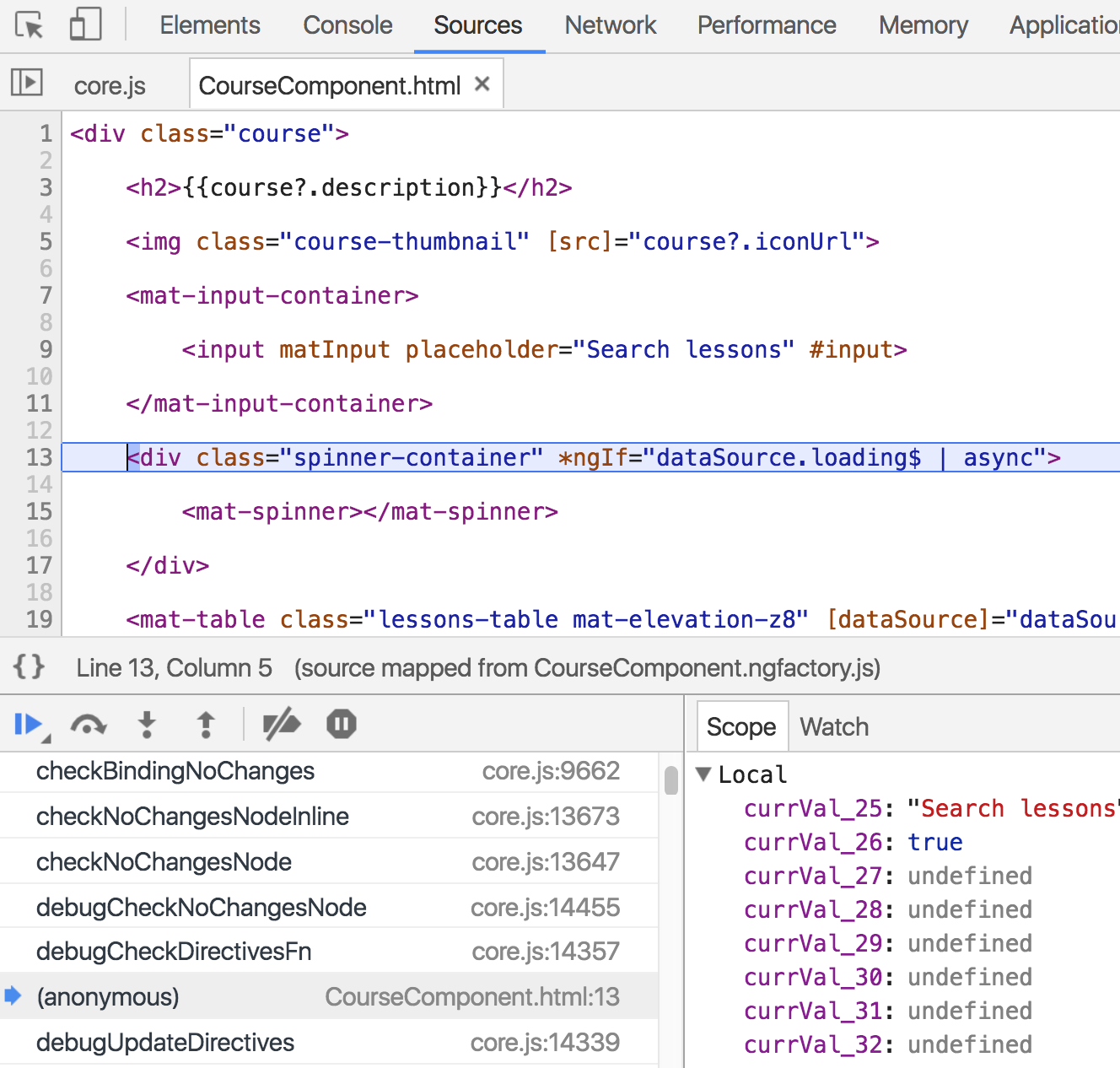
This reveals the expression tied to the ngIf directive, which controls the loading indicator. We have now identified the source of the problem.
This exercise demonstrates the immense value of the source maps generated by the Angular CLI for debugging and tracing errors back to their source.
Why Does This Error Occur?
At a glance, the ngIf expression seems simple, so why does it cause an issue? The sequence of events is as follows:
- Initially, the
ngIfexpression is false because the data source is idle andloading$emits false. - With the
loading$Observable emitting false, the loading indicator is correctly hidden. - During the process of preparing the view for updates, Angular invokes
ngAfterViewInit, which subsequently triggers the initial data load. - The data fetch from the backend is asynchronous and takes time to complete.
- The core issue: a synchronous call to
dataSource. loadLessons()immediately emits a newtruevalue for theloading$flag.
This unexpected change to the loading flag's value is what triggers the error.
Let's examine why changing this flag during the view creation phase is fundamentally problematic.
The Problem of a View Modifying Itself
This situation illustrates a problematic pattern where the view generation process, of which ngAfterViewInit is a part, ends up modifying the very data it's supposed to render. Here's the loop:
- The loading flag begins with a value of false.
- The view initially hides the loading indicator based on this false value.
- The act of rendering the view, via the code in
ngAfterViewInit, changes the state of the data itself. - By the end of the view build, the loading flag is now true.
Now, the system is in an ambiguous state. Which value is correct: true or false? Unable to decide, Angular throws this defensive error, which is exclusive to Development Mode.
For a deeper dive into Angular Development Mode, refer to this dedicated article. For now, let's focus on resolving our current issue.
Conceptualizing the Fix
The core of the problem is calling dataSource.loadLessons() directly within ngAfterViewInit(). This immediate action modifies the application's state before Angular has had a chance to render the current state. The fix is to restructure our timing.
The solution is to give Angular the opportunity to finish rendering the initial view with the loading flag at its original value (false).
After that initial rendering is complete—in a separate and future JavaScript turn—we can then trigger the data load. This will update the loading flag to true, causing the indicator to appear in a subsequent update cycle.
A First Implementation of the Fix
To defer the code within ngAfterViewInit to a future JavaScript turn, let's look at an initial solution that clearly illustrates the concept:
This change already resolves the error!
We use setTimeout() to postpone the execution of the data loading call. Notice that we don't even provide a delay value. Let's now explore a cleaner alternative that involves less code nesting, and afterwards, discuss why this approach works.
Cleaner Alternative with RxJs
Here's a more elegant version that leverages the RxJs delay operator to achieve the same effect with less nesting:
The Mechanism Behind setTimeout and delay(0)
Both setTimeout and delay(0) work by deferring the code execution to a new turn of the JavaScript event loop. The sequence of events becomes:
- The loading indicator is initially hidden because the flag's value is false.
ngAfterViewInit()runs, but it does not immediately load data or trigger any synchronous state changes.- Angular completes the current view rendering, displaying the initial state, and the current JavaScript VM turn finishes.
- On the next VM turn, the
setTimeout()callback (also used insidedelay(0)) fires, and the data load begins. - The loading flag is now set to true, making the loading indicator visible.
- Angular runs another change detection cycle, rendering the loading indicator to the screen.
By deferring the data load, we avoid the conflict, and no error is thrown.
An Improved Solution: Shifting to ngOnInit()
In this particular case, there is an even more direct solution. The root of the problem is a modification of the state (the loading flag) within ngAfterViewInit(). We can avoid this entirely.
The solution is to eliminate the initial loading trigger (previously started via startWith(null)) from the paginator setup and instead, load the initial data in the ngOnInit() lifecycle hook:
This approach completely sidesteps the error. The ngAfterViewInit() hook is no longer responsible for starting any data loads.
By moving the initial data load from ngAfterViewInit() to ngOnInit(), we ensure that any modifications to the view's data happen well before the view construction phase begins.
Let's take a moment to reflect on what would happen if this error did not exist.
Final Thoughts
The "Expression has changed after it was checked" error is a cornerstone of Angular's data integrity model. It's a safety mechanism, active in development mode, that helps you build applications that are easier to debug, reason about, and maintain in the long run.
This error might seem intrusive, but it is, in fact, a very useful developer guardrail.
The Value of the "Expression has changed" Error
If the view rendering process could freely alter the displayed data, it would lead to chaos. As demonstrated, it could even create infinite loops. More commonly, you'd end up with erratic UIs where a component might randomly show old data, making it incredibly difficult to reproduce and troubleshoot bugs.
And here's a subtle issue: a user might interact with an unrelated part of the page, triggering an event handler, which could inadvertently cause an entirely different component to fail. These bugs are among the hardest to find and fix.
A primary advantage of using a framework like Angular is the guarantee that your component's data is automatically and reliably reflected in the view. Angular takes over the manual synchronization work you'd otherwise have to do.
Angular's Development Mode is a crucial tool for pointing out these potential architectural issues early on. Providing clear errors like this one during development forces us to write better, more robust code before we release it to production.
We hope this guide has clarified the error and its solution. For a deeper exploration of advanced Angular features, the Angular Core Deep Dive course is a great resource, covering these topics in greater detail.
If you have any comments or further questions, you can leave them below, and we'll get back to you.
You can also subscribe to our newsletter to stay updated on our latest posts covering a wide range of Angular topics.
And if you are just beginning your Angular journey, here is a great starting point: the Angular for Beginners Course:
