Disabling Automatic Change Detection
There are situations where automatic change detection might not be desirable. This frequently occurs when application code or external libraries interact with the DOM directly through native APIs, bypassing Angular's awareness. Another common scenario is when a DOM event fires at a high frequency and triggers expensive operations—think of scroll events that can fire dozens of times per second. In such cases, avoiding redundant change detection cycles can lead to substantial performance gains.
One widely used approach is to define the OnPush change detection strategy for a component:
@Component({
  selector: 'a-cmp',
  template: `{{ title }}`,
  changeDetection: ChangeDetectionStrategy.OnPush,
})
export class C {
  @Input()
  title = 'c-comp is here';
}
With this strategy, Angular skips change detection for the component's subtree unless an input binding changes—an uncommon event in the scenarios described above. Another popular technique involves throttling or debouncing high-frequency events, which reduces the number of change detection cycles.
Yet, in some cases, the most effective solution is to completely disable automatic change detection.
Executing Code Outside the Angular Zone
To prevent automatic change detection, developers can leverage Angular's API to run code outside the Angular zone. Because Angular receives no notifications about asynchronous events occurring in other zones, no automatic change detection takes place. The method used for this purpose is runOutsideAngular, implemented by the NgZone service.
Consider the following code:
@Component({
  selector: 'app-root',
  template: `{{ time }}`,
})
export class AppComponent {
  time = Date.now();

  constructor() {
    setInterval(() => {
      this.time = Date.now();
    }, 500);
  }
}
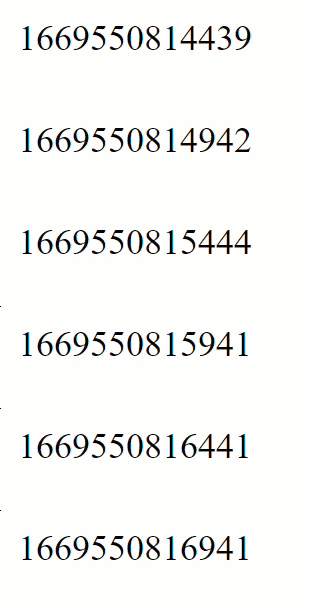
Here, we assign a new value to the time property every 500ms, and the screen reflects this update at the same interval:
Now, let's adjust the implementation to schedule the interval outside the Angular zone. We inject NgZone and use runOutsideAngular to execute setInterval outside the Angular zone:
@Component({
  selector: 'app-root',
  template: `{{ time }}`,
})
export class AppComponent {
  time = Date.now();

  constructor(zone: NgZone) {
    zone.runOutsideAngular(() => {
      setInterval(() => {
        this.time = Date.now();
      }, 500);
    });
  }
}
The same code block runs every 500ms, but this time the screen remains unchanged, as automatic change detection no longer occurs.
This behavior stems from how zones propagate notifications. All events originating from code within a particular zone are handled in that zone. In the example above, the setInterval macrotask gets scheduled in the root zone, and notifications about the event are delivered to listeners attached to the root zone. Since Angular subscribes only to events in NgZone, it misses the notifications about setInterval execution and therefore skips change detection.
We can still manually trigger change detection to refresh the screen using ApplicationRef.tick() or other methods covered in the section on manual control of change detection:
@Component({
  selector: 'app-root',
  template: `{{ time }}`,
})
export class AppComponent {
  time = Date.now();

  constructor(zone: NgZone, app: ApplicationRef) {
    zone.runOutsideAngular(() => {
      setInterval(() => {
        this.time = Date.now();
        app.tick();
      }, 500);
    });
  }
}
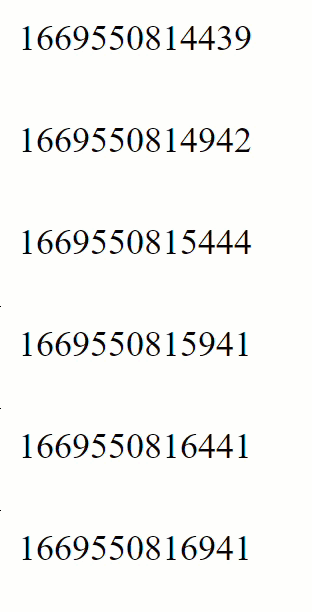
Now the updates resume:
That works.
A Practical Scenario
Imagine you need to add tooltips to your application. Rather than building them from scratch, a sensible choice is to use a third-party library such as tippy.js:
import { Component, ViewChild } from '@angular/core';
import tippy from 'tippy.js';

@Component({
  selector: 'f-cmp',
  template: ` <button #tippy class="btn btn-danger">Hover me!</button> `,
})
export class F {
  @ViewChild('tippy', { static: true }) tippy: any;

  ngOnInit() {
    tippy(this.tippy.nativeElement, {
      content: 'Hello world!',
    });
  }
}
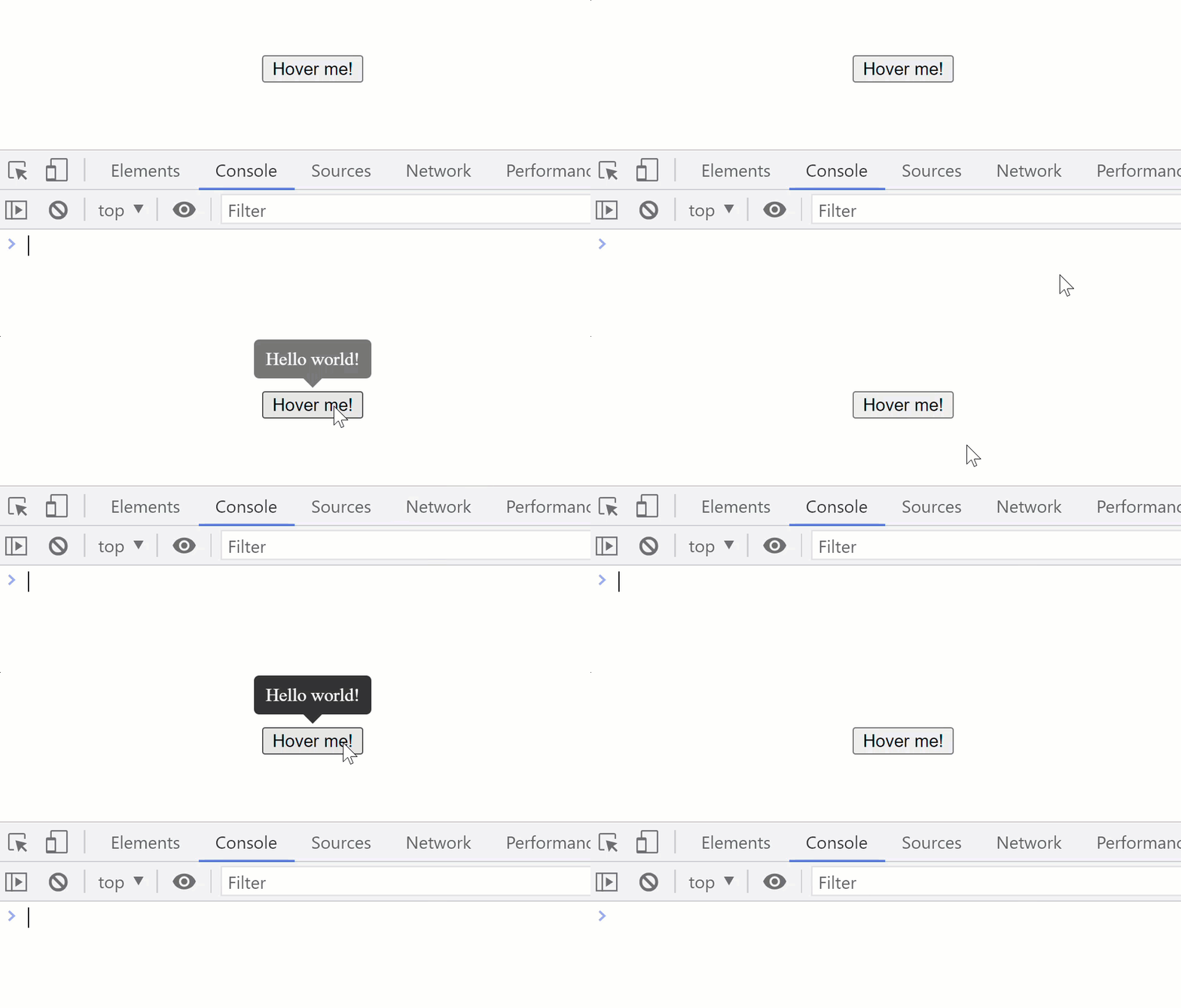
The integration works smoothly, yet change detection runs every time you hover over the button element. We can confirm this by logging from within ngDoCheck:
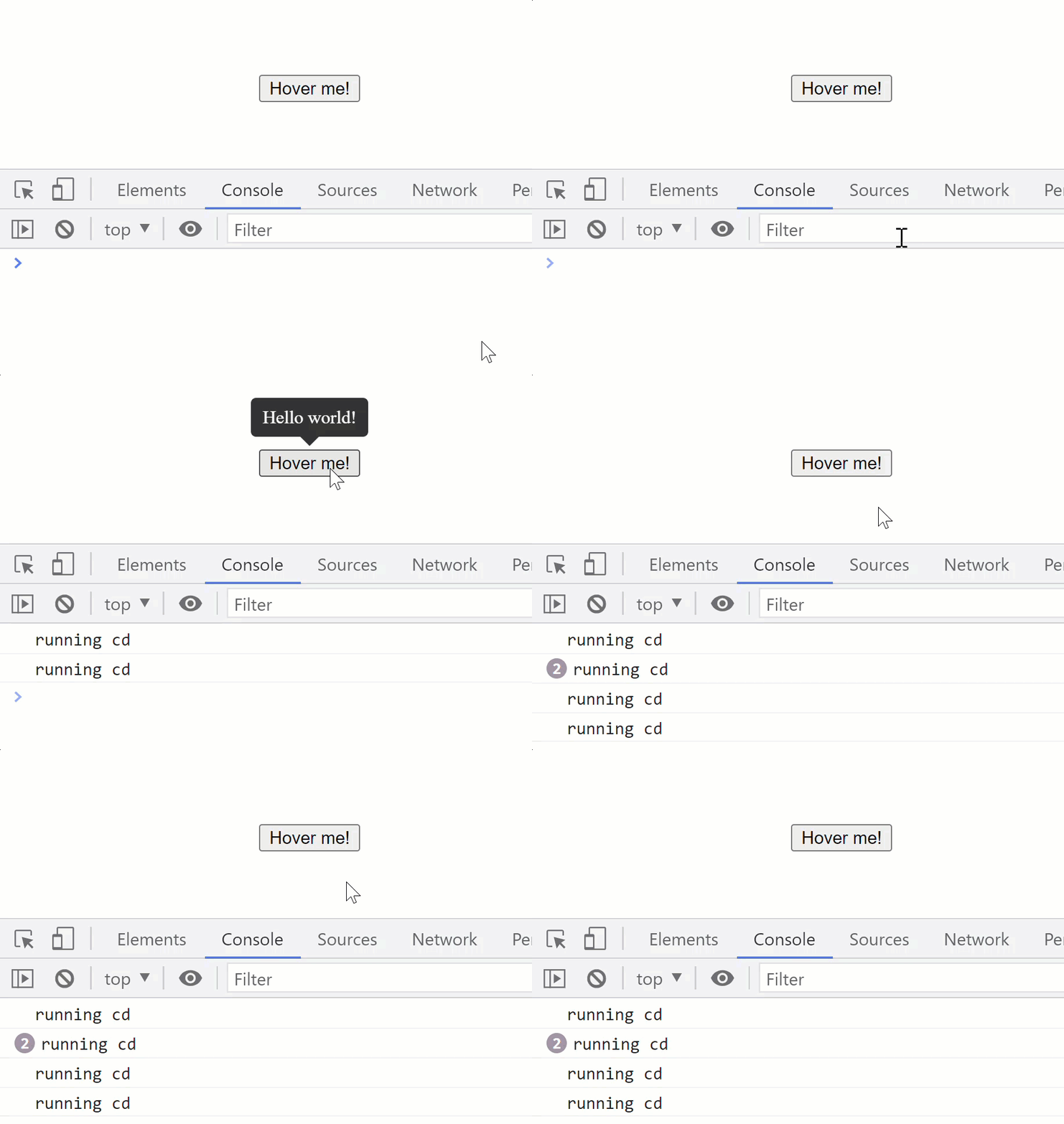
Clearly, this is wasteful, as the tooltip element gets added to the DOM imperatively using the native API—there's no need to update template bindings. Fortunately, you can exclude the initialization code from triggering change detection by running it outside the NgZone:
@Component({
  selector: 'f-cmp',
  template: ` <button #tippy class="btn btn-danger">Hover me!</button> `,
})
export class F {
  @ViewChild('tippy', { static: true }) tippy: any;

  constructor(private zone: NgZone) {}

  ngOnInit() {
    this.zone.runOutsideAngular(() => {
      tippy(this.tippy.nativeElement, {
        content: 'Hello world!',
      });
    });
  }

  ngDoCheck() {
    console.log('running cd');
  }
}
This causes tippy to attach all event listeners directly to the root zone:
You can verify this by placing a debugger statement in the tippy source code and inspecting the active zone:
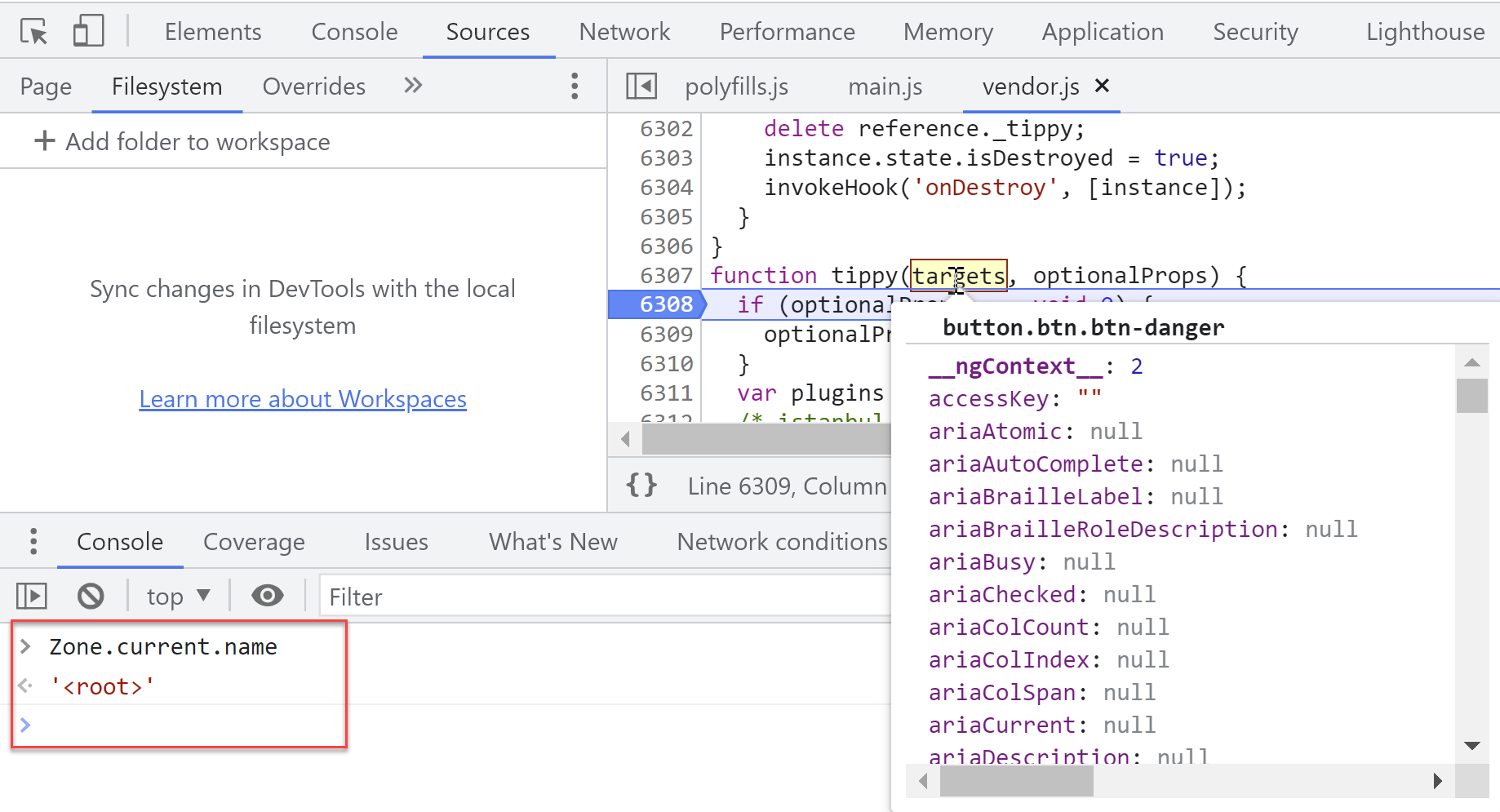
The debugger reveals that the tippy library runs within the root zone when executing its initialization logic that registers event listeners.
Surprising DOM Updates
Developers sometimes wrap property updates in runOutsideAngular to bypass unnecessary change detection cycles, yet change detection still triggers and picks up the new property value, causing visible screen updates.
@Component({
  selector: 'app-root',
  template: `{{ time }}`,
})
export class AppComponent {
  time = Date.now();

  constructor(zone: NgZone) {
    setInterval(() => {
      zone.runOutsideAngular(() => {
        this.time = Date.now();
      });
    }, 500);
  }
}
This happens because runOutsideAngular doesn't prevent Angular's change detection from observing changes—it merely prevents the wrapped code from emitting event notifications to NgZone. In our situation, since setInterval operates inside the Angular zone, wrapping the variable update in runOutsideAngular is ineffective, as the event notification still fires and change detection proceeds.
The same principle applies to event listeners registered within the Angular zone. The following approach—simply running the event callback outside Angular—won't stop automatic change detection:
@Component({
  selector: 'g-cmp',
  template: `
    {{ time }}
    <button (click)="onClick()">Click me!</button>
  `,
})
export class G {
  time = Date.now();

  constructor(private zone: NgZone) {}

  onClick() {
    this.zone.runOutsideAngular(() => {
      this.time = Date.now();
    });
  }
}
Clicking the button still triggers change detection and updates the screen. However, there are ways to register event handlers in Angular that bypass automatic change detection. Let's explore how.
Attaching Event Listeners Outside the Angular Zone
One workaround involves obtaining a reference to the DOM element using the ViewChild decorator and manually registering an event listener:
@Component({
  selector: "my-app",
  templateUrl: "<button #btn (click)="onClick()">Click me!</button>"
})
export class AppComponent implements AfterViewInit, AfterViewChecked {
  @ViewChild("btn") btnEl: ElementRef<HTMLButtonElement>;
  time = Date.now();

  constructor(private readonly zone: NgZone) {}

  ngAfterViewInit() {
    this.zone.runOutsideAngular(() => {
	    this.btnEl.nativeElement.addEventListener("click", () => {
        this.time = Date.now();
	    });
    });
  }
}
With this approach, clicking the button no longer invokes the change detection process, so the updated time value doesn't appear on screen.
To reuse this pattern, we could build a directive that adds events without triggering change detection. Here's what the directive looks like:
@Directive({
  selector: '[click.zoneless]',
})
export class ClickZonelessDirective implements OnInit, OnDestroy {
  @Output('click.zoneless') clickZoneless = new EventEmitter<MouseEvent>();
  private teardownLogicFn;

  constructor(private readonly zone: NgZone, private readonly el: ElementRef) {}

  ngOnInit() {
    this.zone.runOutsideAngular(() => {
      this.setupClickListener();
    });
  }

  ngOnDestroy() {
    this.teardownLogicFn();
  }

  private setupClickListener() {
    this.teardownLogicFn = this.el.nativeElement.addEventListener(
      'click',
      (event: MouseEvent) => this.clickZoneless.emit(event)
    );
  }
}
And here's how to apply it:
<h2>Click handler outside NgZone</h2>
<button class="btn btn-primary" (click.zoneless)="onClick()">Click me!</button>
While attaching the event listener to the native element outside the Angular zone works effectively, a more refined and reusable solution would employ a custom Event Manager Plugin similar to DomEventsPlugin. I'll demonstrate this technique in the "Optimization techniques" section.