In This Section
- How lazy route configurations are merged into the root configuration
- How lazy loading works with AOT and JIT compilation
- How preloading works in the router
Splitting your application into lazily loaded chunks is a proven strategy for trimming the initial payload delivered to the browser. By deferring non-essential code into feature modules that are fetched only when needed, the startup experience improves significantly.
The standard usage of lazy loading is covered in the official documentation. Here, we’ll shift our focus inward and trace how the router handles the mechanics behind the scenes.
A minimal working example that demonstrates lazy loading can be found in this git repository.
Webpack, SystemJS, and Friends
With a framework as extensive as Angular, it’s easy to overlook what dynamically loading a module really involves. In essence, a bundler like Webpack splits the codebase into separate chunks — the Angular CLI does this automatically — and those chunks are pulled into the running application at a later point.
Code splitting and module loaders themselves won’t be dissected here. For a deeper look at how Angular interacts with them, see Everything you need to know about dynamic components in Angular.
How Lazy Modules Fit Into the Router Configuration
To take advantage of lazy loading, your app must be organized into separate NgModules, typically referred to as feature modules.
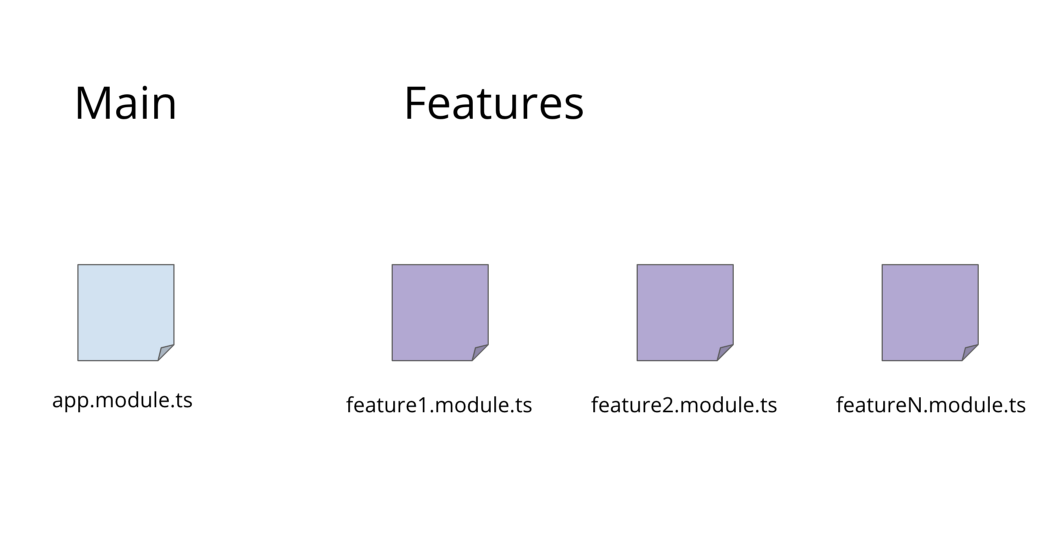
The root module is loaded first; feature modules are deferred.
Once your application is divided into feature modules, wiring up lazy loading is straightforward. The loadChildren property in a route configuration signals that a certain module should be fetched on demand.
const ROUTES = [
{path: 'lazy', loadChildren: './lazy-module/lazy.module#LazyModule'}
];
The argument to loadChildren is a string. The path prefix (everything before the #) locates the file that exports the module, and the suffix after the # identifies the specific NgModule class.
When navigation hits this route — for instance, localhost:4200/lazy — the router sees loadChildren and triggers the fetch of the associated feature module (here, LazyModule).
It’s essential to avoid any direct import of the feature module elsewhere in the main bundle. A static import would create a compile-time dependency, causing the bundler to fold the module into the initial chunk, defeating the purpose of lazy loading. Passing a string, rather than a module reference, prevents this.
Once the module arrives, its own route definitions must be reconciled with the root configuration (the one set up via RouterModule.forRoot(), typically in app.module or a dedicated app-routing.module).
For illustration, the LazyModule in the sample contains a single route entry:
const ROUTES = [
  { path: '', component: LazyComponent }
];

@NgModule({
  declarations: [
    LazyComponent
  ],
  imports: [
    RouterModule.forChild(ROUTES)
  ]
})
export class LazyModule { }
The configuration contributed by the feature module via forChild is integrated into the router state under the _loadedConfig property. This happens during the apply redirects phase of navigation — unless preloading has already taken care of it, as we’ll see later.
return this.configLoader.load(ngModule.injector, route)
                  .pipe(map((cfg: LoadedRouterConfig) => {
                    route._loadedConfig = cfg;
                    return cfg;
                  }));
On line 3, the loaded module’s configuration is attached as route._loadedConfig.
You can confirm this by inspecting the config property on the Router service.
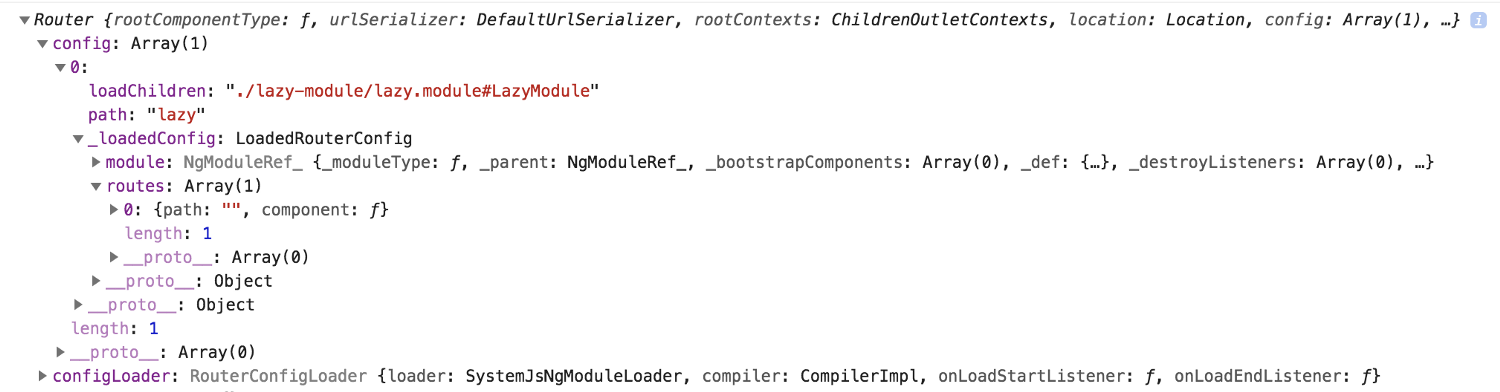
The key point: the router must load any lazy modules and then merge their configurations with the root one. After that, routes defined in the feature module are indistinguishable from those in the main config.
AOT and Lazy Loading
Lazy loading functions correctly under both just-in-time (JIT) and ahead-of-time (AOT) compilation. When using the Angular CLI, running
ng serve --aot
builds and serves the app with AOT. All modules, including feature modules, are compiled at build time, but the lazy ones are still only fetched when needed.
If you prefer
ng build --aot=true
you can inspect the compiled output in the /dist directory. With the sample repo, you’ll see entries like:
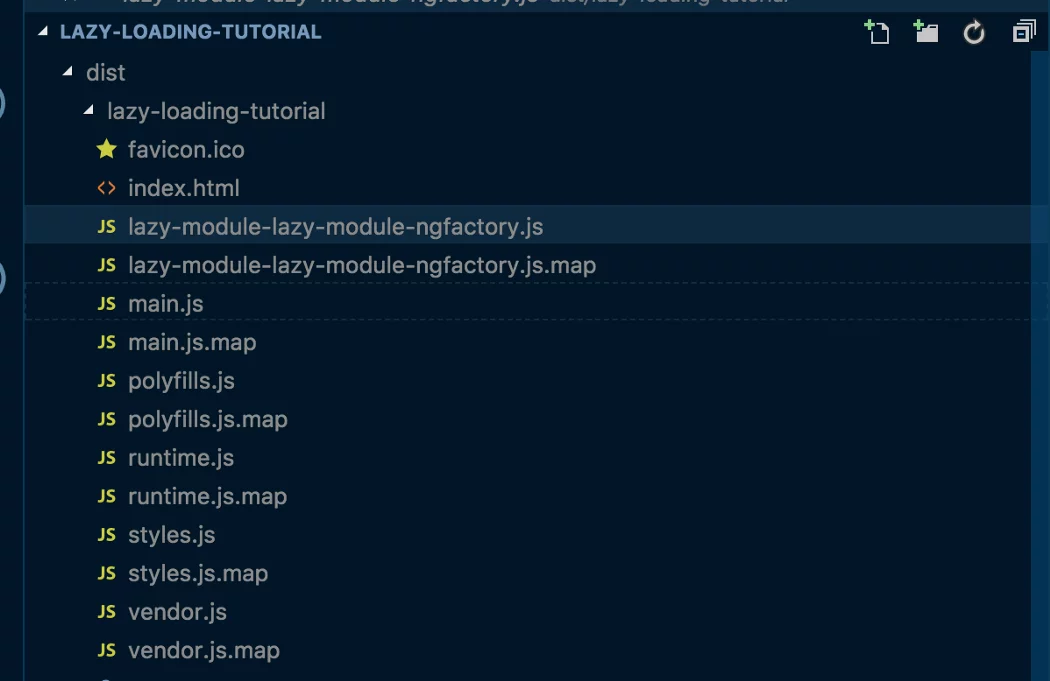
The modules have been compiled into factories ahead of time.
The file named lazy-module-lazy-module-ngfactory.js is exactly what gets fetched at runtime. It’s a pre-compiled module factory, meaning the application can instantiate it the moment it loads, no further compilation required.
By default, [ng serve](https://angular.io/cli/serve) and [ng build](https://angular.io/cli/build) use JIT rather than AOT. Without AOT, the /dist folder contains plain module files, not factories:
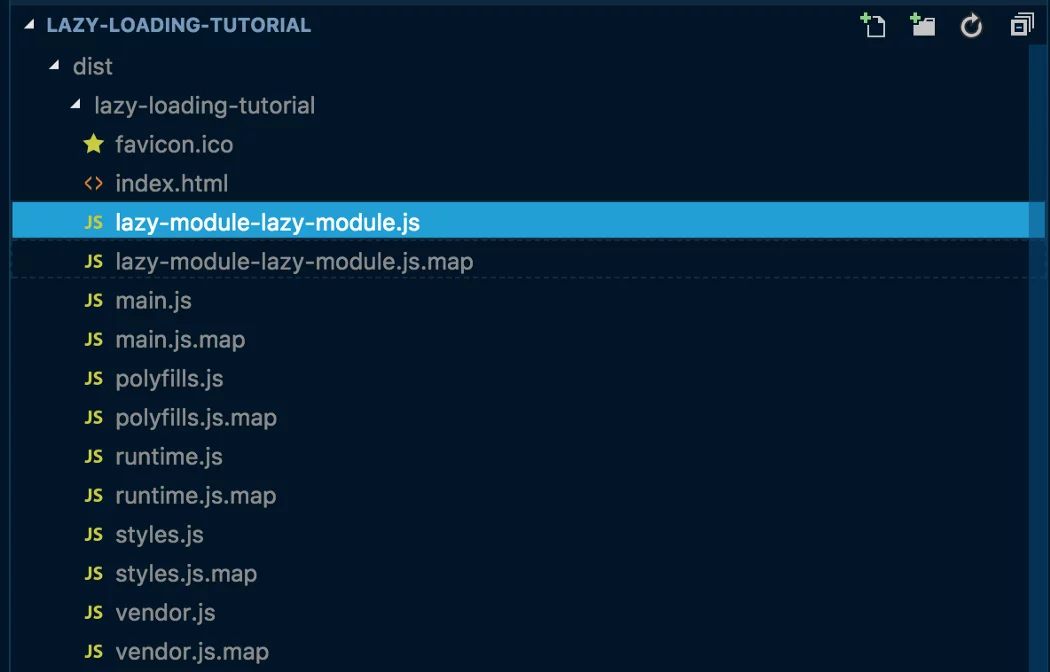
In that case, the router must compile the loaded module at runtime before it can be used.
Choosing between AOT and JIT changes the runtime workflow for lazy loading. The key logic lives in SystemJsNgModuleLoader’s load method:
export class SystemJsNgModuleLoader implements NgModuleFactoryLoader {

  load(path: string): Promise<NgModuleFactory<any>> {
    const offlineMode = this._compiler instanceof Compiler;
    // offlineMode === true means AOT. The module is already compiled into a factory ahead of time
    return offlineMode ? this.loadFactory(path) : this.loadAndCompile(path);
  }

}
This class is used by the router during lazy loading.
With AOT, the offlineMode flag is true, and the precompiled factory is fetched directly. Otherwise, the module is pulled in and processed via loadAndCompile, which relies on the Compiler service.
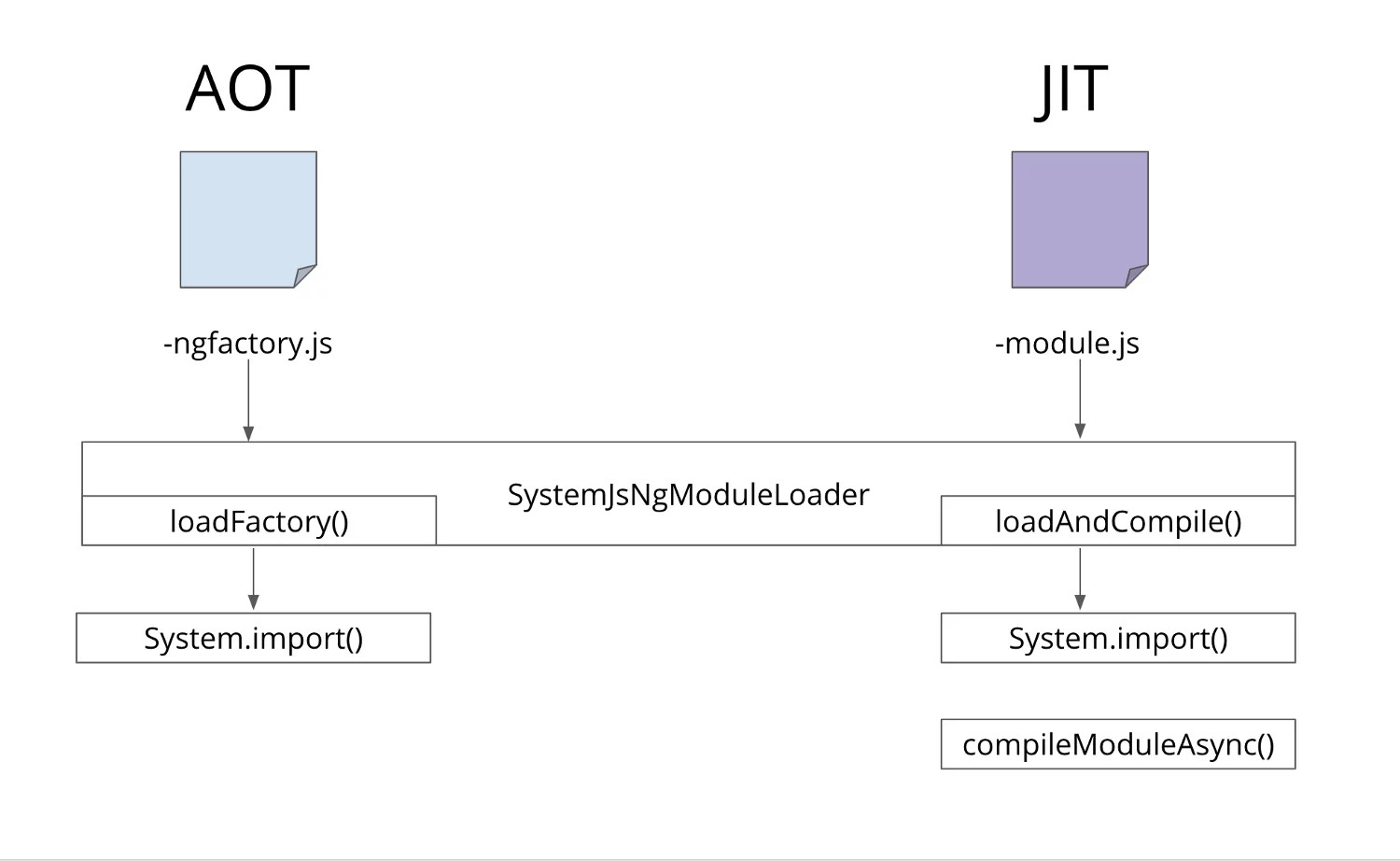
In JIT mode, an additional step compiles the module into a factory.
The single difference: with JIT, the module must be turned into a factory at runtime.
Lazy loading performs well in both modes, though AOT generally offers better runtime performance and is the recommended default.
So far, we’ve examined lazy loading within the navigation cycle. It’s also possible to load modules programmatically, outside of any navigation. That topic, along with use cases like dynamic routes, will be covered in a separate article.
Preloading in Practice
Lazy loading shrinks the initial bundle, which is great for first paint. But after the app is up and running, waiting for a user to navigate to a popular feature before fetching it is unnecessary — the idle time during the initial session is a perfect opportunity to start loading it in the background. That’s exactly what preloading enables.
Preloading complements lazy loading. It controls the timing of when lazy modules are fetched. Angular ships with two preloading strategies out of the box: PreloadAllModules (load everything) and NoPreloading (do nothing).
You can use one of these defaults, or roll your own custom strategy. Custom strategies shine when you only want to preload specific routes, want to delay the preload, or need to apply conditional logic.
The strategy is chosen by passing an option to RouterModule.forRoot:
RouterModule.forRoot(ROUTES, {
  preloadingStrategy: CustomPreloadingStrategy | PreloadAllModules | NoPreloading
})
Provide your own strategy or pick a default.
A custom strategy is a service that implements the PreloadingStrategy interface. Adrian Fâciu’s well-known example illustrates the pattern nicely. In this piece, we’ll concentrate on what happens inside the router to schedule preloading.
The Preloading Schedule
The router needs a trigger to begin preloading. Internally, a RouterPreloader instance subscribes to the router’s event stream and watches for navigation events. Each time a NavigationEnd event is emitted, the preloader searches the current route tree for any lazy modules that haven’t been fetched yet.
setUpPreloading(): void {
  this.subscription =
      this.router.events
          .pipe(filter((e: Event) => e instanceof NavigationEnd), concatMap(() => this.preload()))
          .subscribe(() => {});
}
The preloader listens for NavigationEnd and invokes this.preload to walk the configuration tree.
You can subscribe to this.router.events yourself to observe all router activity.
With a custom strategy, the precise operations depend on how your implementation of the abstract preload method behaves. The router, however, always performs its check for loadable modules when it sees NavigationEnd.
The CanLoad Guard
Lazy loading has its own dedicated guard, CanLoad. It decides whether a module is allowed to be loaded at all. If the guard returns false, the module is not fetched, and the navigation is aborted.
A CanLoad guard disables preloading for the protected module. These two mechanisms are mutually exclusive.
This is intentional. Consider a user on a login screen while a background preload begins for a protected route. The CanLoad guard would fire, potentially fail, and then redirect the user — an undesirable outcome. By blocking preloading, the router prevents this scenario.
Route guards in general are covered in more detail in the article on the navigation cycle.
Wrap-Up
We’ve explored how the router fuses configurations, handles JIT and AOT compilation for lazy modules, and orchestrates preloading strategies.
This completes the Three Pillars of the Angular Router series. If you missed any part, catch up here:
0. Series Overview
1. Router States and URL Matching
2. The Router Navigation Cycle
More router articles are on the horizon. This series lays the foundation. Stay tuned!