Explore a hands-on Angular Signal Forms approach for create and edit scenarios, covering route-driven mode, prefilling edit data, linkedSignal initialization, submit logic branching, and validation context.

Kevin Kreuzer
@nivekcode
Aug 1, 2026
6 min read
Hello Angular community!
When you first look at create and edit forms, they seem easy — until they aren't.
Reuse looks like the obvious choice. Fields match, layout matches, and validation rules are identical. The single difference: create begins blank, whereas edit loads an existing item.
That's precisely why a single form should be our default approach.
THAT SAID
A single form doesn't imply a monolithic component crammed with arbitrary if checks. It demands a compact strategy:
- the route is what signals create versus edit
- edit data gets fetched solely when an ID is present
- the form value starts according to the context
- submit decides between actions in one clear spot
- validators get access to the edit context as needed
Create and edit are typically not separate forms. They are two states of the same form.
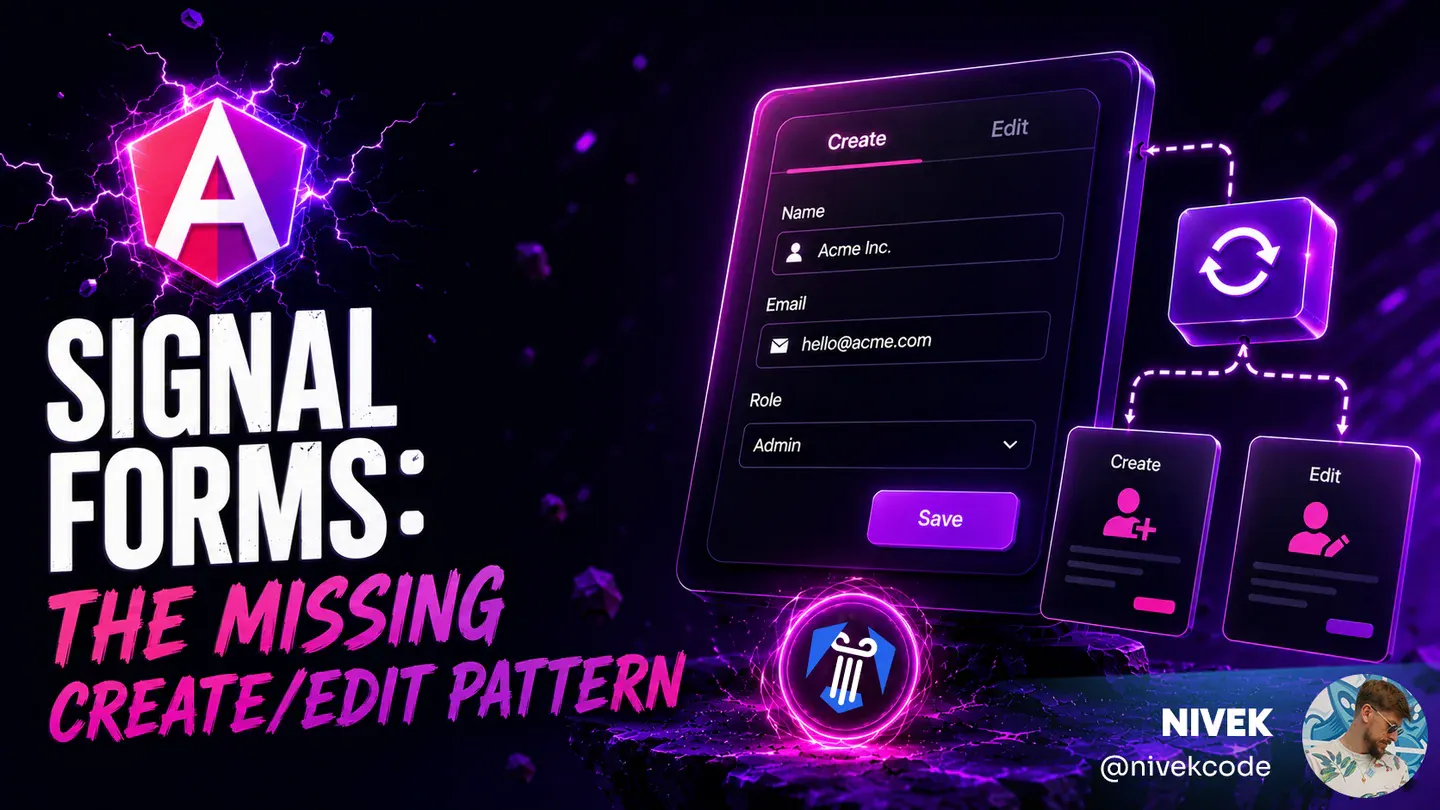
This is the scenario for this discussion. Create shows the blank form, submitting sends the user back to the list, and selecting edit pulls up that same form pre-filled with the chosen conference.

Create, list, and edit mode are all part of the exact same form workflow.
We'll construct the pattern by working from the outside inward.
Begin With a Single Form
The initial choice isn't a technical one. It hinges on the workflow itself.
If each mode involves distinct fields, varying permissions, different steps, or a wholly separate submission flow, then opting for multiple forms can be reasonable.
Yet, the majority of create/edit interfaces don't work this way.
They consist of one workflow:
- identical fields
- identical layout
- identical validation
- varying initial value
- varying submit action
That scenario calls for one form.
When create and edit share a workflow, a single Angular Signal Form should be your starting point.
Everything that follows focuses on maintaining the cleanliness of that single form.
Derive the Mode From the Route
Create mode lacks an existing record, whereas edit mode includes one.
Consequently, the mode can be determined directly from the route:
- absence of
conferenceIdindicates create mode - presence of a
conferenceIdindicates edit mode
It's for this reason that such routes frequently introduce unnecessary complexity into the component:
/conference/form/new
/conference/form/0
/conference/form/create
They supplied a value for the conferenceId slot despite create mode lacking a conference ID. Consequently, the component is forced to track that new, 0, or create are placeholder tokens rather than legitimate identifiers.
This results in validation logic resembling this:
if (id !== 'new') {
  // load the thing
}
or this:
if (id !== '0') {
  // probably edit mode?
}
Although it functions, this approach forces create mode to mimic edit mode while carrying a placeholder ID.
A better approach is to define create mode as simply lacking an ID:
export const conferenceRoutes: Routes = [
  {
    path: 'form',
    loadComponent: () =>
      import('./form/conference-form').then((c) => c.ConferenceForm),
  },
  {
    path: 'form/:conferenceId',
    loadComponent: () =>
      import('./form/conference-form').then((c) => c.ConferenceForm),
  },
];
Enable router component input binding:
export const appConfig: ApplicationConfig = {
  providers: [
    provideRouter(routes, withComponentInputBinding()),
  ],
};
At this point, the route parameter is ready to be converted into a signal input:
export class ConferenceForm {
  readonly conferenceId = input<string | undefined>();
}
To obtain a signal that tracks the current mode by name, simply derive it in the following way:
readonly isEditMode = computed(() => Boolean(this.conferenceId()));
At this point, the component relies on a single source of truth.
The route supplies the ID, which determines the mode. In turn, the mode shapes loading logic, labels, submission handling, and validation rules.
Skip Data Fetching in Create Mode
With the mode set from the route, the data-loading logic simplifies considerably.
In a create scenario, there is no existing record to fetch, so hitting the backend would be pointless. By using httpResource, the request can be tied directly to the route ID:
readonly #conferenceResource = httpResource<ConferenceFormModel>(() =>
  this.conferenceId()
    ? `/api/conferences/${this.conferenceId()}`
    : undefined,
);
The key lies in the undefined branch. If the httpResource request function yields undefined, Angular skips issuing the request entirely.
For create mode, the absence of an ID means the function hands back undefined, no request fires, and the form can start with a blank value.
For edit mode, an ID is present, so the resource fetches the existing conference, and the form can seed itself from that data.
The resource mirrors the mode. The component avoids dummy IDs or "load, then discard" workarounds.
Build the Form from the Correct Starting Point
Signal Forms begin with a model signal.
This suits create mode perfectly—we can provide a blank initial model:
const initialConferenceForm: ConferenceFormModel = {
  name: '',
  online: false,
  url: '',
  location: '',
  description: '',
  date: {
    start: new Date(),
    end: new Date(),
  },
};
Edit mode is where things get tricky.
In the typical case, the conference is only available once the component has already been instantiated. If the form is set up just once with a blank state, the edit form might unintentionally remain blank.
This is the moment when patching effects tend to creep in:
effect(() => {
  const conference = this.#conferenceResource.value();

  if (conference) {
    // patch form fields one by one
  }
});
Getting this to function is possible, yet it splits form setup across both the model and an effect.
With linkedSignal(), the model can directly hold the correct value:
readonly #conferenceFormModel = linkedSignal<ConferenceFormModel>(() => {
  const conference = this.#conferenceResource.value();

  return conference ?? initialConferenceForm;
});

readonly conferenceForm = form(
  this.#conferenceFormModel,
  conferenceSchema,
);
The same form model now starts with an empty create value or a populated edit value, and user input continues to write directly into the model signal as usual.
If the model signal already carries the correct initial value, no patching effect is required by the form.
This model-first approach marks a significant change in Signal Forms. The Angular Signal Forms eBook explores model signals, field trees, validation state, and their integration in practical forms in more depth.
Branch Submit in the Submission Action
Even a single form can only have one submit action.
In Signal Forms, this action resides in the third argument of form() within the submission option. When the form is submitted via FormRoot, Angular executes the action only after validation succeeds.
This action can rely on the same isEditMode signal that powers the template:
readonly conferenceForm = form(
  this.#conferenceFormModel,
  conferenceSchema,
  {
    submission: {
      action: async (form) => {
        const value = form().value();

        if (this.isEditMode()) {
          await firstValueFrom(
            this.#conferenceApi.updateConference(this.conferenceId()!, value),
          );
          this.#snackBar.open(`Conference ${value.name} updated.`, 'Close');
        } else {
          await firstValueFrom(this.#conferenceApi.addConference(value));
          this.#snackBar.open(`Conference ${value.name} created.`, 'Close');
        }

        await this.#router.navigate(['conference', 'list']);
      },
    },
  },
);
The button's label can be rendered directly from this same signal within the template:
<form [formRoot]="conferenceForm">
  <!-- form fields -->

  <button type="submit" [disabled]="conferenceForm().submitting()">
    {{ isEditMode() ? 'Update' : 'Create' }}
  </button>
</form>
The crucial thing here is that the branching remains in a single, clearly visible location:
if (this.isEditMode()) {
  updateConference(this.conferenceId()!, value);
} else {
  addConference(value);
}
The ID is still supplied by the route, and the mode is still determined by it. What has changed is where the submission logic lives: directly in the form submission action, which is precisely what Signal Forms expects.
There is no separate isEditing flag that could become out of sync, no repeated submit logic, and no uncertainty.
If Signal Forms is being evaluated for real-world form scenarios, getting a firm grasp on submission is essential. The Angular Signal Forms eBook treats submission, validation, metadata, custom controls, and migration routes as a unified narrative.
Pass Edit Context into Validators
Both creation and editing often rely on the same set of validation rules, yet edit mode can demand additional information.
A frequent case is validating uniqueness against the server.
During creation, a conference name is invalid if any other conference already has it. During editing, the conference already exists server-side and already holds that name; keeping it unchanged should be allowed.
Consequently, the server-side check must be aware of whether validation is happening for a new record or an existing one.
In edit mode, the validator can transmit the current conferenceId to the backend. In create mode, there is no conferenceId, so it sends a blank value.
The backend can then address both scenarios:
- with an ID supplied, it verifies uniqueness while excluding the record being edited
- without an ID, it verifies uniqueness over all stored records
This validator has no dependency on the router. It is unaware of route parameters. It does not care whether the component is in create or edit mode.
All it requires is the relevant validation context:
export function uniqueName(
  path: SchemaPath<string>,
  conferenceId: Signal<string | undefined>,
) {
  validateHttp(path, {
    request: (ctx) => ({
      url: '/api/conferences/name-availability',
      params: {
        name: ctx.value(),
        id: conferenceId() ?? '',
      },
    }),
    onSuccess: toNameAvailabilityError,
  });
}
Pass edit context into validators. Do not make validators discover it themselves.
In doing so, the validator remains reusable, and the edit-specific rule is made plainly visible.
A thorough treatment of validators—covering sync, async, cross-field, and backend-backed checks that preserve a clean form model—is included in the eBook. It is available here: Angular Signal Forms.
Putting the Relevant Parts Together
Consolidating the key parts into a single component keeps the overall pattern compact.
A conferenceId is passed through the route as optional data. That ID is used by the resource to decide if edit data should be loaded. The form model is either constructed from the fetched conference or left at its empty default. On submission, the same ID steers the logic toward creation or updating. Furthermore, the validator gets the ID to serve as its edit context.
export class ConferenceForm {
  readonly conferenceId = input<string | undefined>();
  readonly isEditMode = computed(() => Boolean(this.conferenceId()));

  readonly #conferenceResource = httpResource<ConferenceFormModel>(() => {
    const id = this.conferenceId();

    return id ? `/api/conferences/${id}` : undefined;
  });

  readonly #conferenceFormModel = linkedSignal<ConferenceFormModel>(() => {
    const conference = this.#conferenceResource.value();

    return conference ?? initialConferenceForm;
  });

  readonly conferenceForm = form(
    this.#conferenceFormModel,
    (path: SchemaPath<ConferenceFormModel>) => {
      required(path.name, {
        message: 'Please enter a conference name.',
      });
      uniqueName(path.name, this.conferenceId);
    },
    {
      submission: {
        action: async (form) => {
          const value = form().value();

          if (this.isEditMode()) {
            await firstValueFrom(
              this.#conferenceApi.updateConference(this.conferenceId()!, value),
            );
            this.#snackBar.open(`Conference ${value.name} updated.`, 'Close');
          } else {
            await firstValueFrom(this.#conferenceApi.addConference(value));
            this.#snackBar.open(`Conference ${value.name} created.`, 'Close');
          }

          await this.#router.navigate(['conference', 'list']);
        },
      },
    },
  );
}
The template can stay equally direct:
<form [formRoot]="conferenceForm">
  <!-- form fields -->

  <button type="submit" [disabled]="conferenceForm().submitting()">
    {{ isEditMode() ? 'Update' : 'Create' }}
  </button>
</form>
A single optional route parameter governs the load sequence, initial state, submit action, button label, and validation rules that are edit-aware.
Interested in mastering Angular Signal Forms?
In the Angular Signal Forms eBook, this exact approach is demonstrated with a complete, working conference form — including validators, async validation, submission logic, metadata, nested forms, custom controls, migration guidance, Standard Schema support, and beyond.
Enjoy the look of this code sample? Check out our new theme plugin
Skol — the ultimate edge for your IDE

Aurora-level inspiration, delivered straight to your editor. A clean, high-contrast dark theme that is easy on the eyes without compromising style.
Create more intelligent interfaces by pairing Angular with AI
Video Course on Angular and AI

A practical, project-based training that demonstrates how to weave AI into Angular applications with Hash Brown, producing smart, reactive user interfaces.
Dive into real-time chat, tool invocation, generative components, structured output handling, and beyond — all with clear, incremental guidance.
Seeking a useful reference on Angular Signal Forms architecture, validation techniques, and migration steps?
The Angular Signal Forms Guide

Adopt a model-first mindset when constructing Angular forms that are typed, validated, and built for production using signals.
Explore schema-driven validation, form-state signals, custom controls, migration from Reactive Forms, and straightforward patterns for mapping APIs.
Are you fond of our material and eager to get to grips with Angular's revolutionary Signal Forms?
Angular Signal Forms: An In-Depth Working Session

Dive into Angular's latest Signal-Forms across 12 step-by-step chapters, pairing conceptual insights with practical exercises.
Cover form foundations, validation logic, bespoke controls, nested form groups, transition tactics, and additional topics!

Stay in the loop
with future articles
Subscribe to the Angular Experts Content Updates & News and we will alert you every time a fresh blog post lands on topics such as Angular, Ngrx, RxJs, or other compelling Frontend subjects!
Your email address stays confidential, and you are free to opt out at any moment!
Questions & feedback
Feel free to ask anything and share your own insights or experiences with the subject matter
You might also like
Browse other Angular Experts posts to deepen your understanding of adjacent topics such as Modern Angular or Signals !
Angular Signal Forms: Custom Controls Without ControlValueAccessor
Build reusable Angular custom controls with FormValueControl, model(), touch events, and schema-driven validation—without writing a ControlValueAccessor.
Kevin Kreuzer
@nivekcode
Aug 12, 2026
7 min read
Angular Signal Forms Essentials
Understand the core concepts behind modern Angular Forms. Learn how to create Signal Forms, wire them up in templates, use built-in and custom validators, handle cross-field validation, submit forms, and more.
Kevin Kreuzer
@nivekcode
Feb 14, 2026
12 min read
Angular Signal Forms Config
Learn how to configure Angular Signal Forms to bring back the classic CSS state classes (like ng-valid, ng-invalid, and ng-touched)—either for backward compatibility with existing styles or to unlock new customization, like emitting your own tailored state classes for advanced styling.
Kevin Kreuzer
@nivekcode
Jan 24, 2026
4 min read
Leverage our years of expertise for your team
Over the years, Angular Experts have collaborated with both large corporations and emerging startups, delivered countless workshops and tutorials, and contributed to a wealth of open source projects. Our deep familiarity with cutting-edge front-end development is a source of great pride, and we look forward to helping your venture thrive