Discover how route resources in Angular 22.2 let a route become active while secondary data is still on its way, using signals to track loading, error, cancellation, and reload states.

Kevin Kreuzer
@nivekcode
Oct 9, 2026
8 min read
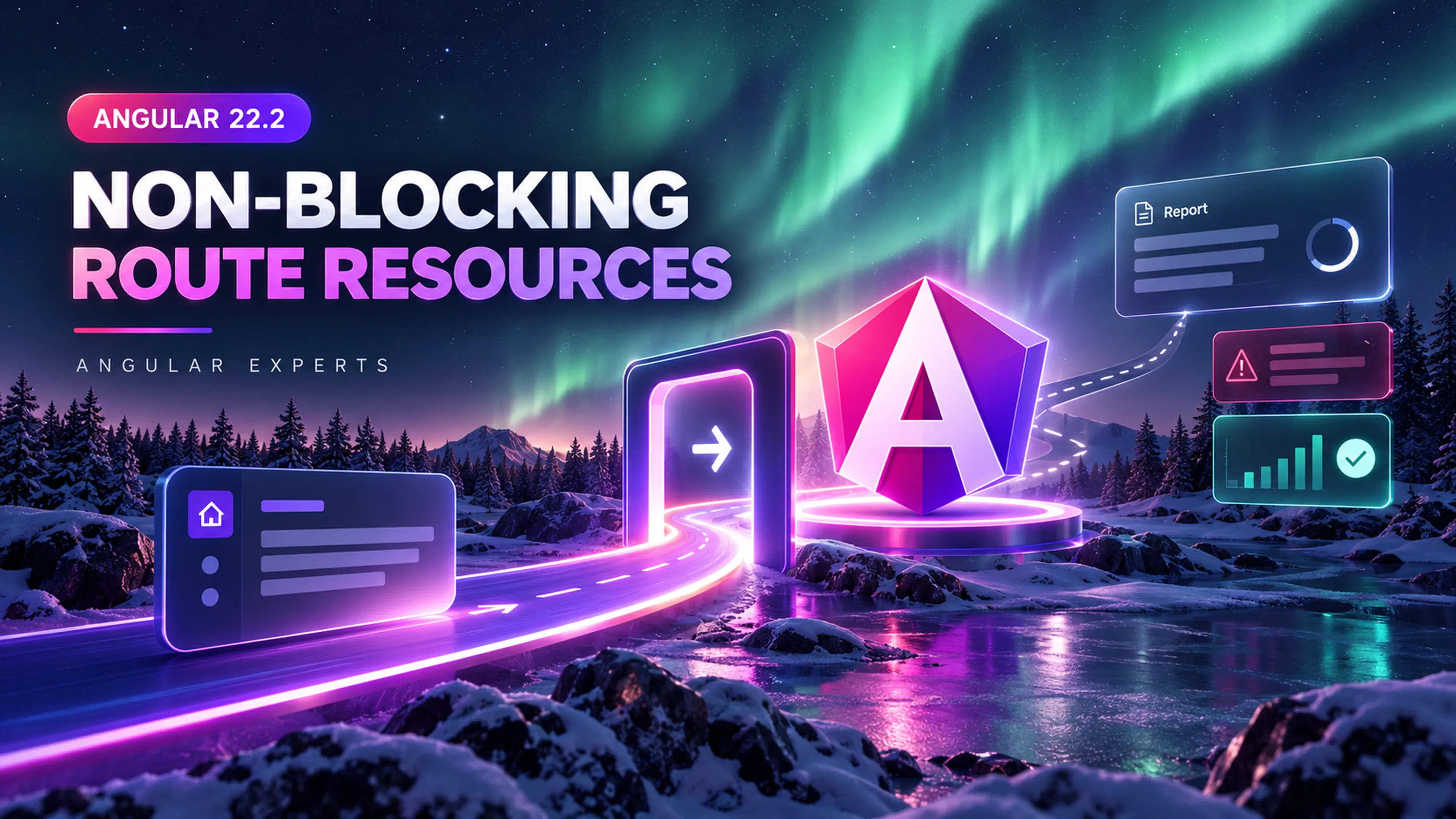
Someone clicks Reports. Nothing visible changes: the previous view remains, the URL stays as it was, and the app seems frozen.
Nothing has actually failed. Before the reports route can be activated, the router waits on a sluggish API call inside a ResolveFn. Network latency thereby becomes navigation latency. On top of that, the reports page never gets the chance to display its own loading indicator, since Angular hasn't created the page yet.
In certain cases that behavior is desirable. When a route genuinely cannot render without its data, blocking shields the component from rendering a half-empty state. The reports page here is not that kind of case: it is perfectly capable of rendering its heading, filters, navigation, and a skeleton while the report is still in flight. Blocking all of it makes the navigation look stalled, even though only a single piece of the page is actually waiting on data.
That is precisely the gap that non-blocking route resources fill. They arrived in Angular 22.2 and allow the router to activate a route straight away while attaching a signal-based resource to the component. The request itself still takes just as long, but now the page can communicate that wait through its own loading, error, and value states.
nonBlocking()and router resources are developer-preview APIs as of Angular 22.2. Check the current API before adopting them in a long-lived library.
The examples that follow come straight from the official route resources guide and the nonBlocking() API reference. Our starting point is the resolver responsible for the delay; from there we will adjust one decision at a time until the page handles the request on its own.
Why a resolver can make navigation feel stuck
With a traditional resolver, execution happens before the route is activated:
import { inject } from '@angular/core';
import { ResolveFn, Routes } from '@angular/router';

const reportResolver: ResolveFn<Report> = () => {
  const reportsApi = inject(ReportsApi);
  return reportsApi.getReport();
};

export const routes: Routes = [
  {
    path: 'reports',
    component: ReportsPage,
    resolve: { report: reportResolver },
  },
];
This contract is straightforward: the component gets a complete Report, so it never needs to handle a missing value. The expense shows up outside the component instead — navigation can't complete until getReport() returns. Consequently, a sluggish network holds up the whole route transition, not just the report.
You can surface a global navigation indicator by subscribing to router events, yet the reports page still has no way to render its own skeleton, since it doesn't exist yet. Angular's resolver guide acknowledges this trade-off explicitly.
That trade-off doesn't render resolvers obsolete. Instead, it hands us a helpful dividing line: data that determines whether a route may exist belongs before activation, whereas data that fills in a page already useful doesn't have to go there. With route resources we can preserve that distinction and shift data loading into Angular's signal model at the same time.
Route resources bring data loading into the signal model
The resources route property takes a function that returns named Angular resources. Just like a resolver, this function executes in an injection context and is part of the route configuration. The difference is that each entry is an Angular resource whose state is signal-based.
That function also gets a ResourceContext. The route parameters, query parameters, fragment, and route data it exposes are signals, letting a resource react to whichever part of the URL drives its request.
Before you can use it, turn on router resources and component input binding:
import { ApplicationConfig } from '@angular/core';
import {
  provideRouter,
  withComponentInputBinding,
  withRouterResources,
} from '@angular/router';
import { routes } from './app.routes';

export const appConfig: ApplicationConfig = {
  providers: [
    provideRouter(routes, withComponentInputBinding(), withRouterResources()),
  ],
};
The resources configuration becomes available thanks to withRouterResources(). Each named entry is then bound to a matching component input by withComponentInputBinding(). There is no need for an NgModule.
Once those providers are in place, the resolver route's resolve field can be swapped for resources:
import { resource } from '@angular/core';
import { Routes } from '@angular/router';

export const routes: Routes = [
  {
    path: 'reports',
    component: ReportsPage,
    resources: () => ({
      report: resource({
        loader: ({ abortSignal }) => loadReport(abortSignal),
      }),
    }),
  },
];

async function loadReport(abortSignal: AbortSignal): Promise<Report> {
  const response = await fetch('/api/report?delay=3000', {
    signal: abortSignal,
  });

  if (!response.ok) {
    throw new Error(`Report request failed: ${response.status}`);
  }

  return response.json() as Promise<Report>;
}
At first glance the change from the initial example seems minor, yet it matters. With resolve, the report key points to a ResolveFn whose job is to hand back the finished value. With resources, a factory runs and builds a Resource for that key. As a result, the router gains access to the resource's signals, status, cancellation, and reload behavior, rather than just the final Report.
A route resource may be built with resource(), httpResource(), rxResource(), or any custom Resource implementation. Since the parameters are signals, a loader can respond to a particular route parameter or query parameter without subscribing manually. The full context is documented by Angular in the ResourceContext API.
resource() or httpResource()?
Plain resource() appears in the example above, since it keeps the loader and its abortSignal in plain sight, and it is the more universal choice as well. Reach for it when the async work isn't an HTTP call, when an SDK hands back a promise, or when the loader has to coordinate multiple operations into a single value.
When the task is a simple HTTP read, httpResource() takes care of some of the wiring. It runs on Angular's HttpClient stack, which means interceptors and the standard HTTP testing utilities are available, and it aborts a pending request whenever its reactive request changes. The blocking rules stay the same, so the report route could rely on it directly:
import { httpResource } from '@angular/common/http';

resources: () => ({
  report: httpResource<Report>(() => '/api/report?delay=3000'),
}),
If a request maps directly to a URL or an HttpResourceRequest and ought to be routed through HttpClient, httpResource() is the right pick. When the loader requires bespoke asynchronous logic or pulls from a non-HTTP source, go with resource(). And if a service already hands you back an Observable, reaching for rxResource() lets you skip the conversion to a promise. Bear in mind that these resource APIs are meant for reads. Commands like POST or PUT are mutations, so you should invoke HttpClient straight away rather than framing the command as a resource. Request options, response parsing, and testing are all addressed in Angular's httpResource guide.
Which resource implementation you pick is a different question from whether the route ought to wait. Because blocking remains the default, both of the earlier examples still hold up navigation. You can wrap either resource in nonBlocking(), and that is the route we will take next for the slow report.
Three ways to load the same report
At this point we have covered the first two approaches. Although the resolver from the opening section and the route resource above both delay activation until they finish, they hand Angular different mechanisms for handling the request. Introducing nonBlocking() opens up a third possibility.
What really sets them apart is this: what the router is waiting on, what ends up in the component, and where any error surfaces.
| Approach | Route activation | Component receives | Loading and error UI |
|---|---|---|---|
Traditional ResolveFn |
Waits for the resolver | Resolved Report through route data or input binding |
Usually handled at navigation level |
| Blocking route resource | Waits for the resource | Resolved Report value |
A resource error can cancel navigation |
| Non-blocking route resource | Activates immediately | Resource<Report> |
Component reads loading, error, and value signals |
In the earlier example where the route resource blocks, the resource gets unwrapped by component input binding. Instead of a resource input, the page declares report = input.required<Report>(), so Angular only instantiates the component once that value is present. The result: the component keeps its straightforward data contract, while the route configuration becomes signal-aware.
How failures are handled still depends on navigation. A failing loader causes Angular to abort the navigation, throwing a NavigationError. For data that the navigation depends on, that behavior is helpful — but for something like a secondary chart, where an inline retry button would be preferable, it doesn't work well.
The reports page calls for the reverse arrangement: the route should activate up front, and responsibility for the request state should sit with the report section. Wrapping the resource in nonBlocking() expresses that shift directly:
import { resource } from '@angular/core';
import { nonBlocking, Routes } from '@angular/router';

export const routes: Routes = [
  {
    path: 'reports',
    component: ReportsPage,
    resources: () => ({
      report: nonBlocking(
        resource({
          loader: ({ abortSignal }) => loadReport(abortSignal),
        }),
      ),
    }),
  },
];
Since the delay is artificial, the UI states become simple to test. This is not meant to say anything about performance. What nonBlocking() actually does is take that request off the route's critical navigation path; it does nothing to lower the API's network latency.
Wrapping the request this way also alters the component's contract. Rather than getting a completed Report, the page is handed the resource and gets to define how each state is rendered.
Rendering the resource state inside the page
When a resource is non-blocking, the router binds the resource object itself rather than unwrapping the value it holds. This places somewhat more responsibility on the page, but in return the page has the information required to react while navigation continues without waiting.
import { Component, input, Resource, WritableResource } from '@angular/core';

interface Report {
  generatedAt: string;
  revenue: number;
  activeCustomers: number;
}

type ReloadableResource<T> = Resource<T> & Pick<WritableResource<T>, 'reload'>;

@Component({
  selector: 'app-reports-page',
  templateUrl: './reports-page.html',
})
export class ReportsPage {
  readonly report = input.required<ReloadableResource<Report | undefined>>();
}
Signal-driven state is what Resource<T> provides — isLoading, error, hasValue, value, and status. By narrowing the type down to ReloadableResource, the component still can't write to that state, yet it gains access to the single command the UI requires: reload().
Each of these signals corresponds to a distinct thing the user ought to see, and Angular's built-in control flow lets the template spell out that correspondence:
<header>
  <div>
    <p>Analytics</p>
    <h1>Reports</h1>
  </div>

  <button
    type="button"
    (click)="report().reload()"
    [disabled]="report().isLoading()"
  >
    Refresh report
  </button>
</header>

@if (report().isLoading() && !report().hasValue()) {
<section class="report-skeleton" aria-label="Loading report">
  <div class="skeleton skeleton-heading"></div>
  <div class="skeleton skeleton-chart"></div>
</section>
} @else if (report().error(); as error) {
<section role="alert">
  <h2>We could not load this report</h2>
  <p>{{ error.message }}</p>
  <button type="button" (click)="report().reload()">Try again</button>
</section>
} @else if (report().hasValue()) {
<section>
  <p>Generated {{ report().value().generatedAt }}</p>
  <dl>
    <dt>Revenue</dt>
    <dd>{{ report().value().revenue }}</dd>
    <dt>Active customers</dt>
    <dd>{{ report().value().activeCustomers }}</dd>
  </dl>
</section>
}
On the initial request, nothing is available to show yet, so a skeleton appears on the page. Should the request fail, the error is confined to the report section and a retry option is offered to the user. As soon as the resource holds a value, that same section displays the report.
The refresh button highlights another advantage of retaining the resource. Invoking reload() re-executes the loader while the user stays on the current page. While this imperative reload is running, the resource moves into the reloading state yet preserves its earlier value. That way the previously loaded report stays on screen, and the disabled button signals an ongoing refresh. The resource guide covers this behavior along with all available status values.
Forward the abort signal
Reloading covers the case where the user still wants the request's result. Cancellation deals with the reverse situation: a request whose outcome is no longer needed. Each resource loader is given an abortSignal, which we ought to hand over to fetch, exactly as the example demonstrates.
When the user triggers a different navigation, route parameters are modified, or the router reverts an aborted navigation, Angular can then halt work that has lost its consumer. If the signal were not forwarded, the browser might keep the request going even though Angular will discard whatever comes back.
Cancellation spares unnecessary work. Just like nonBlocking(), it won't transform a slow endpoint into a quick one.
This rule matters even more once the report relies on a route parameter. Switching from one report to another ought to cancel the earlier request before the next one begins:
resources: (context) => ({
  report: nonBlocking(
    resource({
      params: () => context.params()['reportId'],
      loader: ({ params: reportId, abortSignal }) =>
        fetch(`/api/reports/${reportId}`, { signal: abortSignal }).then(
          async (response) => {
            if (!response.ok) {
              throw new Error(`Report request failed: ${response.status}`);
            }

            return (await response.json()) as Report;
          },
        ),
    }),
  ),
});
The params function only accesses reportId, which means the loader responds to the single value that drives this request. If the whole params object were returned instead, every navigation would produce a fresh dependency value, and the report could be reloaded whenever some unrelated parameter changed.
Route resources remove parent-to-child waterfalls
Up to this point, the example has a single resource attached to a single route. The contrast stands out more clearly once the route tree is nested.
Resolvers are executed starting at parent routes and moving down to child routes. That sequence is required whenever a child resolver depends on data its parent already resolved, yet the same ordering also forces otherwise independent requests into a waterfall.
Within a matched route hierarchy, route resources execute concurrently. A resource on a parent layout and a resource on a child report are able to begin at the same moment rather than waiting on one another. For any blocking resources in that group, navigation waits; the non-blocking ones keep going once activation has happened.
Concurrency like this does not speed up any individual request. What it does is eliminate needless sequencing between requests that are independent. When one resource genuinely depends on another, that dependency should be modeled explicitly rather than left to timing.
When blocking is still the right choice
Blocking covers a far smaller set of cases than "the page needs this data." Practically every data-heavy page will need its data at some point, yet in most cases it can first render a heading, its controls, and a skeleton.
A document editor illustrates why the distinction is important. Suppose it cannot build the editing controls until the document has arrived — even then, the route can be activated, the workspace layout rendered, and a loading state shown in the editor area. Should loading fail, the page already offers a natural spot for an error and a retry action. With blocking, the user stays on the previous route, and the request itself is no better off.
Blocking justifies itself when the result can determine whether navigation completes, or where it completes. Consider a resource that loads an entity and redirects to /not-found when the entity is missing. Because a blocking resource is able to throw a RedirectCommand before the target component activates, the user never encounters a page for an invalid entity. The same logic holds when the server has to validate workflow state or tenant context and an invalid outcome should send the user elsewhere.
Authentication and authorization call for a separate note. When the router has to decide whether a user may access or match a route, reach for CanActivate or CanMatch guards. A route resource may load data once that decision has been made, but it should never take the guard's place. Guards and resources on the client side serve user-experience purposes rather than acting as security boundaries, and the server therefore has to enforce the same access rules. Angular's route guard guide states this warning plainly.
There is, additionally, a deliberate UX argument for blocking: the current page stays visible until the next page is ready, with a global navigation indicator covering the transition. That approach can prevent a loading flash when the user moves between closely related routes. It ought to be a conscious product decision rather than the reflexive answer to a component that needs data.
Error behavior offers a handy test when making that decision. With a blocking resource, an error cancels navigation. With a non-blocking resource, navigation finishes and the failure surfaces through error(), which obliges the component to have a meaningful place to render it.
Resolvers remain supported and are a direct way to fetch data before activation. Blocking route resources bring signal integration and concurrent hierarchy loading. Non-blocking route resources shift async states into the component. These are distinct options, not rungs on a migration ladder where the newest API is automatically the winner.
The practical rule
The reports example sharpens the question to ask of every route request: can this result determine whether navigation completes, or where it completes?
When the answer is yes, blocking may be appropriate. For route access and matching, use a guard. When loading the data itself might cancel or redirect navigation, use a resolver or a blocking route resource.
When the answer is no, activate the page and fetch the display data through a non-blocking route resource. Provide the waiting portion of the page with an honest skeleton, a useful error state, and a retry button. The request can still be slow — but the route is no longer obliged to pretend nothing is happening.
Block only when the result is part of the navigation decision. Load page content with a non-blocking route resource.
Understanding signals as a model for asynchronous state is what unlocks the value of route resources. Kevin's Angular Signals eBook walks you through that mindset in more depth, covering resources, inputs, and Angular code that is driven by signals.
Do you enjoy the theme of the code preview? Explore our brand new theme plugin
Skol - the ultimate IDE theme

The aurora borealis, delivered right into your IDE. A dark theme that keeps things simple yet effective — easy on the eyes and pleasant to look at.
Create more intelligent interfaces using Angular together with AI
Video Course on Angular + AI

This practical course walks you through adding AI capabilities to Angular applications with the help of Hash Brown, so you can create smart, reactive interfaces.
You will explore streaming chat, tool calling, generative UI, structured outputs, and much more, one step at a time.
Get ready for what Angular has in store and turn yourself into an Angular Signals expert starting now!
Angular Signals Mastercalss eBook

Learn why Signals are a cornerstone of Angular, get to know their flexible API, and dig into how they operate under the hood.
Sharpen your skill set and get ready for what Angular has coming next. Start now and stay ahead!
Are you enjoying this material and eager to get proficient with Angular's all-new Signal Forms?
Angular Signal Forms: A Practical Masterclass

Work through 12 progressive chapters covering theory and hands-on labs to master Angular's brand new Signal-Forms.
You will cover form basics, validators, custom controls, subforms, migration strategies, and much more!

Get notified
about new blog posts
Subscribe to Angular Experts Content Updates & News, and we'll let you know every time a fresh blog post goes live covering Angular, Ngrx, RxJs, or other noteworthy Frontend subjects!
Your email address stays with us — we won't pass it on to anybody else — and unsubscribing is possible whenever you like!
Responses & comments
Feel free to raise questions, and to contribute your own experience and viewpoint on this subject
You might also like
Browse the blog posts below from Angular Experts to discover even more about related subjects such as Modern Angular or Signals !
Angular Signal Forms: Custom Controls Without ControlValueAccessor
Build reusable Angular custom controls with FormValueControl, model(), touch events, and schema-driven validation—without writing a ControlValueAccessor.
Kevin Kreuzer
@nivekcode
Aug 12, 2026
7 min read
Angular Signal Forms: The Missing Create/Edit Pattern
Learn a practical Angular Signal Forms pattern for create and edit flows, with route-based mode, edit data loading, linkedSignal prefilling, submit branching, and validation context.
Kevin Kreuzer
@nivekcode
Aug 1, 2026
6 min read

Angular Signal Forms Essentials
Understand the core concepts behind modern Angular Forms. Learn how to create Signal Forms, wire them up in templates, use built-in and custom validators, handle cross-field validation, submit forms, and more.
Kevin Kreuzer
@nivekcode
Feb 14, 2026
12 min read
Put our deep expertise to work for your team
For years, Angular Experts has worked alongside both enterprises and startups, delivering workshops and tutorials and building out a wealth of open source tooling. Modern front-end development is where we feel most at home, and we would love nothing more than to help your business thrive