
Getting Acquainted with the Application
After checking out the ngmodules branch (!) of the project linked above, it is worth spending a little time browsing through the source code. You should come across the following NgModules:
- AppModule
- SharedModule
- FlightBookingModule
It also helps to launch the application to get a feel for how it behaves:
ng serve -o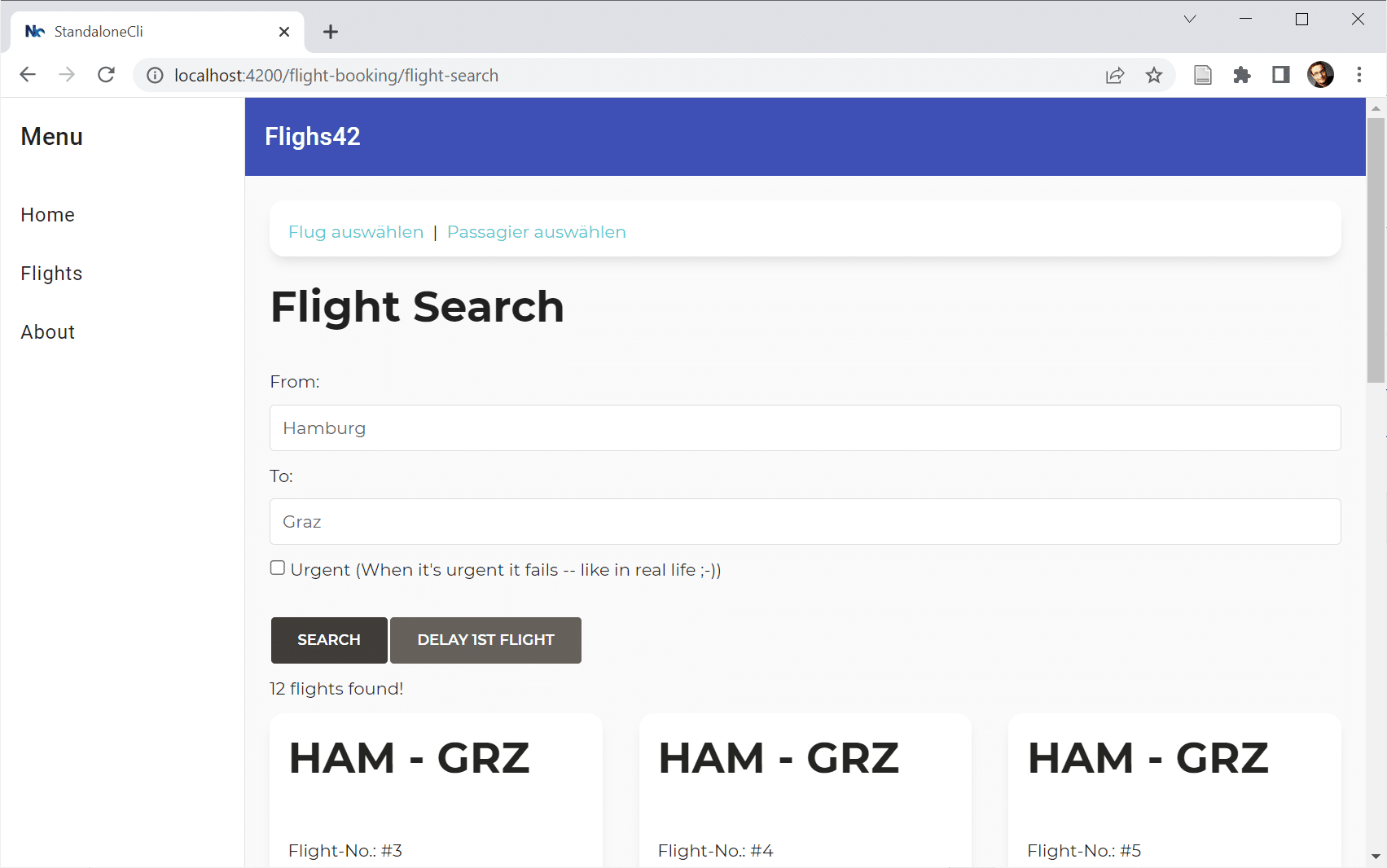
First Migration Pass
Let's trigger the migration schematic that ships with Angular 15.2:
ng g @angular/core:standaloneWhen the prompt asks which type of migration to run, we choose the first option (since it's always a good idea to begin at the very beginning...).

When prompted for the path to migrate, we accept the default by simply hitting enter:
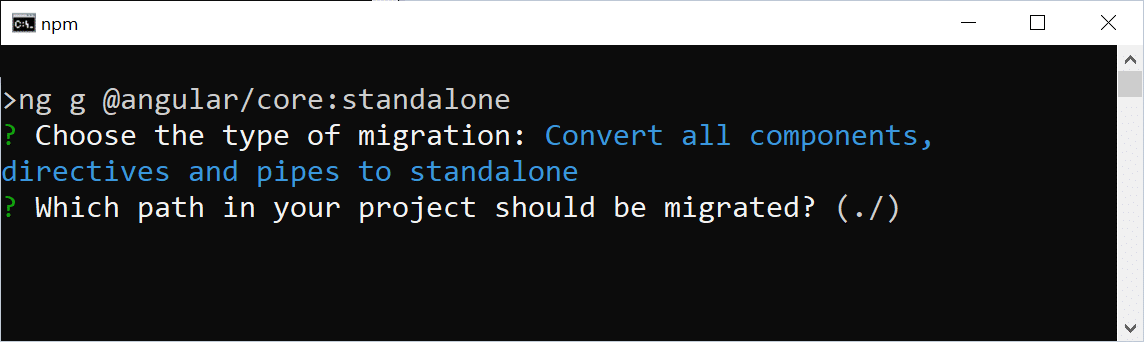
That default value, ./, corresponds to the root of the project. Consequently, the entire codebase is migrated in one sweep. For smaller and medium-sized applications, this approach is perfectly acceptable. In the case of larger projects, however, you might want to consider migrating incrementally.
Once the first step is complete, it's wise to inspect the source code to confirm everything looks as expected. For this particular demo project, there is nothing to worry about — the schematics handle everything nicely.
Second Migration Pass
Now we run the schematic once more for the second stage:

The output indicates that the SharedModule has been eliminated and the remaining modules have been adjusted. It's expected that the AppModule still exists at this point — it will be dealt with in the third stage. Nevertheless, all other NgModules should have disappeared by now. Unfortunately, the FlightBookingModule is still around:
// src/app/booking/flight-booking.module.ts

@NgModule({
    imports: [
        CommonModule,
        FormsModule,
        StoreModule.forFeature(bookingFeature),
        EffectsModule.forFeature([BookingEffects]),
        RouterModule.forChild(FLIGHT_BOOKING_ROUTES),
        FlightCardComponent,
        FlightSearchComponent,
        FlightEditComponent,
        PassengerSearchComponent
    ],
    exports: [],
    providers: []
})
export class FlightBookingModule { }
As the listing demonstrates, the FlightBookingModule has little left to do. However, there are still a few method invocations within the imports array. These calls configure the router and the NGRX store. Since they are tightly coupled to specific libraries, the automated tooling couldn't transform them into equivalent Standalone API calls. We'll therefore handle them manually.
RouterModule.forChild was responsible for setting up child routes that were loaded in conjunction with the FlightBookingModule. In the standalone paradigm, child routes no longer require an NgModule container. Instead, the parent routing configuration can point directly at the child routes. Let's head over to app.routes.ts and adjust the lazy-loading route:
// src/app/app.routes.ts

{
    path: 'flight-booking',
    canActivate: [() => inject(AuthService).isAuthenticated()],
    loadChildren: () =>
        import('./booking/flight-booking.routes')
                .then(m => m.FLIGHT_BOOKING_ROUTES)
},
Notice that the import statement now pulls in the flight booking routes directly. There is no longer any indirection through the FlightBookingModule. We can even simplify this further: if flight-booking.routes.ts exports its routes as the default export, the subsequent then call can be omitted:
{
    path: 'flight-booking',
    canActivate: [() => inject(AuthService).isAuthenticated()],
    loadChildren: () =>
        import('./booking/flight-booking.routes')
},
To ensure the NGRX store is initialized for this lazy-loaded section of the app, we can attach the relevant providers directly to the lazy child routes:
// src/app/booking/flight-booking.routes.ts
import { importProvidersFrom, inject } from '@angular/core';
[...]

export const FLIGHT_BOOKING_ROUTES: Routes = [
  {
    path: '',
    component: FlightBookingComponent,
    canActivate: [() => inject(AuthService).isAuthenticated()],
    providers: [
      importProvidersFrom(StoreModule.forFeature(bookingFeature)),
      importProvidersFrom(EffectsModule.forFeature([BookingEffects])),
    ],
    children: [
        [...]
    ],
  },
];
This fresh provider array configures services that are only necessary for the current route and its descendants. The importProvidersFrom helper builds a bridge to the NgModule-oriented world, fetching their providers for us.
At this point, we are free to remove the FlightBookingModule (located at src/app/booking/flight-booking.module.ts).
Third Migration Pass
Let's invoke our migration schematic for the third and final time:

This pass removes the AppModule and rewrites main.ts so that the AppComponent is bootstrapped directly. Once this is done, the application should function as it did before:
ng serve -oExtra: Embracing Standalone APIs
Looking into main.ts, we will notice that it still depends on several modules through importProvidersFrom:
bootstrapApplication(AppComponent, {
  providers: [
    importProvidersFrom(
      BrowserModule,
      LayoutModule,
      LoggerModule.forRoot({
        level: LogLevel.DEBUG,
        appenders: [DefaultLogAppender],
        formatter: (level, cat, msg) => [level, cat, msg].join(';'),
      }),
      StoreModule.forRoot(reducer),
      EffectsModule.forRoot(),
      StoreDevtoolsModule.instrument(),
      MatToolbarModule,
      MatButtonModule,
      MatSidenavModule,
      MatIconModule,
      MatListModule
    ),
    {
      provide: HTTP_INTERCEPTORS,
      useClass: LegacyInterceptor,
      multi: true,
    },
    provideAnimations(),
    provideHttpClient(withInterceptorsFromDi()),
    provideRouter(APP_ROUTES, withPreloading(PreloadAllModules)),
  ],
});
Additionally, there is a traditional class-based HttpInterceptor registered, and the HttpClient is informed of it via withInterceptorsFromDi. By shifting to Standalone APIs, we can refine this setup:
bootstrapApplication(AppComponent, {
  providers: [

    provideLogger({
      level: LogLevel.DEBUG,
      appenders: [DefaultLogAppender],
      formatter: (level, cat, msg) => [level, cat, msg].join(';'),
    }),

    provideStore(reducer),
    provideEffects(),
    provideStoreDevtools(),

    provideAnimations(),

    provideHttpClient(withInterceptors([authInterceptor])),
    provideRouter(APP_ROUTES, withPreloading(PreloadAllModules)),

    importProvidersFrom(
      LayoutModule,
      MatToolbarModule,
      MatButtonModule,
      MatSidenavModule,
      MatIconModule,
      MatListModule
    ),

  ],
});
This adjustment addresses the following points:
- Dropping the
BrowserModuleimport, which is no longer required explicitly when bootstrapping a Standalone Component. - Configuring the custom Logger library with
provideLogger. - Setting up the NGRX store using
provideStore,provideEffects, andprovideStoreDevtools. - Swapping the traditional
HttpInterceptorfor a functional interceptor passed intowithInterceptors. To simplify this transition, the functional version was already present in the codebase from the outset.
Additional details on custom Standalone APIs such as provideLogger are available here.
NGRX requires that its Standalone APIs be adopted either completely or not at all. Consequently, we must return to flight-booking.routes.ts and swap the importProvidersFrom call for provideState and provideEffects:
export const FLIGHT_BOOKING_ROUTES: Routes = [
  {
    path: '',
    component: FlightBookingComponent,
    canActivate: [() => inject(AuthService).isAuthenticated()],
    providers: [
      provideState(bookingFeature),
      provideEffects(BookingEffects)
    ],
    children: [
        [...]
    ],
  },
];
Keep in mind that while provideStore is used in main.ts to initialize the root store, provideState (!) must be invoked in other parts of the application to register additional feature slices. provideEffects, however, can be used in both contexts — both for root-level effects and for feature-slice effects.
With these modifications complete, the application has fully transitioned to Standalone Components and APIs. You can launch it with:
ng serve -oWrapping Up
The provided schematics streamline the migration path to Standalone Components. Over the course of three steps, either the entire application or a selected portion of it is transitioned to Angular's newer, more lightweight approach. At every stage, we have the opportunity to review the changes made and step in when the automation falls short.
Want to Dive Deeper into Modern Angular?
All you need to know about Standalone Components is covered in our free eBook:
- The core thinking behind Standalone Components
- Migration strategies and how they interact with existing code
- Standalone Components in relation to routing and lazy loading
- Standalone Components and Web Components
- Standalone Components together with DI and NGRX
You'll find the eBook at:
Don't hesitate to grab your copy right here!