
When working with Angular Schematics, there are times when the default settings don't match a project's requirements. This post demonstrates how to modify those defaults through configuration.
Getting Started
During a recent library build, my team needed every component to use OnPush change detection and no view encapsulation. We also wanted components and directives automatically included in the exports array for cross-module use.
Adding these settings by hand for each component would have been repetitive and error-prone.
The Approach
The answer lies in the angular.json file — a place many developers never look beyond the default settings.
This approach isn't limited to components either. Schematics options for directives, classes, services, and other constructs can all be customized. No extra code is necessary.
Configuring Schematics in angular.json
Start by creating a fresh Angular project with the CLI and examine the generated angular.json file.
Here's the typical structure you'll see.
{
  "$schema": "./node_modules/@angular/cli/lib/config/schema.json",
  "version": 1,
  "newProjectRoot": "projects",
  "projects": {
    "bulma-app": {
      "projectType": "application",
      "schematics": {

      },
      "root": "projects/bulma-app",
      "sourceRoot": "projects/bulma-app/src",
      "prefix": "app",
      "architect": {

      }
    }
  },
  "defaultProject": "bulma-app"
}
The schematics key is where all the customization happens.
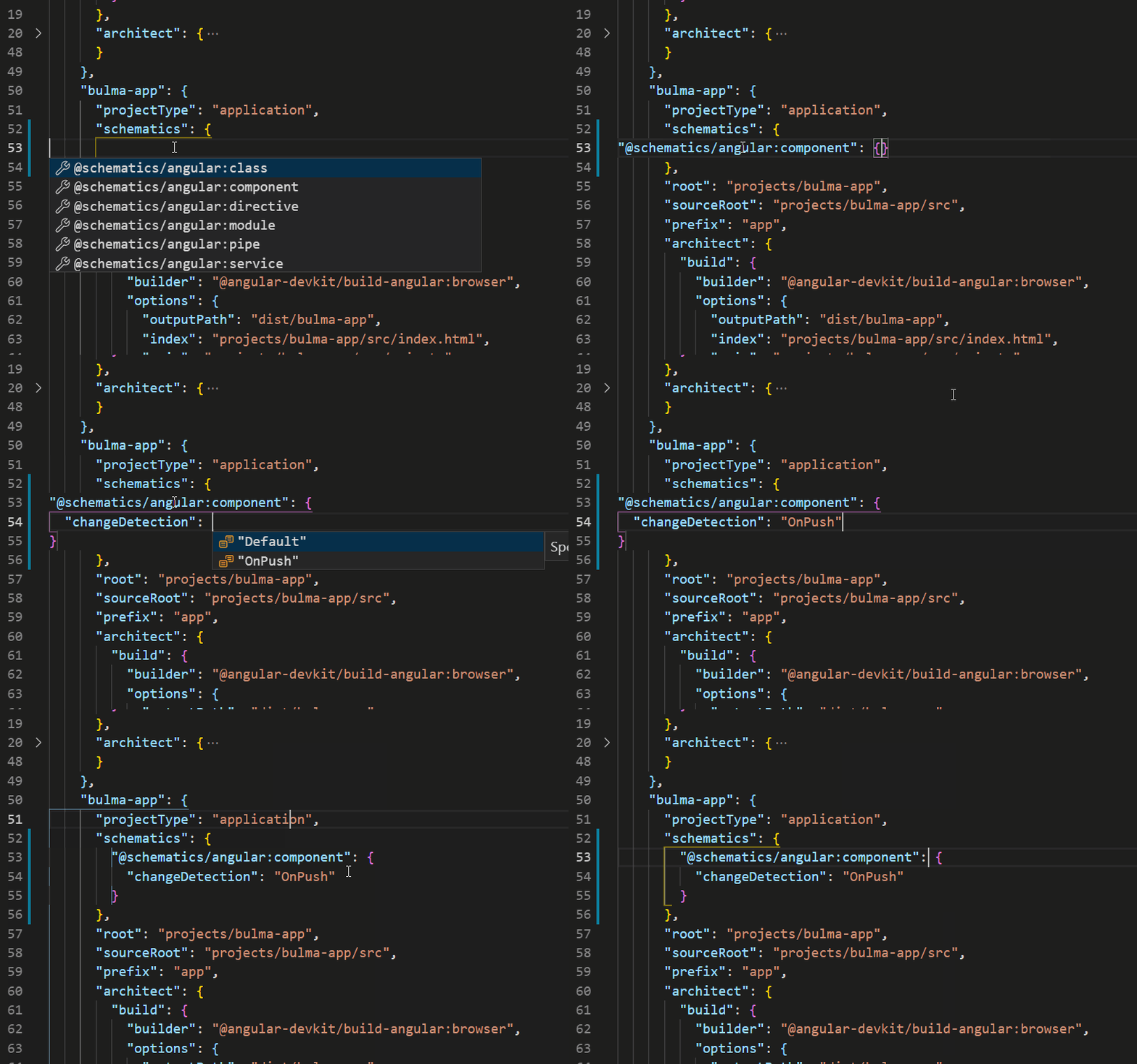
Once inside the schematics section, you can pick any of the following collection types to override:
- @schematics/angular:component
- @schematics/angular:class
- @schematics/angular:directive
- @schematics/angular:module
- @schematics/angular:pipe
- @schematics/angular:service
For instance, to modify how components are generated, add the following to your angular.json.
"@schematics/angular:component": {
  "changeDetection": "OnPush",
  "inlineTemplate": true,
  "viewEncapsulation": "None"
}
Then run the usual component creation command.
ng generate component home
Comparing this to a default generated component, you'll notice there's no .html file, and the changeDetection and viewEncapsulation properties are already set correctly.
Final Thoughts
This post covers only a subset of available settings; there are many more to explore that can fit your project's needs. Schematics is a powerful engine behind CLI commands like generate component or generate service, and overriding its defaults can save you from repetitive manual changes. Look into the available options and configure your project the way you want.