
Inside ag-Grid: techniques for the world's fastest JavaScript datagrid
Early in my career as a developer, I came across Steve McConnell's "Code Complete," which contained a principle that stuck with me:
"Managing complexity is the most important technical topic in software development. In my view, it's so important that Software's Primary Technical Imperative has to be managing complexity.
This philosophy resonates deeply with our team at ag-Grid. Within just four years, we succeeded in creating the finest JavaScript datagrid available. Our success stems from establishing a solid technical groundwork that enabled us to handle the intricacies involved in developing such a sophisticated component. We refer to this groundwork as the "ag-stack," which I'll be examining throughout this article series.
Our focus here is on the patterns and techniques utilized internally to create a high-performance datagrid while still offering extensive customization options. Given that ag-Grid is open source, you can explore the source code on GitHub whenever I provide links.
The inherent complexity of datagrids
The complexity of datagrids might not be immediately apparent, but these are exceptionally intricate components. The challenge arises from the numerous features a datagrid must support and ensuring they all work together seamlessly. Initially, ag-Grid launched with core features such as filtering, sorting, and selection. However, user demand quickly drove us to add editing, pinning, dragging, grouping, and a host of other capabilities accumulated over time.
Presently, ag-Grid boasts over 100 distinct features, including sophisticated ones like pivoting essential for complex analytical work. Such comprehensive functionality is essential for grids meant to operate within dynamic analytical environments. Whenever we introduce new features, we must guarantee that existing ones continue to function correctly, and that their interoperability—such as sorting combined with filtering—remains intact. Each addition increases the overall complexity.
Customization presents another significant hurdle. Clients expect the ability to inject their own logic and interfaces into various parts of the grid. ag-Grid is highly customizable and accommodates most enterprise scenarios. We go as far as permitting customization through components built with your preferred frontend framework, be it Angular, React, or others. This capability demands numerous bridges connecting grid internals to the customization layer, which translates to a substantial amount of infrastructure code that requires review with every architectural change.
The complexity involved might explain why our founder Niall, previously employed at London banks before establishing ag-Grid, struggled to find a JavaScript datagrid robust enough for financial applications. Even a basic grid capable of handling large datasets with grouping and pinning was hard to find then. This gap gave rise to ag-Grid.
Handling complexity within ag-Grid
TypeScript forms a crucial component of our toolkit. The ag-Grid team is predominantly composed of developers with over a decade of experience in OOP languages like C++ and Java. Unsurprisingly, "Old School" Object Oriented Design underpins the grid's internal architecture philosophy. We're also comfortable with functional programming; we employ plenty of low-level functional techniques within classes, yet we favor OOP design for higher-level structures such as module definition and interaction setup.
TypeScript greatly aids OOP development. We've used this language nearly since its inception. Its interface documentation capabilities are something we value highly. For a multi-developer team, TypeScript facilitates smoother collaboration. We're also confident it catches more bugs than vanilla JS would, and overall, it conserves cognitive resources.
Now, about ag-stack. This concept encapsulates several pillars of the grid's internal architecture—specifically the IoC Container and Component Framework—along with various optimization techniques we employ. In forthcoming articles, I'll delve into the container and framework we've developed internally.
It's important to highlight that we built every part of ag-stack from the ground up ourselves. That's our approach: if you need something, construct it. Consequently, ag-Grid has zero dependencies, which offers significant advantages to those using our datagrid.
In this piece, I'd like to examine several fascinating techniques we use to boost the performance of our JavaScript datagrid.
Row and column virtualization
Virtualization is a smart approach that enables loading and displaying vast amounts of data without performance issues. Consider it an alternative to paging, where the datagrid progressively renders DOM nodes as the user scrolls, whether vertically or horizontally. Here, for instance, is a demo of ag-Grid configured with up to 100,000 records. That's substantial, yet try interacting with the grid and observe how smoothly it responds during scrolling without any stuttering. That's virtualization working.
DOM manipulation is costly, as every frontend developer knows. Virtualization counters this by rendering only the rows (row virtualization) or columns (column virtualization) currently visible within the viewport. Typically, this constitutes a small fraction of the total dataset. This approach means you can supply unlimited data to the grid; the only constraint is the browser's VM heap. And with ag-Grid, even that's not a limitation—you can utilize the server-side row model to bypass it. For even better performance, we cache rendered nodes and recycle them when needed again.
Animating with CSS transforms
At ag-Grid, we prioritize user experience extensively. To enrich it, we've implemented numerous animations that offer satisfying visual feedback. Row animations are among the most common, occurring when rows are sorted, filtered, or when expanding a row group pushes rows downward:
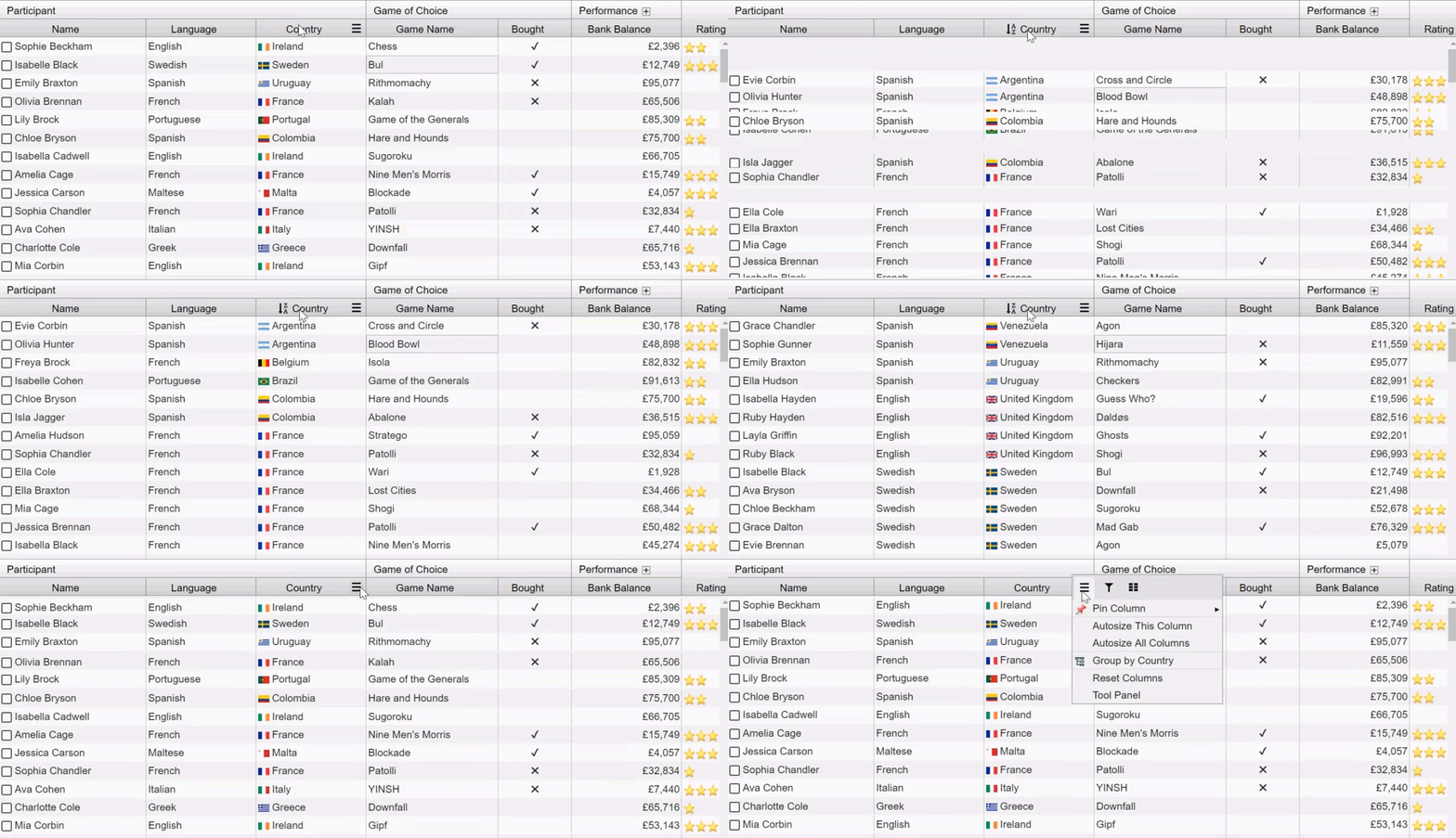
This particular animation scenario demanded careful attention, involving extensive testing and experimentation. We ultimately settled on CSS transforms to drive animations. This method leverages the GPU and layering to render animated page sections with maximum smoothness.
In CSS, we use the ****transform**** property rather than ****left**** and ****top**** to animate row positions. This is visible in the CSS stylesheet for rows:
This strategy proves especially beneficial with very large datasets or when ag-Grid runs on less powerful devices such as tablets. One caution, however: overusing CSS transforms can exhaust layers with CSS translate. To circumvent this, we apply transforms to entire rows rather than individual cells.
Dirty checking in change detection
The final topic is change detection. A datagrid must continuously refresh values in the DOM, triggered by dataset changes or direct user input in cells. When such changes occur, we must update component state and render the new value in the DOM. This procedure is quite straightforward.
During change detection, the grid invokes the [****refreshCell****](https://github.com/ag-grid/ag-grid/blob/ddc7bda0361767d1542724f2861653445657d35f/packages/ag-grid-community/src/ts/rendering/cellComp.ts#L410) method for each cell, where DOM updates occur synchronously. There's no asynchronous scheduling like in React fiber. While change detection runs, updating the DOM for cells whose values haven't changed is pointless. Thus, before updating, we perform dirty checking—each cell stores its current value and compares it against the incoming new value. Only when changes are identified or an update is mandated do we modify the DOM. As you'd expect, this approach dramatically cuts down processing time for changes.
I trust you've found this information valuable. In upcoming articles, I'll thoroughly cover the IoC container and framework we developed internally. You'll discover the necessity of Dependency Injection in web applications and the advantages our component framework offers. I anticipate having these articles ready next week, so stay tuned!