Manual control of change detection
While Angular's default behavior handles change detection automatically, there are scenarios where manual intervention becomes necessary. This typically occurs when a component's change detector has been detached, or when updates happen outside the Angular zone.
Angular provides two distinct approaches for manually triggering change detection:
- invoking tick via ApplicationRef
- invoking detectChanges via ChangeDetectorRef
The tick method initiates change detection for the entire application, beginning at the root component. Conversely, detectChanges executes a localized change detection pass that starts from the component associated with the given ChangeDetectorRef instance and traverses downward through its child tree.
Let’s examine each of these methods in greater detail.
The tick method
Angular
relies on this method
to perform application-wide change detection whenever NgZone signals that there are no outstanding microtasks:
export class ApplicationRef {
  constructor() {
    this._onMicrotaskEmptySubscription = this._zone.onMicrotaskEmpty.subscribe({
      next: () => {
        this._zone.run(() => {
          this.tick();
        });
      },
    });
  }
}
However, the tick method itself has no direct connection to zones or NgZone. Its sole responsibility is to trigger change detection across the entire application.
Examining the
implementation details,
we observe that it iterates through all root (top-level) views and invokes detectChanges on each:
export class ApplicationRef {
	tick(): void {
	  try {
	    this._runningTick = true;
	    for (let view of this._views) {
	      view.detectChanges();
	    }
	    if (typeof ngDevMode === 'undefined' || ngDevMode) {
	      for (let view of this._views) {
	        view.checkNoChanges();
	      }
	    }
	  } catch (e) { ... } finally { ... }
	}
}
In development mode, tick additionally executes checkNoChanges, which performs a secondary change detection cycle to verify that no further changes have occurred. If the second pass identifies new changes, it indicates that bindings possess side-effects that cannot be resolved within a single detection cycle. Under these circumstances, Angular throws an ExpressionChanged error, as the framework enforces unidirectional data flow.
To demonstrate the tick method in practice, consider this example:
@Component({
  selector: 'i-cmp',
  template: `
    {{ title }}
    <button (click)="changeName()">Change name</button>
  `,
})
export class I {
  title = 'Original';

  changeName() {
    this.title = 'Updated';
  }
}
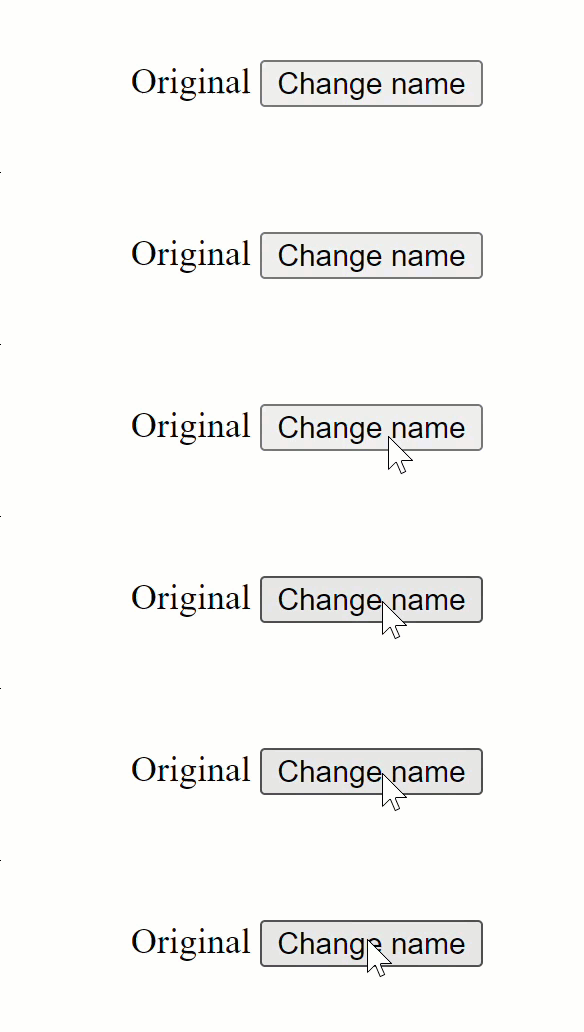
Here we have a click handler that modifies the title property—straightforward functionality. Now, let’s disable NgZone in main.ts:
platformBrowserDynamic().bootstrapModule(AppModule, { ngZone: 'noop' });
Upon execution, we notice that clicking the button fails to update the screen:
Next, let’s inject ApplicationRef and invoke the tick method within the handler:
@Component({
  selector: 'i-cmp',
  template: `
    {{ title }}
    <button (click)="changeName()">Change name</button>
  `,
})
export class I {
  constructor(private appRef: ApplicationRef) {}

  title = 'Original';

  changeName() {
    this.title = 'Updated';
    this.appRef.tick();
  }
}
Testing this approach:
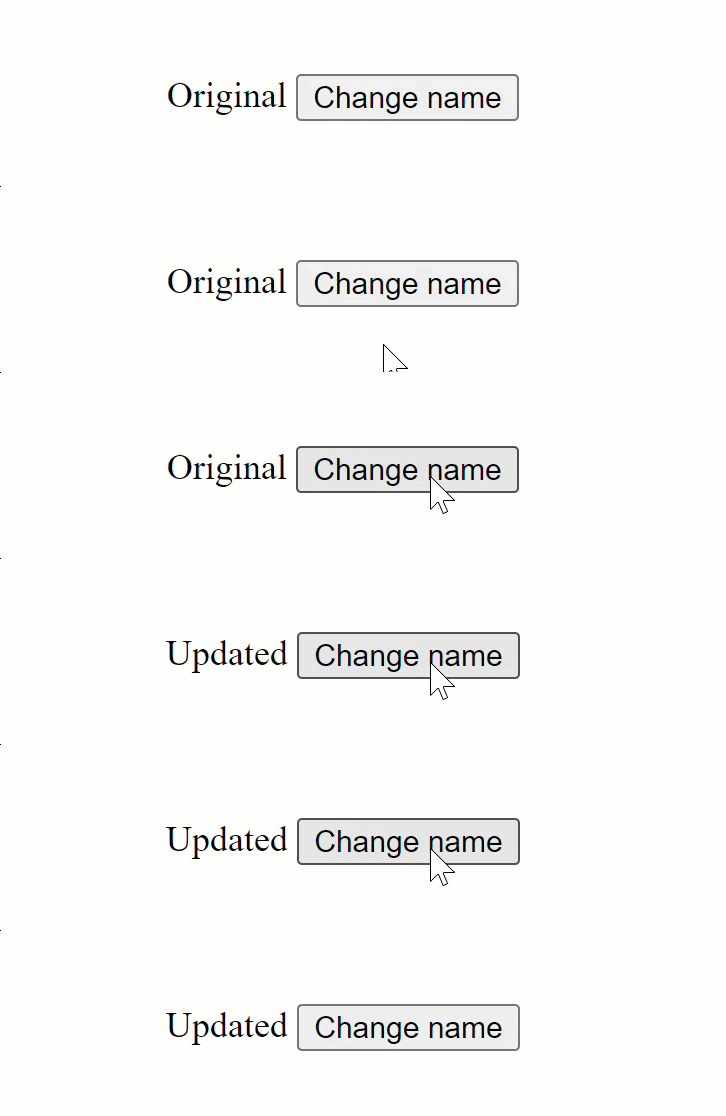
With this modification, everything functions as intended.
You might encounter recommendations to use NgZone.run for global change detection. However, as detailed in the
Autorun with zones
section, the run method merely evaluates the callback function within the Angular zone. It does not explicitly call ApplicationRef.tick(). Consequently, if the Angular zone doesn’t emit an event notification after the callback completes, automatic change detection won’t occur.
The detectChanges method
This method resides on the change detector service that Angular instantiates for every component. It’s designed for explicitly processing change detection and its associated side-effects across the component tree, starting from the component where you call detectChanges().
This local change detection cycle proves valuable in numerous scenarios beyond manual triggering when automatic detection is blocked. For instance, if you’re modifying state in a component that has more ancestors than descendants, using detectChanges() can yield performance improvements by avoiding unnecessary detection runs on ancestor components. Another use case involves detached change detectors, which we’ll examine thoroughly in the
detached views
section.
Internally, detectChanges invokes the
refreshView
function, which we touched upon earlier in the
Operations
discussion:
export class ViewRef implements ChangeDetectorRef_interface {
  constructor(public _lView: LView, ...) {}

  detectChanges(): void {
    detectChangesInternal(this._lView[TVIEW], this._lView, this.context);
  }
}

export function detectChangesInternal(tView, lView, context, ...) {
  try {
    refreshView(tView, lView, tView.template, context);
  } catch (error) {.... } finally {... }
}
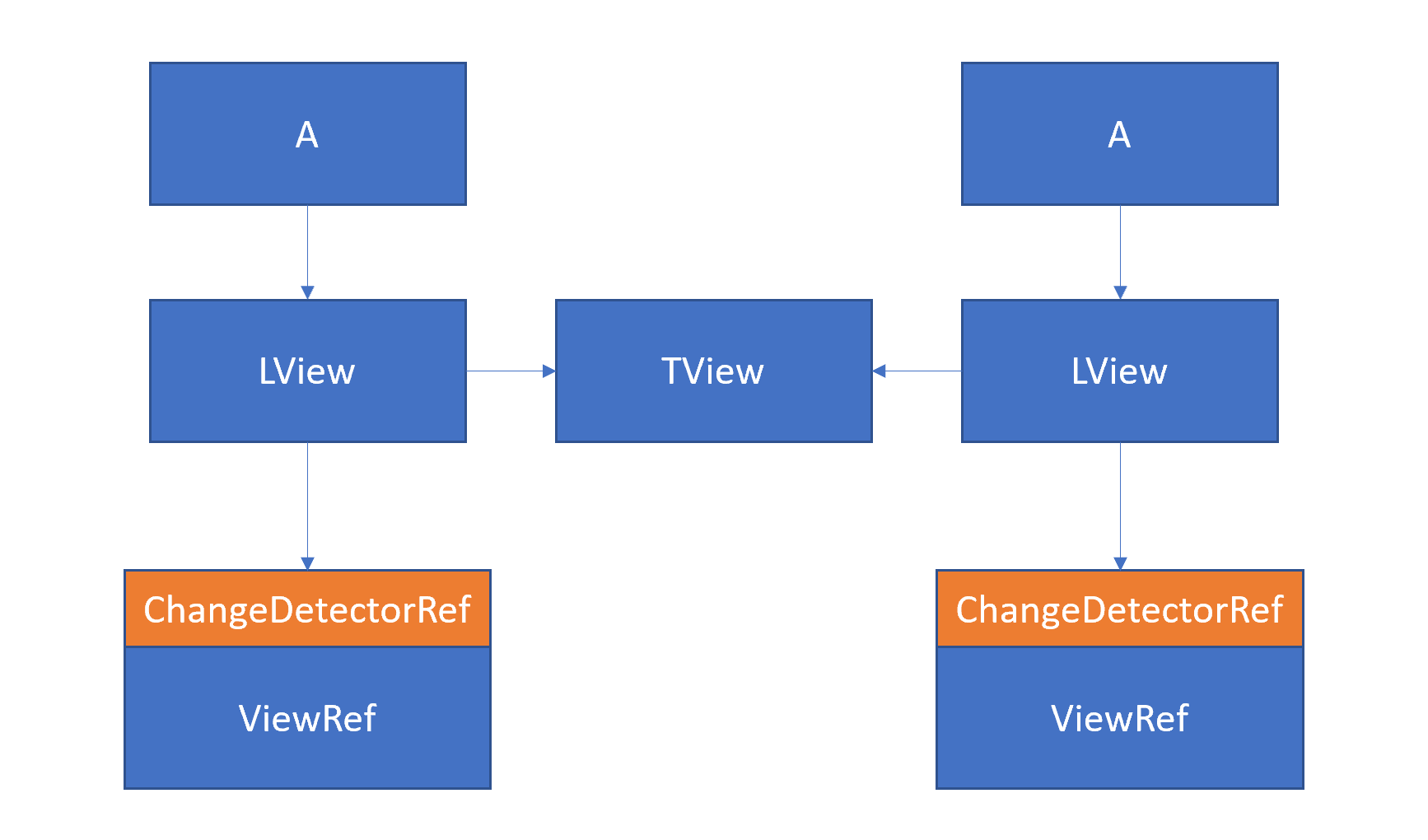
From the provided code excerpt, it’s evident that the Change Detector service acts as a lightweight wrapper around the component container, implemented through
LView.
When a ViewRef is instantiated for components, the associated LView is injected into the constructor. For embedded views, the LView received by the ViewRef describes the embedded view itself rather than a component.
To visualize the hierarchy for two instances of the A component:
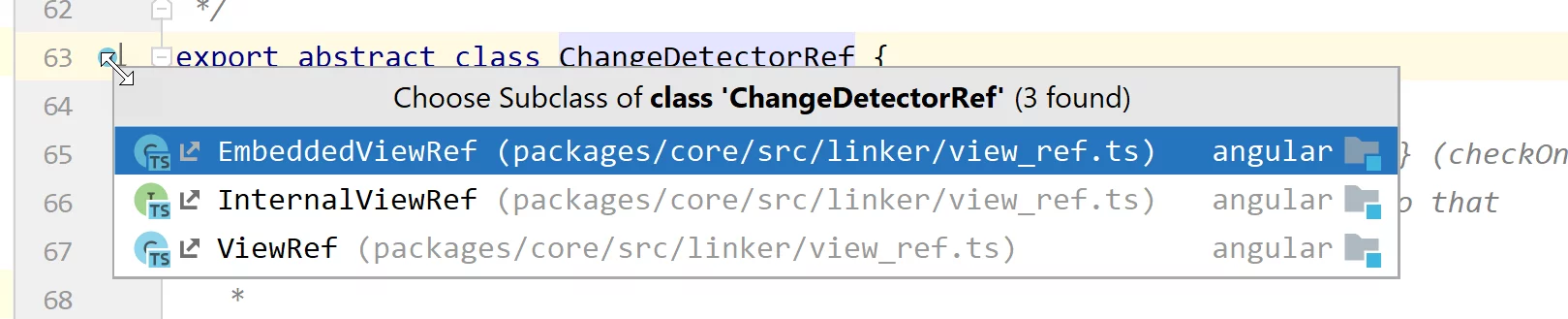
Angular implements distinct subtypes of ViewRef for each
view category:
The screenshot illustrates that ViewRef corresponds to component views, EmbeddedViewRef handles embedded views, and InternalViewRef is designated for root/host views:
Putting the change detector service to use
To observe detectChanges in action, we’ll revisit the earlier button example. This time, we’ll inject ChangeDetectorRef instead of using ApplicationRef:
export class I {
  constructor(private cdRef: ChangeDetectorRef) {}

  title = 'Original';

  changeName() {
    this.title = 'Updated';
    this.cdRef.detectChanges();
  }
}
Testing this implementation:
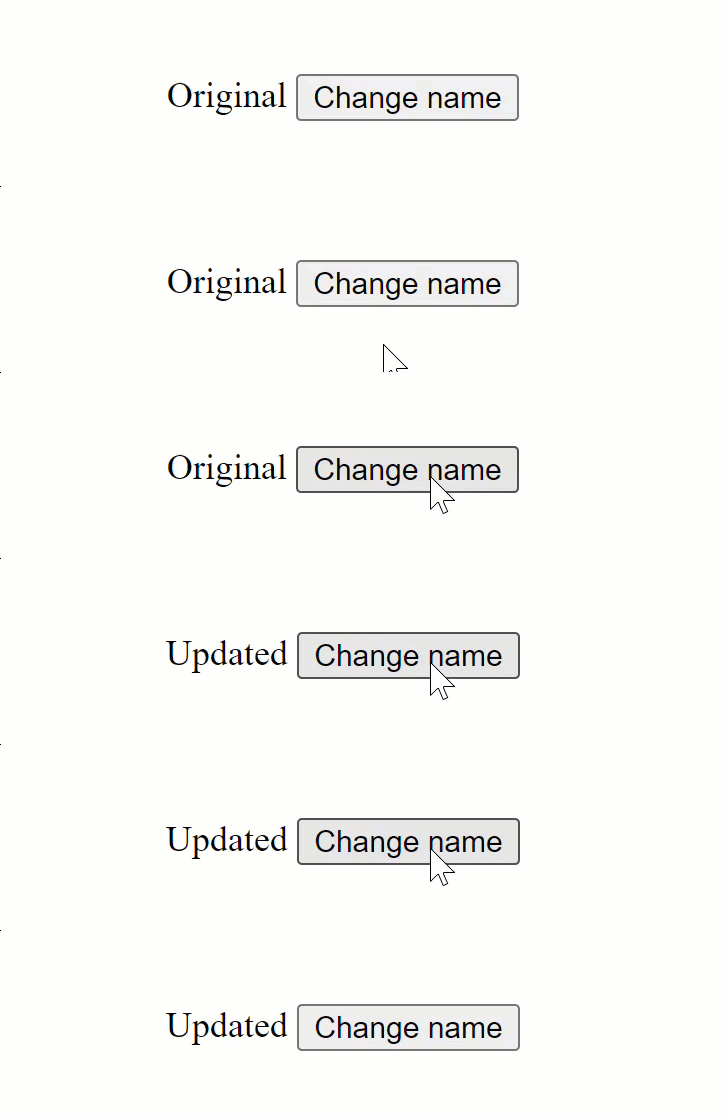
Everything operates as expected.
The key distinction from using ApplicationRef.tick() is that with detectChanges, ancestor components—specifically the root AppComponent—are excluded from change detection:
@Component({
  selector: 'app-root',
  template: `<i-cmp></i-cmp>`,
})
export class AppComponent {}
We can verify this behavior by adding logging to the refreshView function:
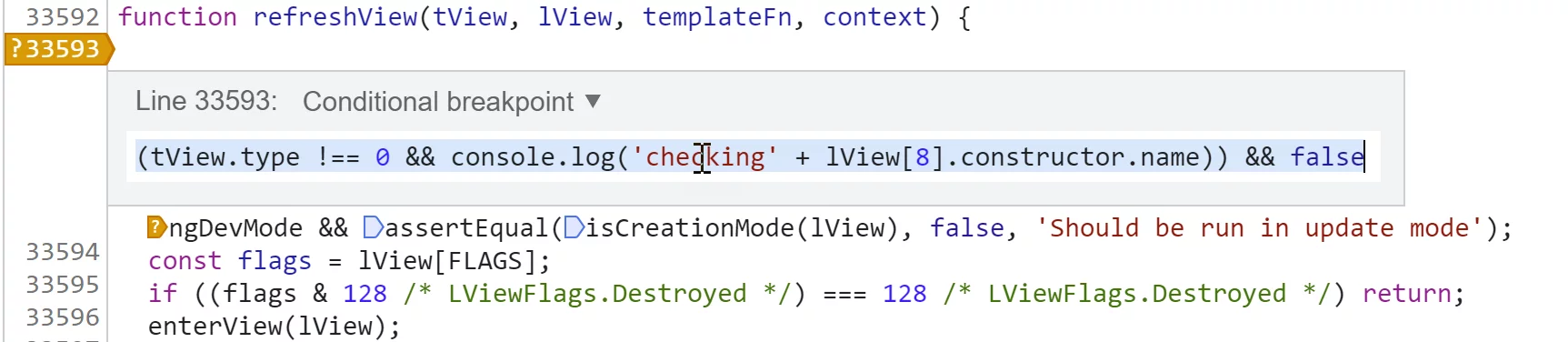
I’ve opted for a conditional breakpoint rather than a logpoint here, since I wish to exclude root views from the logging output. Our focus is solely on component views.
With detectChanges, the logging output appears as follows:
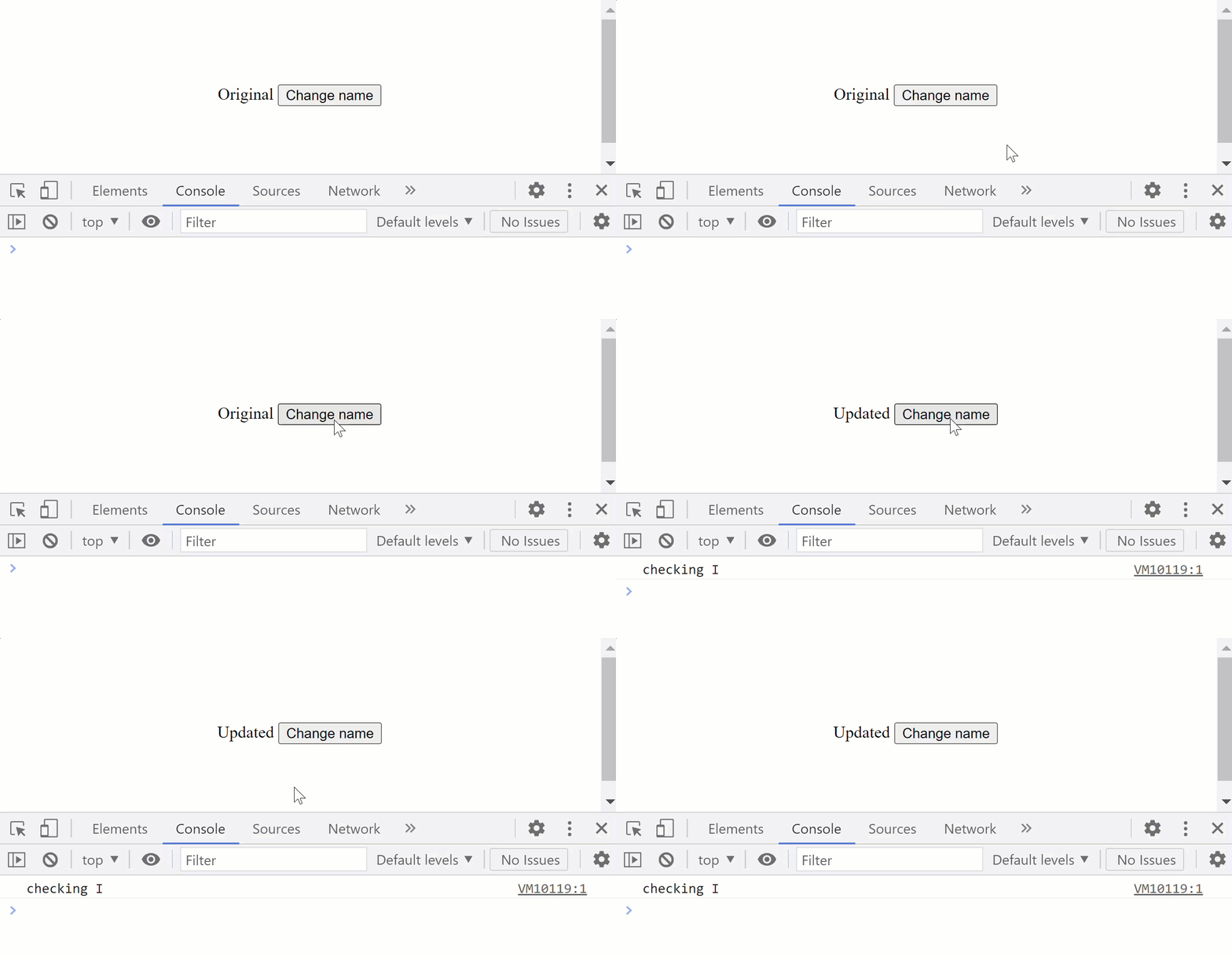
Only the I component is checked.
Now, here’s the output when using `ApplicationRef„:
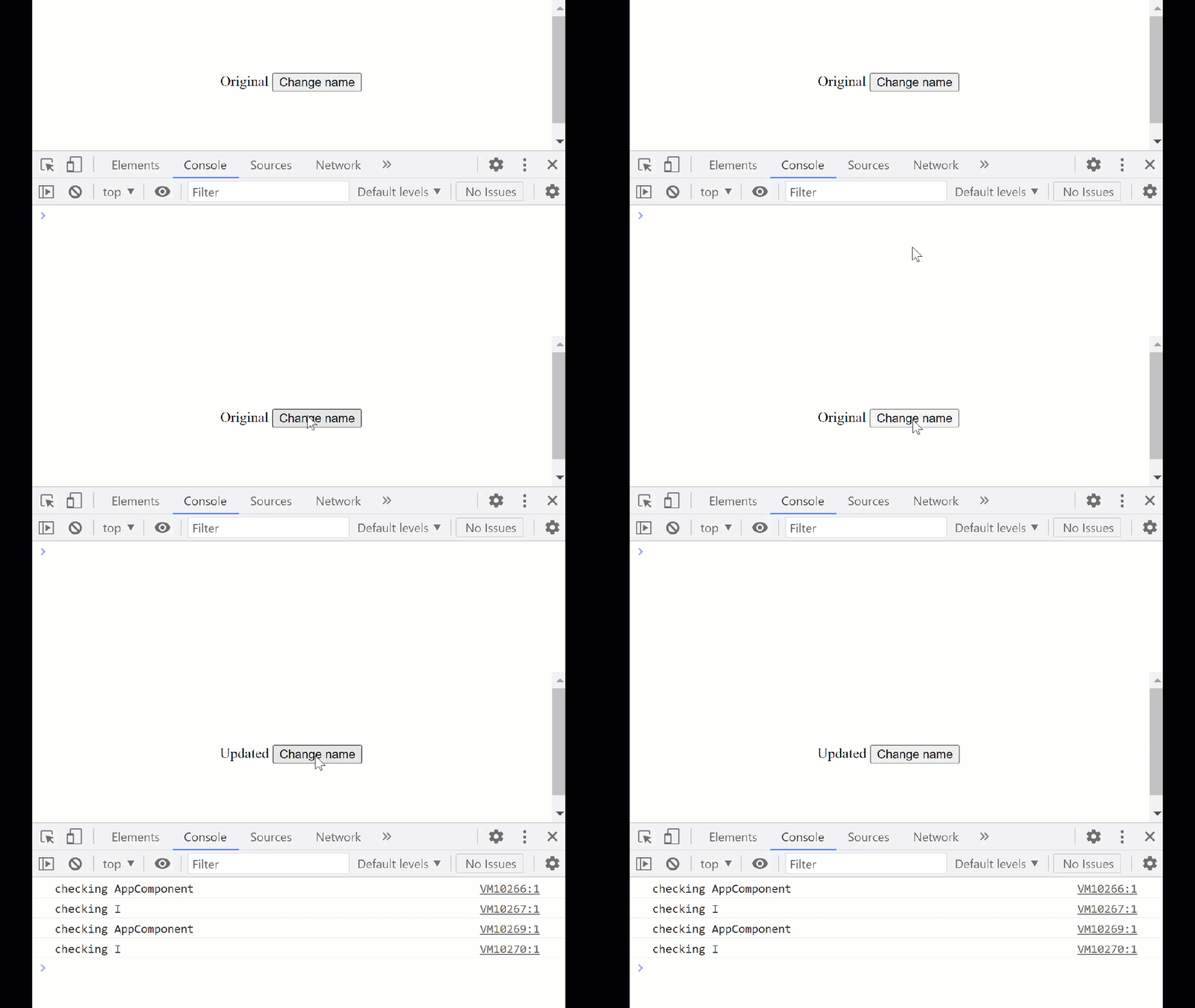
Notice that change detection runs twice: once for the standard detection cycle and once for the checkNoChanges pass.
An unexpected ngDoCheck behavior
There’s an intriguing quirk associated with detectChanges. The ngDoCheck hook isn’t invoked for the component where you call detectChanges. This occurs because lifecycle hooks execute on child components during their parent’s check, not on the component where the call originates. For more details, refer to the chapter on operations.
This design choice enables manual manipulation of OnPush logic from within the ngDoCheck hook. If a child component is marked as onPush and no input bindings have changed, you can still invoke markForCheck() from the child’s
ngDoCheck to flag the component as dirty.
Understanding markForCheck
The markForCheck method on the Change Detector service is frequently misunderstood. Unlike detectChanges(), it doesn’t trigger change detection right away. Instead, it flags the current component view and all its ancestor views as needing a check. The next time any ancestor triggers a change detection cycle, this flagged view is guaranteed to be included in the checking process.
Because of this deferred behavior, markForCheck() isn’t suitable when you need the DOM to update synchronously before some other action completes. In such cases, detectChanges() is the appropriate tool.
This method is typically associated with components using the OnPushchange detection strategy. Such components are automatically marked as dirty when either their input bindings receive new references or UI events originating from within their templates fire. If neither condition is met, you must call markForCheck() manually to ensure the component is checked during the next cycle.
A common pitfall arises because Angular compares object references, not their contents. If a property of an object changes while the object reference stays unchanged, Angular won’t see any difference. Using immutable data structures is one remedy. Another approach is to inspect the data manually inside the ngDoCheck lifecycle hook and then mark the view as dirty with markForCheck().
Consider this scenario: a parent component O modifies an existing array by appending a new entry, leaving the array reference untouched. The child component O1, which adopts the OnPush strategy, receives this array as an input and displays its contents. Without intervention, Angular won’t recognize the mutation and the child view won’t refresh. To fix this, the child checks the array length internally and invokes markForCheck() to explicitly mark itself as dirty:
@Component({
  selector: 'o-cmp',
  template: '<o1-cmp [items]="items"></o1-cmp>',
})
export class O {
  items = [1, 2, 3];

  constructor() {
    setTimeout(() => {
      this.items.push(4);
    }, 2000);
  }
}

@Component({
  selector: 'o1-cmp',
  template: '<div *ngFor="let item of items">{{item}}</div>',
  changeDetection: ChangeDetectionStrategy.OnPush,
})
export class O1 {
  @Input() items = [];
  prevLength = 0;

  constructor(private cdRef: ChangeDetectorRef) {}

  ngDoCheck() {
    if (this.items.length !== this.prevLength) {
      this.prevLength = this.items.length;
      this.cdRef.markForCheck();
    }
  }
}
When markForCheck() is invoked,
internally
Angular walks upward from the current view, turning on the check flag for every parent view all the way up to the root:
export function markViewDirty(lView: LView): LView | null {
  while (lView) {
    lView[FLAGS] |= LViewFlags.Dirty;
    const parent = getLViewParent(lView);
    // Stop traversing up as soon as you find a root view
    // that wasn't attached to any container
    if (isRootView(lView) && !parent) {
      return lView;
    }
    // continue otherwise
    lView = parent!;
  }
  return null;
}
The pivotal line is this assignment:
lView[FLAGS] |= LViewFlags.Dirty;
Here, a boolean OR operation is applied to set the LViewFlags.Dirty
flag:
export const enum LViewFlags {
  /** Whether this view has default change detection strategy (checks always) or onPush */
  CheckAlways = 0b00000010000,

  /** Whether or not this view is currently dirty (needing check) */
  Dirty = 0b00000100000,
}
The rationale for using boolean OR is that if either operand is 1, the resulting bit becomes 1:
1 | 1 = 1
0 | 1 = 1
This flag is examined within the refreshComponent function to decide whether a component needs checking. That function gets called from refreshView, the heart of the change detection mechanism:
function refreshComponent(hostLView, componentHostIdx): void {
  ...
  const tView = componentView[TVIEW];
  if (componentView[FLAGS] & (LViewFlags.CheckAlways | LViewFlags.Dirty)) {
    refreshView(tView, componentView, tView.template, componentView[CONTEXT]);
  }
}
The markForCheck() method also serves a purpose in scenario planning, helping to consolidate multiple dirty markers and steer clear of the exception that surfaces when a new change detection cycle attempts to start while another is still underway. If there’s any uncertainty about being mid-cycle, cd.markForCheck() is the safer call.
When multiple components are affected and you’re confident that a change detection run is forthcoming anyway, opting for markForCheck() over detectChanges() effectively consolidates pending updates into a single cycle, so change detection fires fewer times overall.