We’ve established that the error surfaces when an expression yields one result during the standard change detection pass
and a different one in the subsequent verification round. To reduce the likelihood of this mismatch,
it’s advisable to keep the bulk of application state mutations outside the change detection cycle.
UI event handlers, which execute prior to Angular’s change detection,
are well-suited for this kind of state logic. Additional approaches include leveraging
a hook that fires before the side effects that trigger the error, or even reordering elements within the template.
Yet, there are cases where none of these strategies are viable.
Take, for instance, a scenario where we need to wait for the DOM to be rendered—perhaps to perform measurements or attach a dynamic component.
The rendered DOM becomes accessible in the AfterViewChecked hook,
but this hook is also invoked after all side effects (such as DOM or property changes) have completed across the entire component tree.
Thus, if our logic modifies any template expressions, the error is inevitable.
Consequently, updating application state within this hook is a frequent culprit.
Another frequent source of trouble is the use of directives with input bindings,
which often leads to update logic running inside change detection and invoking the error.
By design, inputs serve as the primary communication channel for directives.
As a result, business or presentation logic that triggers state changes is often initiated in response
to these input property updates. This arrangement is also highly susceptible to accidental errors.
The error can also surface due to indirect modifications of an ancestor’s
property via a shared service or global synchronous event dispatch.
Such code might reside in relatively secure hooks like ngOnInit or input binding setters.
What are our options to address this?
First, we can choose to disregard the error altogether.
In practice, if you’ve confirmed that the error isn’t severe—meaning it doesn’t
produce incorrect behavior or hinder users from completing their tasks—
it may be acceptable to leave it as is. One such example is a binding that manages input focus.
If the error appears when the input gains focus, it can be safely ignored.
Still, when time permits, it’s worthwhile to hunt down the root cause and implement a fix.
In the upcoming section, we’ll explore debugging techniques to pinpoint the exact source of the error.
For workarounds, we essentially have two main routes:
- postpone the actual update until the change detection cycle wraps up
- execute a local change detection pass to sync application state and DOM before the
checkNoChangeserror occurs
An additional, though less typical, approach is to manipulate
the DOM directly via the API, bypassing Angular’s binding system. For example,
Angular Material uses this technique
for matChip.
Let’s now examine how to apply these workarounds to the error-prone scenarios described earlier.
We’ll begin with the most common one—troublesome code in the AfterViewChecked hook that causes
application state updates.
State updates within the AfterViewChecked hook
The AfterViewChecked hook gives developers a chance to review the outcomes of side effects,
such as DOM updates, once the view has been checked. Since this hook runs after the component’s check is complete,
altering application state within it often triggers the “changed after checked” error.
It’s crucial to note that merely updating application state doesn’t automatically cause the error.
The issue arises only when the code inside ngAfterViewChecked modifies properties that are referenced in expressions
evaluated during the change detection side effects.
Consider this minimal scenario that demonstrates the problem.
The property numberOfChildren holds the count of child components rendered at any moment.
Clicking the button switches on <v1-cmp> using the ngIf directive.
During change detection, Angular refreshes numberOfChildren within the ngAfterViewChecked lifecycle method:
@Component({
  selector: 'va-cmp',
  template: `
    <button (click)="toggleShowChild()">Show child</button>
    <v1-cmp *ngIf="visible"></v1-cmp>
  `,
})
export class VA {
  @ViewChildren(V1) children: QueryList<any> = null;

  visible = false;
  numberOfChildren = 0;

  toggleShowChild() {
    this.visible = true;
  }

  ngAfterViewChecked() {
    this.numberOfChildren = this.children.length;
  }
}

@Component({
  selector: 'v1-cmp',
  template: `I am child V1 component `,
})
export class V1 {}
We run this code, and all works fine:
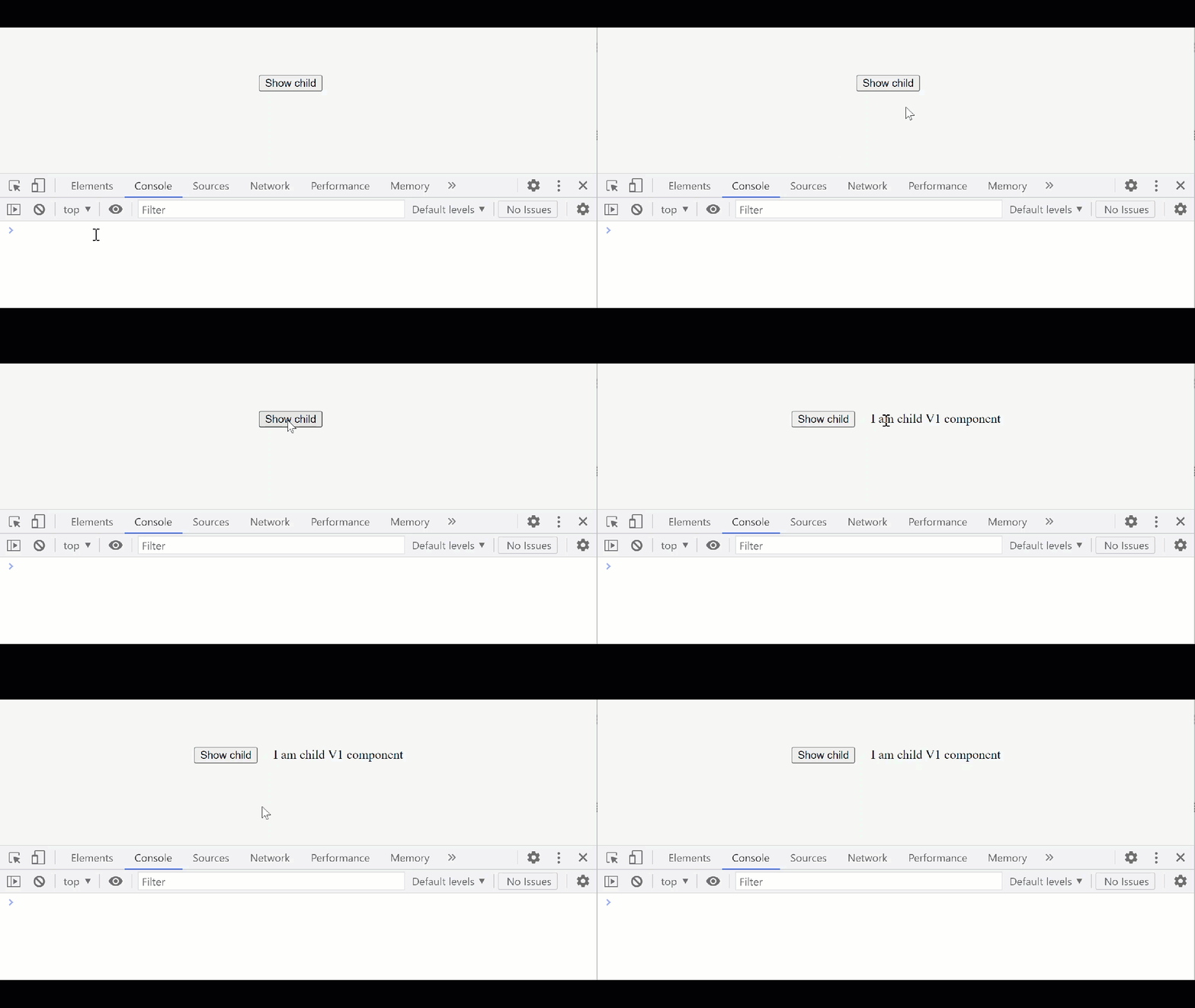
Everything works just fine at this point. But suppose we want to display a visible counter on the page, indicating how many child components are presently rendered.
To achieve this, we insert an interpolation {{children.length}} into the template. This is the sole modification we make:
@Component({
  selector: 'va-cmp',
  template: `
    <h1>I have {{numberOfChildren}} child components</h1>
    <button (click)="toggleShowChild()">Show child</button>
    <v1-cmp *ngIf="visible"></v1-cmp>
  `
})
export class VA {...}
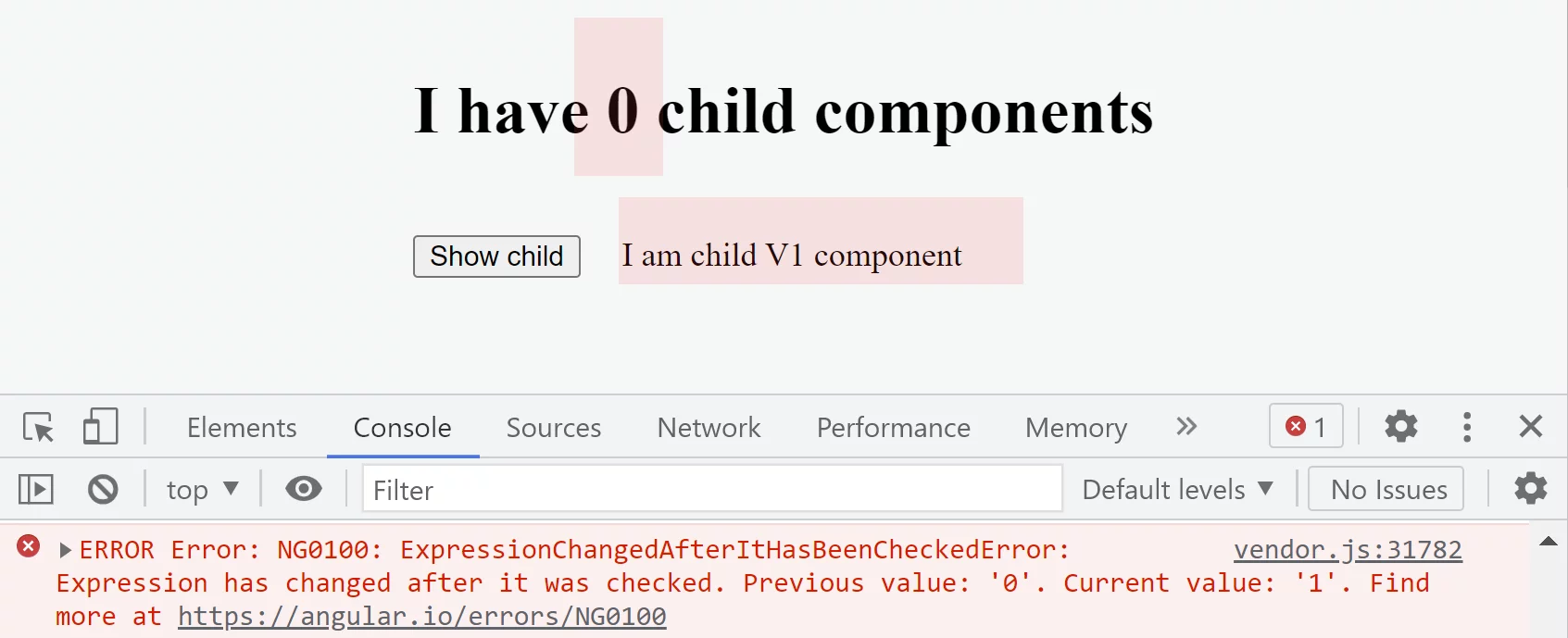
After the button is clicked, we turn <v1-cmp> on and anticipate seeing “I have 1 child components” on the page.
However, executing this code triggers the “changed after checked” exception instead.
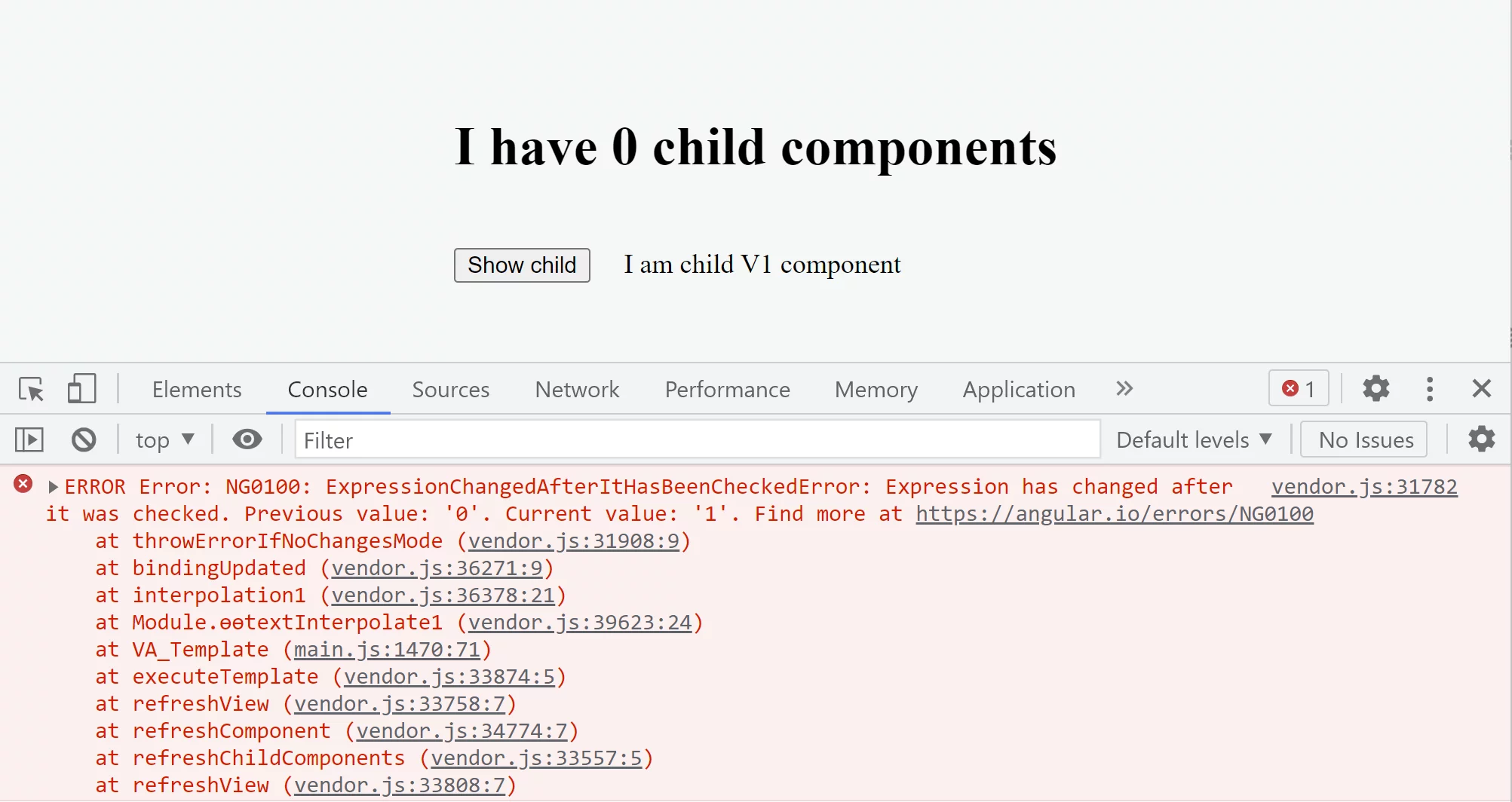
More importantly, this creates an inconsistent situation — the text reports 0 child components
while a single V1 is visibly rendered.
Angular triggers the error because it stored the value 0 for the length expression during the
execution of the template function for the VA component. According to the
operations order,
the template function runs before the ngAfterViewChecked hook.
On the second invocation of this function during the checkNoChanges phase, the expression returned 1,
leading directly to the error.
Prior to introducing the interpolation, no such error existed — that template function lacked any binding
for which Angular had to remember and compare expression values.
The same error would arise from this expression in the VA template,
irrespective of how we render the child component.
Take ngIf: instead of displaying V1 with it, we might opt for dynamic insertion via a view container, as shown:
@Component({
  selector: 'v2-cmp',
  template: `
    <h1>I have {{ numberOfChildren }} child components</h1>
    <button (click)="toggleShowChild()">Show child</button>
    <ng-container #vc></ng-container>
  `,
})
export class V2 {
  @ViewChild('vc', { read: ViewContainerRef }) vc;

  numberOfChildren = 0;

  toggleShowChild() {
    this.vc.createComponent(V1);
  }

  ngAfterViewChecked() {
    this.numberOfChildren = this.vc.length;
  }
}
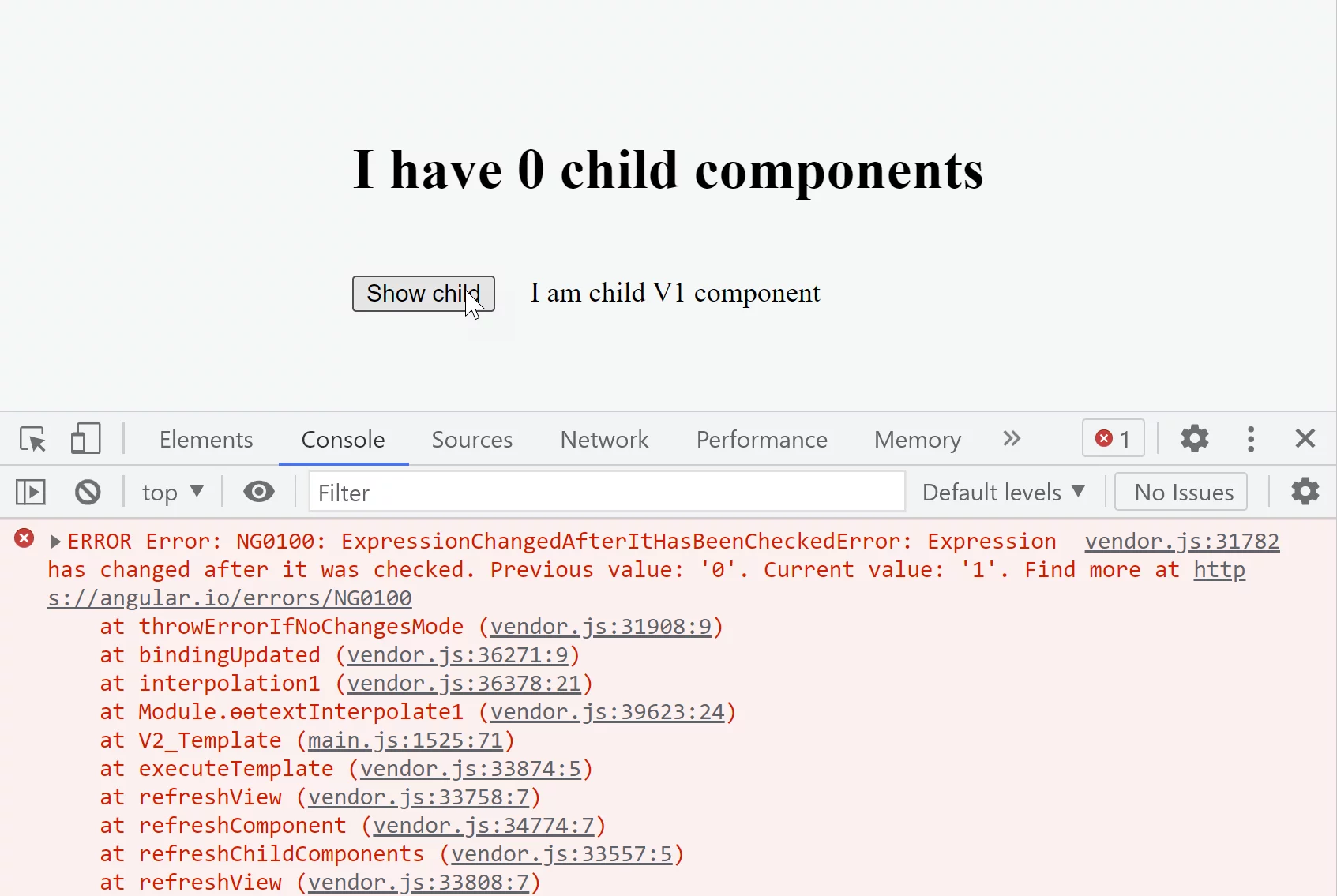
this approach would reintroduce the error, given that the interpolation remains present in the template.
Workarounds
There are two ways to resolve this error: update the DOM directly, or use one of the options below:
- invoke a local change detection pass by calling the
detectChangeserror - postpone the value change until the current change detection cycle completes
We'll start by demonstrating how to restructure the code to modify the DOM directly, bypassing any bindings.
The refactored version appears as follows:
@Component({
  selector: 'va-cmp',
  template: `
    <h1 #text></h1>
    <button (click)="toggleShowChild()">Show child</button>
    <v1-cmp *ngIf="visible"></v1-cmp>
  `,
})
export class VA {
  @ViewChildren(V1) children: QueryList<any> = null;
  @ViewChild('text') text: ElementRef = null;

  visible = false;
  numberOfChildren = 0;

  toggleShowChild() {
    this.visible = true;
  }

  ngAfterViewChecked() {
    this.numberOfChildren = this.children.length;
    this.text.nativeElement.textContent = `I have ${this.numberOfChildren} child components`;
  }
}
When you are building for the browser, this strategy is perfectly valid. In fact, you can see the very same technique in Angular Material, which uses it to keep the MatChipInput component free from this exception — here’s the relevant source code for reference.
export class MatChipInput {
  setDescribedByIds(ids: string[]): void {
    const element = this._elementRef.nativeElement;

    // Set the value directly in the DOM since this binding
    // is prone to "changed after checked" errors.
    if (ids.length) {
      element.setAttribute('aria-describedby', ids.join(' '));
    } else {
      element.removeAttribute('aria-describedby');
    }
  }
}
Running local change detection
Now we will look at the effect of applying mitigations. The first one we test is detectChanges:
@Component({
  selector: 'va-cmp',
  template: `
    <h1>I have {{ numberOfChildren }} child components</h1>
    <button (click)="toggleShowChild()">Show child</button>
    <v1-cmp *ngIf="visible"></v1-cmp>
  `,
})
export class VA {
  @ViewChildren(V1) children: QueryList<any> = null;

  constructor(public cdRef: ChangeDetectorRef) {}

  visible = false;
  numberOfChildren = 0;

  toggleShowChild() {
    this.visible = true;
  }

  ngAfterViewChecked() {
    this.numberOfChildren = this.children.length;
    this.cdRef.detectChanges();
  }
}
Running the app now doesn’t produce an error.
Invoking detectChanges within ngAfterViewChecked essentially causes refreshView to execute again for the current component.
Angular records the value 0 for the {{numberOfChildren}} expression following the initial refreshView pass.
The ngAfterViewChecked hook then changes the expression’s value to 1.
Since these two values disagree, the subsequent checkNoChanges verification loop would detect the difference and throw an error.
Yet, prior to that verification phase, we start another detectChanges cycle
from inside ngAfterViewChecked, immediately after assigning the new numberOfChildren value.
Now Angular stores 1 for the binding, since {{numberOfChildren}} results in 1
once the first change detection pass is done.
During the verification loop, {{numberOfChildren}} yields 1 again,
and that aligns with the stored value. The mismatch is now gone.
Postponing the change
Another approach is to postpone the actual modification until the change detection cycle has completed.
Developers frequently rely on setTimeout to schedule the update. The refactored code looks like this:
@Component({
  selector: 'va-cmp',
  template: `
    <h1>I have {{ numberOfChildren }} child components</h1>
    <button (click)="toggleShowChild()">Show child</button>
    <v1-cmp *ngIf="visible"></v1-cmp>
  `,
})
export class VA {
  @ViewChildren(V1) children: QueryList<any> = null;

  visible = false;
  numberOfChildren = 0;

  toggleShowChild() {
    this.visible = true;
  }

  ngAfterViewChecked() {
    setTimeout(() => {
      this.numberOfChildren = this.children.length;
    });
  }
}
When this example is executed, no error is displayed.
The reason is that Angular completes the current change detection cycle without throwing, because the {{numberOfChildren}} expression returns 0 during both the standard check and the verification pass. By using setTimeout, we schedule an additional JavaScript run in which the numberOfChildren property is updated with the ViewChildren value from the previous detection cycle. Once the application code finishes, Angular starts another change detection cycle, and the numberOfChildren property is then 1 during the regular detection and the following verification pass.
Curiously, this approach with setTimeout results in an endless loop of change detection runs.
It is not easily noticeable because the app does not freeze.
Scheduling a macrotask allows the browser to handle UI events such as clicks.
The loop occurs because each setTimeout call initiates change detection,
and within every detection run, ngAfterViewChecked triggers, invoking setTimeout once more.
A solution is to avoid scheduling setTimeout when the value remains unchanged:
@Component({...})
export class VA {
  @ViewChildren(V1) children: QueryList<any> = null;

  visible = false;
  numberOfChildren = 0;

  toggleShowChild() {
    this.visible = true;
  }

	ngAfterViewChecked() {
     if (this.numberOfChildren !== this.children.length) {
       setTimeout(() => {
         this.numberOfChildren = this.children.length;
       });
    }
}
An infinite loop can be avoided this way. When applying any workaround, always leave an explanatory comment.
See, for instance,
the approach taken
in the Angular material codebase.
Although setTimeout is the go-to solution for many, a resolved promise via Promise.resolve()
can be a smarter pick since it spares the browser from extra painting operations. Angular itself relies on this strategy in its
forms module.
With setTimeout, a macrotask gets scheduled for execution in the following VM turn.
By contrast, Promise.resolve() generates a microtask rather than a macrotask.
Once the currently executing synchronous code wraps up, the microtask queue kicks in.
This means the logic inside then() executes within the same VM turn, but only after the current change detection cycle has completed.
To put it simply, the choice between setTimeout and Promise.resolve() boils down to the timing of the deferred update—whether it occurs prior to or following the browser gaining control for rendering and painting tasks. For a deeper dive into micro and macro tasks in Angular, check out
I reverse-engineered Zones (zone.js) and here is what I’ve found.
Applying this to our example looks like this:
@Component({
  selector: 'va-cmp',
  template: `
    <h1>I have {{ numberOfChildren }} child components</h1>
    <button (click)="toggleShowChild()">Show child</button>
    <v1-cmp *ngIf="visible"></v1-cmp>
  `,
})
export class VA {
  @ViewChildren(V1) children: QueryList<any> = null;

  visible = false;
  numberOfChildren = 0;

  toggleShowChild() {
    this.visible = true;
  }

  ngAfterViewChecked() {
    if (this.numberOfChildren !== this.children.length) {
      Promise.resolve().then(() => {
        this.numberOfChildren = this.children.length;
      });
    }
  }
}
Angular finishes the current change detection cycle without throwing the error here, since during both the regular check and the verification pass the numberOfChildren expression evaluates to 0. By using Promise.resolve(), we schedule a microtask that executes before the browser gets control back. From there, the error-prevention logic mirrors what happens with setTimeout — we assign the numberOfChildren property the ViewChildren value captured from the previous change detection run. Once the application code completes, Angular triggers a fresh change detection cycle where numberOfChildren evaluates to 1 in both the regular run and the subsequent verification loop.
The key distinction between executing a local change detection pass and postponing the update
is that a postponed update forces application-wide change detection,
whereas detectChanges only performs a local check.
Consequently, detectChanges is usually the better choice in most scenarios.
Disregarding the Error
One strategy I mentioned in the introduction is to simply disregard the error.
In the example we reviewed, ignoring it isn’t a viable approach because it leaves things in an unstable condition –
the display claims 0 child components, yet the rendered page clearly shows one component present:
Indirect update of the ancestor’s property through directives
In actual projects, the property of an ancestor component that appears in a binding expression often gets updated indirectly. This typically happens through several channels, with the most frequent ones being a shared service or a global synchronous event dispatch. Here’s an illustration.
Consider a use case where we must display a modal dialog following a button click by the user. When that modal appears, we want the scrollbars to vanish. Achieving this involves a somewhat intricate configuration with several participants:
- a top-level component responsible for hosting the modal
- a directive designed to trigger the modal’s display
- a business-logic component that relies on the directive to present the modal
- a modal-related service shared jointly by the root component and the directive that shows the modal
Rather than building the code that genuinely renders a modal,
we’ll merely alter the root component’s background to signal that the modal is active.
The visual result looks like this:

Here’s how the code looks:
@Component({
  selector: 'exp-root',
  providers: [DialogService],
  template: `
    <div class="viewport">
      <exp-desc-cmp></exp-desc-cmp>
    </div>
  `,
  styles: [
    `
      .viewport {
        height: 100%;
        margin-top: calc(100% / 2);
        padding: 20px;
      }
      :host {
        height: 100vh;
        overflow: auto;
      }
      :host.modal {
        overflow: hidden;
        background: #2569af4d;
      }
    `,
  ],
})
export class ExpRootComponent {
  @HostBinding('class.modal') public modal = false;

  constructor(dialogService: DialogService) {
    dialogService.onDialogsChange((dialogs: any) => {
      this.modal = dialogs.length > 0;
    });
  }
}

export class DialogService {
  dialogs = [];
  notification = new Subject();

  open(options) {
    const dlg = { ...options };

    this.dialogs.push(dlg);
    this.notification.next(this.dialogs);

    return dlg;
  }

  close(dlg) {
    const i = this.dialogs.findIndex((d) => dlg === d);

    if (i === -1) return;

    this.dialogs.splice(i, 1);
    this.notification.next(this.dialogs);
  }

  onDialogsChange(fn) {
    this.notification.subscribe(fn);
  }
}

@Directive({
  selector: '[dialog]',
})
export class DialogDirective {
  constructor(private dialogService: DialogService) {}

  dialog = null;

  @Input('dialog') set open(open: boolean) {
    if (open) {
      this.dialog = this.dialogService.open({});
    } else {
      this.dialogService.close(this.dialog);
    }
  }
}

@Component({
  selector: 'exp-desc-cmp',
  template: `
    <div>
      <button (click)="show = !show">{{ show ? 'close' : 'open' }}</button>
      <div [dialog]="show"></div>
    </div>
  `,
})
export class ExpDescendant {
  show = false;
}
In this setup, DialogDirective is leveraged to render the modal declaratively from within ExpDescendant, which contains the relevant business logic. The modal’s UI is managed by the root component ExpRootComponent, which typically relies on portals to place the modal outside Angular’s component tree. Communication between the root component and any component interested in displaying a modal is handled through a shared service.
However, when this arrangement runs, it triggers the “change after check” error.
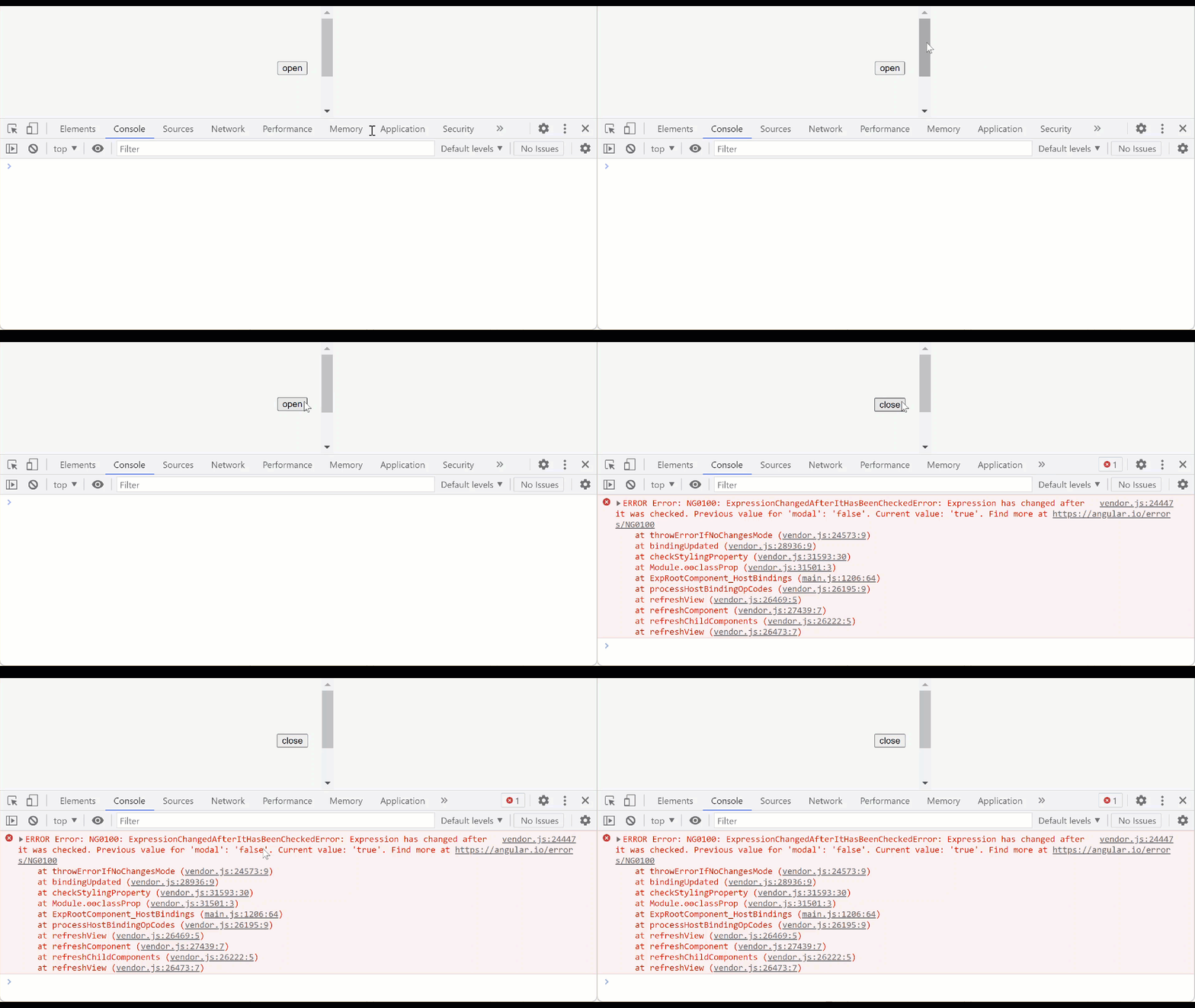
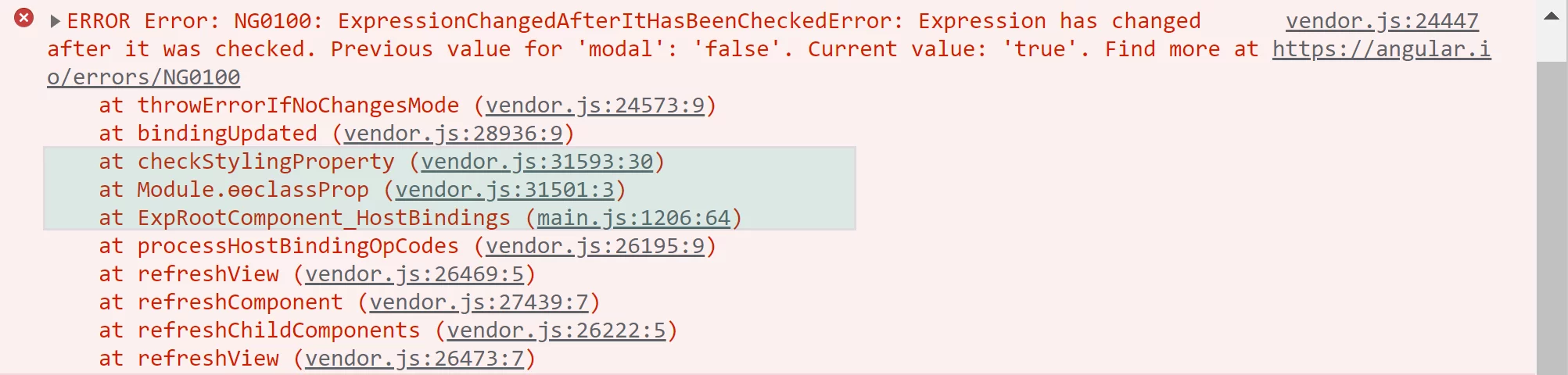
This is the literal text of the error:
ERROR Error: NG0100: ExpressionChangedAfterItHasBeenCheckedError: Expression has changed after it was checked.
Previous value for 'modal': 'false'. Current value: 'true'.
It indicates the modal property was the culprit. The callstack traces the origin of this error to the host binding within ExpRootComponent:
Diagnosing this kind of arrangement can get tricky when you try to locate the exact source. A few approaches for tracking down the “changed after check” error will be covered later in the debugging chapter. But since our goal here is to examine solutions rather than find the root cause, I’ll walk you through what occurs.
The sequence that triggers the error is as follows. A click on the button inside ExpDescendant leads to an event handler that flips the show property from false to true. Then Angular starts its change detection cycle.
- When processing
ExpRootComponent, it evaluates themodalexpression for the@HostBinding— this yieldsfalsebecausedialogsis empty (withfalsebeing the initial state), and that result gets stored. - For
ExpDescendant, the input binding is set totrue, and the property setter triggersdialogService.open()— a service that creates a dialog and alertsExpRootComponentabout the update. In theonModalChangeevent handler,ExpRootComponentthen sets themodalproperty totrue.
After change detection completes, Angular performs a verification pass:
- It recalculates the host binding expression
modalinExpRootComponent, which now returnstrueinstead offalse. - It compares both values and raises the error because they don't match.
Let's examine possible fixes. There are two workarounds we can test.
Using local change detection
Our first approach involves a local change detection strategy with detectChanges, applied in this manner:
@Component({...})
export class ExpRootComponent {
  @HostBinding('class.modal') public modal = false;

  constructor(dialogService: DialogService, cdRef: ChangeDetectorRef) {
    dialogService.onDialogsChange((dialogs: any) => {
      this.modal = dialogs.length > 0;
      cdRef.detectChanges();
    });
  }
}
What’s curious is that this approach still leaves the error in place. The reason lies in the fact that @HostBinding properties
get evaluated while the parent component is being checked,
which means invoking detectChanges on the current component has no effect.
Injecting and calling ApplicationRef.tick() isn’t an option either, since it would create a recursive loop
that Angular detects and rejects with the error “ApplicationRef.tick is called recursively”.
Thus, to make detectChanges work, some restructuring of our code
is required, and we should have the parent component trigger change detection instead. The following example shows one possible implementation:
@Component({
  selector: 'app-root',
  template: `<exp-root></exp-root>`,
})
export class AppComponent {
  constructor(private cdRef: ChangeDetectorRef) {}

  detectChanges() {
    this.cdRef.detectChanges();
  }
}

@Component({...})
export class ExpRootComponent {
  @HostBinding('class.modal') public modal = false;

  constructor(dialogService: DialogService, parent: AppComponent) {
    dialogService.onDialogsChange((dialogs: any) => {
      this.modal = dialogs.length > 0;
      parent.detectChanges();
    });
  }
}
Clearly, opting for detectChanges can occasionally force you to rethink how your app is structured.
Deferring the change
Next, we’ll explore postponing the update using Promise.resolve():
@Component({...})
export class ExpRootComponent {
  @HostBinding('class.modal') public modal = false;

  constructor(dialogService: DialogService) {
    dialogService.onDialogsChange((dialogs: any) => {
      Promise.resolve().then(() => {
        this.modal = dialogs.length > 0;
      });
    });
  }
}
It’s working fine this time:
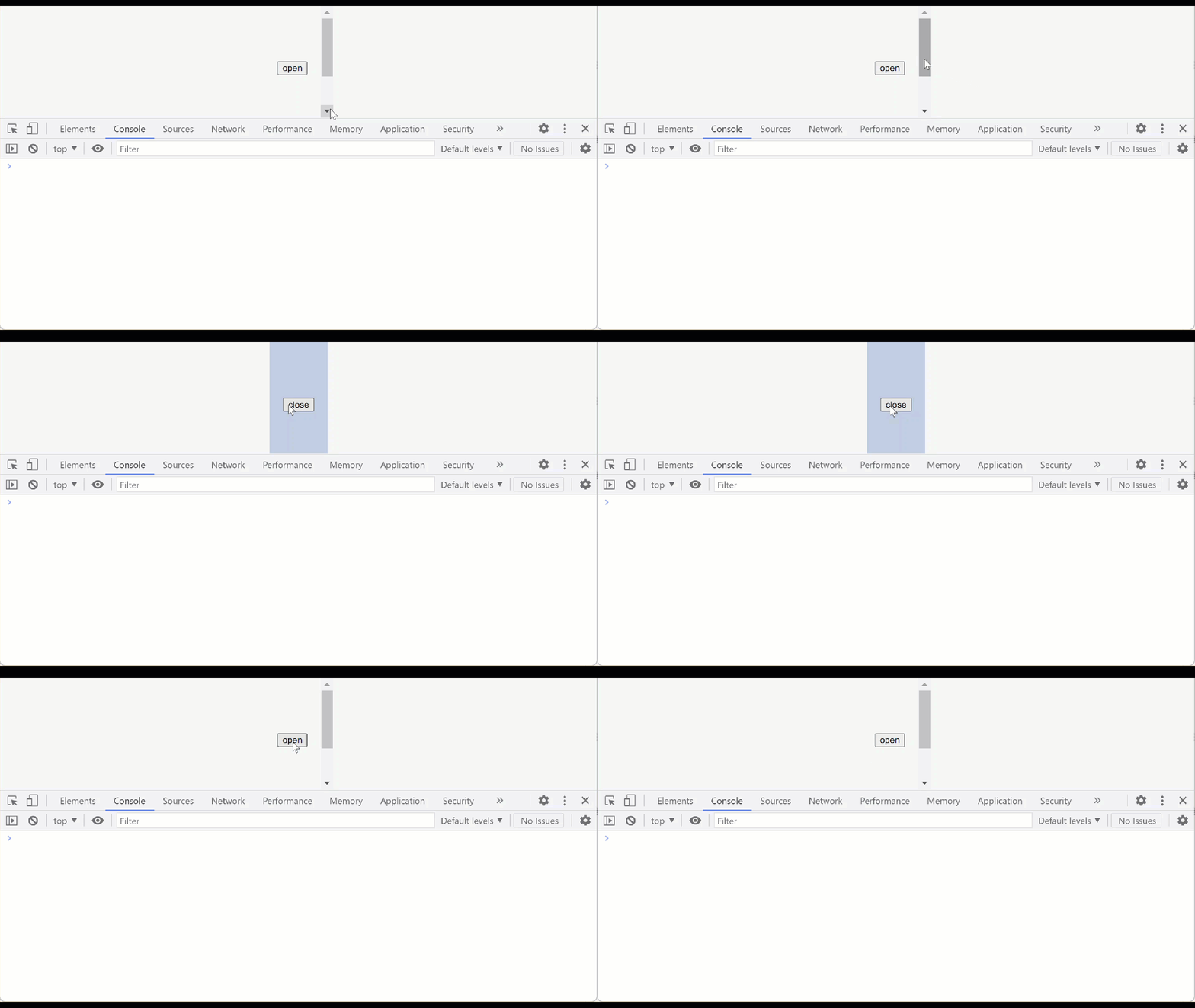
From an architectural standpoint, the responsibility for deferring the update lies with the notification-emitting logic within DialogDirective, not with the subscriber inside ExpRootComponent. The receiving code typically lacks—and frequently cannot possess—awareness of the update’s origin, such as whether it arises during the change detection cycle. Conversely, the directive’s emitting code understands this context, making it the appropriate place to introduce a delay.
Given that, we can restructure the notification-sending directive as follows:
@Directive({...})
export class DialogDirective {
  constructor(private dialogService: DialogService) {}

  dialog = null;

  @Input('dialog') set open(open: boolean) {
    Promise.resolve().then(() => {
      if (open) {
        this.dialog = this.dialogService.open({});
      } else {
        this.dialogService.close(this.dialog);
      }
    });
  }
}
There’s nothing wrong with this approach either. From a code structure perspective, I’d argue it’s even cleaner.
Here’s the thing—the example above is essentially a stripped-down version of something I ran into earlier in a production project. I was working with a well-known modal UI library, and for one particular use case, the “changed after check” error kept showing up. Tracking it down took a couple of hours, and in the end, it turned out the issue was inside the library itself. So sometimes, that error might not be on your side at all.
One last thing worth mentioning. An indirect update can also be triggered by Output() event broadcasting, which is synchronous by default. That said, the EventEmitter
comes with
support for deferring the update asynchronously:
class EventEmitter_ extends Subject<any> {
  __isAsync: boolean;

  constructor(isAsync: boolean = false) {
    super();
    this.__isAsync = isAsync;
  }

  subscribe(observerOrNext?, error?, complete?) {
    let nextFn = observerOrNext;

    if (this.__isAsync) {
      if (nextFn) {
        nextFn = _wrapInTimeout(nextFn);
      }
    }
  }
}
The EventEmitter API offers a simple fix: supply true as the constructor argument when you instantiate the event bus.
const myEmitter = new EventEmitter(true);
myEmitter.emit('value'); // will emit the value asynchronously