Tracing the root cause
Before we dive into specific examples, it’s worth laying out a systematic approach to debugging this error.
The process boils down to three main steps:
- Pinpoint the component, the binding, and the expression that produce inconsistent results
- Isolate the specific property on the component that causes the expression to change
- Trace how and why that property gets updated between the standard
detectChangescycle and thecheckNoChangesverification pass
To demonstrate how this workflow applies to real-world scenarios, I’ll walk through two distinct cases.
The first involves a directive that triggers a modal dialog through a service—the same pattern we explored earlier.
The second case deals with an OnPush parent component where Angular skips the checkNoChanges verification.
Let’s jump straight in.
A directive that plays tricks
In the template for ExpDescendant, we’ve placed logic to display a modal dialog when the user clicks a button.
The root component ExpRootComponent listens for notifications from the DialogService and inserts the modal into the DOM.
The DialogDirective handles passing those notifications along.
Here’s the same setup we used before:
@Component({
  selector: 'exp-root',
  providers: [DialogService],
  template: `
    <div class="viewport">
      <exp-desc-cmp></exp-desc-cmp>
    </div>
  `,
  styles: [
    `
      .viewport {
        height: 100%;
        margin-top: calc(100% / 2);
        padding: 20px;
      }
      :host {
        height: 100vh;
        overflow: auto;
      }
      :host.modal {
        overflow: hidden;
        background: #2569af4d;
      }
    `,
  ],
})
export class ExpRootComponent {
  @HostBinding('class.modal') public modal = false;

  constructor(dialogService: DialogService) {
    dialogService.onDialogsChange((dialogs: any) => {
      this.modal = dialogs.length > 0;
    });
  }
}

export class DialogService {
  dialogs = [];
  notification = new Subject();

  open(options) {
    const dlg = { ...options };

    this.dialogs.push(dlg);
    this.notification.next(this.dialogs);

    return dlg;
  }

  close(dlg) {
    const i = this.dialogs.findIndex((d) => dlg === d);

    if (i === -1) return;

    this.dialogs.splice(i, 1);
    this.notification.next(this.dialogs);
  }

  onDialogsChange(fn) {
    this.notification.subscribe(fn);
  }
}

@Directive({
  selector: '[dialog]',
})
export class DialogDirective {
  constructor(private dialogService: DialogService) {}

  dialog = null;

  @Input('dialog') set open(open: boolean) {
    if (open) {
      this.dialog = this.dialogService.open({});
    } else {
      this.dialogService.close(this.dialog);
    }
  }
}

@Component({
  selector: 'exp-desc-cmp',
  template: `
    <div>
      <button (click)="show = !show">{{ show ? 'close' : 'open' }}</button>
      <div [dialog]="show"></div>
    </div>
  `,
})
export class ExpDescendant {
  show = false;
}
The trouble is, running this code immediately triggers the “changed after check” error.
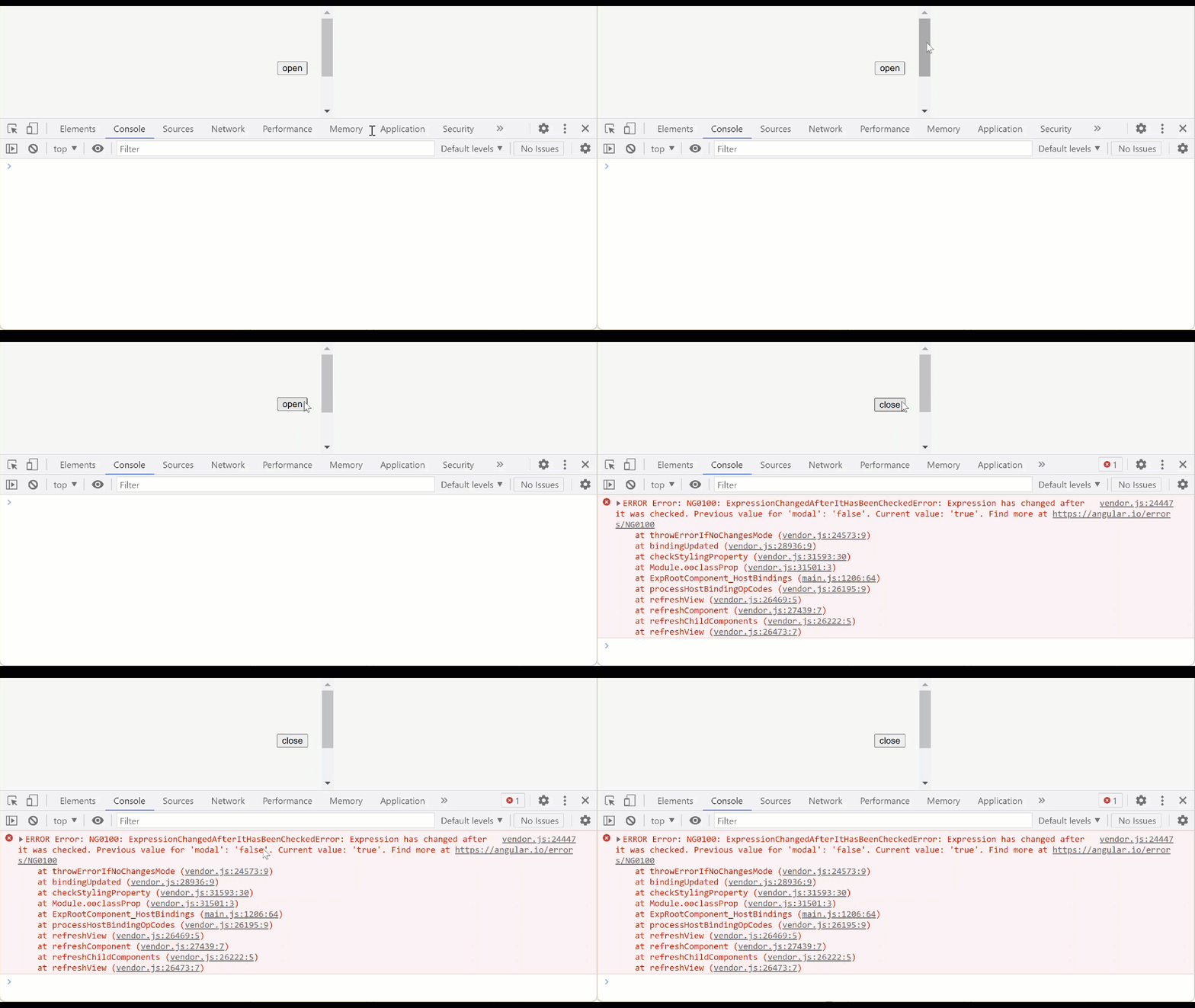
First, we need to identify the offending binding and component.
One way is to click on the function that runs just before the classProp directive in the error’s stack trace:
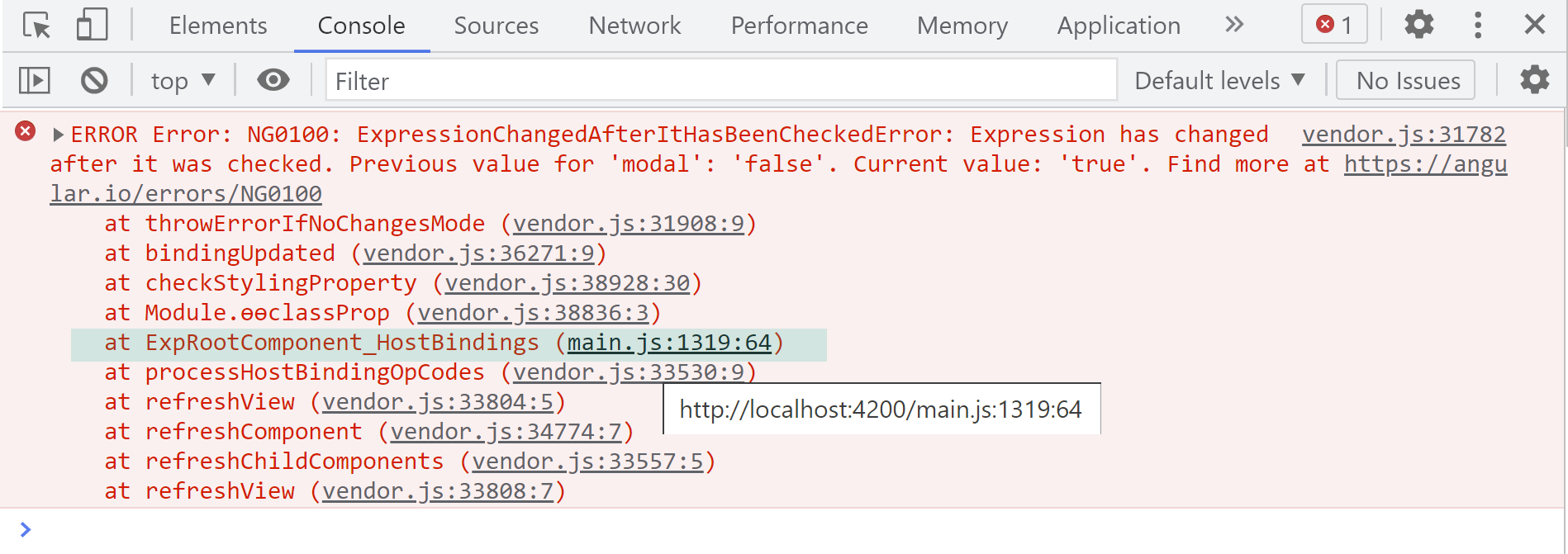
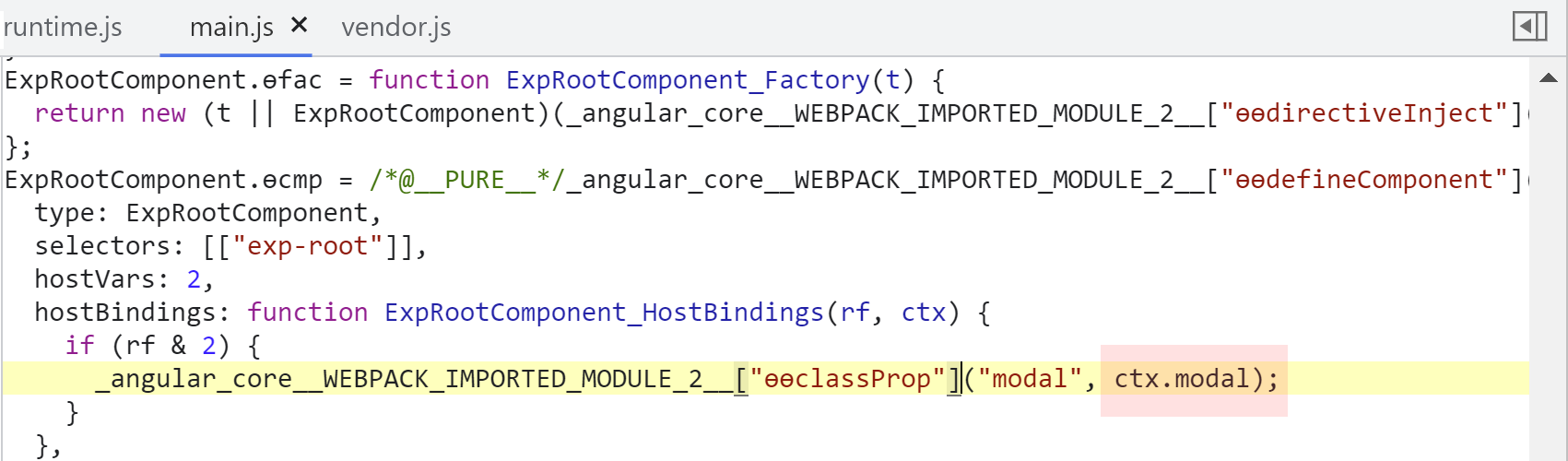
That action reveals the exact binding and expression responsible:
Alternatively, we can halt execution right before Angular throws the error and inspect the call stack.
Set a breakpoint inside the throwErrorIfNoChangesMode function:
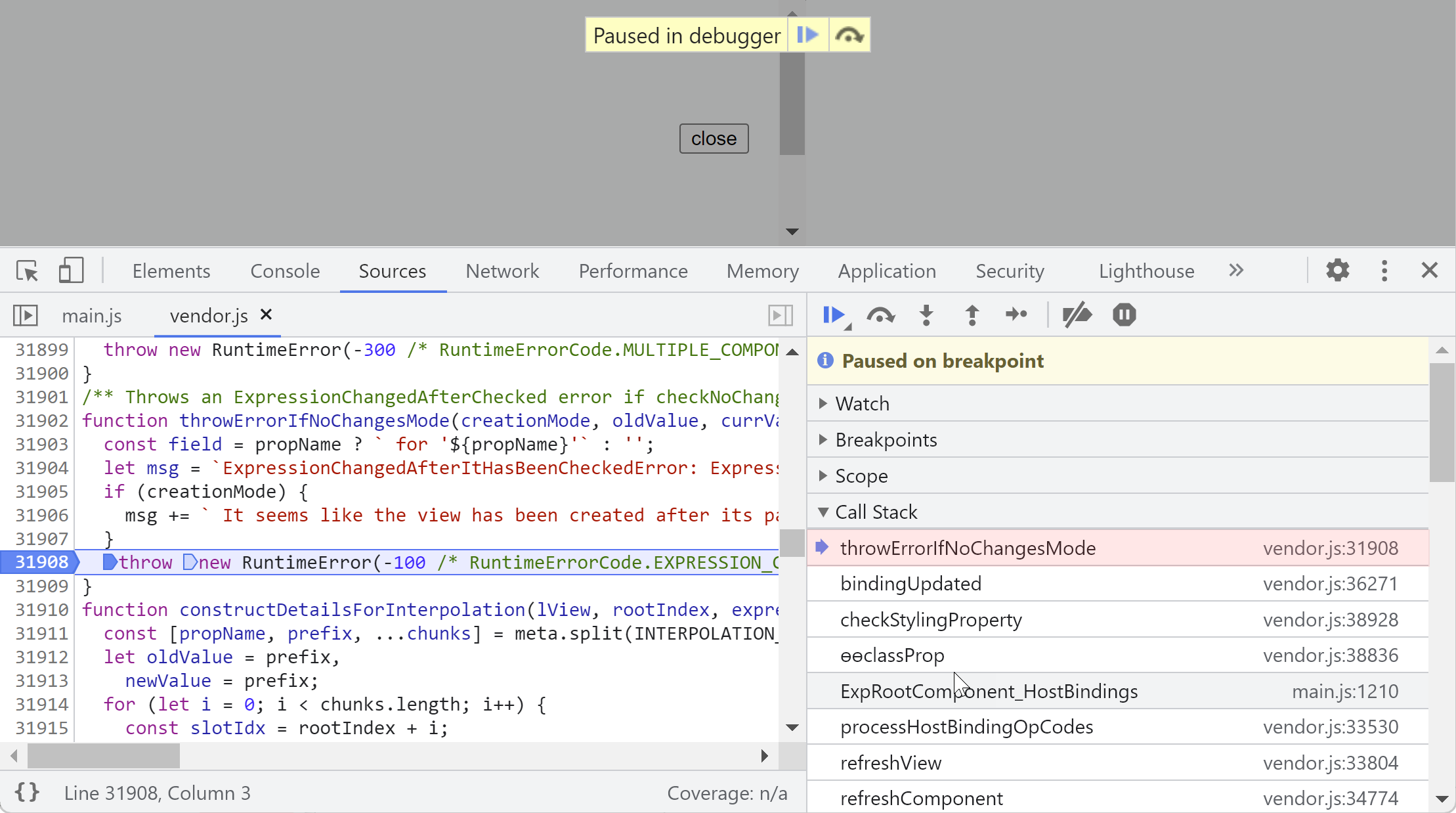
Once execution pauses, walk through the call stack to locate the component definition and the property
involved in the binding expression:
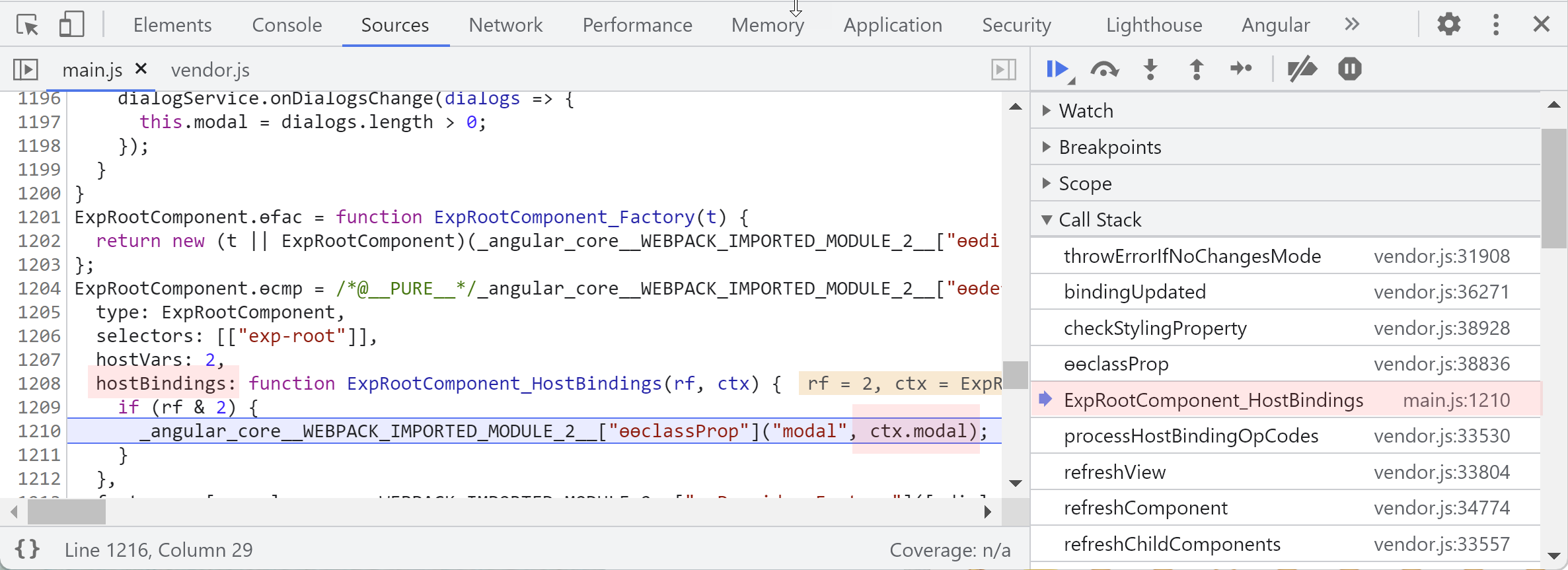
Using either technique, we find that the modal property is the culprit—its value changes between checks.
Watching the property
Next, we need to determine how and why that property shifts between detectChanges and checkNoChanges.
A practical approach is to override the modal property on ExpRootComponent at runtime as a setter,
logging the stack trace from within that setter.
However, since we have access to the source, we can instead leverage a
Proxy object
to capture every write to the modal property:
@Component({...})
export class ExpRootComponent {
  @HostBinding('class.modal') public modal = false;

  constructor(dialogService: DialogService) {
    const self = new Proxy(this, {
      set(target, prop, value) {
        if (prop === 'modal') {
          console.trace(`'modal' prop changed`, value);
        }

        target[prop] = value;
        return true;
      }
    });

    dialogService.onDialogsChange((dialogs: any) => {
      self.modal = dialogs.length > 0;
    });

    return self;
  }
}
It’s also helpful to clearly mark the detectChanges and checkNoChanges stages, since we’re specifically
interested in updates to modal that occur between them.
We can achieve that by adding logpoints to the
tick
method of ApplicationRef:
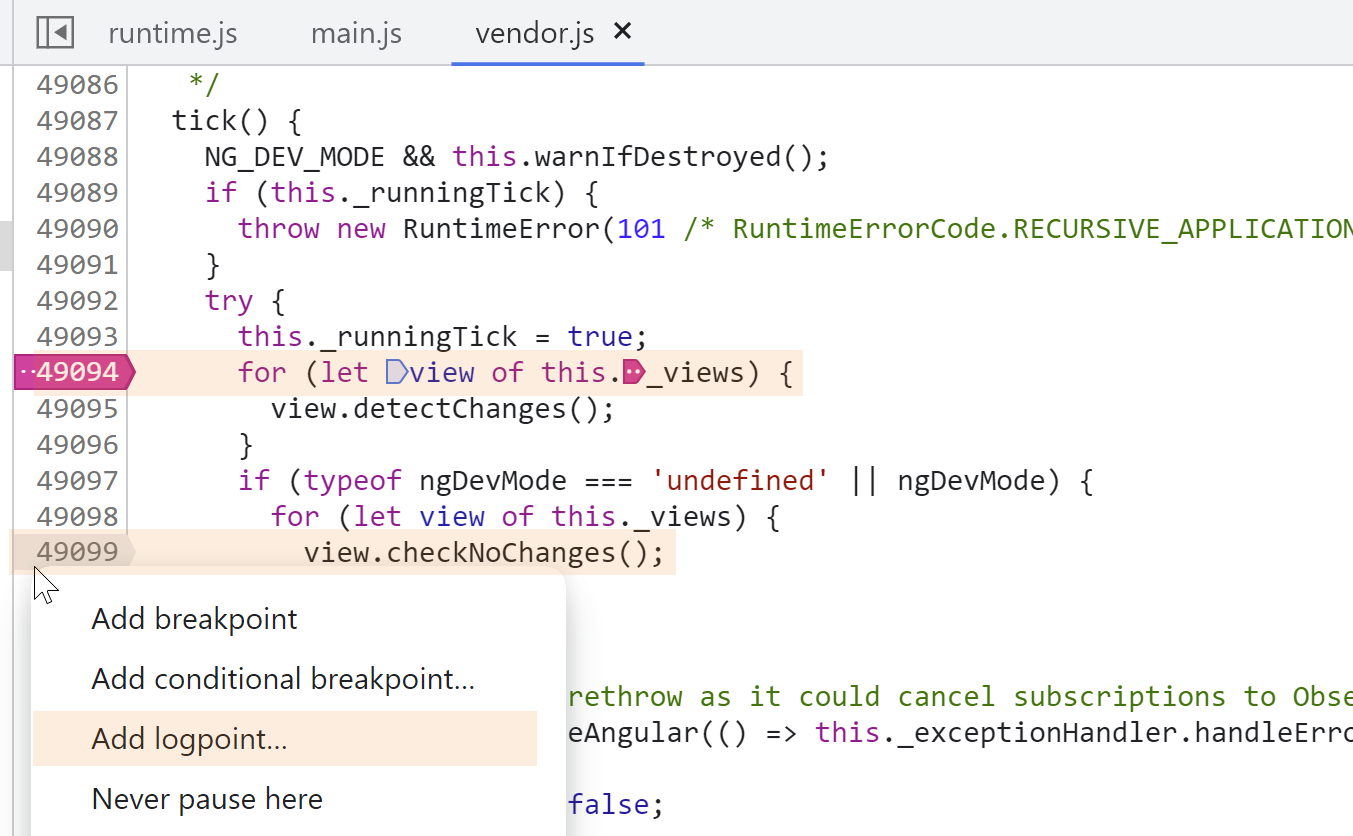
When we click the button in the app, here’s what appears in the console:
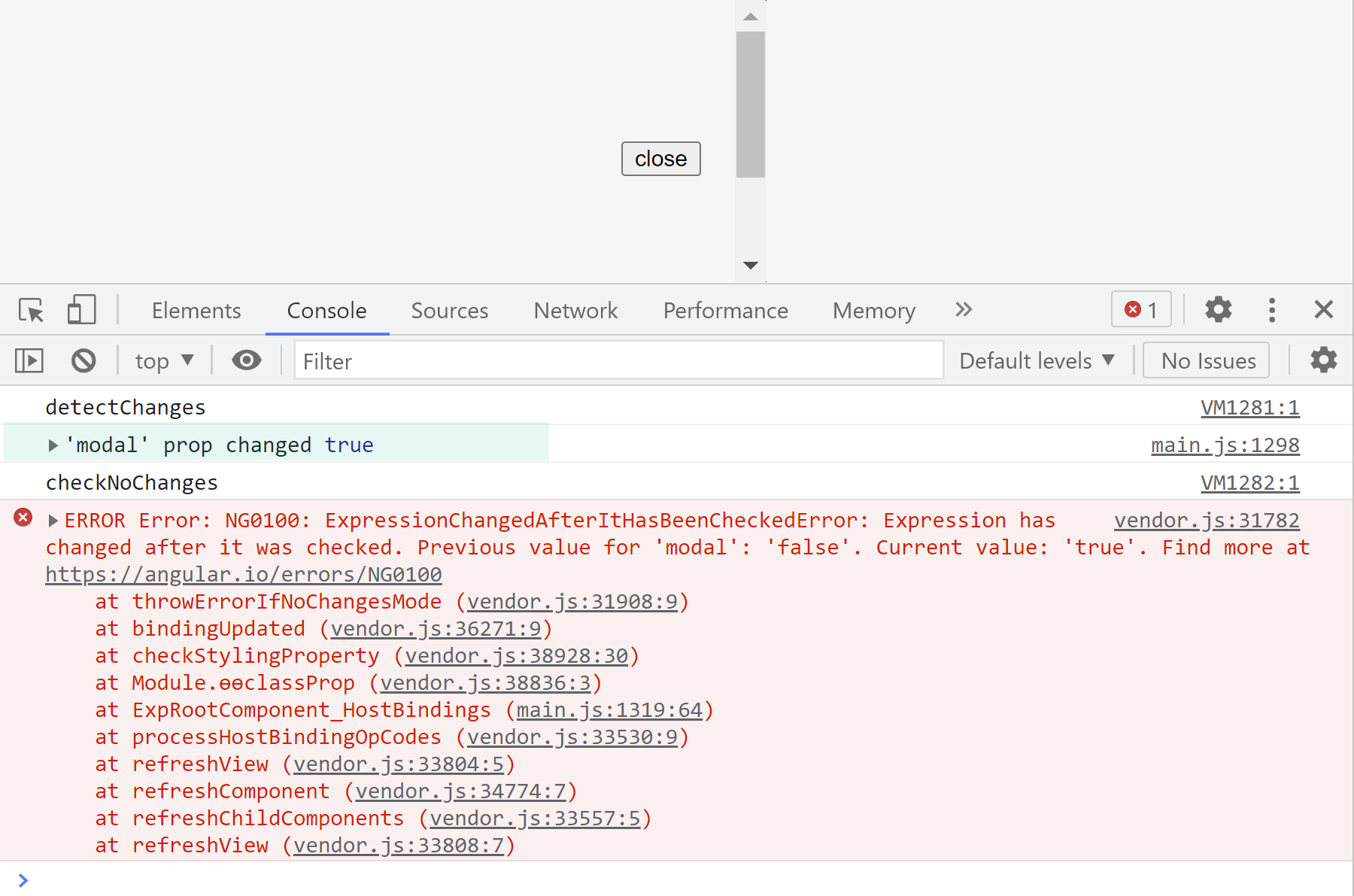
The output makes it obvious that modal gets updated between the detectChanges
and checkNoChanges phases.
The stack trace captured inside the interceptor can be a goldmine of information.
For instance, clicking the anonymous function that precedes the setter shows us the precise line of code
that triggers the update:
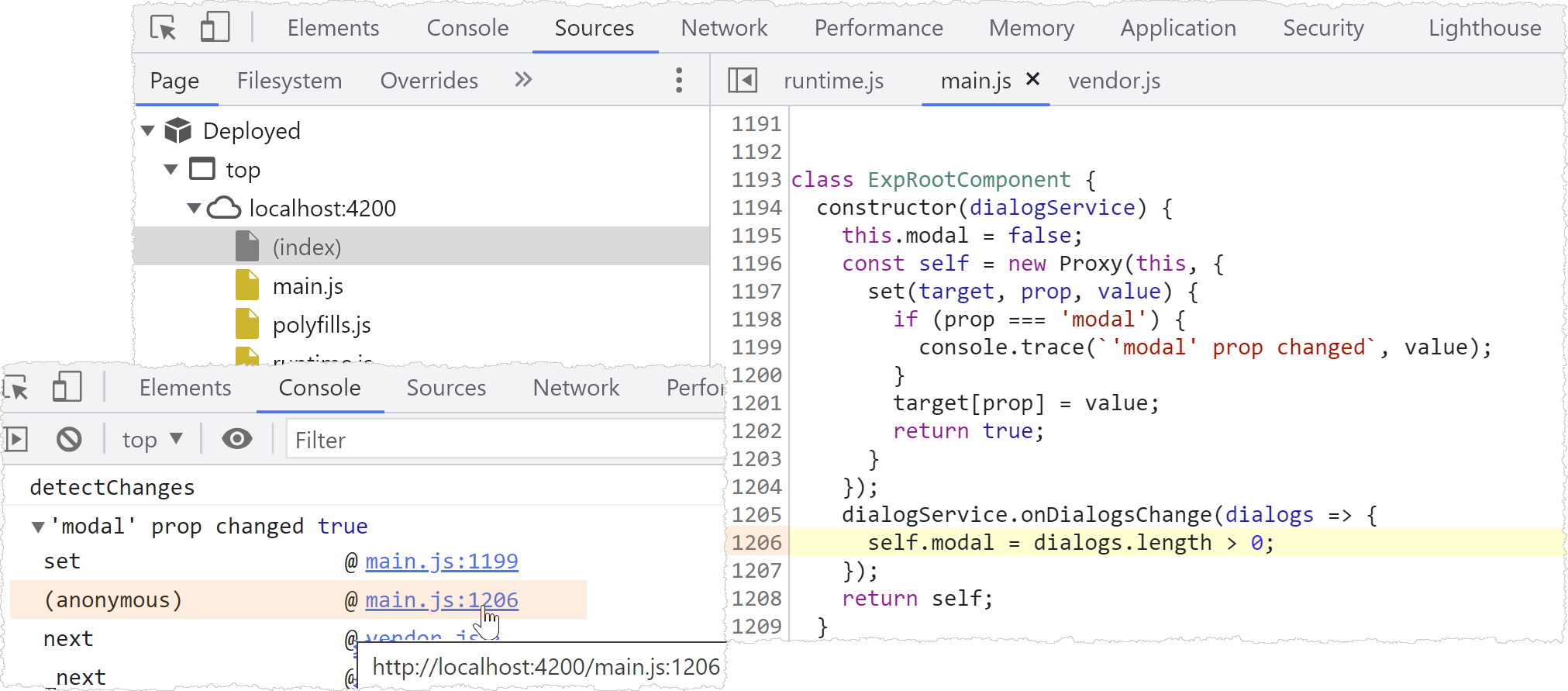
Continuing down the stack, we can piece together the full chain of calls leading to the error.
Here, for example, we see the directive receiving an updated dialog property during the check
of the ExpDescendant component:
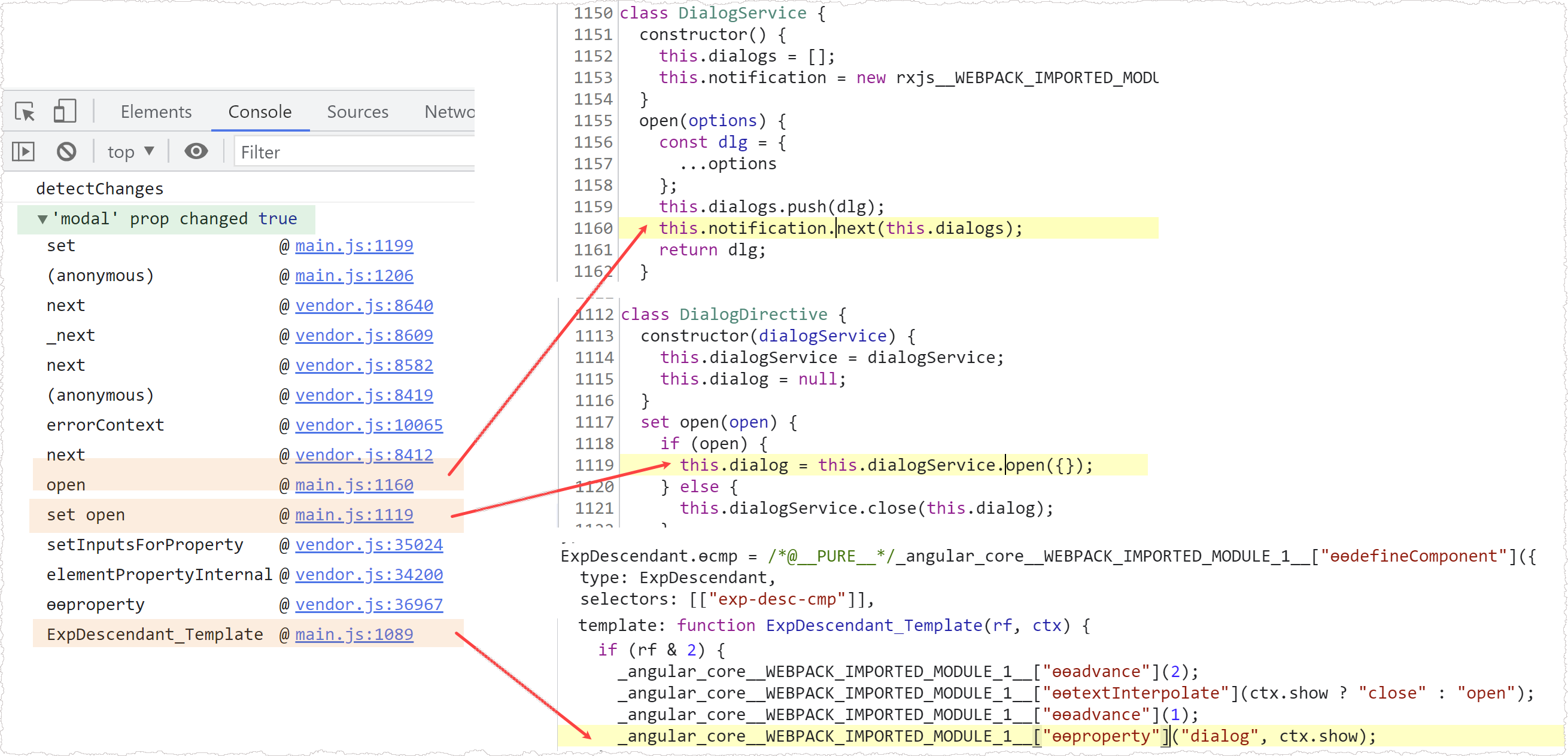
From there, the method dialogService.open fires, notifying the onDialogsChange subscription.
All of this occurs inside the change detection loop, which ultimately results in the “changed after check” error.
We covered the appropriate fixes for this application setup
in the previous section.
An odd situation with OnPush
Let’s turn to a more peculiar scenario I stumbled upon on StackOverflow.
Suppose we have no prior knowledge of the code, which looks something like this:
@Component({
  selector: 'parent',
  template: `
    <div>Data is loaded: {{ dataSize > 0 }}</div>
    <button (click)="click()">Load data</button>
    <child [data]="data" (stats)="handleStatsChange($event)"></child>
  `,
  changeDetection: ChangeDetectionStrategy.OnPush,
})
export class ParentComponent {
  data = [];
  dataSize: number;

  click() {
    this.data = ['Data1', 'Data2'];
  }

  handleStatsChange($event) {
    this.dataSize = $event;
  }
}

@Component({
  selector: 'child',
  template: ` <div *ngFor="let item of data">{{ item }}</div> `,
})
export class ChildComponent {
  @Input() data;
  @Output('stats') statsEmitter = new EventEmitter();

  ngOnChanges(changes): void {
    let dataSize = changes['data'].currentValue.length;
    this.statsEmitter.emit(dataSize);
  }
}
A quick scan suggests the author intends to load data and display its status on screen.
Running this example produces no error in the console.
Yet the status stubbornly shows false even after data arrives and items render:

That’s a strange inconsistency. The StackOverflow post mentioned that removing OnPush from the parent
would trigger the “changed after check” error. After making that change and re-running,
indeed the error shows up in the console:
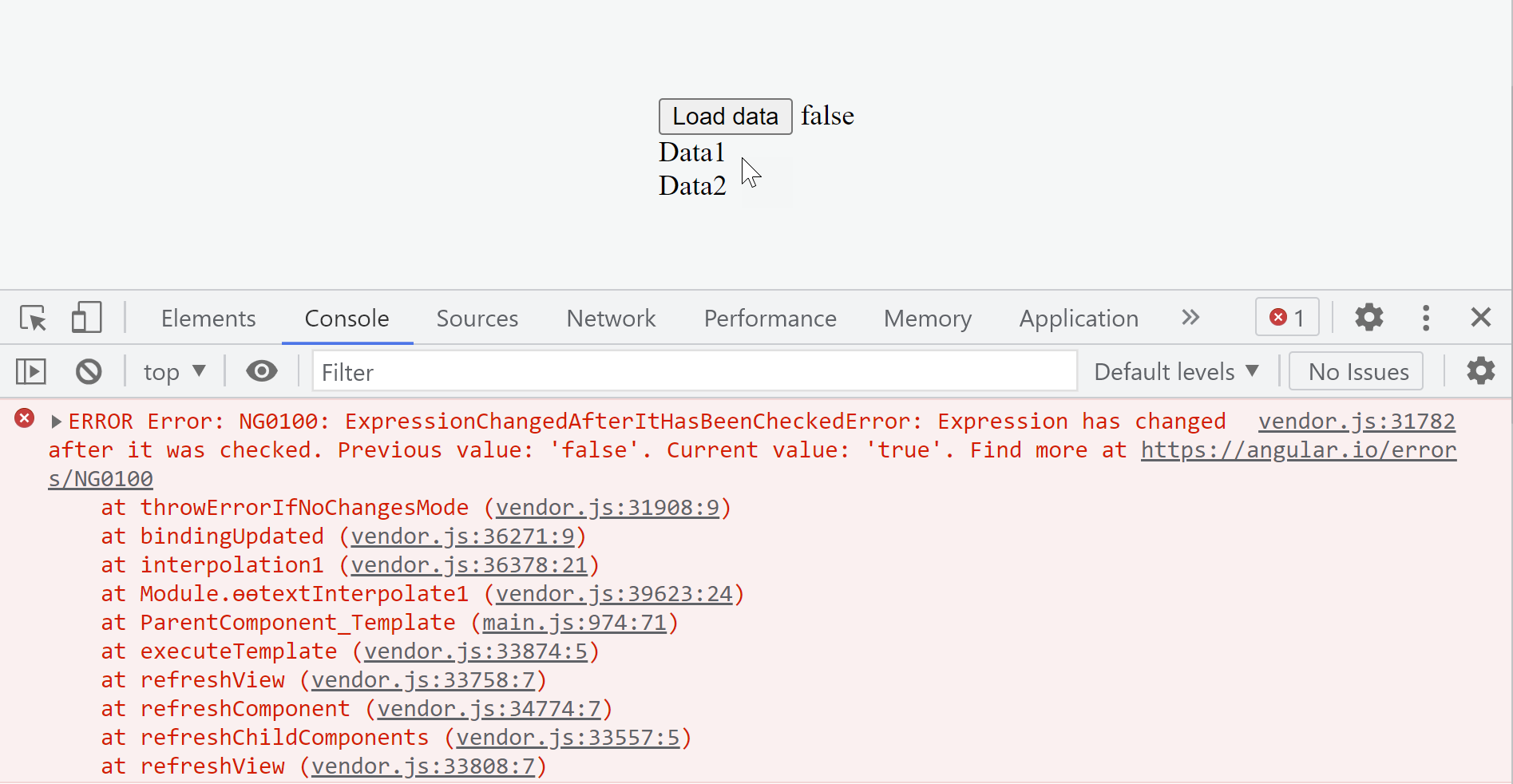
It seems the underlying conditions causing the error manifested as a mismatch between
the app’s state and the displayed status. The error simply didn’t surface in the console until
we stripped OnPush from the parent component. Let’s dig into why that’s the case.
Clicking on the ParentComponent_Template line in the stack trace reveals the expression causing the inconsistency.
That expression is ctx.dataSize > 0:
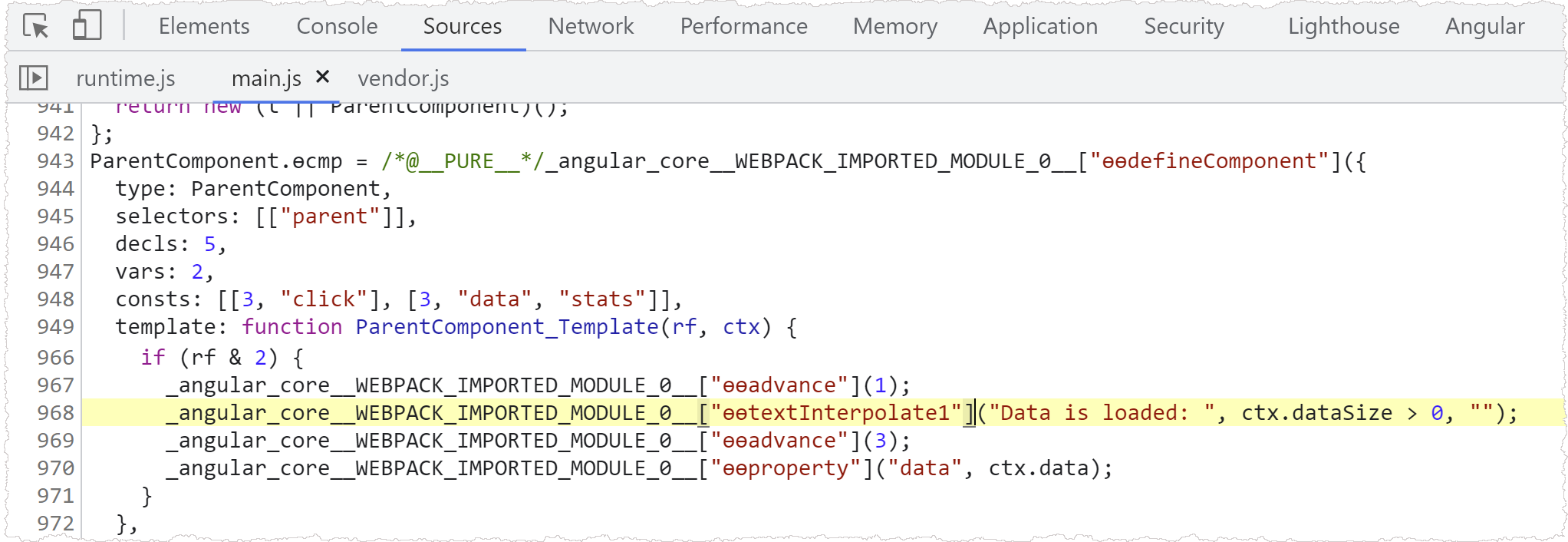
The property we need to monitor is dataSize:
@Component({
  selector: 'parent',
  template: `
    <div>Data is loaded: {{dataSize > 0}}</div>
    <button (click)="click()">Load data</button>
    <child [data]="data" (stats)="handleStatsChange($event)"></child>
  `,
  changeDetection: ChangeDetectionStrategy.OnPush
})
export class ParentComponent {
  dataSize: number;
  ...
}
Let’s see how this property’s value evolves between detectChanges and checkNoChanges.
Watching the property
The dataSize property gets assigned inside the handleStatsChange method of ParentComponent.
This method fires when the child component emits the stats event:
@Component({
  selector: 'parent',
  template: `
    <div>Data is loaded: {{dataSize > 0}}</div>
    <button (click)="click()">Load data</button>
    <child [data]="data" (stats)="handleStatsChange($event)"></child>
  `,
})
export class ParentComponent {
  dataSize: number;

  handleStatsChange($event) {
    this.dataSize = $event;
  }
}

@Component({...})
export class ChildComponent {
  @Input() data;
  @Output('stats') statsEmitter = new EventEmitter();

  ngOnChanges(changes) {
    let dataSize = changes['data'].currentValue.length;
    this.statsEmitter.emit(dataSize);
  }
}
Since the stats event is emitted synchronously from within ngOnChanges—which itself runs as part
of change detection—it’s no surprise the error occurs.
The intriguing question is why no error appears when the parent is marked as OnPush.
Let’s add a logpoint to the child component’s template to count how many times Angular
executes the update logic for the textInterpolate binding:

We’ve also placed logpoints inside the tick method to flag each change detection stage.
Running the app and inspecting the console shows that Angular invokes the template function
only once for detectChanges, not twice:
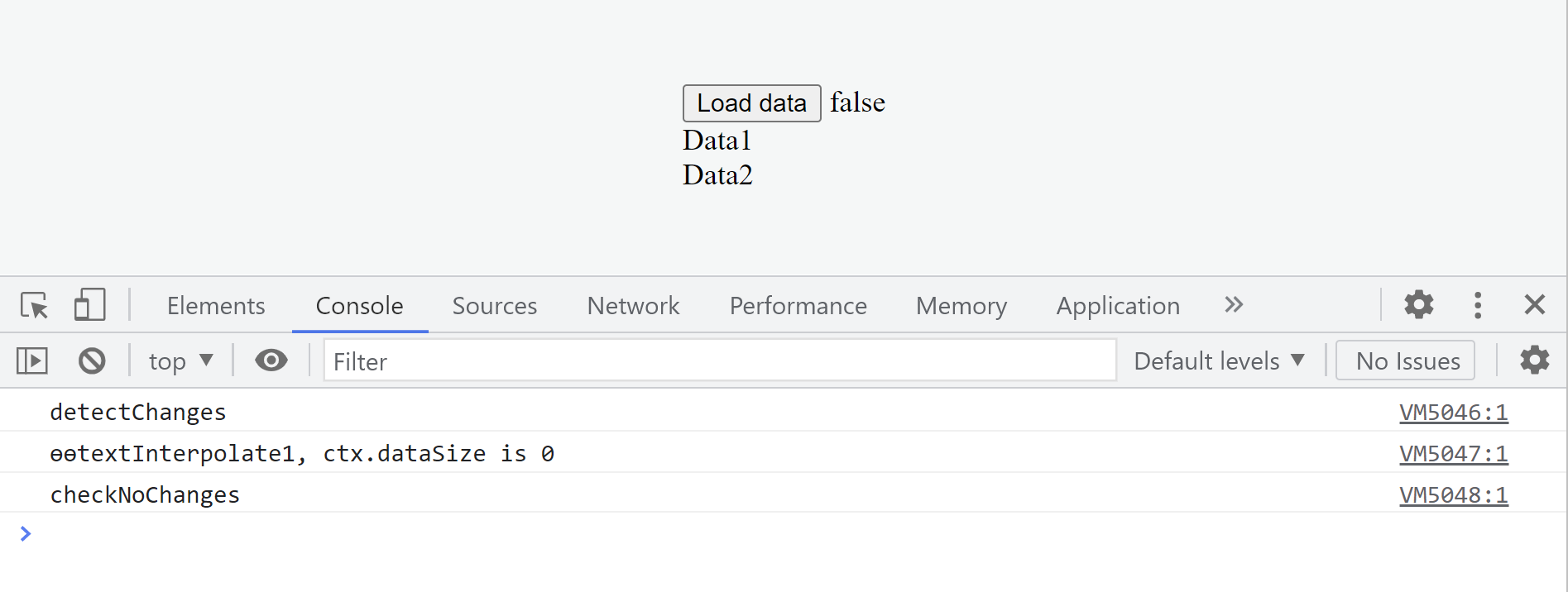
So the checkNoChanges phase is being skipped. The reasoning likely stems from the fact that since the component
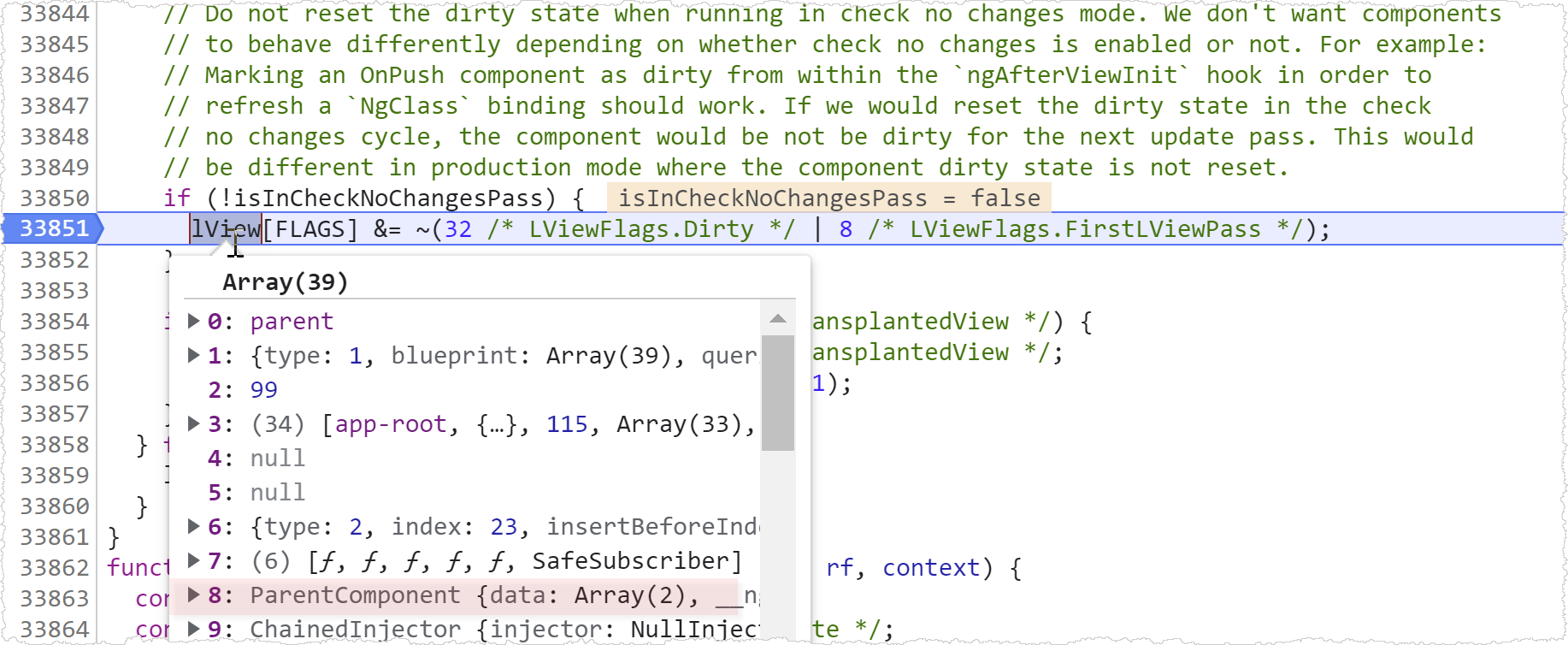
is OnPush, it gets marked as dirty on click and is checked during detectChanges. But part of the check procedure
resets the component’s state
back to pristine (non-dirty) after it’s been processed:
export function refreshView(tView, lView, templateFn, context) {
  ...
  if (!isInCheckNoChangesPass) {
    lView[FLAGS] &= ~(LViewFlags.Dirty | LViewFlags.FirstLViewPass);
  }
}
this means checkNoChanges gets bypassed for ParentComponent.
Here’s what that looks like:
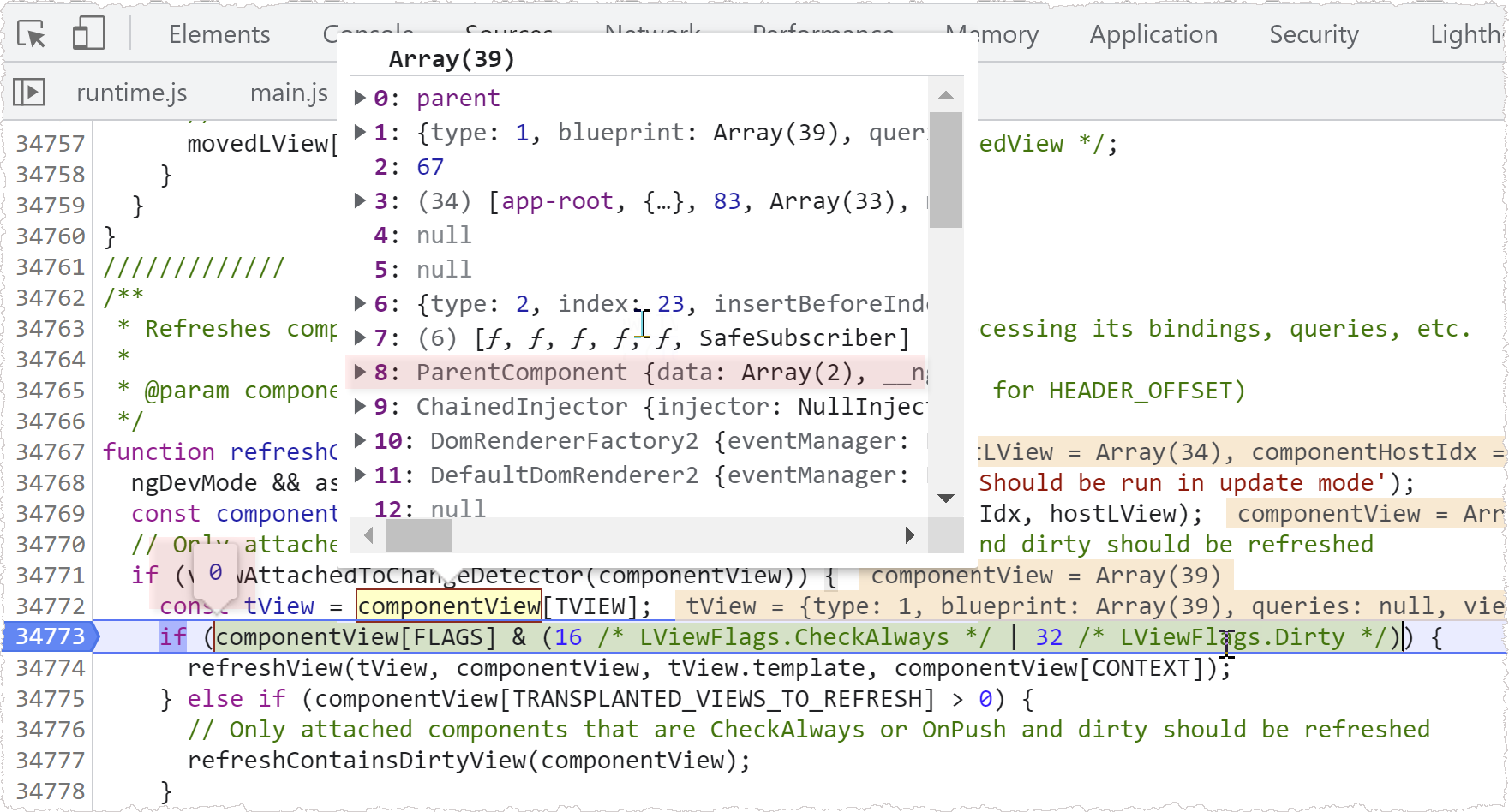
and because of this reset, Angular skips checking ParentComponent during the subsequent checkOnChanges phase:
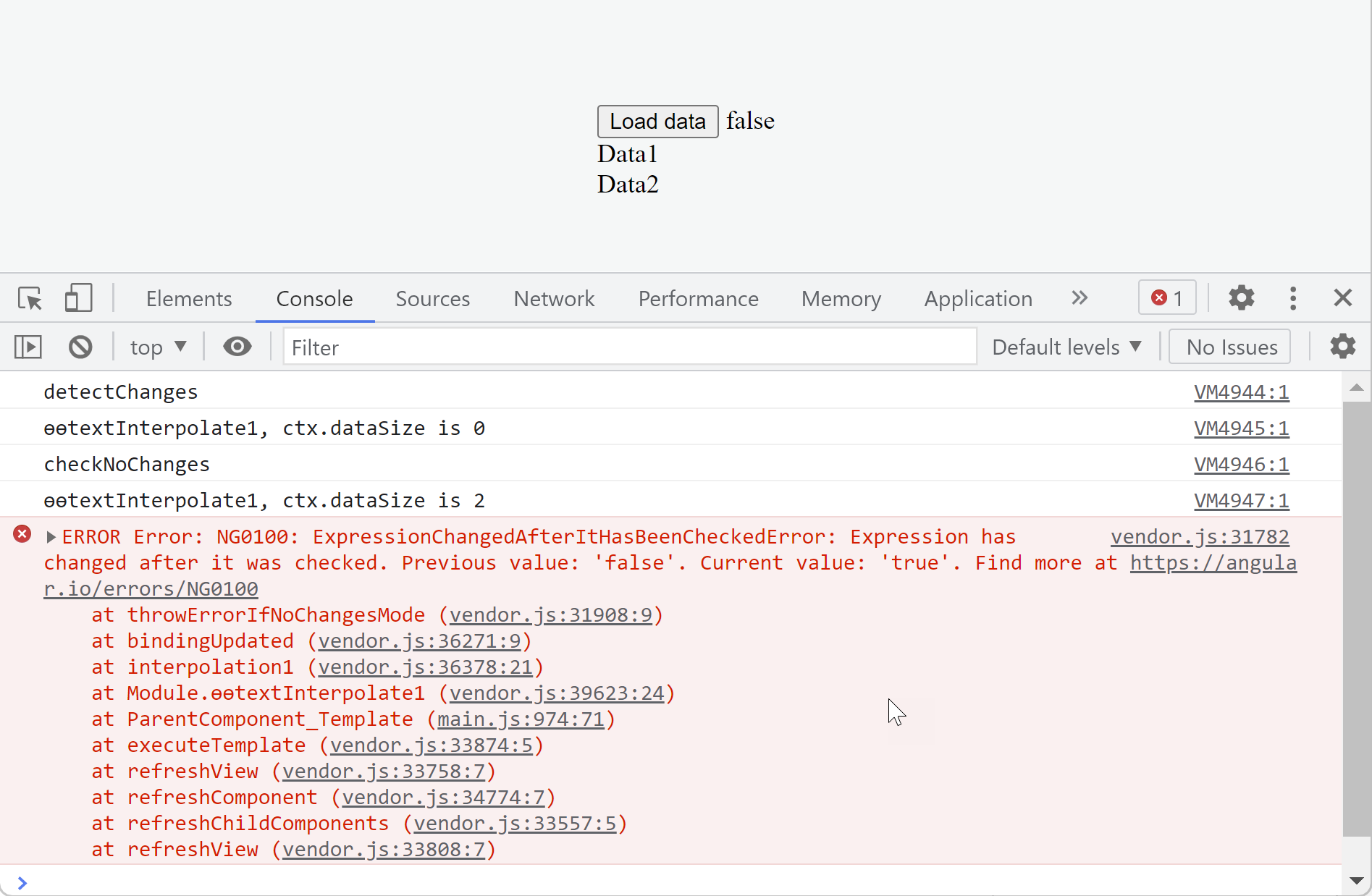
Removing the OnPush declaration makes the update logic run twice as expected, and the checkNoChanges phase throws the error:
It’s worth noting that the binding type doesn’t influence the situation. Swapping the text interpolation for an ngIf
to render the status message:
@Component({
  selector: 'parent',
  template: `
		<span *ngIf="dataSize > 0">Data is loaded</span>v>
    <button (click)="click()">Load data</button>
    <child [data]="data" (stats)="handleStatsChange($event)"></child>
  `,
})
would still produce the same error:
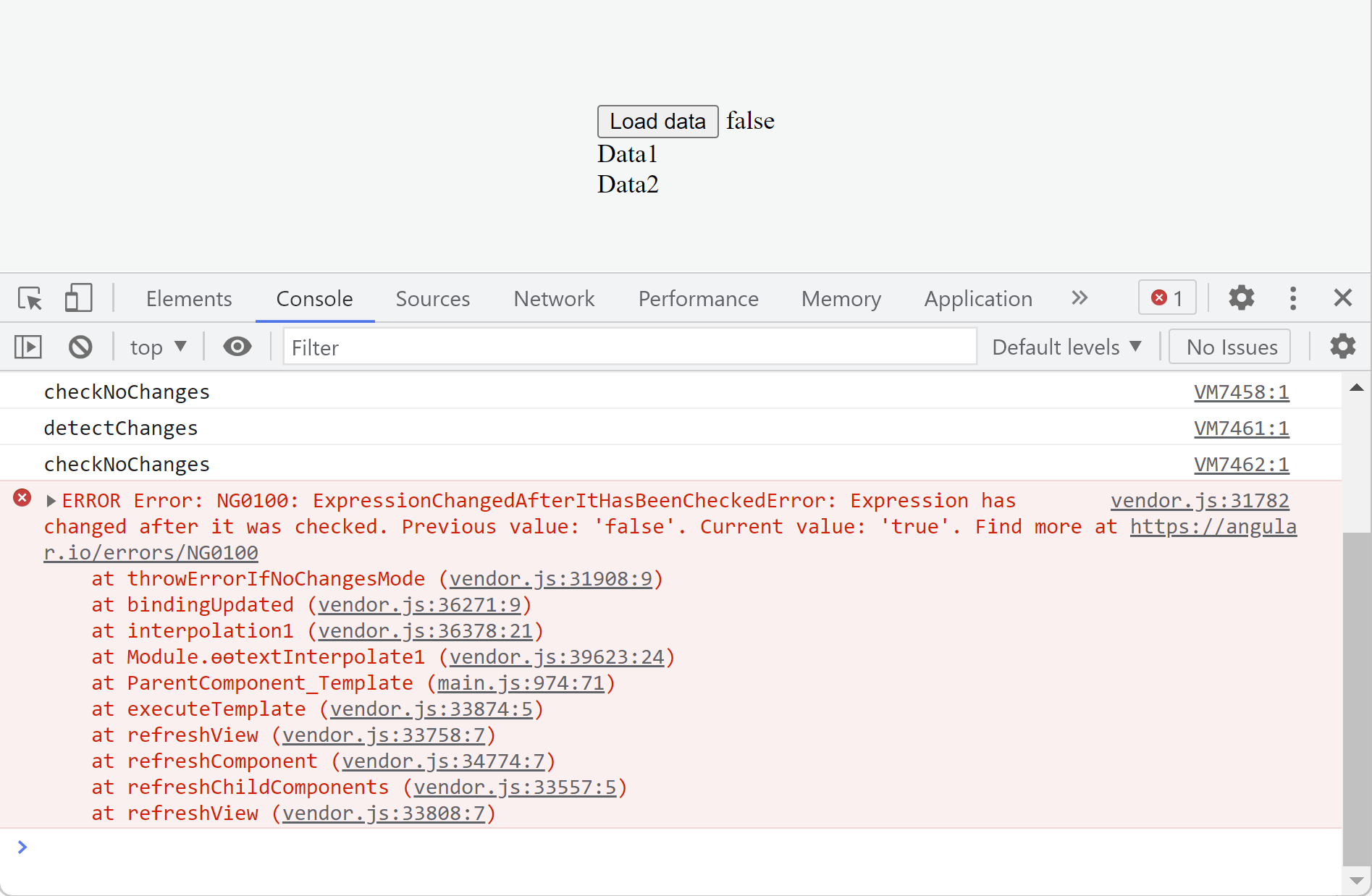
That said, a different binding would be flagged this time.
As the stack trace shows, it would be the property binding responsible for updating the ngIf expression.
The solution
The absence of an error with OnPush on the parent is misleading; removing OnPush isn’t a genuine fix.
Whether or not the error surfaces, the app’s state and UI remain out of sync—
the status text reads false when it should show true. This is precisely what the “changed after check”
error is designed to catch, but with an OnPush component, that problem slips by unnoticed.
So what’s the right approach? Calling detectChanges inside the handler works:
@Component({...})
export class ParentComponent {
  data = [];
  dataSize: number;

  constructor(private cdRef: ChangeDetectorRef) {}

  click() {
    this.data = ['Data1', 'Data2'];
  }

  handleStatsChange($event) {
    this.dataSize = $event;
    this.cdRef.detectChanges();
  }
}
This yields the correct status update and logs the following output:
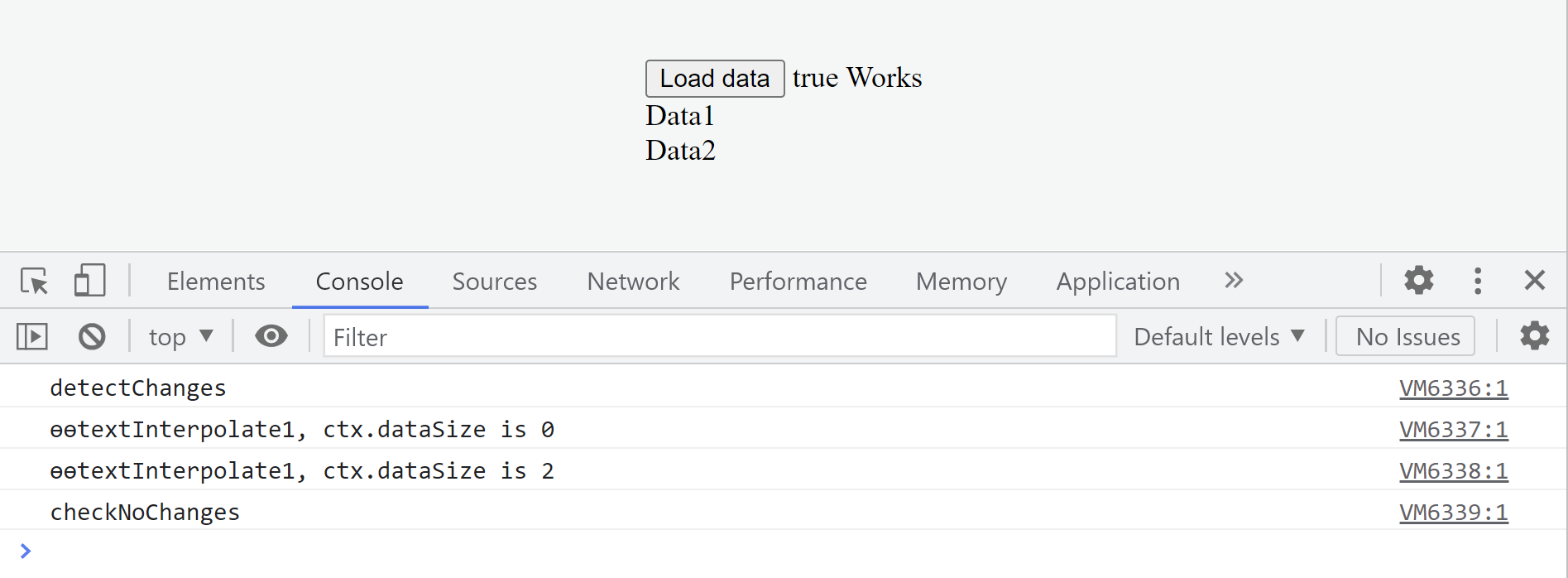
Before the child component gets checked, dataSize sits at 0. Once Angular evaluates the child, the value
jumps via the event emission. Running detectChanges manually inside the handler lets Angular pick up
the new value 2 for dataSize and render the accurate status. This workaround clears the inconsistency.
An alternative is to defer the update asynchronously. Using a resolved promise works well:
@Component({...})
export class ChildComponent {
  @Input() data;
  @Output('stats') statsEmitter = new EventEmitter();

  ngOnChanges(changes): void {
    let dataSize = changes['data'].currentValue.length;
    Promise.resolve().then(() => {
      this.statsEmitter.emit(dataSize);
    });
  }
}
This approach updates the status properly and logs the following:
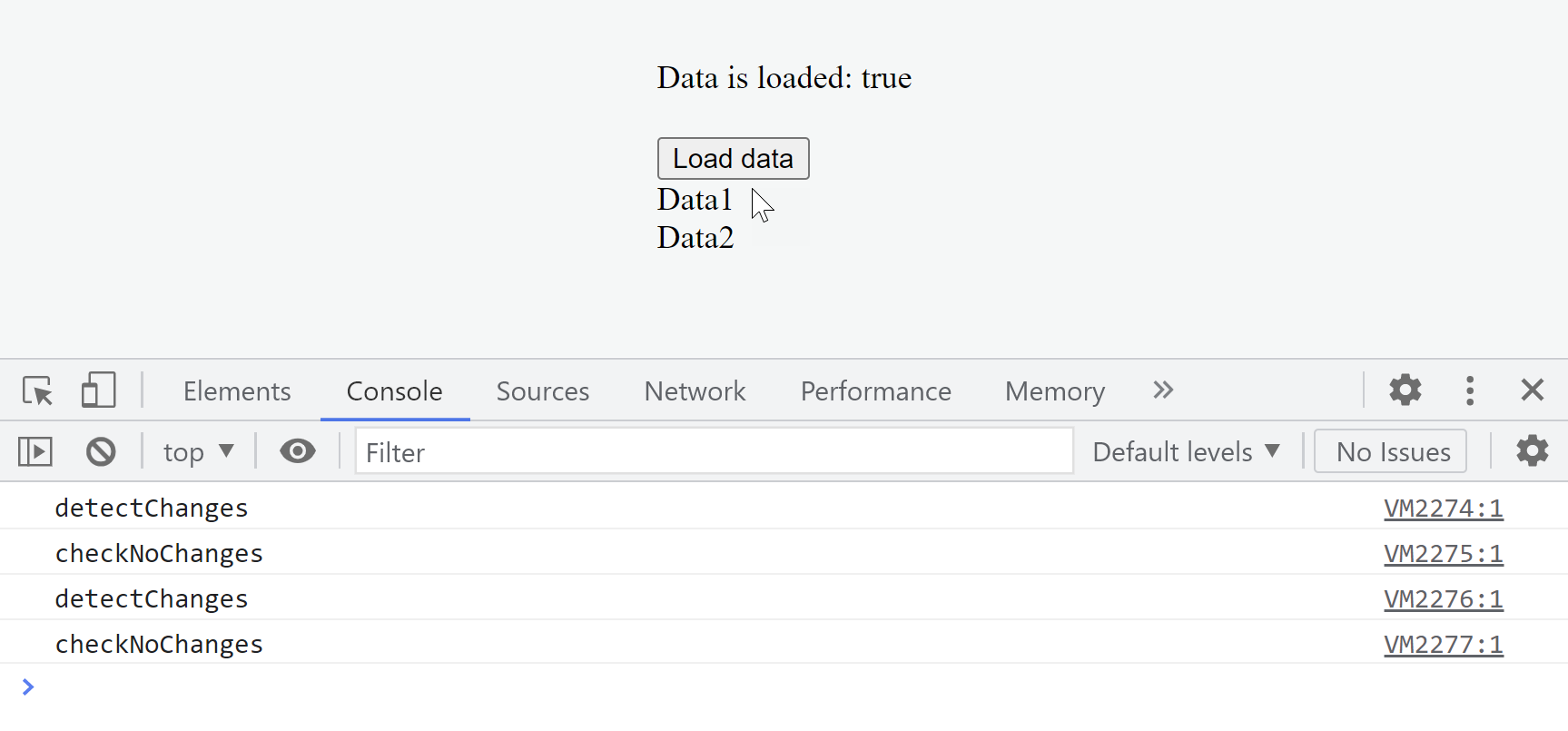
Notice two change detection cycles running back-to-back.
The second one gets scheduled thanks to Promise.resolve.
Instead of a resolved promise, we could delay the update with an async event like this:
@Component({...})
export class ChildComponent {
  @Input() data;
  @Output('stats') statsEmitter = new EventEmitter(true);

  ngOnChanges(changes): void {
    let dataSize = changes['data'].currentValue.length;
    this.statsEmitter.emit(dataSize);
  }
}
That swaps in setTimeout in place of the resolved promise.