
Optimizing View Reuse with ViewContainerRef
There are scenarios where an application must alternate between displaying different components or templates while keeping the previously shown content available for quick return.
Consider a situation where a user's click selects which component should be visible, hiding all others in the process:
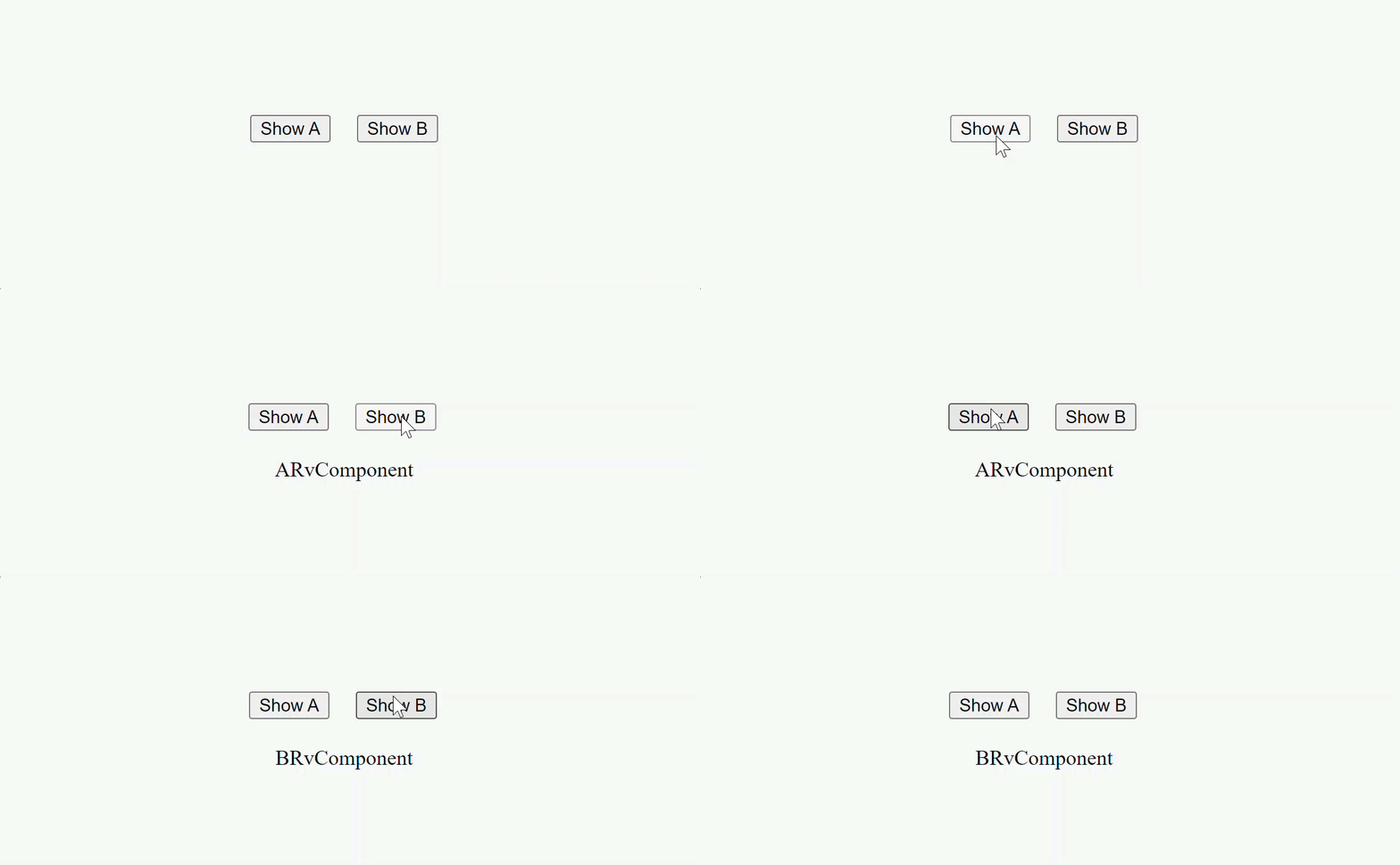
The most direct way to implement this behavior with Angular would involve the ngIf or ngSwitch directives to conditionally render one component while suppressing others:
@Component({
  selector: 'host-rv-alt',
  template: `
    <button (click)="type = 'A'">Show A</button>
    <button (click)="type = 'B'">Show B</button>

    <div class="section">
      <ng-container [ngSwitch]="type">
        <a-rv *ngSwitchCase="'A'"></a-rv>
        <b-rv *ngSwitchCase="'B'"></b-rv>
      </ng-container>
    </div>
  `,
})
export class HostRvAltComponent {
  type = null;
}

@Component({ selector: 'a-rv', ... })
export class ARvComponent {}

@Component({ selector: 'b-rv', ... })
export class BRvComponent {}
This strategy, however, becomes problematic when the application needs to manage a large number of components, potentially dozens or even hundreds.
Relying on ngIf or ngSwitch for such scenarios results in cumbersome, difficult-to-maintain templates and can have negative performance implications.
Furthermore, these directives are not suitable when the target component is determined asynchronously at runtime or loaded lazily.
A more robust approach involves using ViewContainerRef.
This service empowers you to attach and render components dynamically.
To accomplish this, you define a view container placeholder in your template (for instance, on an ng-container), fetch its reference using @ViewChild, and then leverage the
createComponent
method to instantiate your component:
@Component({
	selector: "host-rv",
	template: `
		<button (click)="show('A')">Show A</button>
		<button (click)="show('B')">Show B</button>
		<div class="section" style="margin: 20px">
			<ng-container #vc></ng-container>
		</div>
	`,
})
export class HostRvAltComponent {
	@ViewChild("vc", { read: ViewContainerRef, static: true }) vc;

	show(type) {
		this.vc.clear();
		this.vc.createComponent(type === "A" ? ARvComponent : BRvComponent);
	}
}
Observe how much cleaner the template appears compared to the version using the ngSwitch directive.
Despite this improvement, a significant challenge remains even with the view container API: the frequent destruction and subsequent recreation of views with each button click is an inefficient consequence we still face.
The recording below illustrates this issue:
The debugger shows a pause inside the
createLView
function, which Angular invokes to create a fresh component view.
Each button click triggers this function, confirming that Angular is repeatedly tearing down and rebuilding the view.
It's worth noting that the execution enters this function twice.
The first call generates an LView for the component that renders the text—either ARvComponent or BRvComponent.
On the second entry, Angular creates a view that wraps the LView produced during the initial pass.
Angular employs optimization strategies to improve the speed of LView creation, leveraging a
blueprint
LView instance as a template:
export interface TView {
  blueprint: LView;
  ...
}
As seen in the screenshot, this initial LView is fairly minimal:
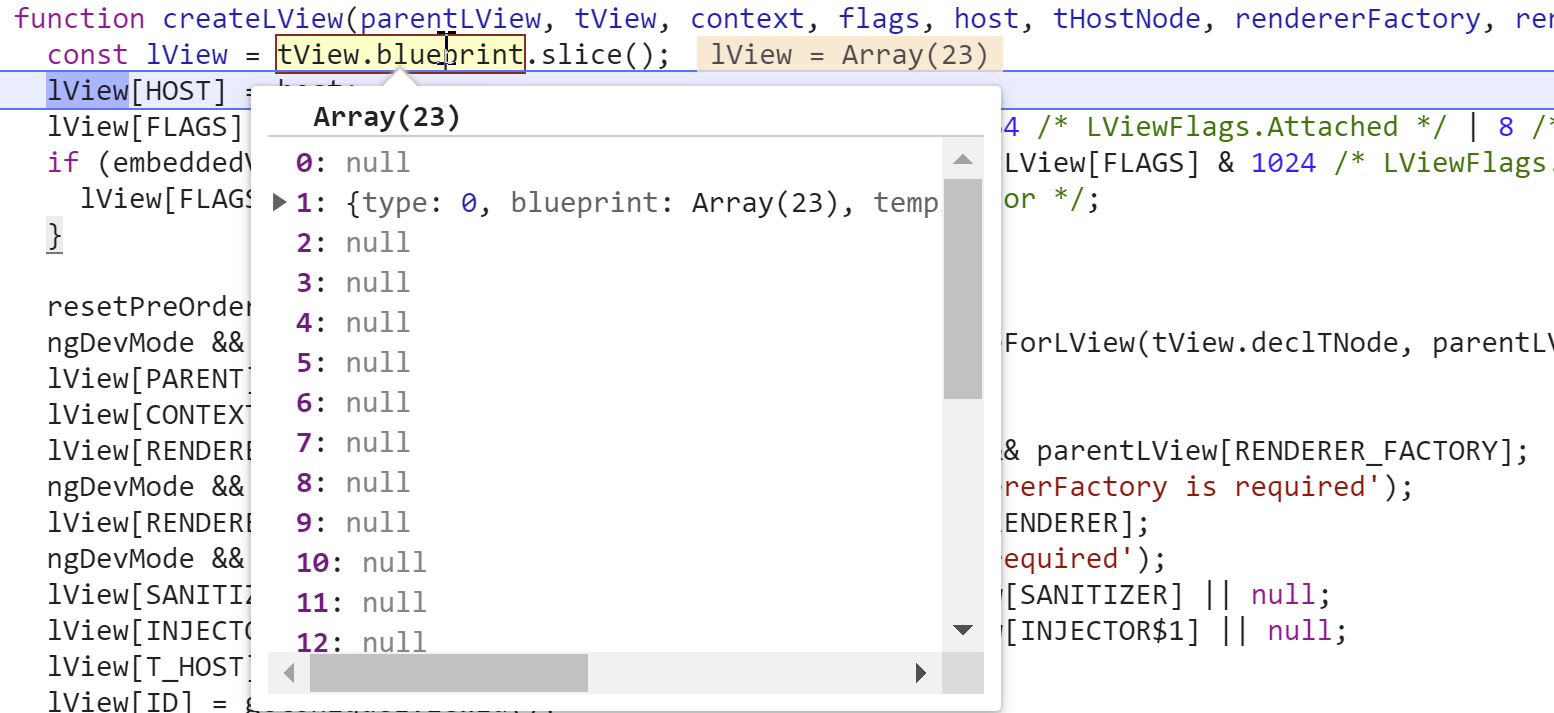
Consequently, Angular must populate this sparse view with numerous properties and definitions inside the createLView function:
function createLView(parentLView, tView, context, flags, ...) {
  const lView = tView.blueprint.slice();
  lView[HOST] = host;
  lView[FLAGS] = flags | LViewFlags.CreationMode;\
  lView[PARENT] = lView[DECLARATION_VIEW] = parentLView;
  lView[CONTEXT] = context;
  ...

  return lView;
}
The ideal solution is to avoid this view churn altogether.
We can achieve this by creating our view instance once, storing it in a cache, and then reattaching it whenever needed. The
view container
API provides the exact tools for this.
To reattach an existing view to a container, you can use the insert method.
If you need to detach a view without destroying it, the detach method is your choice.
The methods are defined by the following interface:
abstract class ViewContainerRef {
  createEmbeddedView<C>(templateRef: TemplateRef<C>, ...): EmbeddedViewRef<C>;
  createComponent<C>(componentType, ...): ComponentRef<C>;

  detach(index?: number): ViewRef|null;
  insert(viewRef: ViewRef, index?: number): ViewRef;
  move(viewRef: ViewRef, currentIndex: number): ViewRef;
  remove(index?: number): void;
}
Be cautious with the remove method, as it permanently destroys the view. Only invoke it when you are certain the view is no longer required.
Before diving into the optimization specifics, let's clarify the concept of a ViewRef, which is heavily used in the API interface shown above.
Understanding ViewRef and its Role as an LView Wrapper
Throughout this series, we've discussed the LView data structure extensively. However, LView is an internal implementation detail not intended for direct use by developers. Angular provides a higher-level abstraction to interact with an LView instance, known as ViewRef:
export class ViewRef<T>
	implements
		viewEngine_EmbeddedViewRef<T>,
		viewEngine_InternalViewRef,
		viewEngine_ChangeDetectorRef_interface {}
This abstraction is what you encounter through the view container API and via the ChangeDetectorRef injectable.
When you inject ChangeDetectorRef into a component's constructor, you are effectively getting a ViewRef that encapsulates the underlying LView. Thus, invoking detectChanges on ChangeDetectorRef delegates the call to the contained LView:
export class ViewRef<T> implements viewEngine_ChangeDetectorRef_interface {
	detectChanges(): void {
		detectChangesInternal(
			this._lView[TVIEW],
			this._lView,
			this.context as unknown as {}
		);
	}
}
In addition to ChangeDetectorRef, a ViewRef can also represent the three types of views that a view container either returns or accepts as a parameter:
export interface InternalViewRef extends ViewRef {}
export abstract class EmbeddedViewRef<C> extends ViewRef {}
export class RootViewRef<T> extends ViewRef<T> {}
The different view types are:
- InternalViewRef
represents a component's view and implements theChangeDetectorRefinterface. - EmbeddedViewRef
signifies a view derived from a template. - RootViewRef
denotes the root view for a component.
To render a component, you can instantiate it using its class reference:
const componentRef = viewContainerRef.createComponent(ARvComponent);
This operation yields a
componentRef
which grants access to the component's instance and other related objects:
export class ComponentRef<T> extends AbstractComponentRef<T> {
	override instance: T;
	override hostView: ViewRef<T>;
	override changeDetectorRef: ChangeDetectorRef;
	override componentType: Type<T>;
}
After obtaining the view, you can insert it into a container with the insert method.
To keep a currently displayed view intact for later, you use the detach method instead of removing it completely.
The insert method accepts a ViewRef, which is exposed through the hostView property on the componentRef.
Thus, when you render a component, you access this property to get the corresponding ViewRef before attaching it to the container:
const compRef = viewContainer.createComponent(ARvComponent);
...
// remove all views (components and embedded views) from the view container
viewContainer.detach();
...
// render the component
viewContainer.insert(compRef.hostView);
Remember, we use the detach method (instead of clear or remove) to preserve the view for future reuse.
For embedded views, you work with a TemplateRef and the createEmbeddedView method:
const embeddedView = viewContainer.createEmbeddedView(templateRef);
...
// remove all views (components and embedded views) from the view container
viewContainer.detach();
...
// render the component
viewContainer.insert(embeddedView);
The diagram below clarifies the overall relationship between these entities and the view container API:
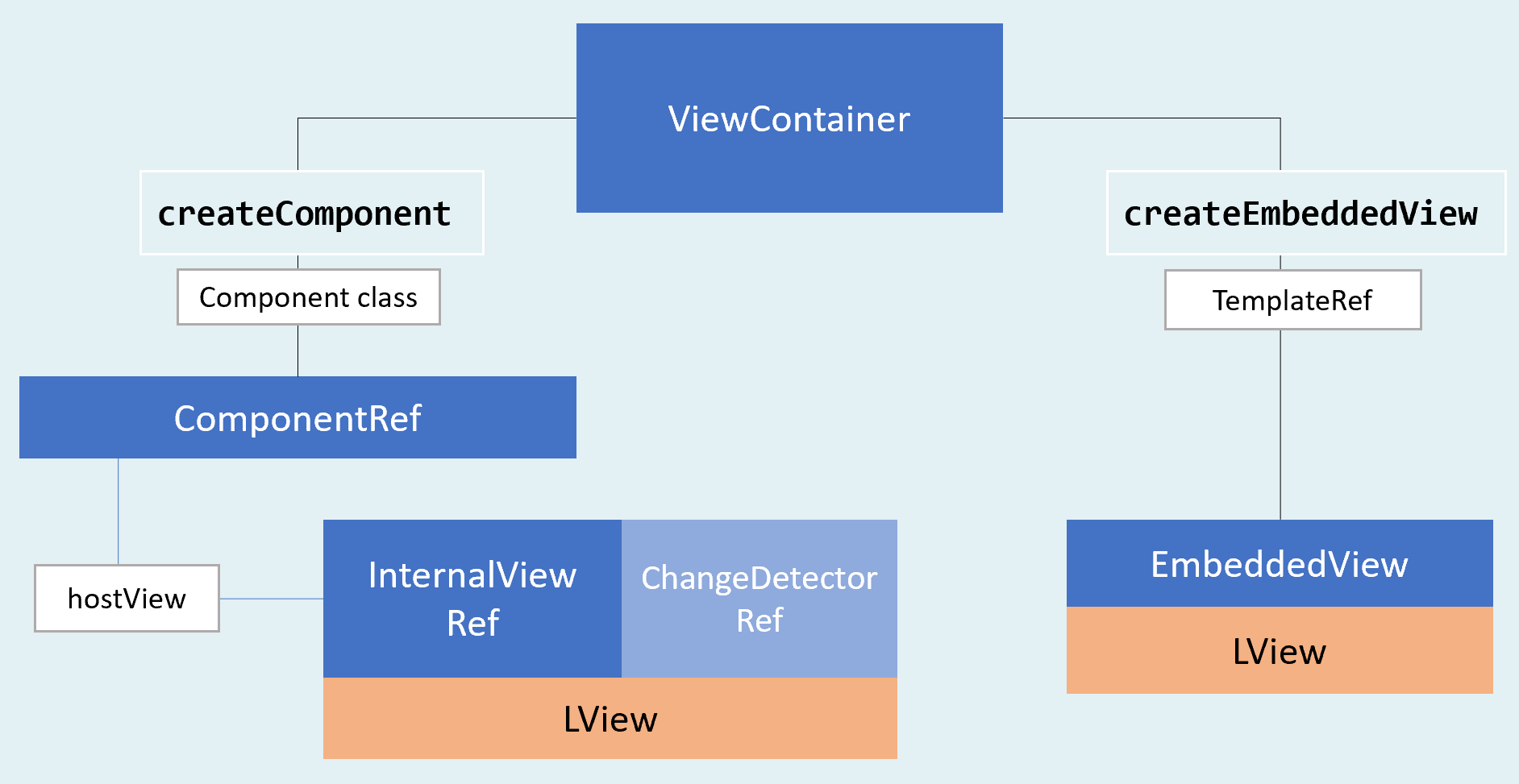
Now, let's see how these principles apply to our optimization goal.
How to Preserve and Reinsert Views
To enable view reuse, we must first create the view instance once and store a reference to it.
When it's time to display a component, we insert its corresponding view into the container.
If another component needs to be shown, we detach the current view (without destroying it) and insert the one for the new component.
The implementation is quite clear:
export class HostRvComponent {
	@ViewChild("vc", { read: ViewContainerRef, static: true }) vc;
	types = [ARvComponent, BRvComponent];

	show(type) {
		this.vc.detach();

		const componentRef = this.vc.createComponent(cmp);
		this.vc.insert(componentRef.hostView);
	}
}
The createComponent
method on the container does the heavy lifting: it instantiates the component's view and returns a viewRef inside a ComponentRef.
When you insert this into the container, you access the view reference through the
hostView
property.
The final step is to save this viewRef for later invocation:
export class HostRvComponent {
	@ViewChild("vc", { read: ViewContainerRef, static: true }) vc;
	cache = new Map();
	types = [ARvComponent, BRvComponent];

	show(type) {
		this.vc.detach();

		const cmp = this.types[type];

		if (this.cache.has(cmp)) {
			const ref = this.cache.get(cmp);
			this.vc.insert(ref.hostView);
			return;
		}

		const componentRef = this.vc.createComponent(cmp);
		this.cache.set(cmp, componentRef);
	}
}
If you run the code now and trace the execution, you'll see that createLView is invoked only on the first instantiation of the view:
While this technique may seem like overkill for displaying a single simple component, its true value becomes apparent in more complex scenarios involving deeply nested views. Dashboard widgets are a typical example of such a use case, and we'll explore this in the next part.
Dashboard Component Optimization
Consider a scenario where we have multiple widgets displayed in a dashboard and we need to improve their performance.
Each individual widget can contain a view composed of numerous DOM elements:
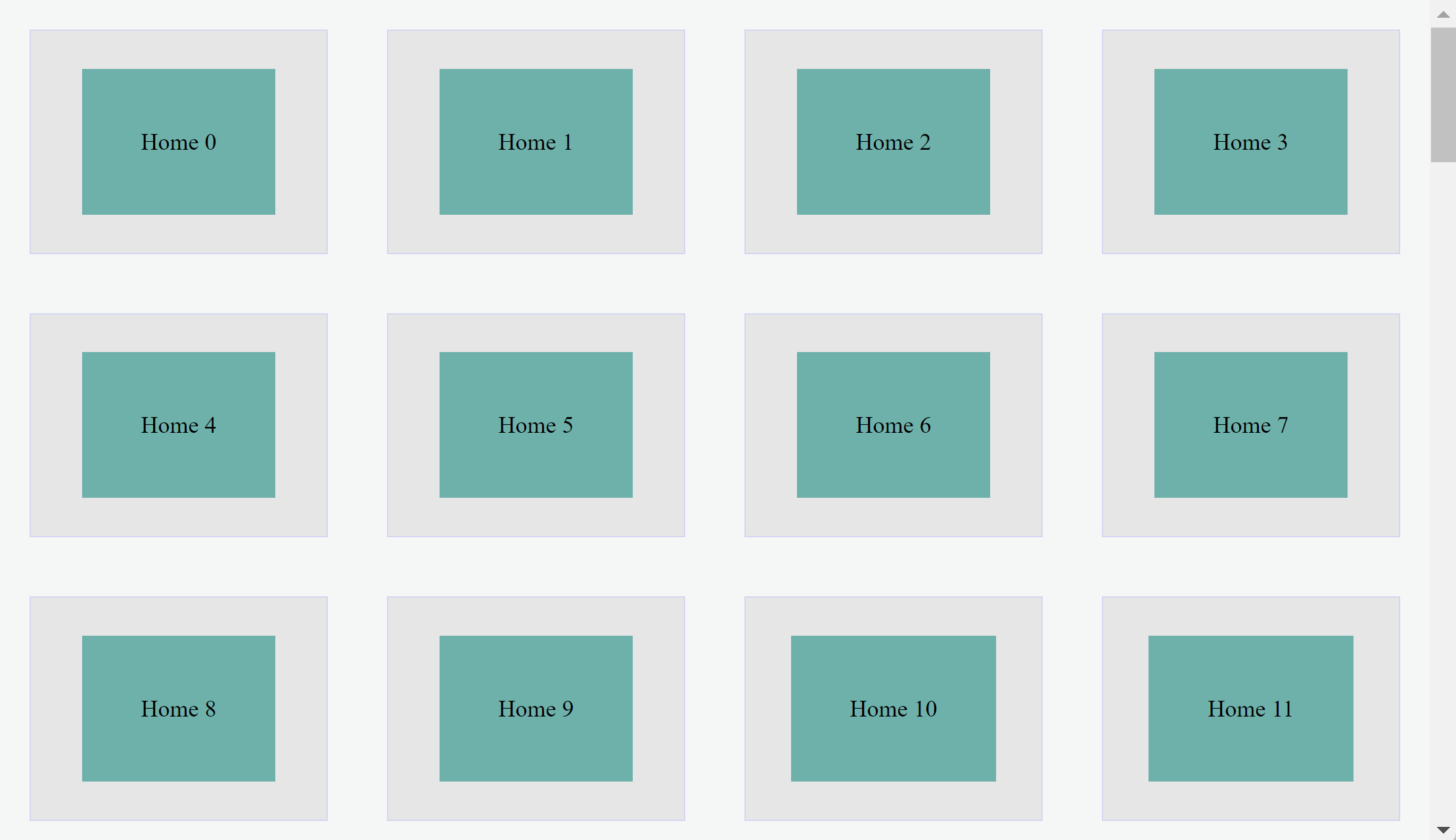
A typical optimization strategy is to render the widget's content only when it is actually visible in the viewport.
We might consider using a conventional virtual scrolling technique, but this would involve destroying and rebuilding
the view inside each widget, much like the behavior of ngIf and ngSwitch.
Given our understanding of view preservation, we can implement a virtual-scroll-like feature that avoids destroying views:
In the provided implementation, each widget's primary content is wrapped in an element assigned the .container-element CSS class.
When a widget becomes visible, the DOM element count grows as we insert its content into the document.
Conversely, when the widget is hidden, its view is taken out of the DOM, reducing the total element count.
To build this optimization, an intersection observer monitors each widget's visibility.
A callback function responds to changes in visibility notifications, triggering the affected widgets to
either hide their view by detaching it or show it by inserting it back.
In between these actions, the view is stored in a cache that is exclusively managed by the widget and is cleared upon its destruction.
We'll begin by creating the widget items. The content for each widget is specified using the template segment:
@Component({
	selector: "d-rv",
	template: `
		<div *ngFor="let item of items" class="wrapper">
			<div [container]="{item, tpl}"></div>
		</div>
		<ng-template #tpl let-item="item">
			<span class="container-content">{{ item.name }}</span>
		</ng-template>
	`,
})
export class DRvComponent {
	items = [
		{ name: "Home 1", container: null },
		{ name: "Home 2", container: null },
		{ name: "Home 3", container: null },
		{ name: "Home 4", container: null },
	];
}
To materialize the template, we'll create this directive:
@Directive({
	selector: "[container]",
})
export class ContainerDirective {
	@Input("container") params;
	embeddedViewRef;
	item;

	constructor(public viewContainerRef: ViewContainerRef) {}

	ngOnInit() {
		this.item = this.params.item;
		this.viewContainerRef.createEmbeddedView(this.params.tpl, { item });
	}
}
Executing this code renders 4 widgets with their content displayed.
Consequently, querying the DOM element count returns 4, which is expected:
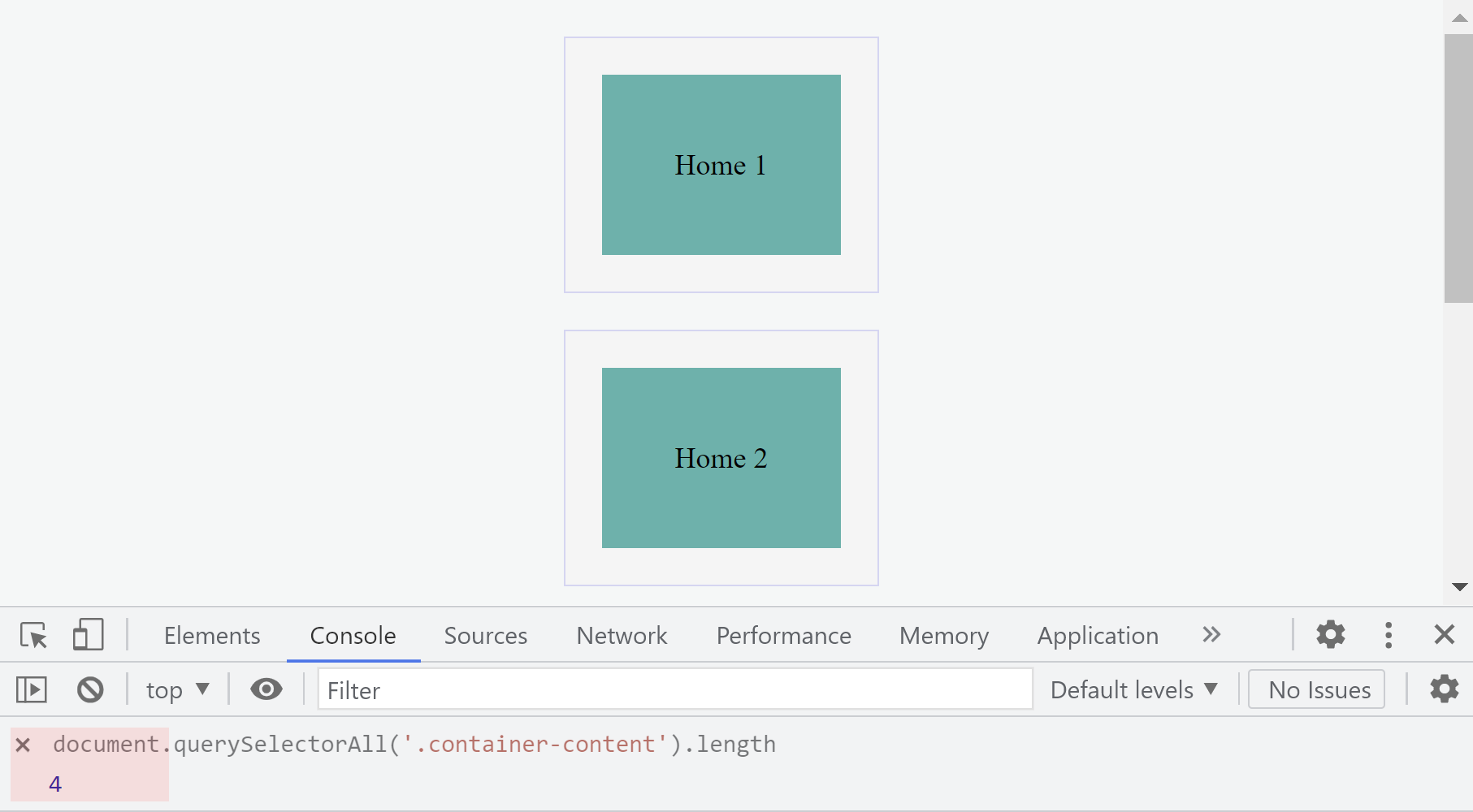
This unoptimized behavior renders the inner content for all widgets within the .container-content DOM wrapper, even though only two are currently visible.
Enabling Show and Hide Actions
Our first optimization step is to introduce show and hide functionality into the directive that renders the widget’s content.
Here is the implementation:
@Directive({
	selector: "[container]",
})
export class ContainerDirective {
	@Input("container") params;
	embeddedViewRef;
	item;

	constructor(
		public element: ElementRef,
		public viewContainerRef: ViewContainerRef
	) {}

	ngOnInit() {
		this.item = this.params.item;
		this.embeddedViewRef = this.params.tpl.createEmbeddedView({
			item: this.params.item,
		});
		this.viewContainerRef.insert(this.embeddedViewRef);
	}

	show(): void {
		if (this.embeddedViewRef) {
			this.viewContainerRef.insert(this.embeddedViewRef);
		}
	}

	hide(): void {
		this.viewContainerRef.detach();
	}
}
Instead of instantiating an embedded view via a view container, we now generate the view using TemplateRef and store it.
To display the content, we insert the view into the container. To conceal it, we simply detach the view from the container.
Let’s test this approach by scheduling show and hide operations within a setTimeout callback as follows:
@Directive({...})
export class ContainerDirective {
  @Input('container') params;
  embeddedViewRef;
  item;

  constructor(public element: ElementRef, public viewContainerRef: ViewContainerRef) {
    setTimeout(() => this.hide(), 2000);
    setTimeout(() => this.show(), 4000);
  }
}
The result works perfectly:

Our widget can now show or hide its content on demand. The next task is to determine when a specific widget
enters or leaves the visible area and invoke the appropriate action.
Responding to Visibility Changes
To identify when a specific widget becomes visible, we will leverage
IntersectionObserver.
Since the intersection observer operates on DOM elements, we need to obtain the DOM element representing the widget's content,
which is already injected into the directive:
@Directive({...})
export class ContainerDirective {
  constructor(
    public element: ElementRef,
    public viewContainerRef: ViewContainerRef
  ) {}
}
However, we need a mechanism to inform the parent component so it can register that element with the observer.
We can achieve this using dependency injection and a straightforward registry pattern. Here's a condensed version of that implementation:
abstract class Registry {
  abstract registerContainer(cmp): void;
  abstract removeContainer(cmp): void;
}

@Component({
  selector: 'd-rv',
  providers: [
    { provide: Registry, useExisting: DRvComponent }
  ]
})
export class DRvComponent implements Registry {
  items = [...];

  registerContainer(cmp) {
    const item = this.items.find((c) => c === cmp.item);
    item.container = cmp;
  }

  removeContainer(cmp) {}
}

@Directive({...})
export class ContainerDirective {
  constructor( private registry: Registry) {}

  ngOnInit() {
    this.item = this.params.item;
    this.embeddedViewRef = this.params.tpl.createEmbeddedView({ item: this.params.item });
    this.viewContainerRef.insert(this.embeddedViewRef);

    this.registry.registerContainer(this);
  }

  show() {}
  hide() {}

  ngOnDestroy() {
    this.registry.removeContainer(this);
  }
}
The remaining steps are to:
- set up the observer and register DOM elements with it as they are added to the registry
- implement the logic that listens for visibility changes and triggers the corresponding show or hide action on the relevant widget
We can implement this as follows:
@Component({...})
export class DRvComponent implements Registry {
  private readonly intersectionObserver = new IntersectionObserver(
    (entries) => this.intersectionObserverCallback(entries),
  );

  private intersectionObserverCallback(entries): void {
    const updateQueue = new Map();

    entries.forEach((entry) => {
      if (!entry.target.isConnected) return;

      const transitionToVisible = entry.isIntersecting;
      updateQueue.set(entry.target, transitionToVisible);
    });

    requestAnimationFrame(() => this.updateWidgetVisibility(updateQueue));
  }

  updateWidgetVisibility(updateQueue): void {
    updateQueue.forEach((visible, el) => {
      const { container } = this.items.find(
        (i) => i.container.element.nativeElement === el
      );
      if (visible) {
        container.show();
      } else {
        container.hide();
      }
    });
  }
}
Now we can combine all pieces:
abstract class Registry {
	abstract registerContainer(cmp): void;
	abstract removeContainer(cmp): void;
}

@Component({
	selector: "d-rv",
	template: `
		<div *ngFor="let item of items" class="wrapper">
			<div [container]="{item, tpl}"></div>
		</div>
		<ng-template #tpl let-item="item">
			<span class="container-content">{{ item.name }}</span>
		</ng-template>
	`,
	styles: [
		`
			.wrapper {
				background-color: #e6e6e6;
				display: flex;
				flex-direction: column;
				justify-content: center;
				align-items: center;
				margin: 20px 0;
				border: 1px solid #d5d5f1;
				min-height: 150px;
				min-width: 200px;
			}

			.container-content {
				margin: 10px;
				padding: 40px;
				background: lightseagreen;
			}
		`,
	],
	providers: [{ provide: Registry, useExisting: DRvComponent }],
})
export class DRvComponent implements Registry {
	items = [
		{ name: "Home 1", container: null },
		{ name: "Home 2", container: null },
		{ name: "Home 3", container: null },
		{ name: "Home 4", container: null },
	];

	registerContainer(cmp) {
		const item = this.items.find((c) => c === cmp.item);
		item.container = cmp;
		this.intersectionObserver.observe(cmp.element.nativeElement);
	}

	removeContainer(cmp) {
		this.intersectionObserver.unobserve(cmp.element.nativeElement);
	}

	private readonly intersectionObserver = new IntersectionObserver((entries) =>
		this.intersectionObserverCallback(entries)
	);

	private intersectionObserverCallback(entries): void {
		const updateQueue = new Map();

		entries.forEach((entry) => {
			if (!entry.target.isConnected) return;

			const transitionToVisible = entry.isIntersecting;
			updateQueue.set(entry.target, transitionToVisible);
		});

		requestAnimationFrame(() => this.updateWidgetVisibility(updateQueue));
	}

	updateWidgetVisibility(updateQueue): void {
		updateQueue.forEach((visible, el) => {
			const { container } = this.items.find(
				({ container }) => container.element.nativeElement === el
			);
			if (visible) {
				container.show();
			} else {
				container.hide();
			}
		});
	}
}

@Directive({
	selector: "[container]",
})
export class ContainerDirective {
	@Input("container") params;
	embeddedViewRef;
	item;

	constructor(
		public element: ElementRef,
		public viewContainerRef: ViewContainerRef,
		private registry: Registry
	) {}

	ngOnInit() {
		this.item = this.params.item;
		this.embeddedViewRef = this.params.tpl.createEmbeddedView({
			item: this.params.item,
		});
		this.viewContainerRef.insert(this.embeddedViewRef);

		this.registry.registerContainer(this);
	}

	show(): void {
		if (this.embeddedViewRef) {
			this.viewContainerRef.insert(this.embeddedViewRef);
		}
	}

	hide(): void {
		this.viewContainerRef.detach();
	}

	ngOnDestroy() {
		this.registry.removeContainer(this);
	}
}
Running the example demonstrates our optimization in action:
Widgets display their internal content only once they become visible, which causes the DOM element count to increase.
When hidden, the content is removed, and the DOM element count drops accordingly.
To verify that views aren't being recreated, we can set a logpoint inside the creatLView
function to check its invocation count:
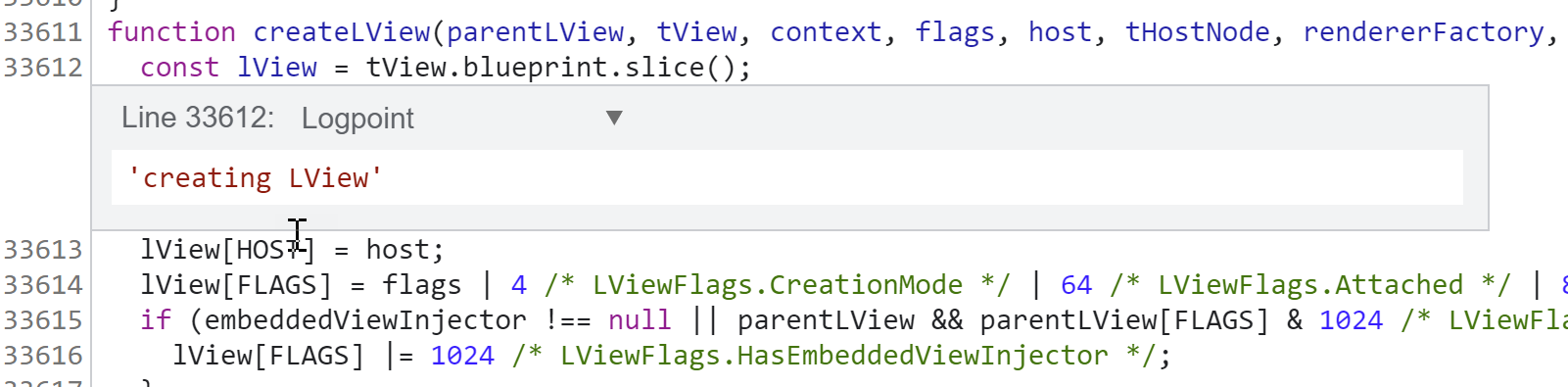
We can also add logpoints to the show method responsible for inserting the view:
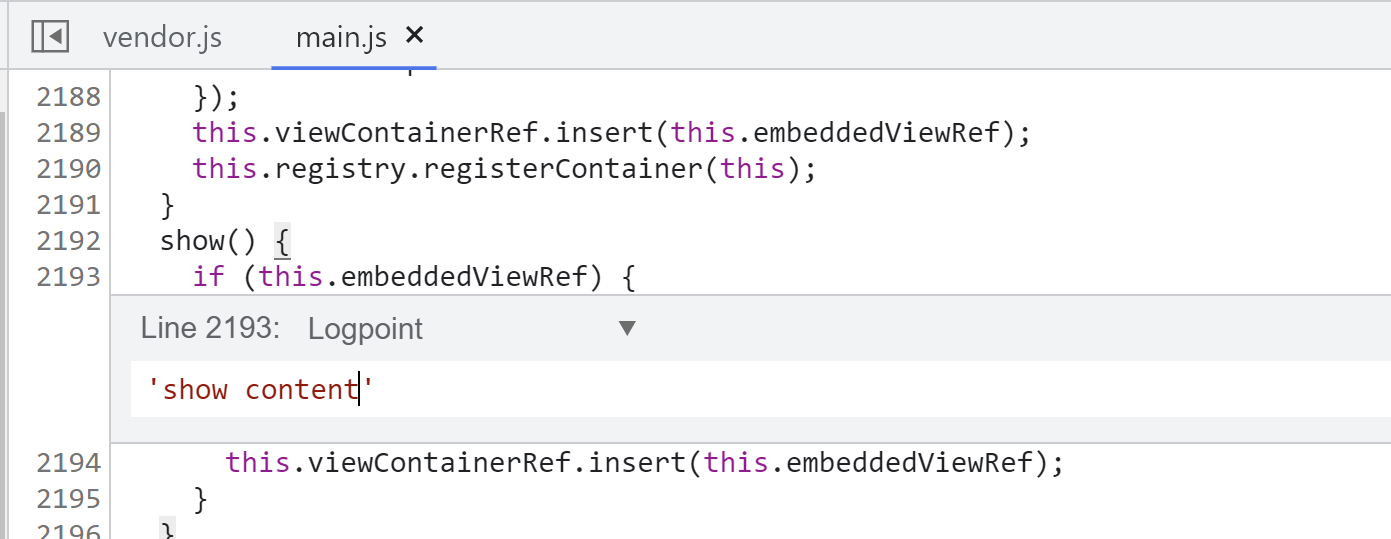
When we run the setup, the output shows:
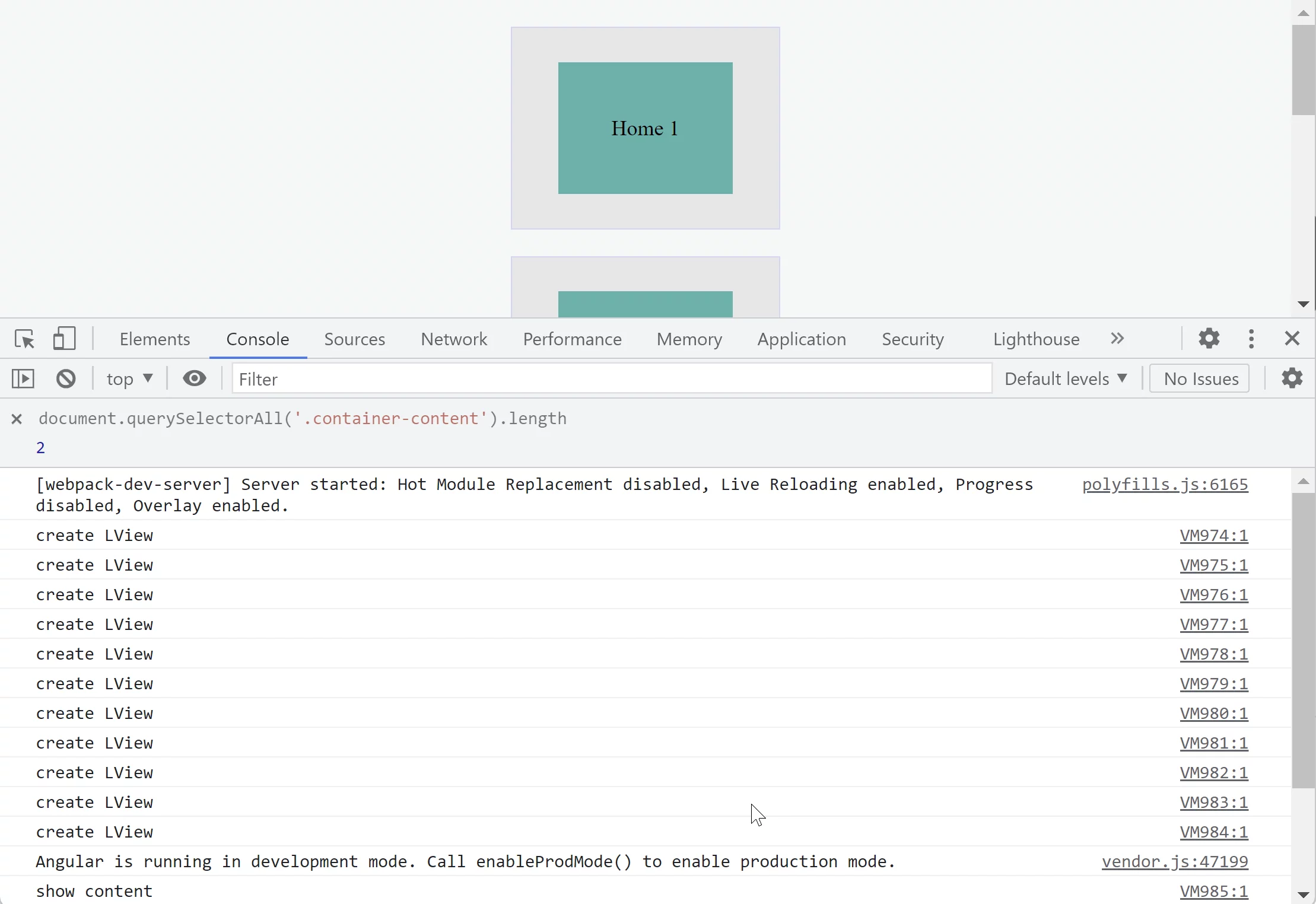
Notice that the views were created eagerly for all widgets initially,
yet when a widget is hidden and later revealed, the view is not re-instantiated:
We can take this a step further by deferring view creation until it's first needed:
@Directive({...})
export class ContainerDirective {
  @Input('container') params;
  embeddedViewRef;
  item;

  constructor(
    public element: ElementRef,
    public viewContainerRef: ViewContainerRef,
    private registry: Registry
  ) {}

  ngOnInit() {
    this.item = this.params.item;
    this.registry.registerContainer(this);
  }

  show(): void {
    if (this.embeddedViewRef) {
      this.viewContainerRef.insert(this.embeddedViewRef);
    } else {
      this.embeddedViewRef = this.params.tpl.createEmbeddedView({ item: this.params.item });
      this.viewContainerRef.insert(this.embeddedViewRef);
    }
  }
}
This is the resulting behavior: