
The uppercase rule for React component names
Have you ever wondered why React insists on capitalized component names like <Foo /> instead of allowing <foo />? It might seem like a minor stylistic choice, but violating this convention—for instance, by importing a component as import foo from './Foo' and then rendering <foo />—will trigger a warning from React:

You can see this behavior demonstrated in this CodeSandbox example.
The root of the issue is that <foo /> gets interpreted as a DOM element reference, and since there is no native foo HTML element, React throws an error. While fixing the capitalization is easy, a more intriguing question emerges: what mechanism determines that <Foo /> maps to a component while <foo /> maps to a DOM element?
Let's walk through Babel's role in this process before uncovering the answer.
A quick look at Babel's workflow
Babel is the tool that, among its many responsibilities, transforms JSX into JavaScript that browsers can execute. This transformation relies on a suite of plugins, with the key one being [@babel/plugin-transform-react-jsx](https://github.com/babel/babel/tree/main/packages/babel-plugin-transform-react-jsx).
Here's a simplified view of Babel's compilation pipeline:
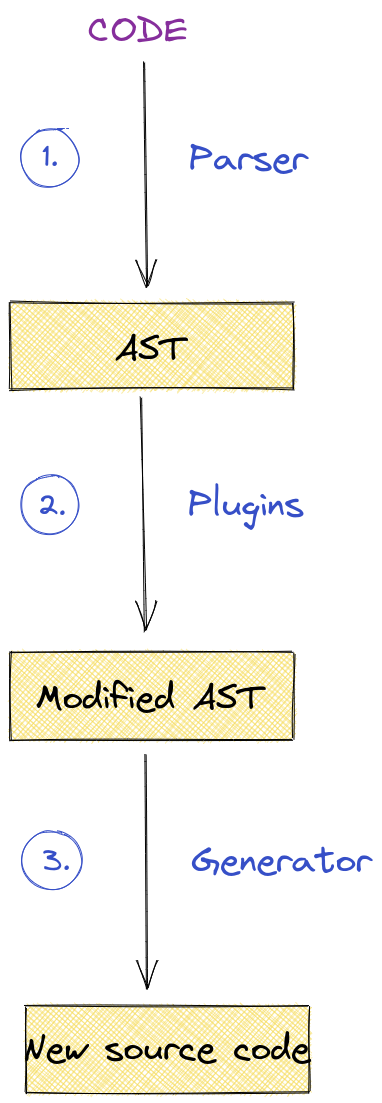
An interactive version of this diagram is available here.
Babel begins by reading the source code as a raw string and constructing an Abstract Syntax Tree (AST) from it. Various plugins then operate on this AST. For instance, the transform-react-jsx plugin works at this stage:
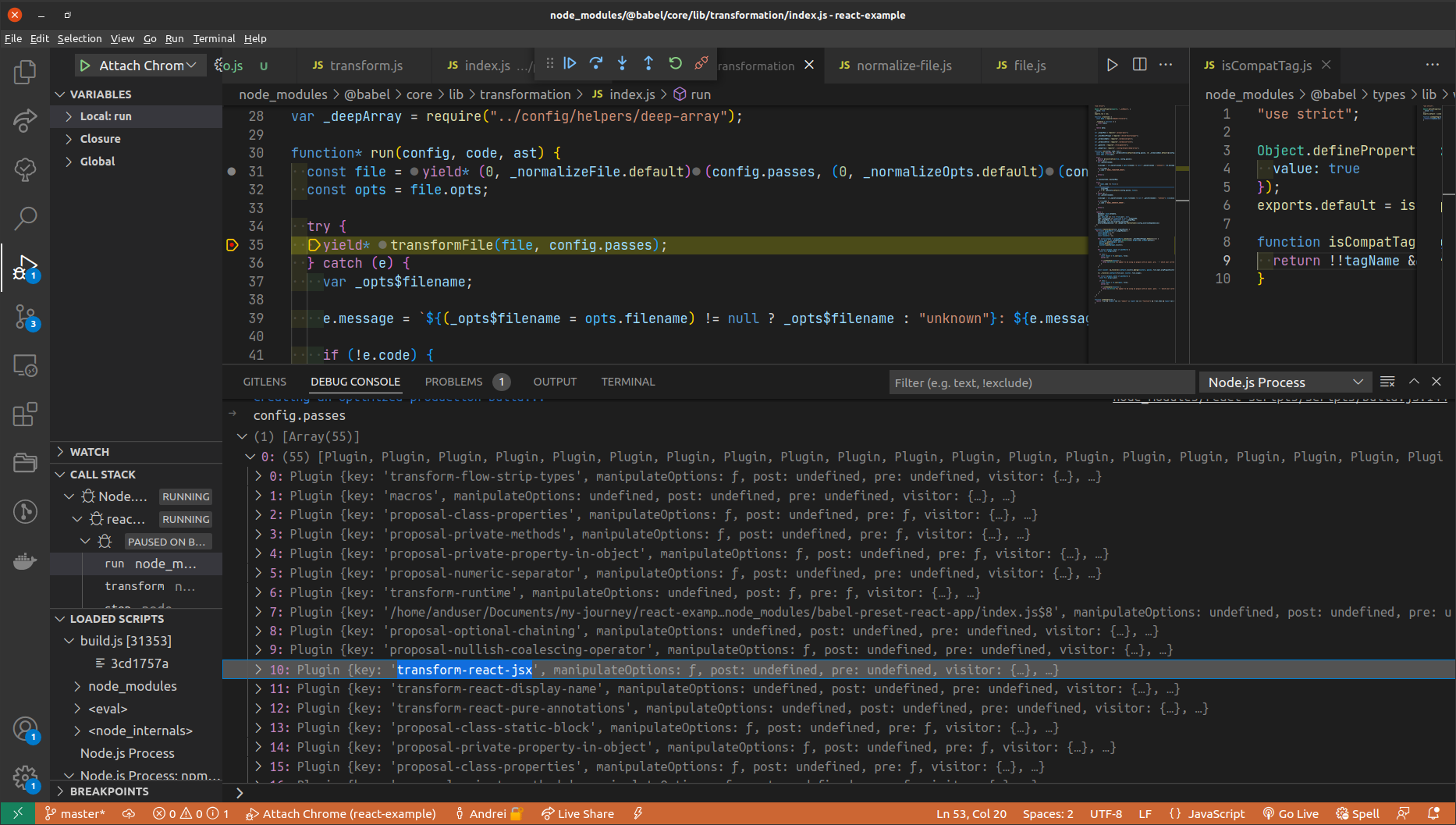
The transformFile function shown above belongs to the second stage of the earlier diagram—this is where all configured plugins are applied to the raw AST.
The transform-react-jsx plugin operates by registering functions that execute when specific AST node types are encountered. Consider what happens upon visiting a JSXElement node:
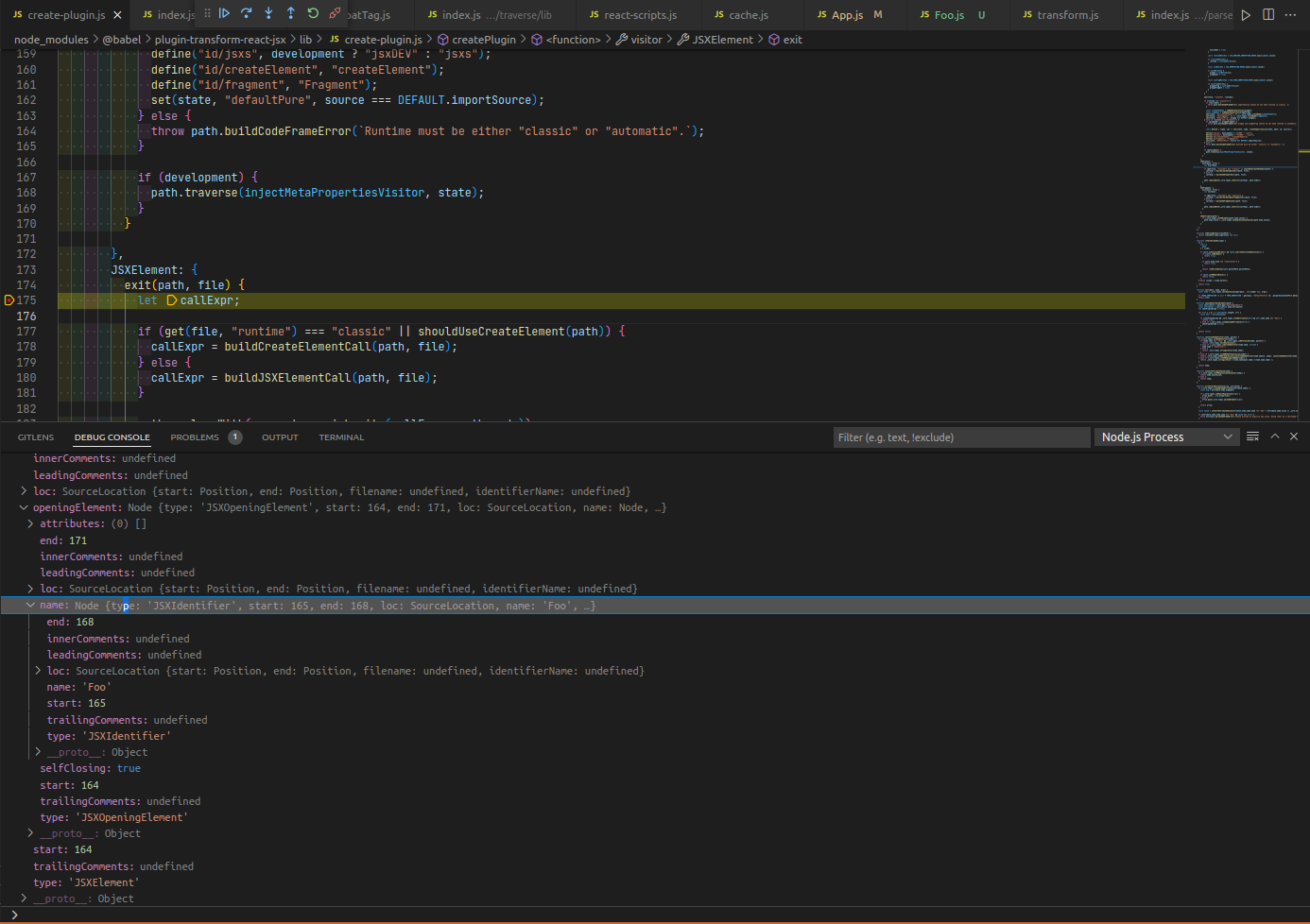
Think of the
exitfunction as a departure hook. The counterpart is theenterfunction, which fires just before a node is visited. The sequence is:enteris called, then all children of the node are processed, and finallyexitruns. In shorthand:Node.enter()→ children visited →Node.exit().
In the example above, we're dealing with the <Foo /> construct. The JSXElement contains a JSXOpeningElement, which in turn holds a name represented by a JSXIdentifier. At this point, a crucial determination is made: what does Foo actually represent—a component or merely a DOM element? This distinction is essential because JSX allows both <div></div> and <CustomComponent></CustomComponent>, so Babel must classify each JSXElement accordingly, and React behaves based on that classification.
When JSXElement.exit() is triggered, it eventually invokes the getTag function—this is where the puzzle gets solved:
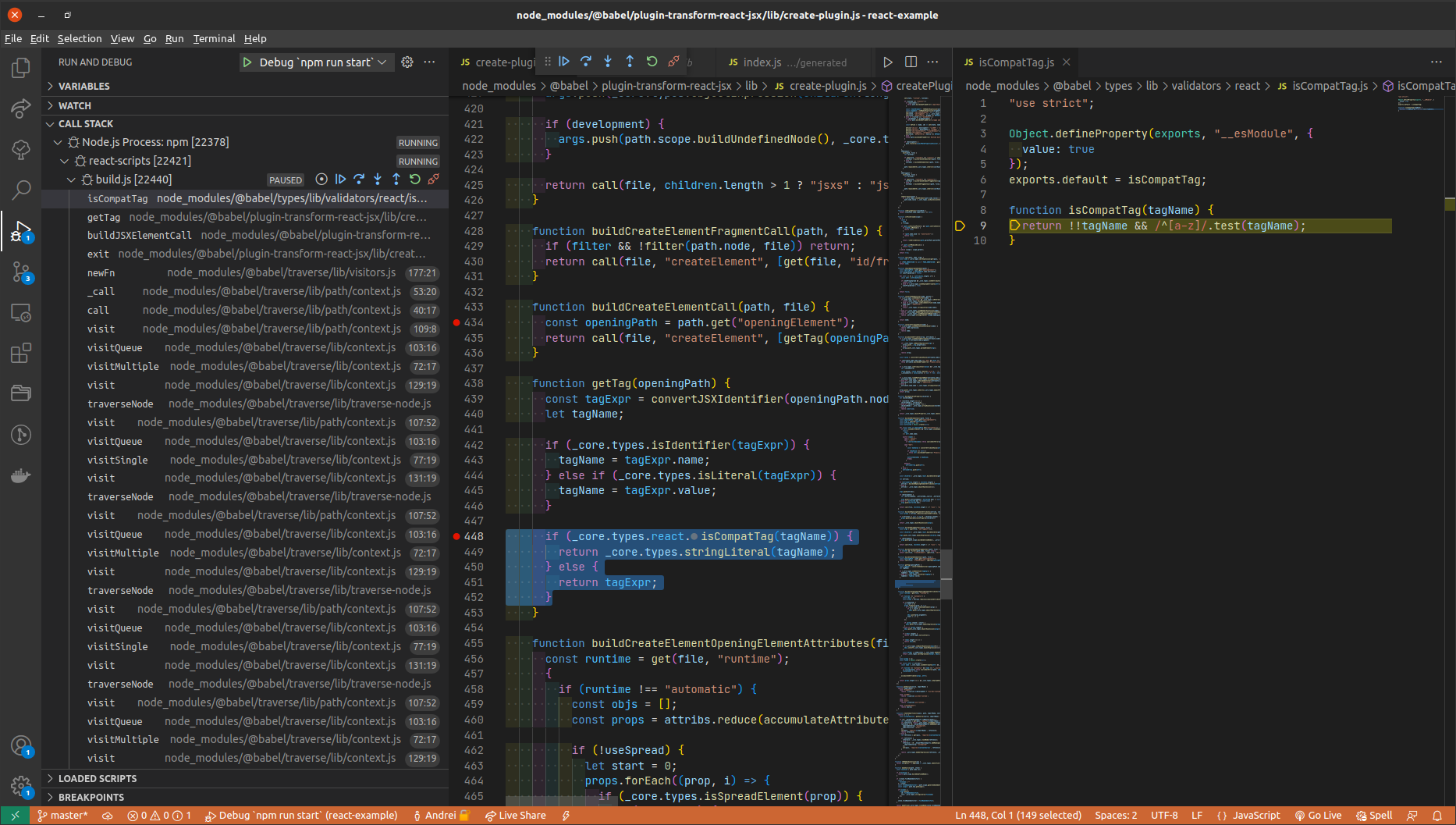
The getTag function produces a string literal (like "div" or "foo" when using <foo />) if the tagName starts with a lowercase letter (checked via the /^[a-z]/ pattern). So, for <Foo />, the output becomes:
{
  type: "Identifier",
  start: 165,
  end: 168,
  name: "Foo",
  /* ... */
}
Conversely, when <foo /> is used, the output shifts to:
{
	type: "StringLiteral",
	value: 'foo',
}
The key distinction lies between an Identifier and a StringLiteral: the former translates to createElement(componentName), whereas the latter becomes createElement('componentName') (notice the quotes). React then routes differently depending on the type of the element.
Wrapping up
Before diving into Babel's internals, my assumption was that a specific check would exist to determine whether a JSXElement corresponds to a component identifier—but I wasn't sure exactly where that check lived.
It turned out that the isCompatTag function holds the answer. Even if I had known about that function beforehand, it would have required additional context to fully grasp its purpose. So, exploring Babel's inner workings not only clarified this particular question but also introduced me to other fascinating aspects of the compilation process (which I hope to cover in future posts).
Thanks for reading!