Getting Started
Here is my hand-picked list of Accessibility Testing Tools for Angular Apps. This post is the second installment in our A11y blog series. For more insights on Accessibility in Angular, take a look at the other articles in this series.
Introduction
Automated checks can never fully replace manual evaluation (at least as of 2025). Various tools can flag some or even many accessibility problems, yet no tool can guarantee that a web application is completely accessible. Manual review is essential for verifying a wide range of A11y considerations, such as logical content order and feature parity.
On the other hand, automated checks are quick and, in my opinion, a fairly enjoyable activity 🚀
Chromium Browser
First things first: please move away from the outdated Firefox (a slow open-source browser funded largely by Google). I highly recommend using a Chromium-based browser! Safari is fine for those who enjoy their golden Apple ecosystem. Below are some browsers worth considering:
- Vivaldi (Privacy & Linux)
- Brave (Privacy & Ad blocker)
- Arc (for a totally different approach) and even
- Edge (for Windows systems where you lack Admin rights)
Personally, I stick with a standard Google Chrome on my Macs and my Pixel. Just as I prefer a unmodified Google Android and have stuck with Nexus (4, 5, 5) and then Pixel (3a, 6a, 9 Pro soon 😎 - review in German) for over a decade. If you prefer not to share your data with Google, though, the Chromium browsers mentioned above (excluding Edge) are definitely the way to go.
While Arc's Spaces feature is intriguing, I simply use separate Chrome profiles for my various roles. For instance, one is dedicated to everything related to Angular Architects — like reading this very post 🤓
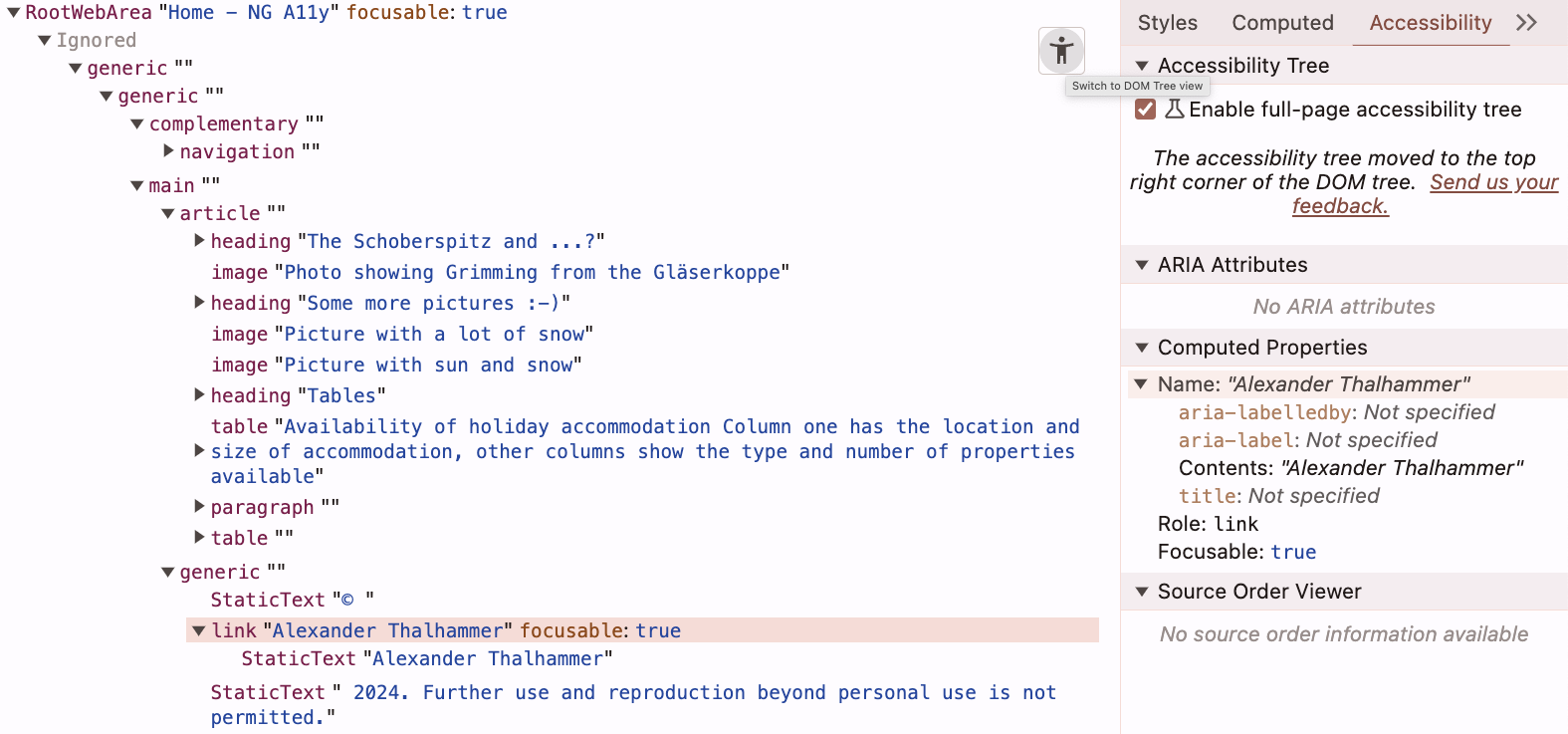
Did you know that Chromium DevTools include a built-in Accessibility Tree view?
Chromium Extensions
Before we dive into my favorite Accessibility Tools, please install the following extensions in your browser (at least for now):
- Angular Dev Tools (you probably already have it since you're here 😏)
- WAVE A11y Testing Tool, 500k users
- axe DevTools A11y Testing Tool, 300k users
- Accessibility Insights A11y Testing Tool, 100k users
- Read Aloud Screen Reader (though the OS-based Screen Readers listed at the end of the post are superior)
- HeadingsMap (somewhat relevant to A11y, for checking heading structure)

You might need to restart your browser for the extensions you just added to take effect.
Keep in mind that only three of these are solely for A11y testing. Once you settle on your preferred A11y tool, you can remove the other two. I'll share my personal pick below!
Automated Testing
Spotting issues and knowing what to address
These A11y Testing Tools give you a fast and simple way to verify things like whether an image has alt text or if text contrast meets standards. Consider them akin to linters: they can confirm that alt text exists, but you have to manually determine if the content makes sense and adds value.
It's possible that some tools return a large number of errors or warnings for your app or site. If that happens, don't feel swamped—just start tackling your A11y improvements step by step. Below is a customizable quick reference for Web Content Accessibility Guidelines (WCAG) 2.2 requirements (success criteria) and techniques:
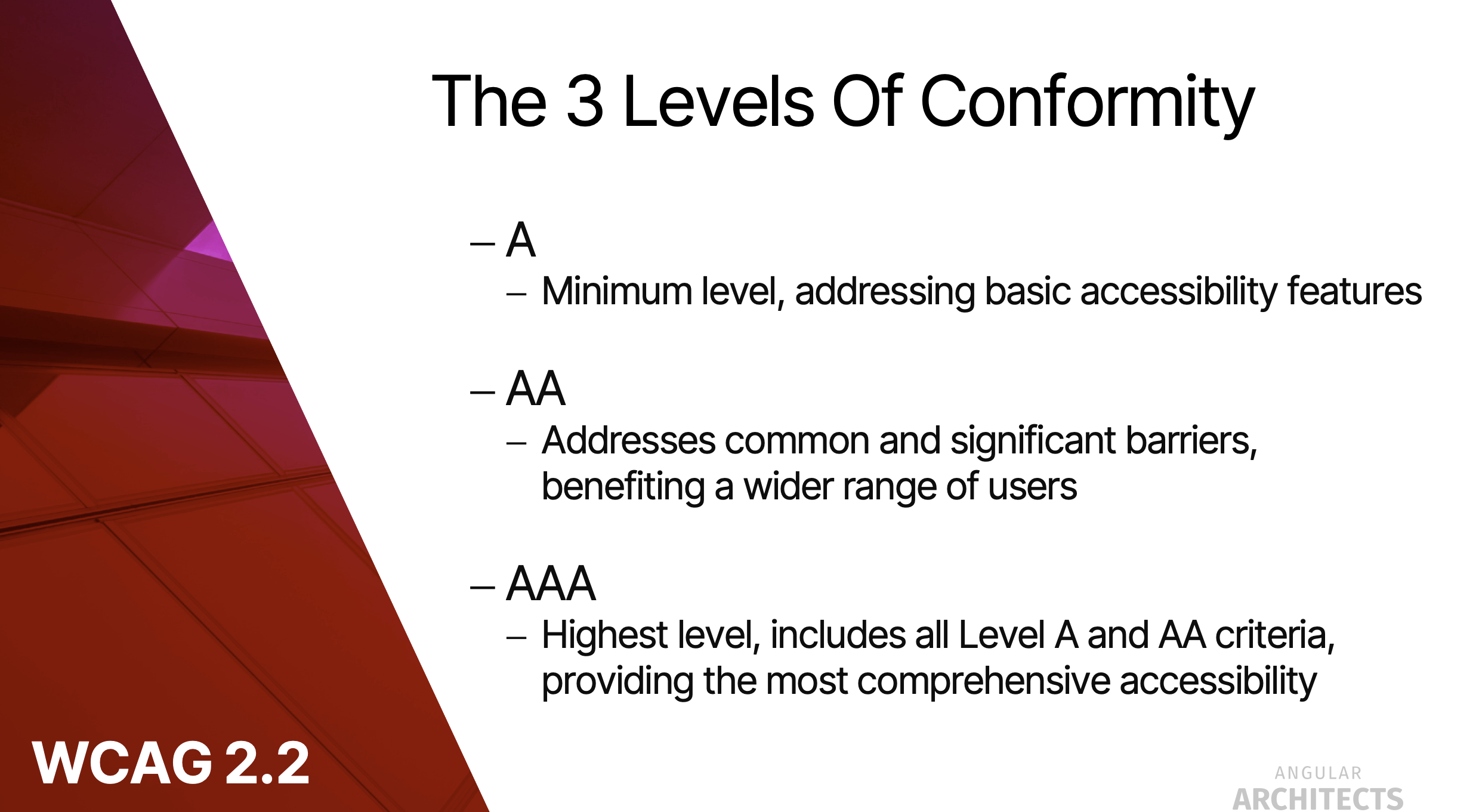
You'll need to set priorities for the issues you encounter. WCAG's levels (A, AA and AAA) serve as a useful starting point.
Now, finally, the selection of my favorite Accessibility Testing Tools 🥳
Angular ESLint (for Angular apps only)
Angular ESLint can lint your code for automatable A11y attributes. In your eslint.json, be sure to include the a11y ruleset plugin @angular-eslint/template/accessibility for your HTML templates:
{
  "overrides": [
    /* [...] */
    {
      "files": ["*.html"],
      "extends": [
        "plugin:@angular-eslint/template/recommended",
        /* add the following line */
        "plugin:@angular-eslint/template/accessibility"
      ],
      "rules": {
         /* [...] */
      }
    }
  ]
}
To add Angular ESLint to your own Angular app, simply execute:
ng add @angular-eslint/schematicsHeads up: The latest version includes the @angular-eslint/template/accessibility plugin by default.
For further details, check out the latest Angular ESLint rules on GitHub.
WAVE Chrome Extension
- If you haven't already, install the WAVE Chrome extension.
- Click the WAVE icon to run the WAVE A11y test on the current page.

WAVE Web Service
For checking a public web property, you can also use the WAVE Web Accessibility Evaluation Tool.
Axe Chrome Dev Tools
- If you haven't already, install the axe DevTools extension.
- Open your DevTools and navigate to the axe DevTools tab.
- Click
Scan all of my pageto run an axe A11y scan on the current page.

Lighthouse Dev Tools
- Open your DevTools and switch to the Lighthouse tab.
- The
NavigationandMobile(orDesktop) options are fine. - Select the
Accessibilitycheckbox and uncheck all other boxes. - Click
Generate reportto run a Lighthouse A11y audit. - Review the results of your audit.

PageSpeed Insights Web Service
For public sites, you can also run the Lighthouse A11y test through Google's PageSpeed Insights.
Accessibility Insights Dev Tools
- If you haven't already, install the Accessibility Insights extension.
- Launch it by clicking the extension icon and choosing Accessibility Insights.
- Click
FastPassto conduct a quick initial test of your page.
Run A11y Tests
If you haven't already, go ahead and run some automated tests on your machine now 💻
Manual (Auditory) Testing
Beyond manual testing, you should also perform auditory accessibility tests. Activate your machine's built-in screen reader and navigate through your (Angular) app using only the keyboard.
Screen Reader
Any of the following screen readers will work:
- NVDA (Windows, free & recommended for A11y testers)
- Jaws (Windows, pricey & commonly preferred by users with visual impairments)
- Narrator (Windows, comes built-in)
- Voice Over (Mac/iOS, built-in but excellent)
- Talkback (Android, built-in but excellent)
- Orca (Linux, free)
- Read Aloud Chrome Extension (not that great, in my experience)
Accessibility Workshop
If you're looking to learn Angular, we provide a range of workshops—offered in both English and German.
- Accessibility Workshop ♿
- Best Practices Workshop 📈 (including topics on accessibility)
- Performance Workshop 🚀
Conclusion
Tool choices always come down to personal preference. So, I encourage you to try out a few of the recommended tools and decide which one suits you best. That said, my personal favorite is the WAVE extension along with its web service. Happy testing!
In the upcoming part of our A11y blog series, we'll demonstrate how to leverage the Angular Router to improve accessibility.
This article was written by Alexander Thalhammer. You can follow me on Linkedin, X, or gitHub.