
Typed Angular Forms? Yes, It's Possible
Angular's Reactive Forms lack strong typing out of the box. The core classes — AbstractControl, along with FormControl, FormGroup, and FormArray — don't allow you to specify the type of their value, changes, or other members. For a long time, I simply accepted this limitation and worked around it. Eventually, I decided to fix it.
This article walks through my journey of gradually bringing strong types to Angular forms. If you want the final product, check out the ngx-forms-typed library. It provides full type safety, works with Angular 2.4.0 and above, and cuts down on boilerplate significantly.
A project at work required me to build a fairly complex form — big enough that I worried about business logic getting tangled up with form logic. I wanted a strongly-typed, @angular/forms-compatible approach to breaking out sub-form components, similar to how we extract regular components by responsibility. The sub-form component needed to:
- present a strongly typed model
- stay compatible with
@angular/forms - leverage existing abstractions like
AbstractControlandControlValueAccessorfor validation and status synchronization
Essentially, I wanted a component that could act as a single control inside a bigger form, while also functioning as a full form on its own — complete with multiple fields, validation, and status changes. The parent form shouldn't know about the internals; it would just interact through the AbstractControl API.
Think of an Address component used inside both a Person form and an Order form, but also standalone in a NewAddress form.
This work builds on ideas from “Working with Angular forms in an enterprise environment” by Tim Deschryver and “Building scalable robust and type safe forms with Angular” by Maxime Robert. Both are worth reading in full.
Getting Started
My first step was to manually annotate my FormGroup instances and their child FormControls with explicit types:
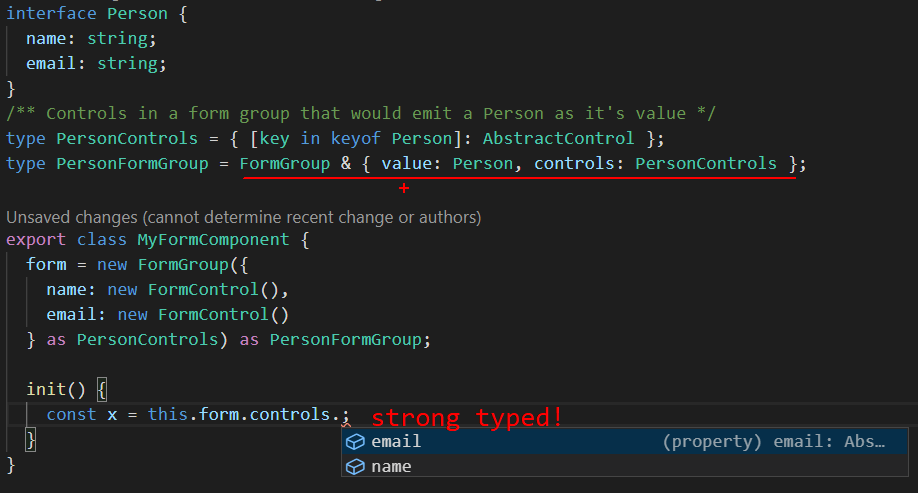
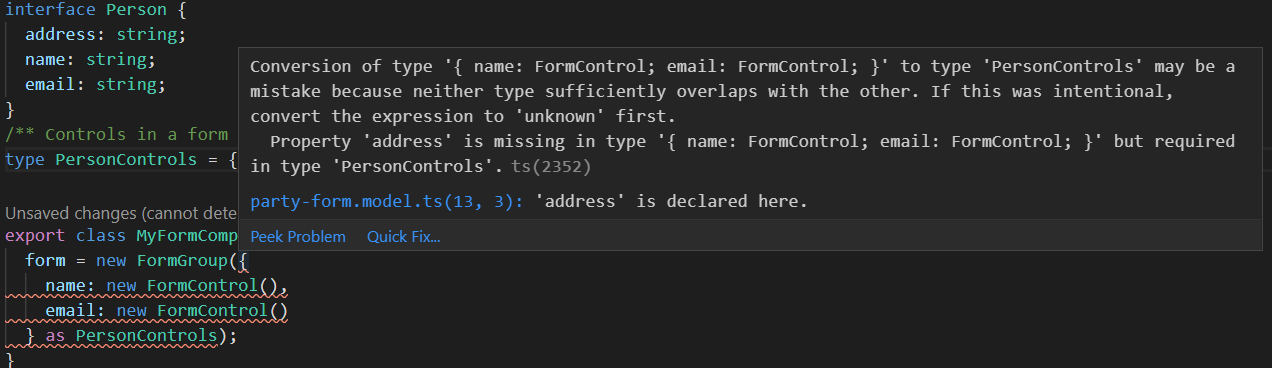
This gave me type safety during refactoring and feature changes. If the Person interface changed — say, adding an address property — TypeScript would flag the form immediately, catching issues at compile time instead of finding them later:
Next, I grew tired of calling form.controls.get('name') whenever I needed a control. Creating a public getter for each one felt repetitive. What I really wanted was type safety:
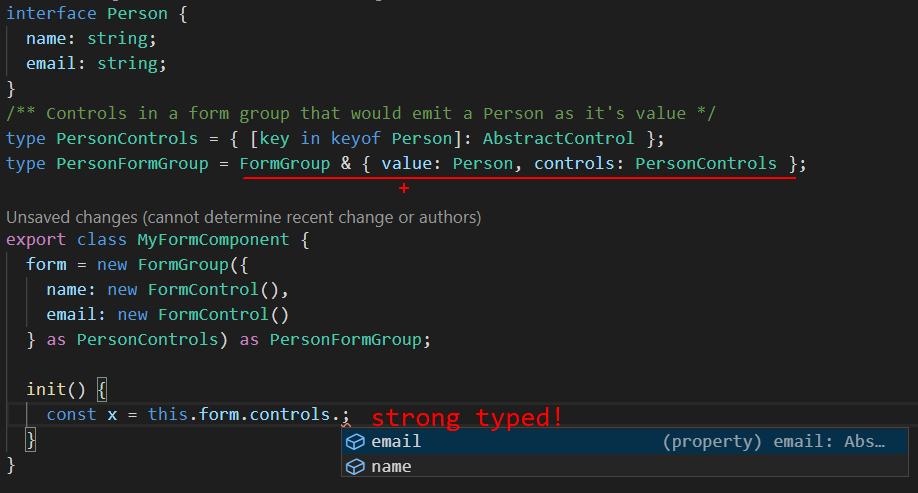
That gave me intellisense, and productivity jumped.
With intelligent autocomplete working on my controls, I could move faster. With a bit more polish, I created a type-driven form group — one that derived its structure from the model itself. Watch what happens when the model changes:
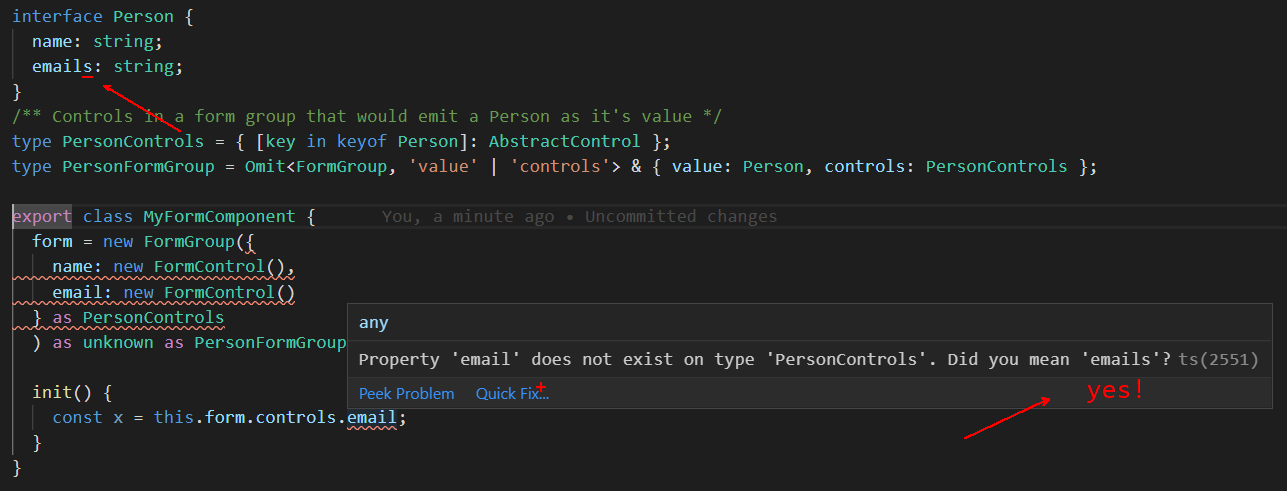
Notice that renaming email to emailS causes TypeScript to produce a very helpful error message?
Did you also spot the as unknown as PersonFormGroup cast at the end? That's what I call forcing your will on TypeScript. In this instance, I knew the runtime shape better than the compiler. That's rare — usually TypeScript is the authority.
The natural next step was to introduce full typing on FormControl, FormGroup, and FormArray themselves. The outcome is the ngx-forms-typed package, offering TypedFormControl (GitHub src), TypedFormGroup, and TypedFormArray.
Here's what TypedFormControl<K> looks like:
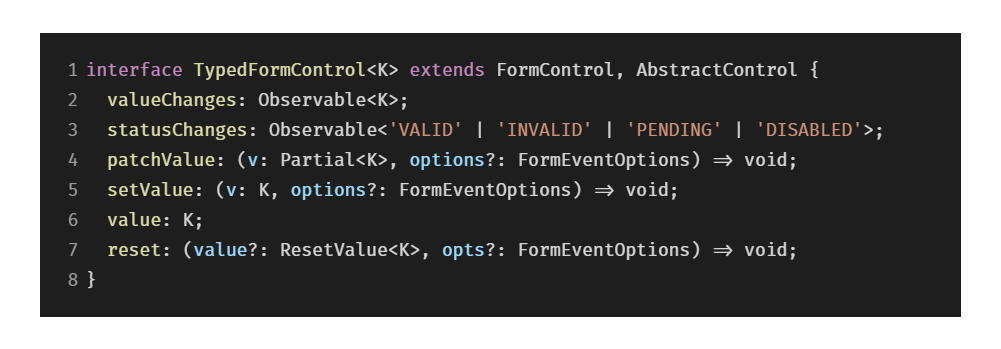
It types the value and valueChanges properties so you always know what data you're working with. It also types the setValue method to accept only the proper shape, plus typed options. The reset method gets the same treatment via ResetValue<K> — see the source.
To make creation just as safe, the library ships helper functions like typedFormControl (GitHub src), typedFormArray, and typedFormGroup:
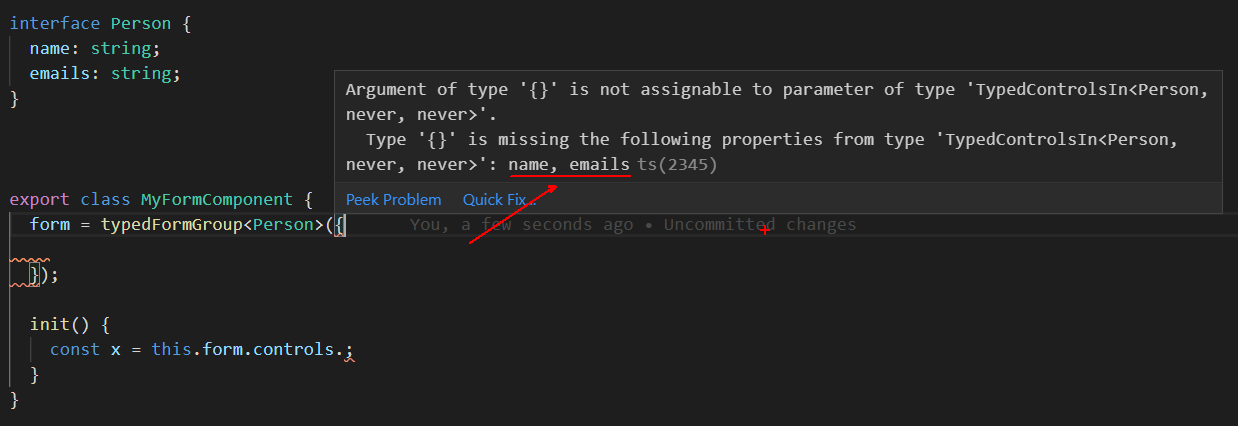
TypeScript will guide you toward the required properties and their types!
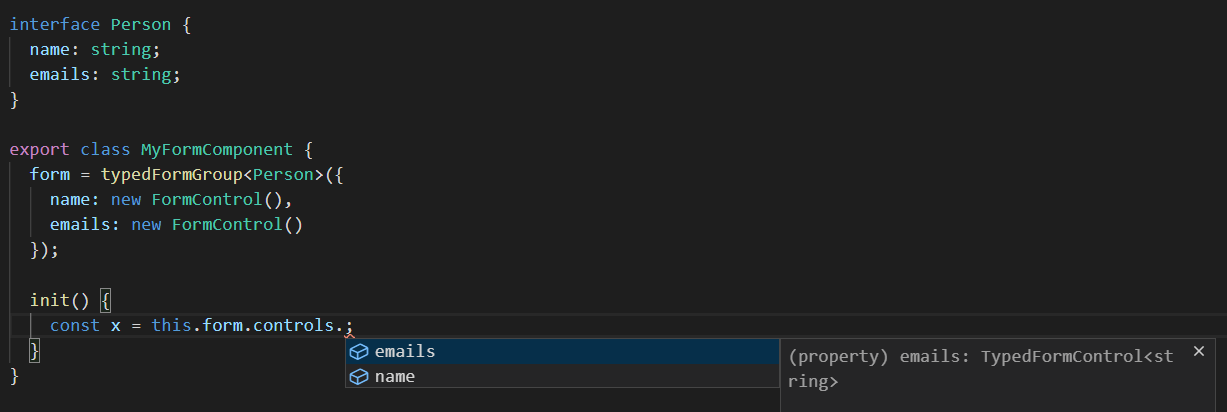
And intellisense works as expected.
Under the hood, these factories just instantiate a regular FormGroup — meaning they stay fully compatible with existing form code and work seamlessly alongside it:

I've left out the types for clarity; the full source is here.
Nested Forms
Next, I wanted seamless communication between parent and child forms — for instance, when a sub-form gets touched, the parent should know; when it becomes invalid, the parent's status should reflect that. The ControlValueAccessor abstraction covers both of those. But I also wanted the parent to be able to trigger touched on its children to surface validation errors — something ControlValueAccessor doesn't handle. So I stuck with the existing ControlValueAccessor–AbstractControl channel.
The solution was a builder-style utility called forEachControlIn (full code on GitHub). It simplifies interacting with controls inside and between forms, provided you have references to them:

To eliminate boilerplate, I wrapped all of this into a ControlValueAccessorConnector (source on GitHub). It takes care of all the wiring between parent and child forms:
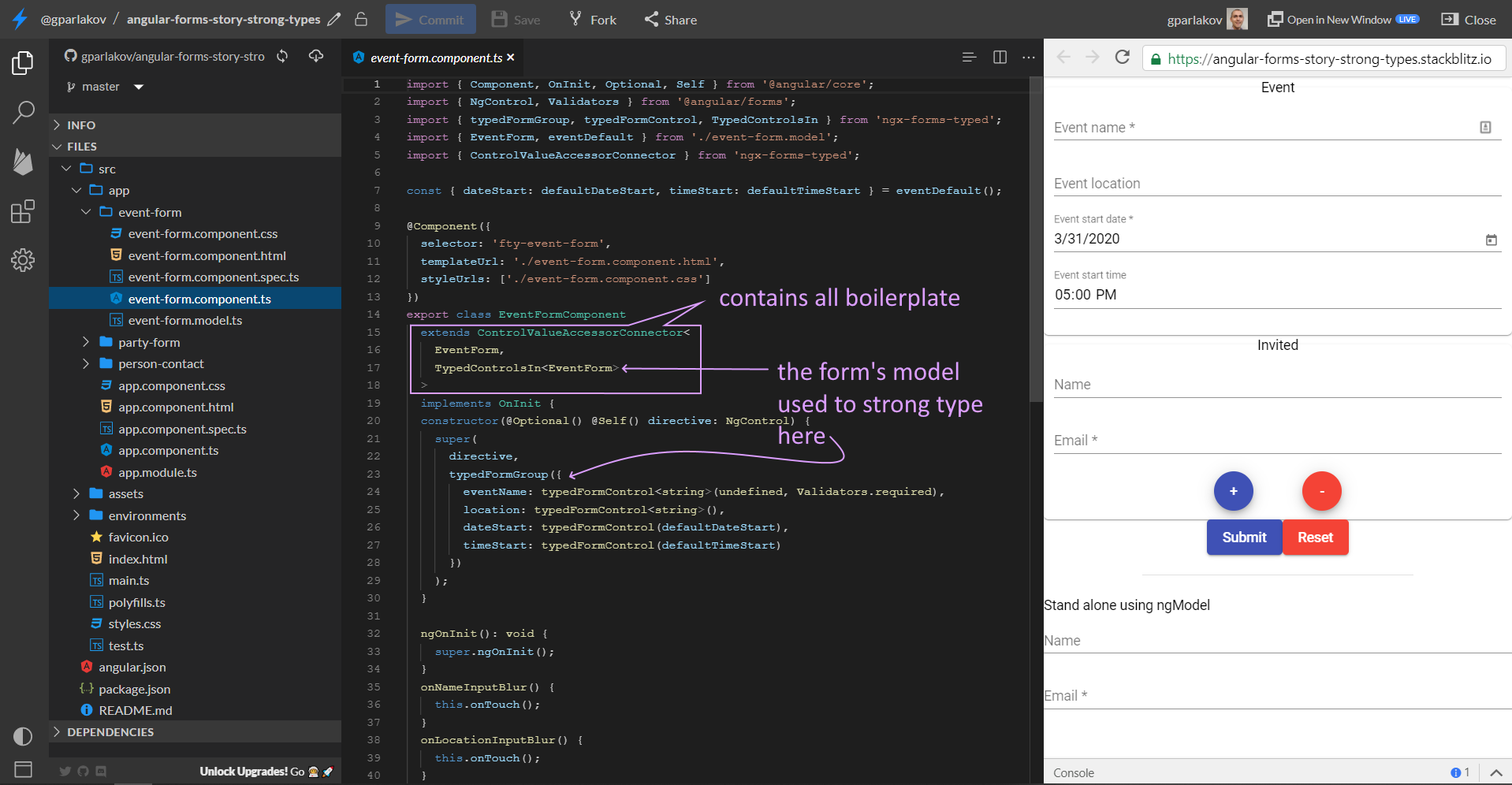
You can see a live example here, with the code on Stackblitz.
As you'd expect, pressing Submit shows validation across the entire form, while blurring a single input only touches that field.
There's also a nested-form example using the formGroup directive in party-form.component, plus a standalone version with ngModel in app.component.
That's a quick look at what this library offers. Want a deeper dive? Cast your vote here — I'm writing a follow-up summarizing my research into @angular/forms packages, PRs, and related articles.
I'm also working on other Angular forms projects and a few open source dev tooling initiatives:
- SCuri — Unit test boilerplate automation (enterprise support available)
- ngx-forms-typed — Angular forms, strongly typed
- ngx-show-form-control — Visualize and edit any FormControl/Group
Thanks for reading!