The Mysterious ExpressionChangedAfterItHasBeenCheckedError Explained
This article is an excerpt from my Angular Deep Dive course
Among the most commonly discussed Angular topics on StackOverflow, the ExpressionChangedAfterItHasBeenCheckedError stands out. Developers frequently raise questions about this error, often because they don't fully grasp why Angular performs the verification that triggers it. Many perceive this as a framework design flaw, but in reality, it's Angular's mechanism for enforcing unidirectional data flow and guaranteeing that the application state and the UI remain consistent after a single change detection pass.
Unidirectional data flow means that once Angular finishes processing bindings for a component, you cannot modify the component properties that feed into binding expressions. Angular implements the checkNoChanges method, which executes after the standard change detection cycle and re-evaluates all binding expressions. If any expression yields a value that differs from what was produced during the earlier detectChanges phase, Angular throws ExpressionChangedAfterItHasBeenCheckedError.
A binding specifies both the property to update and the expression that generates the property's value. Bindings are represented as rendering engine (Ivy) instructions that Angular's compiler inserts into the component's template function. During change detection, Angular traverses all bindings by executing the corresponding instructions. For each one, it computes the expressions and compares the results against the previously stored values. This comparison is where the term "dirty checking" originates.
When the values differ in the standard change detection cycle triggered by detectChanges, Angular updates the binding's target property. However, during the special checkNoChangesMode activated by checkNoChanges, a detected discrepancy results in the Expression Changed error being thrown instead of updating the binding.
The function responsible for comparing values and throwing the error is bindingUpdated. Below is a simplified version of what this function looks like:
export function bindingUpdated(lView, bindingIndex, value) {
  const oldValue = lView[bindingIndex];

  // no update is needed
  if (Object.is(oldValue, value)) {
    return false;
  } else {
    // if we're in development mode and the values are not equal,
    // throw the error and return without updating the binding
    if (ngDevMode && isInCheckNoChangesMode()) {
      const oldValueToCompare = oldValue !== NO_CHANGE
                ? oldValue
                : undefined;
      if (!devModeEqual(oldValueToCompare, value)) {
        const details = getExpressionChangedErrorDetails(...);
        throwErrorIfNoChangesMode(oldValue === NO_CHANGE, details.oldValue)
      }
      return false;
    }
    lView[bindingIndex] = value;
    return true;
  }
}
A quick search through the codebase reveals all Ivy instructions that rely on bindingUpdated and thus have the potential to trigger this error:
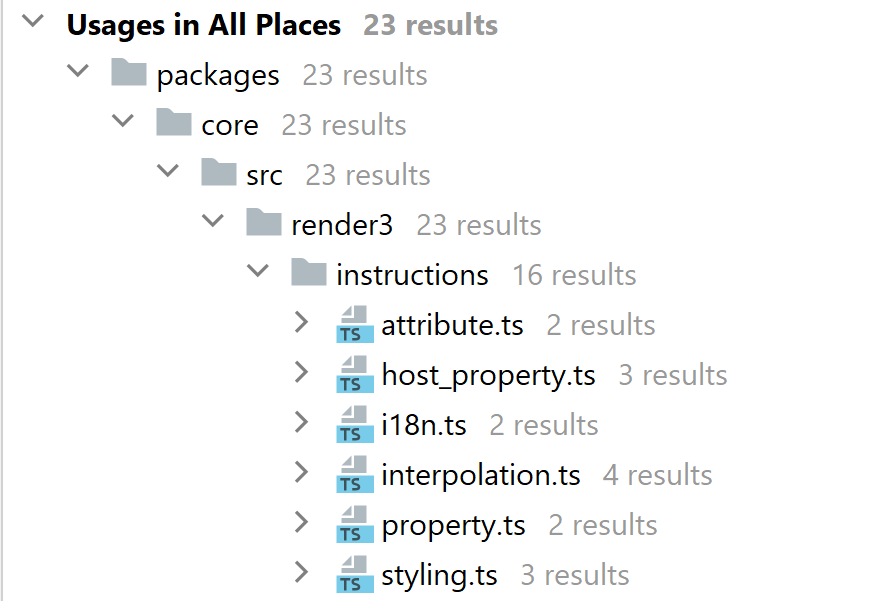
Notably, there's also a unit-test that validates the error-producing logic. Here's how it confirms that the property instruction handling the [id] binding correctly raises the error:
class MyApp {
   unstableStringExpression: string = 'initial';

   ngAfterViewChecked() {
     this.unstableStringExpression = 'changed';
   }
}

it('should include field name in case of property binding', () => {
  const message = `Previous value for 'id': 'initial'. Current value: 'changed'`;
  expect(() => initWithTemplate('<div [id]="unstableStringExpression"></div>'))
      .toThrowError(new RegExp(message));
});
The test specifications leverage the ngAfterViewChecked lifecycle hook to modify the property, since this hook fires after bindings have already been processed. In the it('should include field...) spec shown above, the component property unstableStringExpression starts with the value "initial". Within the ngAfterViewChecked hook, it's changed to "changed". The subsequent checkNoChanges verification cycle catches the difference and throws ExpressionChangedAfterItHasBeenCheckedError.
Essentially, the underlying cause of this error is consistent: a binding receives a different value during the standard detectChanges cycle compared to the validation detectNoChanges run. Consequently, the fundamental fix remains the same—ensuring that an expression produces identical values during both the regular detectChanges cycle and the verification checkNoChanges run.
This test suite effectively covers every scenario where bindings can trigger the error:
initWithTemplate('<div [id]="unstableStringExpression"></div>')
initWithTemplate('<div id="Expressions: {{ a }}')
initWithTemplate('<div [attr.id]="unstableStringExpression"></div>')
initWithTemplate('<div [style.color]="unstableColorExpression"></div>')
initWithTemplate('<div [class.someClass]="unstableBooleanExpression"></div>')
initWithTemplate('<div i18n>Expression: {{ unstableStringExpression }}</div>')
initWithTemplate('<div i18n-title title="Expression: {{ unstableStringExpression }}"></div>')
initWithHostBindings({'[id]': 'unstableStringExpression'})
initWithHostBindings({'[style.color]': 'unstableColorExpression'})
initWithHostBindings({'[class.someClass]': 'unstableBooleanExpression'})
The appropriate remedy for the error hinges on identifying what's causing the binding to receive inconsistent values. To pinpoint that root cause, we need to determine which specific binding is getting different values and trace where those variations originate. This isn't always straightforward; it often requires employing various debugging strategies to isolate the culprit. We'll dive deep into those techniques in the upcoming section [finding the primary cause].
Let's explore a basic demonstration of how this verification mechanism operates.
Understanding the error mechanism
To illustrate how the error gets detected and thrown, we'll build a component that displays a random number generated via Math.random():
@Component({
  selector: 'p-cmp',
  template: `
    <h3>
      <button (click)="noop()">Generate number</button>
    </h3>
    <div [textContent]="number"></div>
  `
})
export class P {
  noop() {}
  get number() {
    return Math.random();
  }
}
The number expression feeding the [textContent] binding produces different results during the regular and verification change detection cycles. Given this, running the application will predictably result in the error:
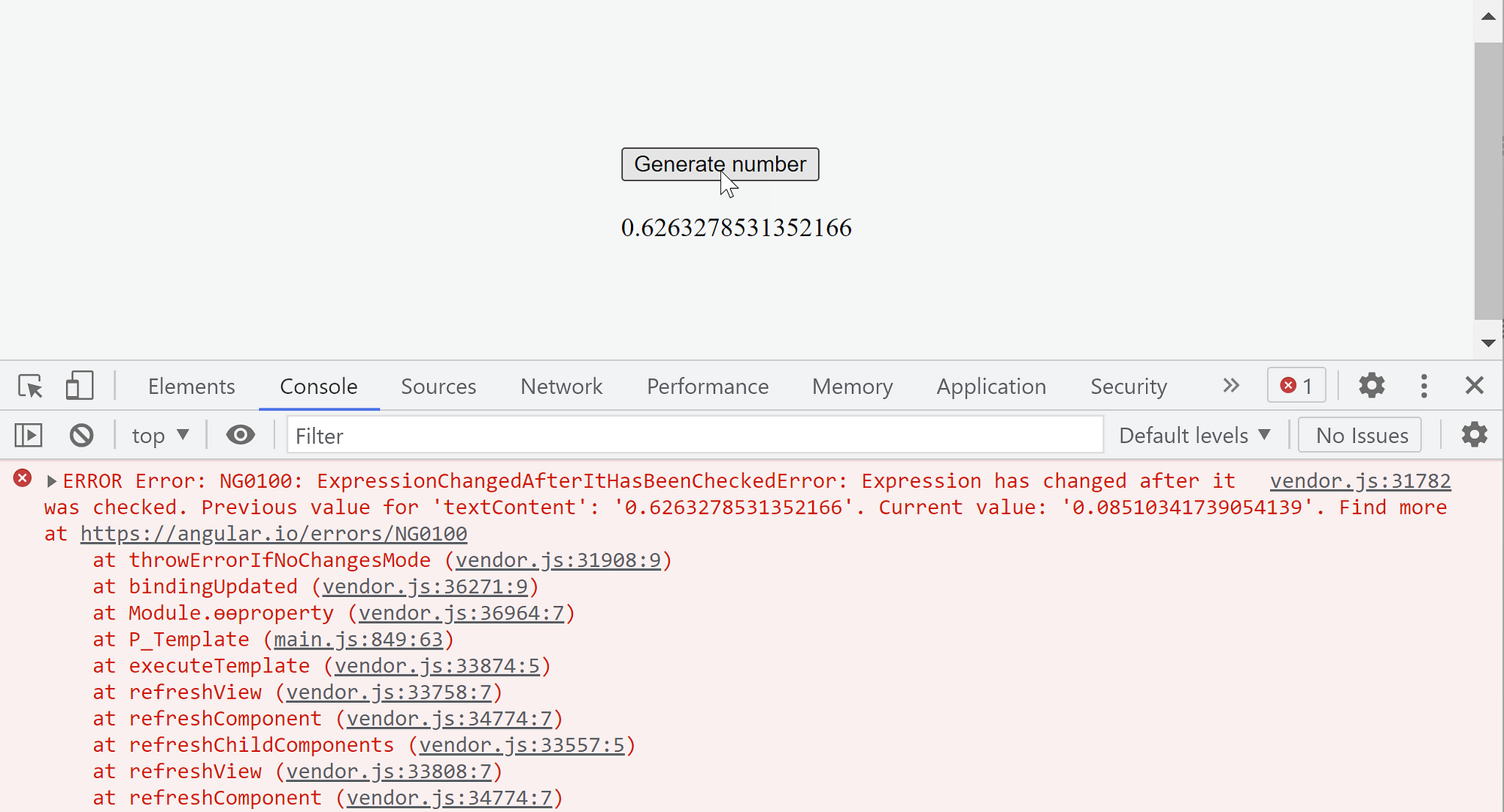
The root issue here is straightforward: Math.random() returns a different value every time it's invoked. Thus, the value assigned to the textContent binding during detectChanges will never match what's produced during the checkNoChanges pass.
The error message received provides these details:
ERROR Error: NG0100: ExpressionChangedAfterItHasBeenCheckedError: Expression has changed after it was checked. Previous value for 'textContent': '0.9449286101652989'. Current value: '0.1686897170657191'. Find more at https://angular.io/errors/NG0100
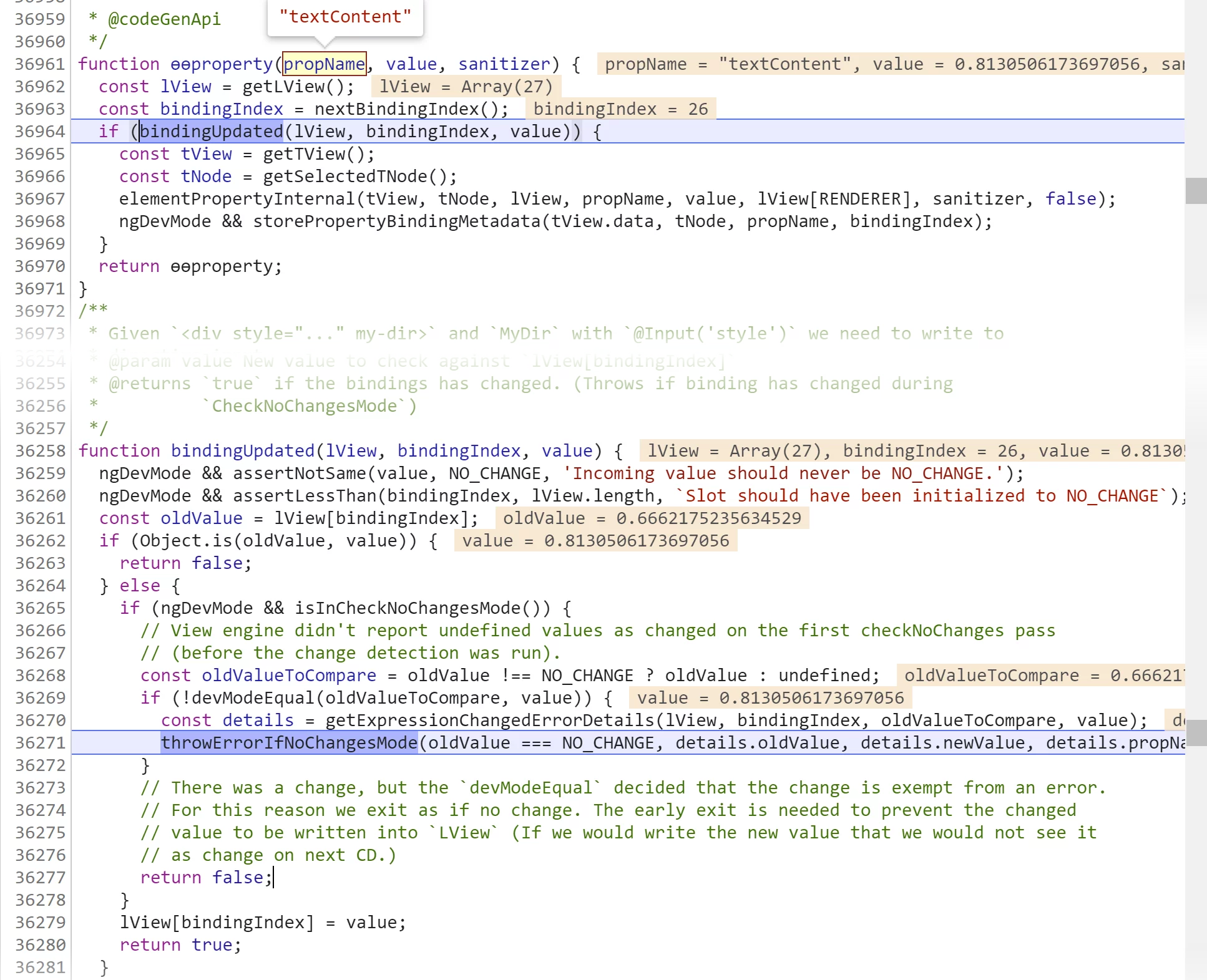
As anticipated, it indicates that the expression number for the textContent binding yielded different values across the two cycles. This binding is handled by the property instruction, which is visible in the callstack. The error originates from the bindingUpdated function discussed earlier:
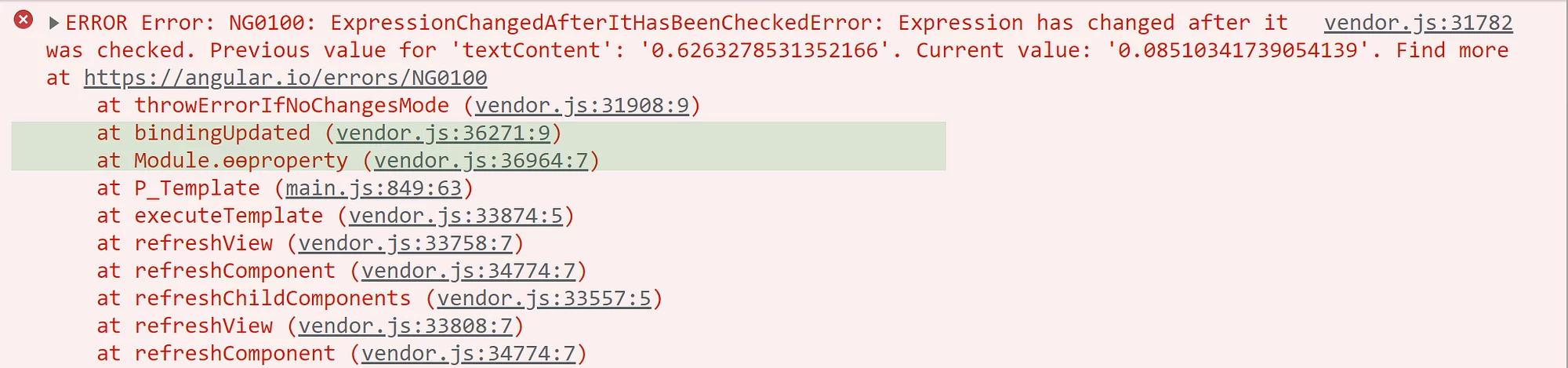
We can also observe this directly in Chrome dev tools:
This might come as a surprise since you'd typically expect such an error in far more complex scenarios. But can you identify an obvious fix for this case?
This situation actually corresponds to this specific test from the unit-test suite mentioned above:
initWithTemplate('<div [id]="unstableStringExpression"></div>')
Real-world cases, naturally, tend to be far more convoluted. They typically involve component hierarchies and interactions between parent and child components. Such interactions are often indirect, mediated through shared services, event emitters, or observables. Recognizing the root cause quickly requires solid understanding and considerable practice.
To demonstrate the error mechanism within a hierarchy, let's examine a basic setup with a parent and child component.
Modifying ancestor components
We'll set up a straightforward hierarchy with two components. The parent component defines a text property used in an interpolation binding. The child component injects the parent via DI in its constructor and alters the text property within the ngAfterViewChecked hook. As with Angular's test suite, we select this hook because it executes after bindings are processed.
Here's the code for this configuration:
@Component({
  selector: 'q-cmp',
  template: `
    <h3>Q1 text: {{text}}</h3>
    <q1-cmp></q1-cmp>
  `
})
export class Q {
  text = 'initial';
}

@Component({
  selector: 'q1-cmp',
  template: ``
})
export class Q1 {
  constructor(private q: Q) {}

  ngAfterViewChecked() {
    this.q.text = 'updated';
  }
}
And predictably, the error appears:
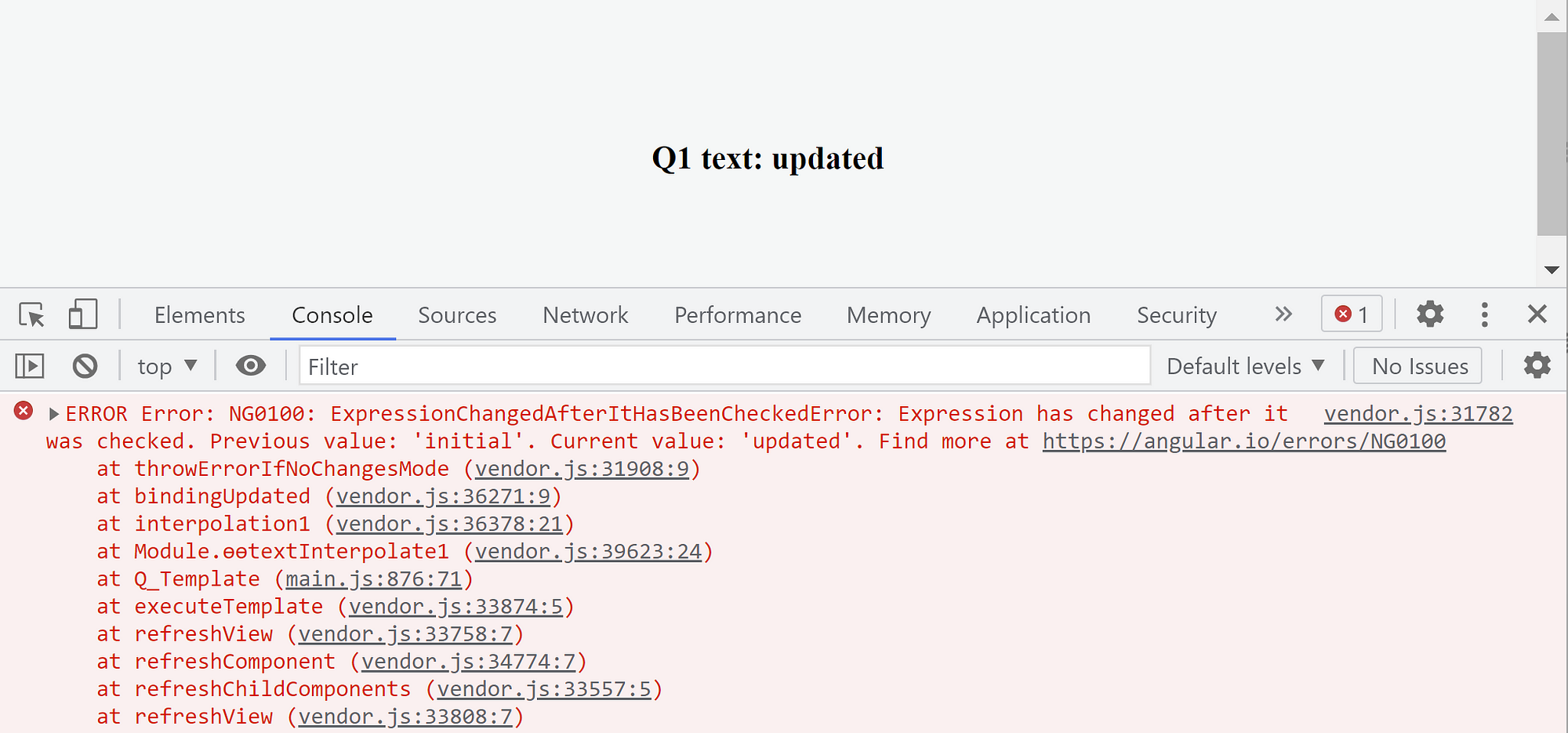
This demo aligns with this spec from the unit-test suite:
initWithTemplate('<div id="Expressions: {{ a }}')
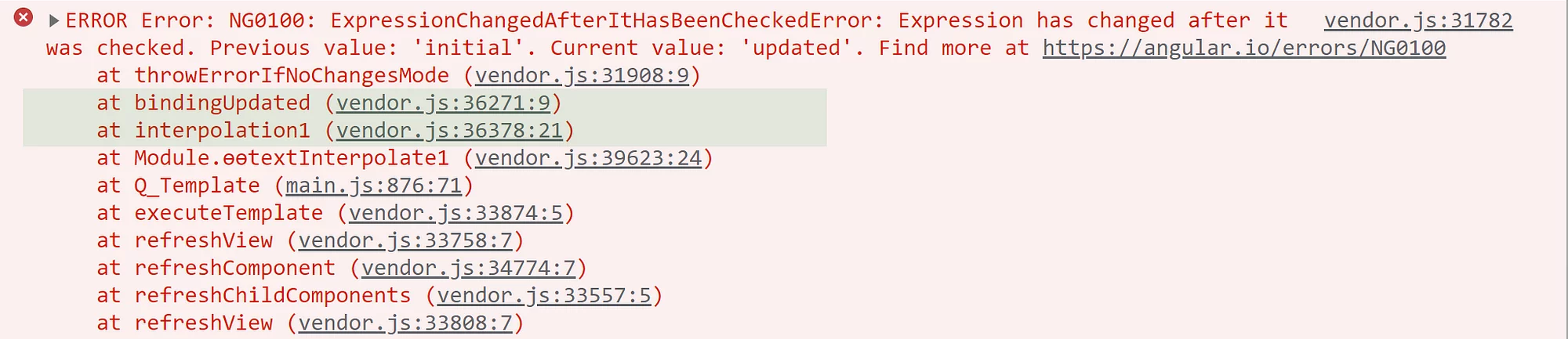
The relevant instruction here is interpolation, which we can spot in the callstack:
Curiously, the error can also surface if the property is updated within the ngOnInit hook:
@Component({
  selector: 'q-cmp',
  template: `
    <q2-cmp></q2-cmp>
    <h3>Q2 text: {{text}}</h3>
  `
})
export class Q {
  text = 'initial';
}

@Component({
  selector: 'q2-cmp',
  template: ``
})
export class Q2 {
  constructor(private q: Q) {}

  ngOnInit() {
    this.q.text = 'updated';
  }
}
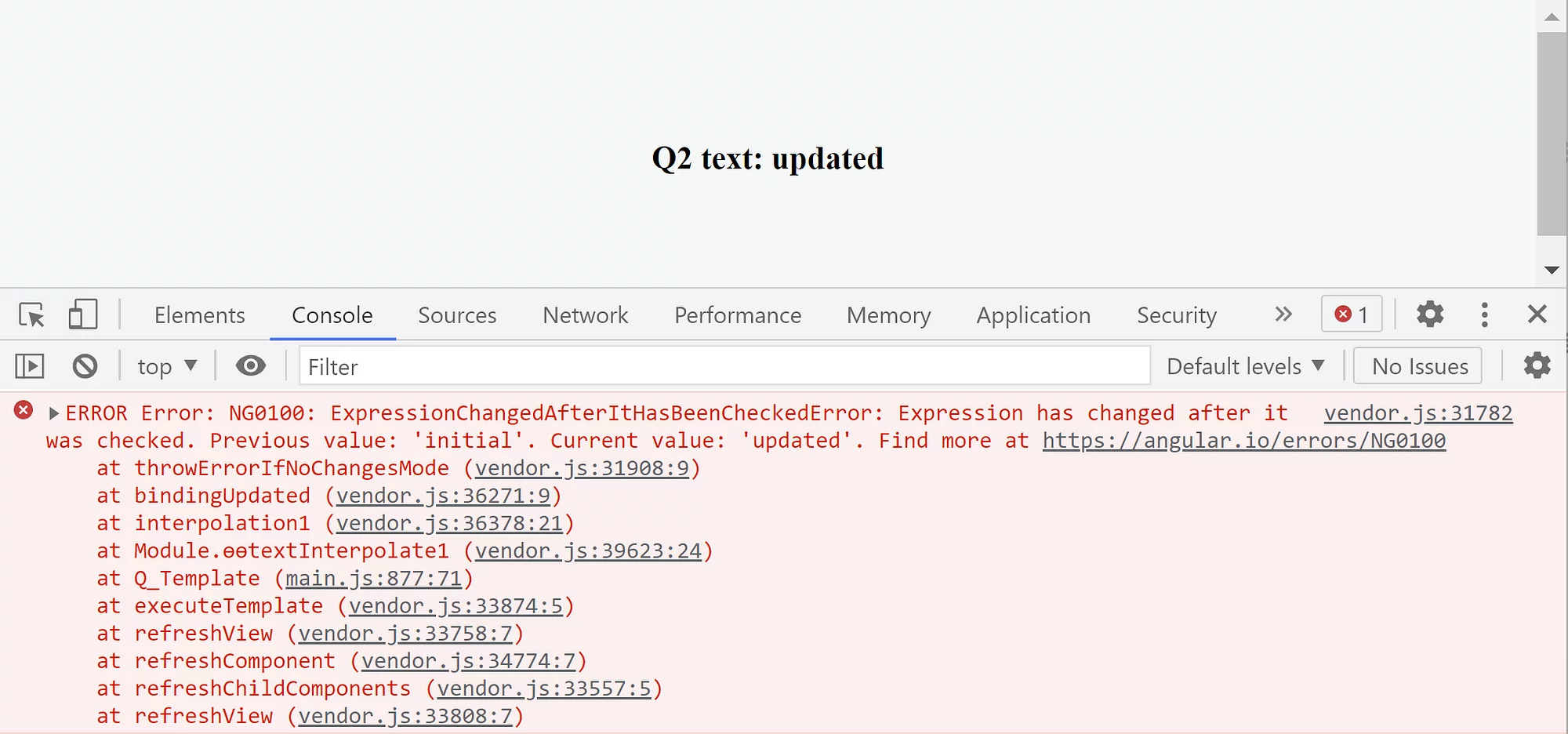
And here's the resulting error:
What may seem counterintuitive—but is entirely logical—is that the error disappears if we reorder elements in the Q component's template from this:
<h3>Q2 text: {{text}}</h3>
<q2-cmp></q2-cmp>
to this:
<q2-cmp></q2-cmp>
<h3>Q2 text: {{text}}</h3>
In essence, we're moving <q2-cmp> ahead of the interpolation update. Running the example now produces no error.
The secret lies in the template function generated by the compiler. Here's the instruction order in the template function for the original arrangement:

Contrast that with the swapped setup:

Notice that when <q2-cmp> comes before the interpolation update Q2 text: {{text}}, the ngOnInit hook executes from the template function Q_Template prior to Angular updating the DOM. This timing prevents the error. Conversely, when <q2-cmp> follows the interpolation update, the ngOnInit hook runs via executeInitAndCheckHooks after the text property has been handled by the template function, causing the binding to throw the error.
For more in-depth material like what you've read above, check out the course:

If you believe something essential is absent here, please share your thoughts in the comments!