When Angular Quietly Costs You Hours
Angular is a powerful framework, but it has its fair share of hidden traps that can lead to frustrating debugging sessions. Over time, you learn where these pitfalls lie. Here are some of the most common time-wasters I've encountered, along with practical solutions.
Your Custom Directive Is Silently Ignored
You find a promising third-party Angular directive and apply it to a native element in your template. You start the app, and nothing happens. The console is clean—no errors, no warnings.

The savvy developer on your team suggests wrapping it in square brackets.

Suddenly, the reason becomes clear:

The root cause is almost always a missing import. The module that declares the directive was never added to your application's module imports.
The golden rule here is: always use directives with square brackets. If you skip the brackets, Angular may not even recognize it as a directive, and the failure will be silent.
You can reproduce this issue in this Stackblitz playground.
ViewChild Returns 'undefined'
Let's say you add a reference to an input element in your template.

You define a template ref #inputTag. Your goal is to create a stream of input events using RxJS fromEvent, which requires the native DOM element. You correctly use the ViewChild decorator:
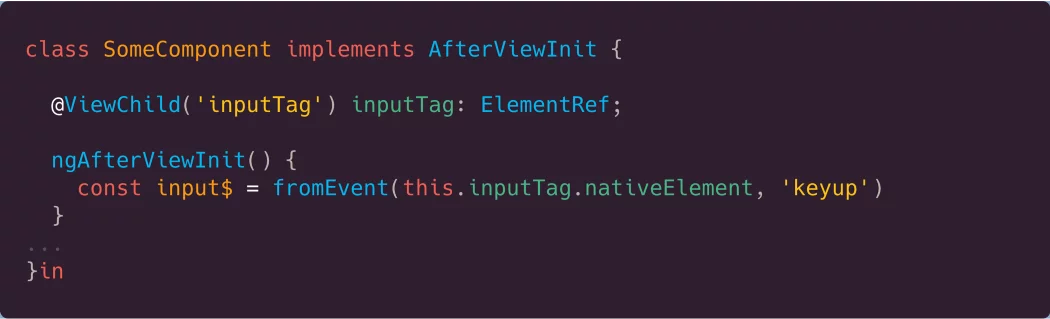
Then, you attempt to build the observable stream:
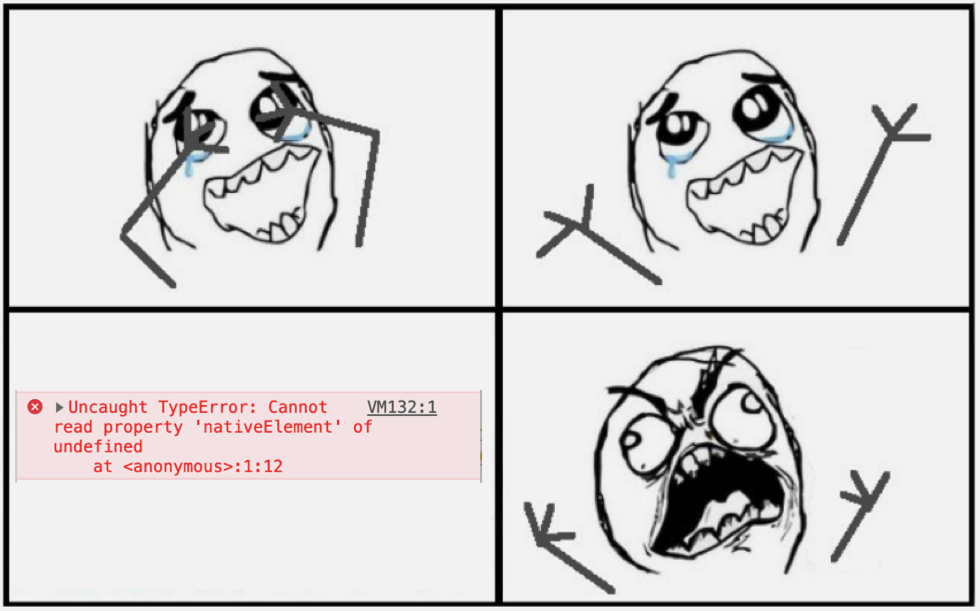
You see undefined in the console, and you're stuck.
The first thing to check is whether the element is inside an *ngIf block. If ViewChild returns undefined, look for an *ngIf in the template.

Here, the *ngIf is the culprit. Any structural directive or ng-template wrapping the target element can cause this issue.
There are a few ways to fix this:
- Hide, don't remove: Use a CSS class or style binding to hide the element instead of removing it from the DOM with
*ngIf. This way, the element always exists, andViewChildwill be available inngAfterViewInit.

2. Use a setter: A more robust solution (shared by Alex Okrushko) is to use a setter. Angular will call the setter every time the property is assigned, giving you a chance to get the element once it's available.

With this approach, the stream is created as soon as Angular assigns a value to inputTag.
For more in-depth reading, check out the static vs. dynamic ViewChild resolution and brush up on RxJS with my video course.
Running Code After *ngFor Updates the DOM
Suppose you have a custom scroll directive and want to apply it to a list generated by *ngFor. When the list changes, you need to call scrollDirective.update() to recalculate scroll dimensions.
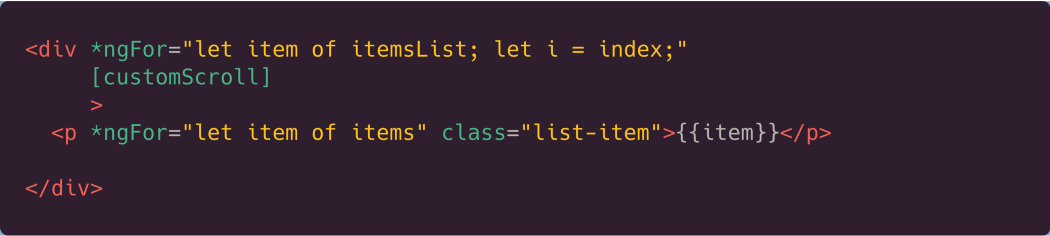
A typical mistake is trying to run the update logic in the ngOnChanges hook:
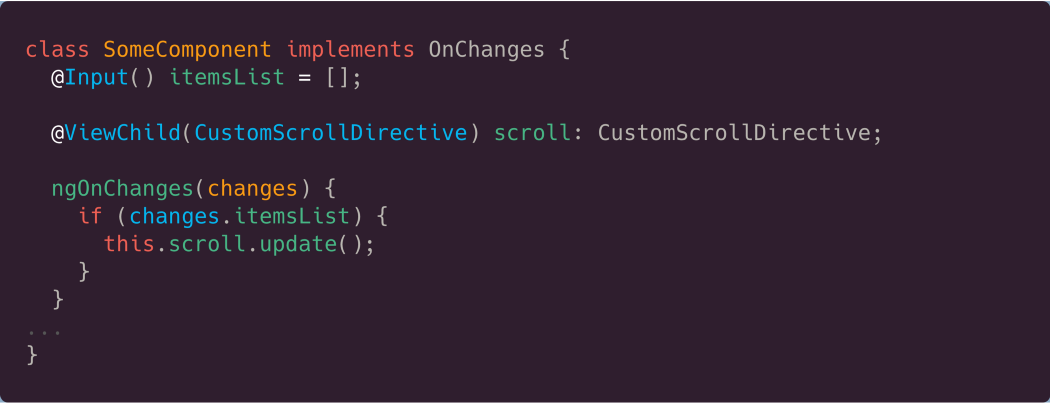
This fails because ngOnChanges runs *before* the new items are rendered by the browser. The scroll math will be incorrect.
The correct solution involves three steps:
a) Add a template reference (e.g., #listItems) to the elements rendered by *ngFor.

b) Use ViewChildren to get a QueryList of these elements.
c) Subscribe to the changes property of the QueryList. This observable emits every time the list is updated.
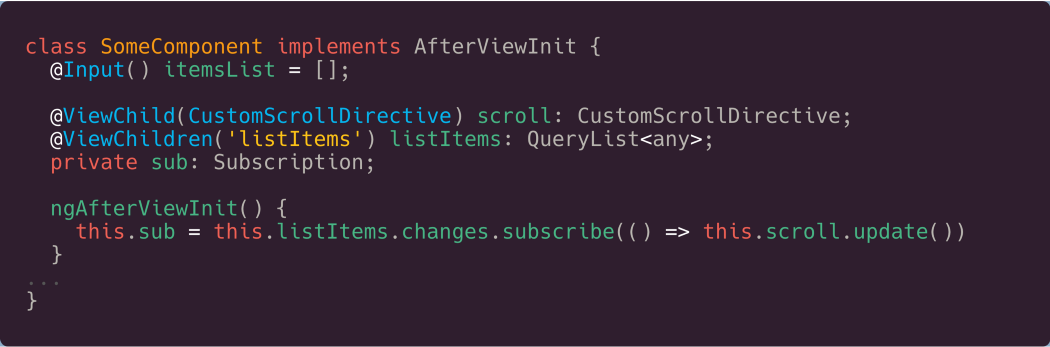
Now, the scroll directive is updated only after the DOM has been refreshed. You can try a live example in this Stackblitz playground.
The Initial Empty Emission from queryParams
Consider a routing setup where you want to read query parameters. The routes are configured, and the component is bootstrapped.
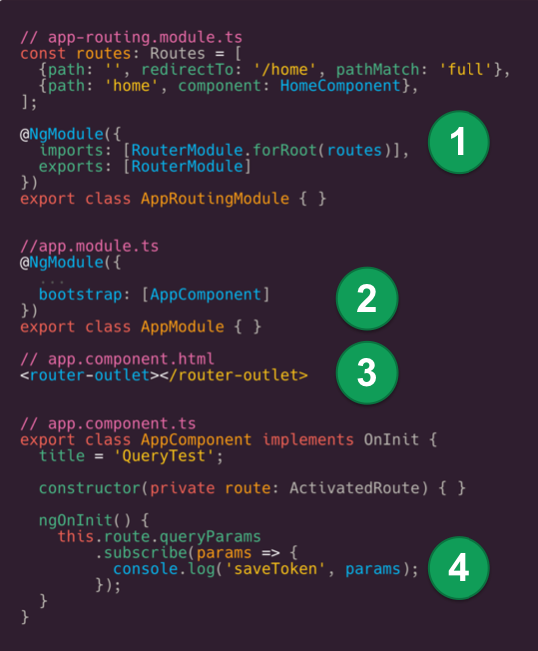
If your URL is https://localhost:4400/home?accessToken=someTokenSequence, you might expect to receive {accessToken: 'someTokenSequence'}. However, this is what you'll see:

The issue is that ActivatedRoute.queryParams emits twice. The first emission is always an empty object {} during Angular's initialization. The second emission contains the actual parameters.
The real problem arises when the URL has no query parameters. In that case, the router does *not* emit the second time, leaving you with only the empty object and no way to know the URL is genuinely parameterless.
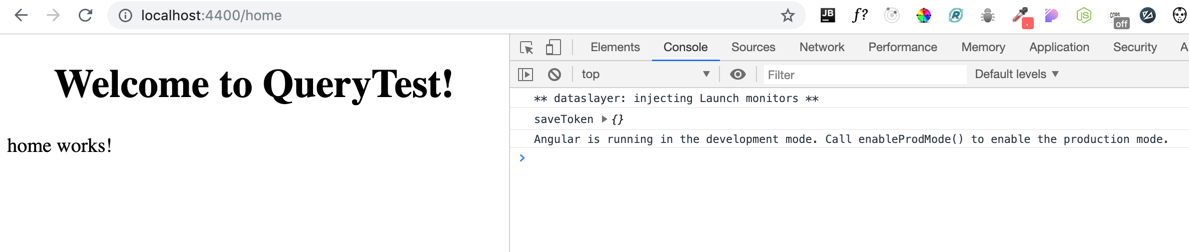
If your code waits for that second emission to finalize the data, it will hang forever when no params exist.
Here's an RxJS-based solution using the Location service to combine two streams:
- The first observable,
paramsInUrl$, filters out the initial empty object and only emits when parameters are present:
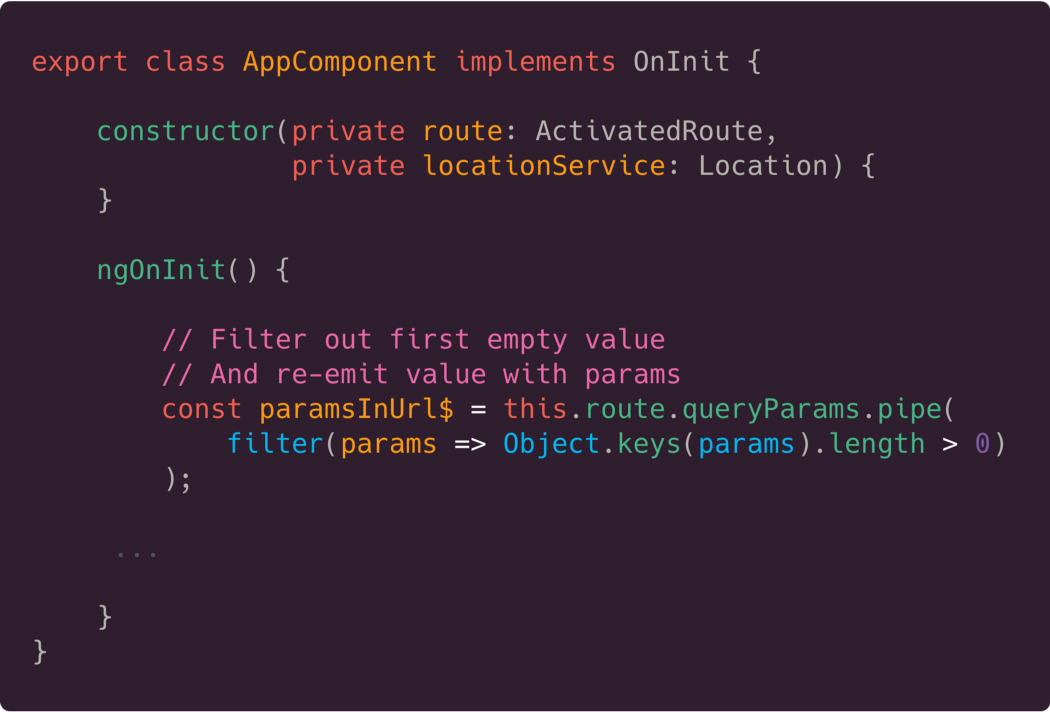
2. The second observable, noParamsInUrl$, emits an empty object only if the URL truly has no query parameters:
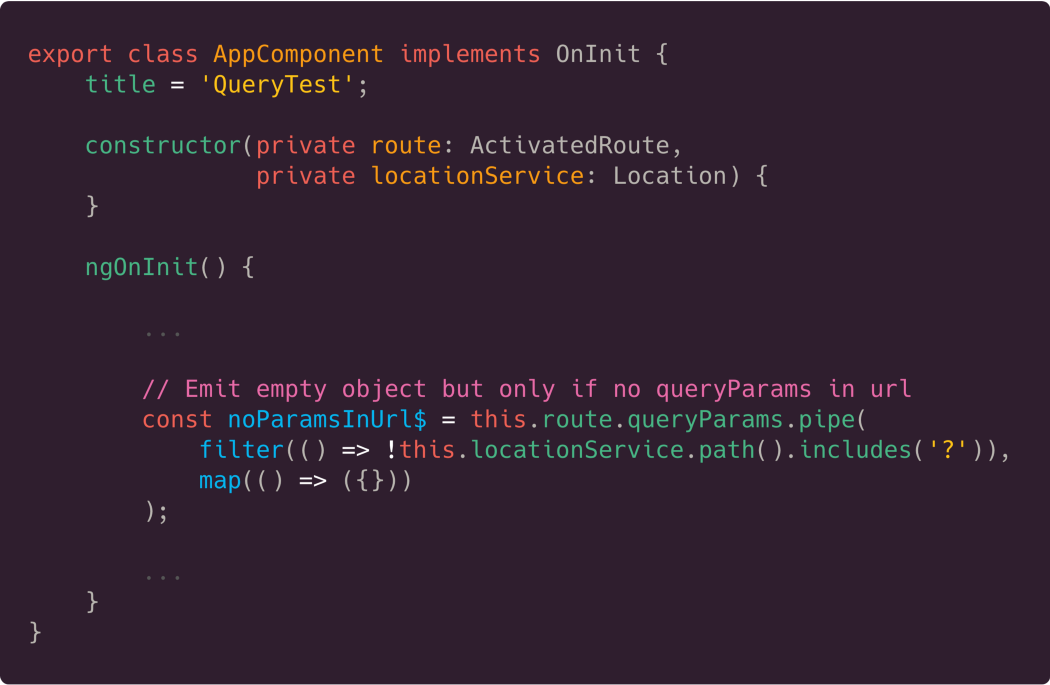
3. Finally, use the RxJS merge function to combine both streams into a single params$ observable:
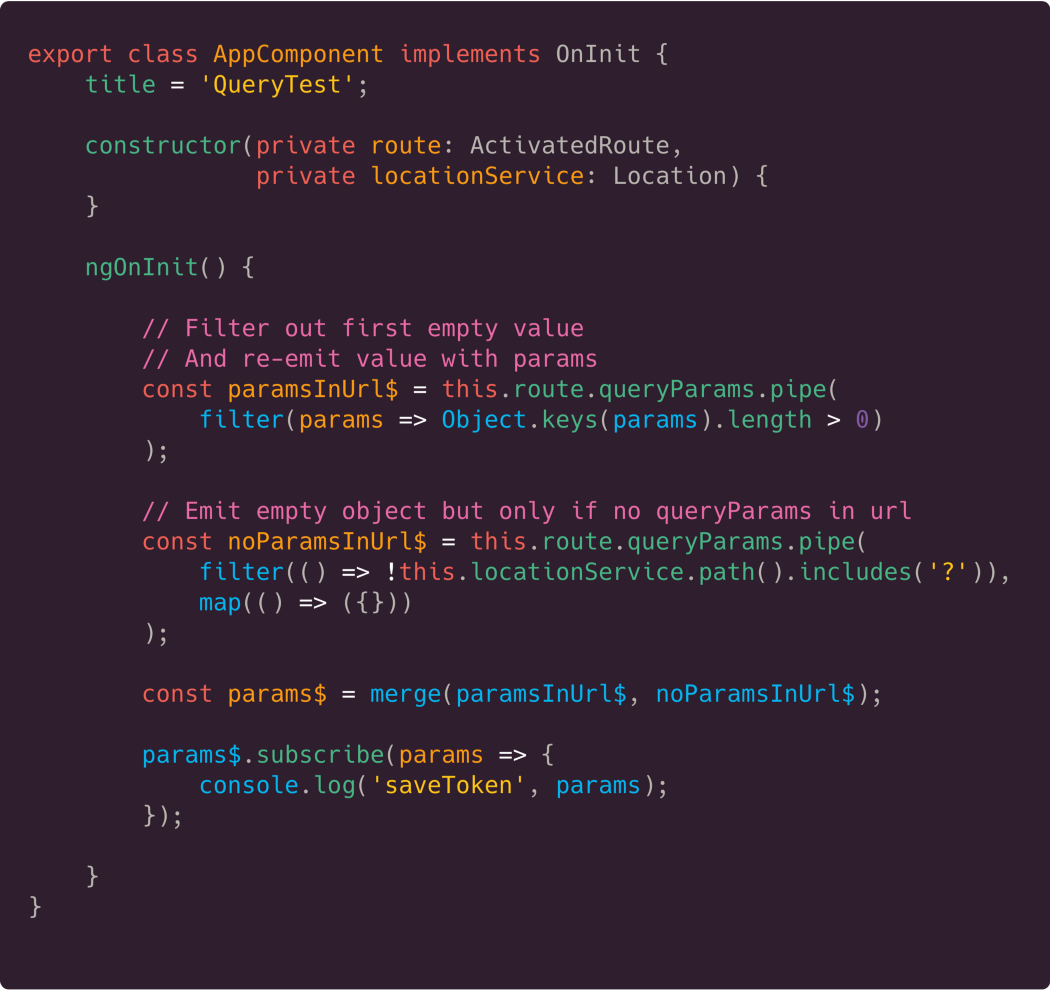
Now, the combined params$ observable will emit exactly once, regardless of whether the URL contains parameters. A working example is available here.
High CPU Load and Low FPS
Imagine a component that displays a list of formatted values and also tracks mouse coordinates.
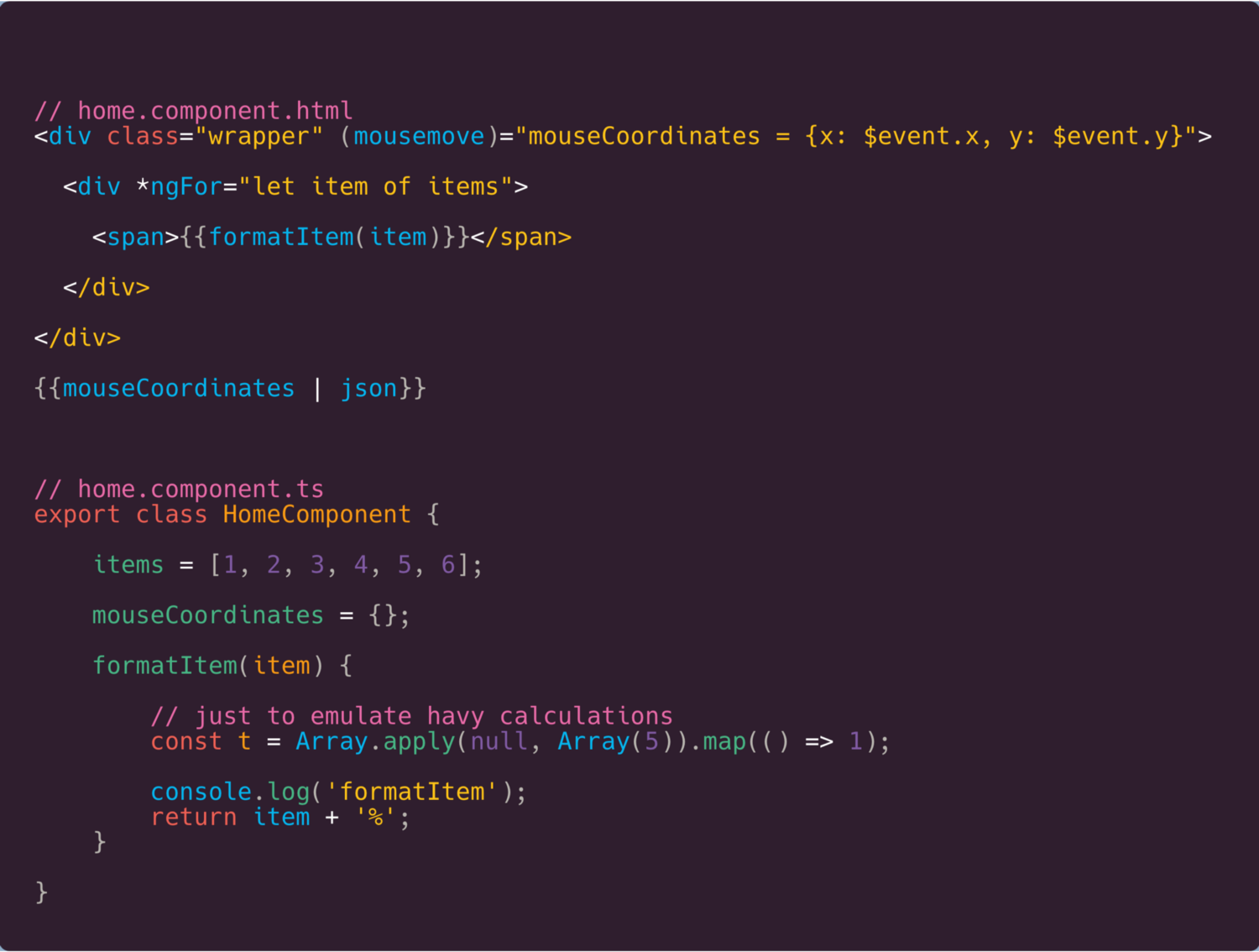
The component does two things: renders an array and updates the UI on every mousemove. A performance test reveals surprising results:
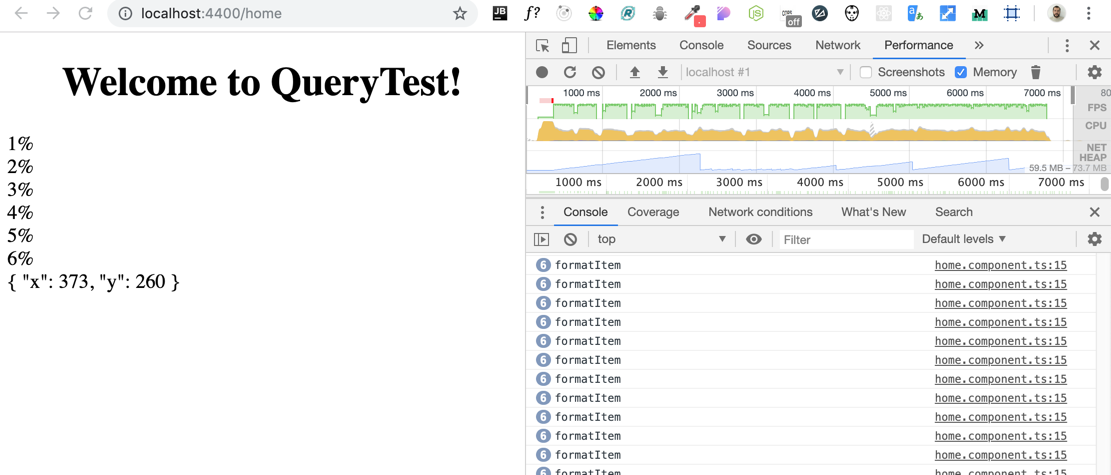
The problem is that Angular re-evaluates all template expressions and calls all functions (like formatItem) on every change detection cycle. If the mouse moves rapidly, these functions are called repeatedly, causing significant CPU load.
The fix is to pre-calculate the formatted values once and store them in a property:
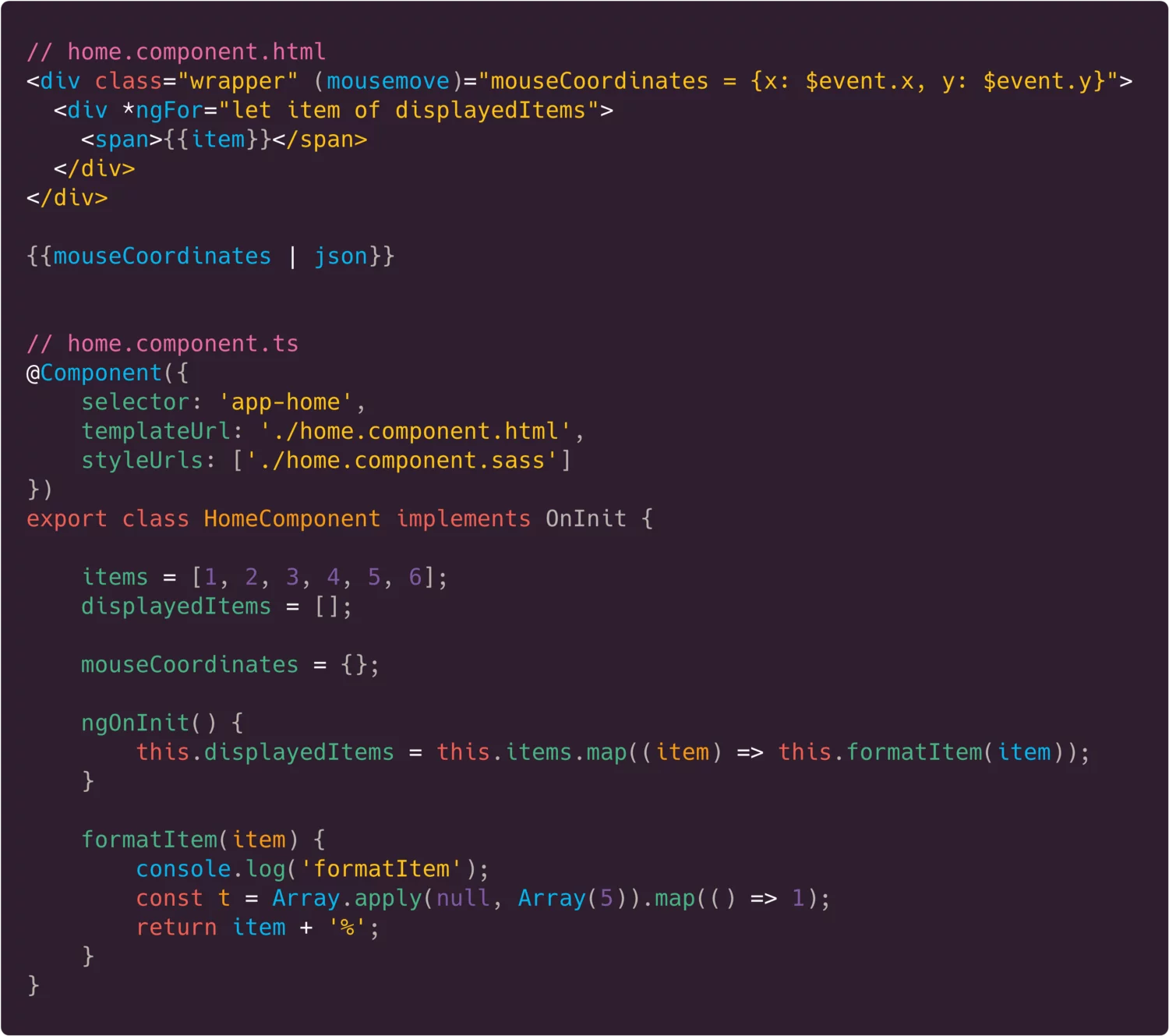
Now, the performance is much better.
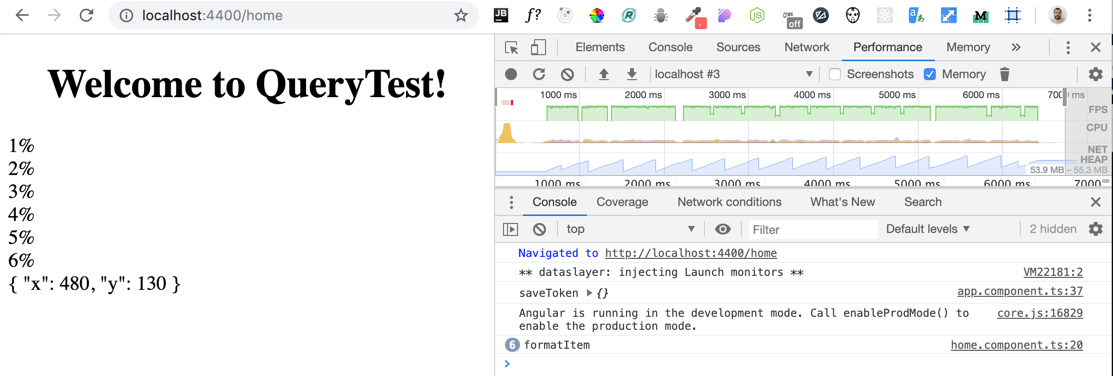
While this solves the immediate issue, there are still a few best practices to consider:
- Displaying dynamic values in the template (like mouse coordinates) inherently triggers change detection. This is unavoidable if the data must be shown.
- If the handler for
mousemovedoesn't need to update the UI, you can run it insideNgZone.runOutsideOfAngularto prevent change detection for that specific event. - For a global solution, you can disable zone.js patching for all instances of an event by adding a line in
polyfills.ts, as shown here (provided by Alexey Zuev).
* (window as any).__zone_symbol__UNPATCHED_EVENTS = ['scroll', 'mousemove']; // disable patch specified eventNames