This article will be most useful if you’re familiar with RxJS and have some practical experience using it.
fromFetch function vs ajax const
RxJS offers two distinct ways to wrap a network request in an Observable. The two differ in a few important ways:
fromFetch function — leverages the Fetch API for the underlying HTTP call.

2. ajax function — relies on XhrHttpRequest behind the scenes.

Both return an Observable, so one would expect that unsubscribing cancels any in-flight request. In most situations, that is exactly what happens, but the official docs for fromFetch include a critical caveat:
WARNING Parts of the fetch API are still experimental. AbortController is required for this implementation to work and use cancellation appropriately.
Will automatically set up an internal AbortController in order to teardown the internal fetch when the subscription tears down.
So beware if you target IE11, since AbortController is not supported there.
*Remark from Nicholas Jamieson: there is a problem with the current implementation of `fromFetch`. See this issue.
forkJoin vs zip
There is a well-known tweet by Reactive Fox: “If you know Promise you already know RxJS”:
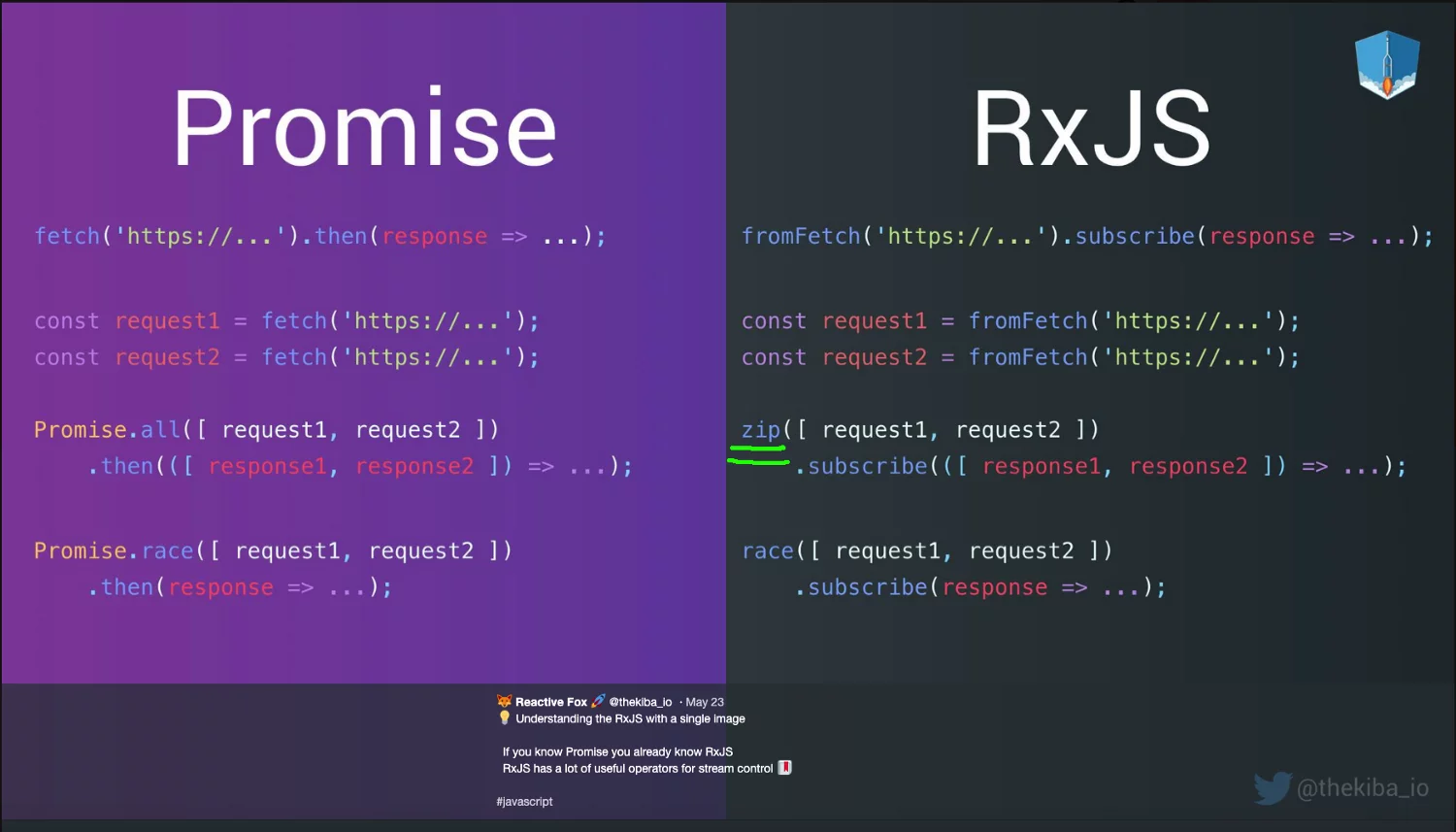
zip is used instead of forkJoin
Here’s how the approach works:
- Start by creating several Observables, each wrapping an HTTP request via fromFetch.
- The zip function takes an array of these Observables, subscribes to all of them, and the requests fire.
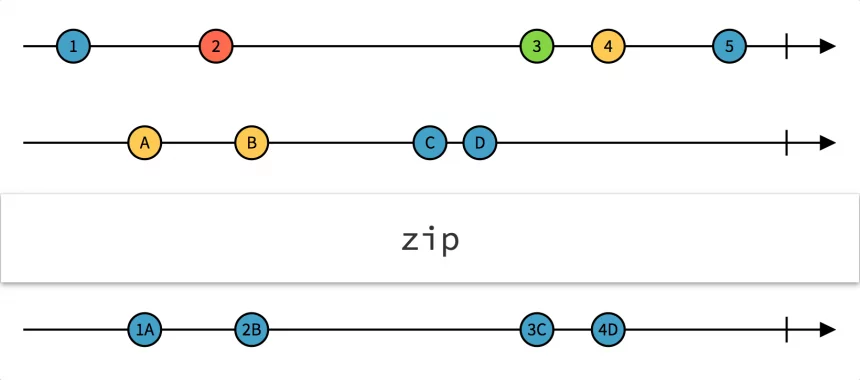
zip marble diagram (taken from https://rxmarbles.com/#zip)
3. Once every argument Observable has emitted a value at the same index (in our case, index 1, or 0 depending on how you count), zip emits an array containing those values.
4. Because each source Observable only emits once, the result from zip is an array of all responses — emitted only after every request has finished.
You might think this is fine. In this specific scenario, it actually is. The trap is that if you feed zip Observables that emit more than one value, you can end up with multiple emissions, or worse, an Observable that never completes.
To avoid that kind of surprise, use forkJoin instead.
forkJoin waits for every input Observable to complete, then produces an array of their last emitted values. (Compare that to zip, which pairs up values by index of emission.)
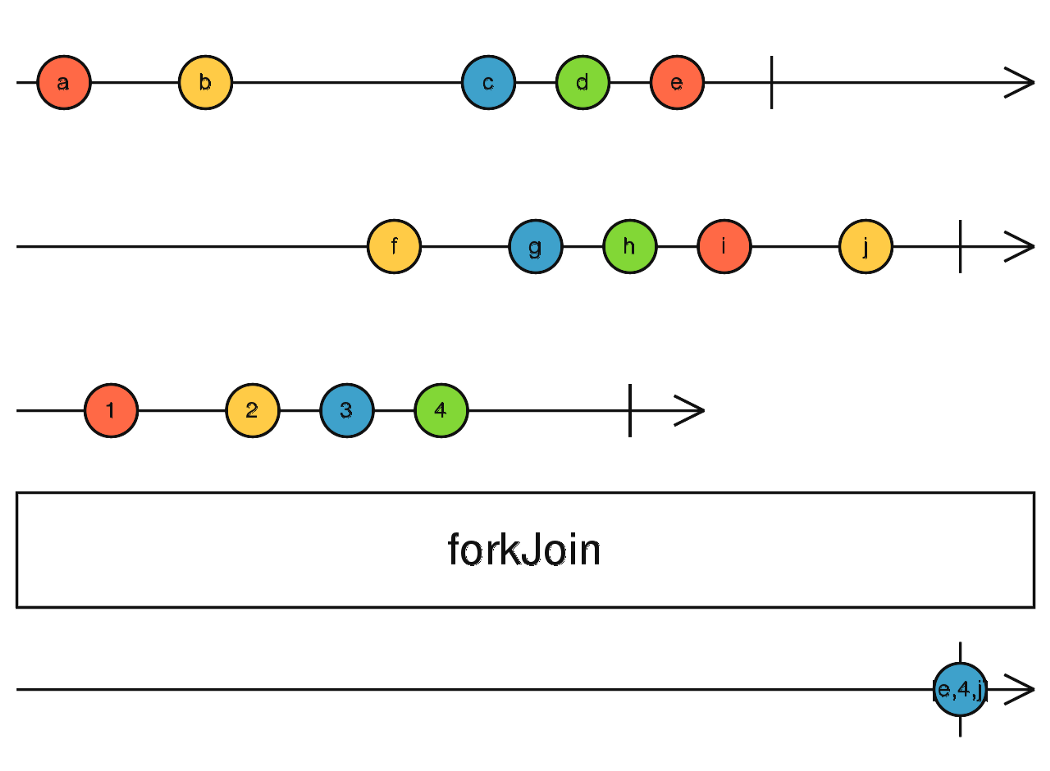
forkJoin marble diagram
With forkJoin, the same example becomes:

Now you’re protected.
Using materialize, dematerialize to mock delayed erred Observable
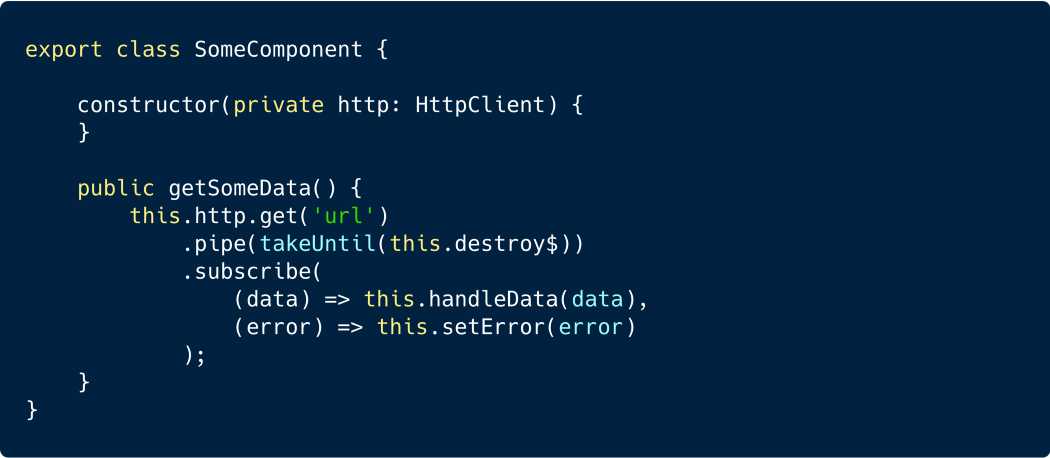
Consider a typical Angular method that hits a network endpoint:
To mock a successful response from HttpClient and simulate latency, you might provide:

It’s easy to assume that mocking a delayed error is just as straightforward:

That approach won’t behave as expected. Since throwError immediately emits an error, the delay is bypassed, and your error handler runs right away instead of after the simulated latency.
So how can you prevent the error notification from skipping the delay?
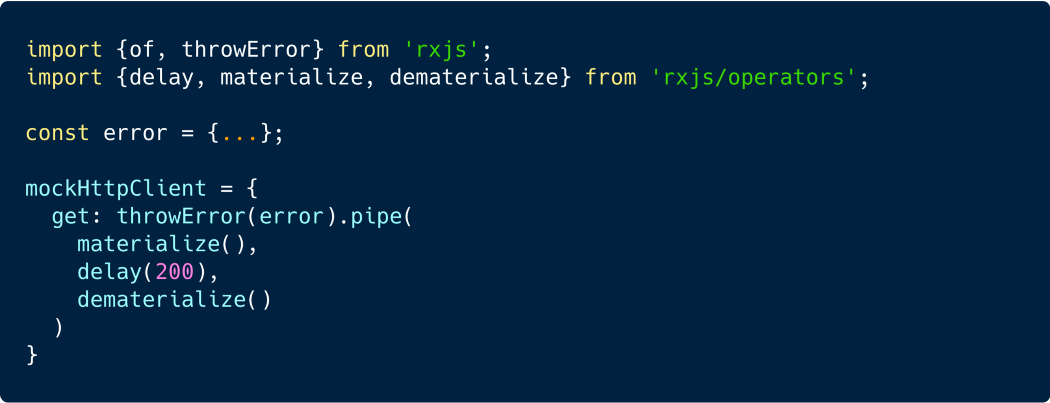
The trick is to turn the error into an internal RxJS notification object, then convert it back to a regular error afterward using materialize and dematerialize.
The corrected mock looks like this:
You can dig deeper into these operators in the official documentation: here and here.
Leveraging the timer function with a single argument instead of of(0).pipe(delay(x))
In earlier work, when I needed a single emission after a specified delay, my usual approach involved a pattern like this:

This method is functional, but there is a more elegant solution. By utilizing RxJS's timer function, we can streamline it. The signature for timer is:
timer(dueTime: number, period, scheduler****)****
duetime — This is the initial waiting period before the first value is emitted.
period — This is the interval that specifies the delay between successive number emissions.
But what if you only need a single emission? The solution is to call timer with just the dueTime argument:

Enjoying the content? Explore my video-course “Hands-on RxJS” for more RxJS secrets. It's tailored for both newcomers (Sections 1–3) and advanced RxJS practitioners (Sections 4–7). Get it, watch it, and share your thoughts with reviews!
Hands-On RxJS for Web Development | Udemy
Harness the power of RxJS by solving real-life web tasks with Reactive programming; use Observables to code less
www.udemy.com
takeLast misused without parameters yields undefined
At one point, I encountered an unexpected pitfall with the takeLast() operator (in RxJS version 6.5.x). Here's a quick refresher:
takeLast(count: number)
This operator delays execution until the source Observable completes, then emits the final count of values from it.
My assumption was that omitting the argument for this operator would default it to returning the last single value:

However, this was a mistake — the output is actually undefined. To receive the final value, you must specify the count explicitly as shown: takeLast(1):

You can see this phenomenon demonstrated in this codepen. Proceed with caution!
So, what's the course of action? Could we file an issue and submit a pull-request to address this?
The contrast between eager from(fetch(url)) and lazy defer(()=>from(fetch(url))
This insight comes from another tweet by Juan Herrera.
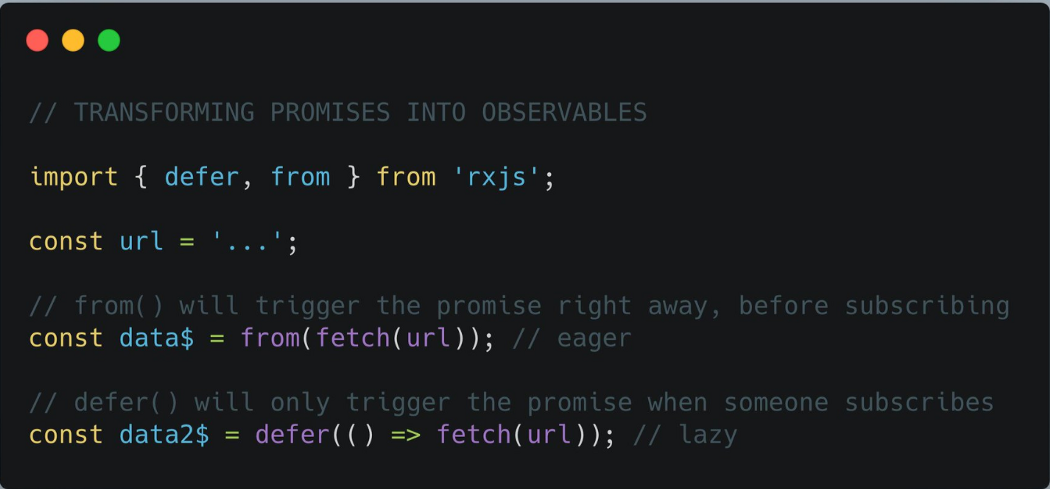
Let’s unpack this piece by piece.
Observables are inherently lazy — they remain idle until a subscription occurs. Promises, on the other hand, are eager — they execute their logic the moment they are created (see further details).
Because fetch returns a Promise, calling fetch(‘url’) triggers the network request instantly. While RxJS's from can transform a Promise into an Observable, the fact that fetch is evaluated first preserves its eager behavior.
from(fetch(‘url’)) // retains eager execution
The RxJS defer function offers the solution.
****defer(() => fetch(url)) //****enables lazy execution
It’s also worth noting that RxJS has a pre-built function named fromFetch, which is overridable instances of lazy fetch method.
****defer(() => fetch(url)) //****will work in lazy way
fromFetch(url) //achieves the same effect
By examining the fromFetch source code, you can observe the mechanism behind its deferred behavior.
A quick peek.
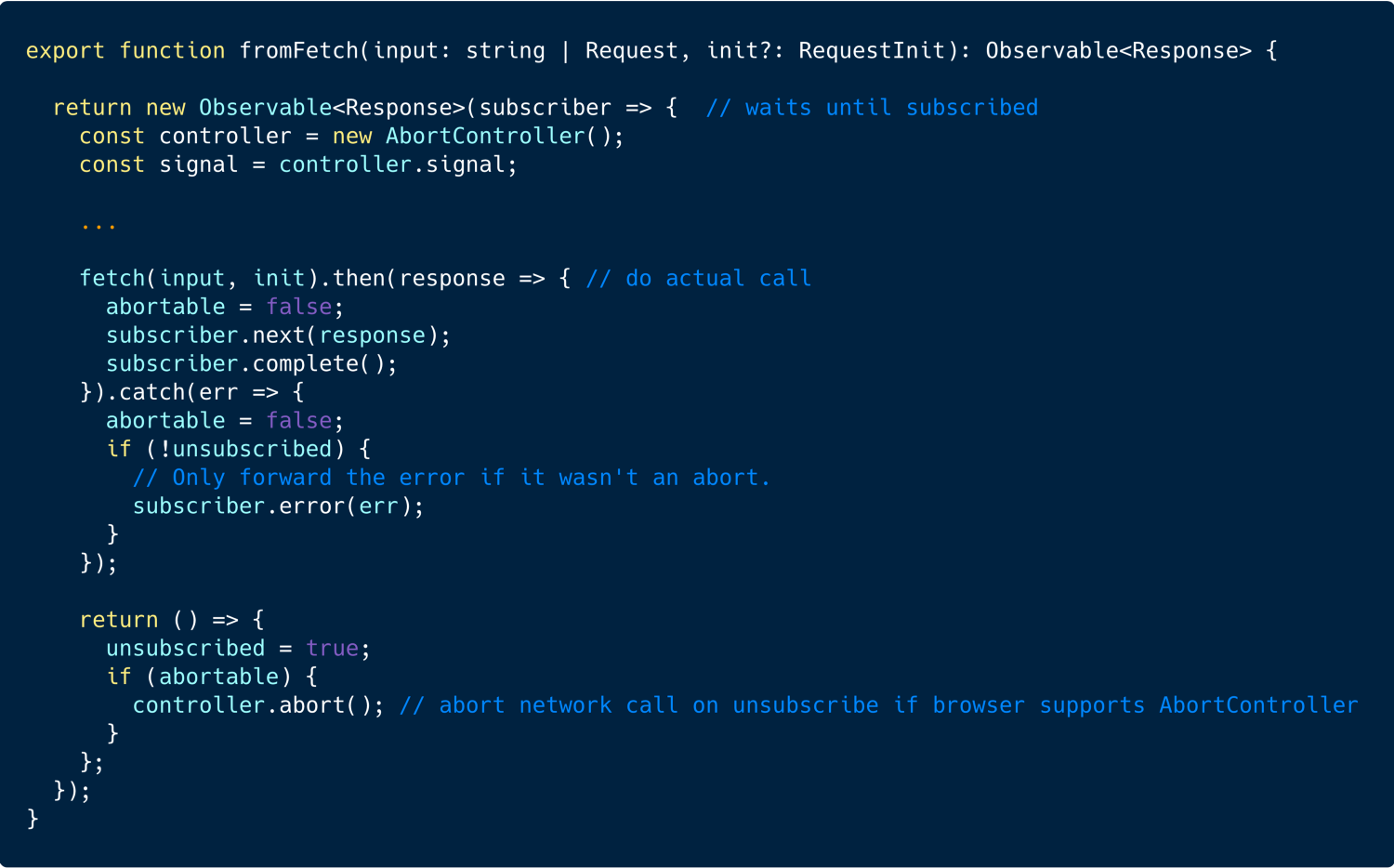
Recall our discussion of fromFetch in the first tip.
The equivalence of of() and EMPTY
A typical switchMap implementation involving conditional logic often appears as:
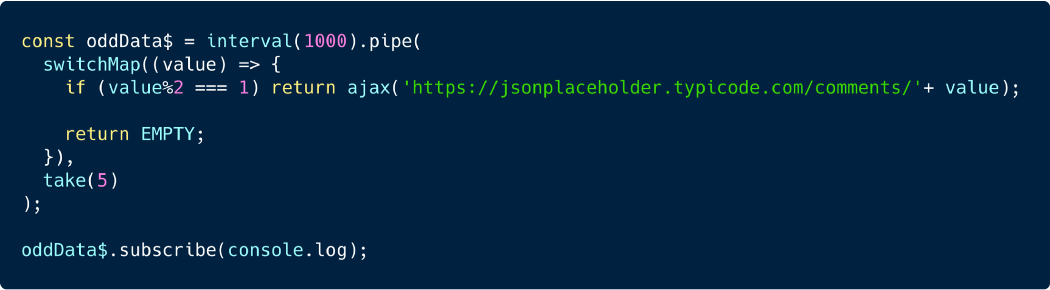
Initiate a network request only when the index is odd (snippet link)
The mechanics are as follows:
- The interval function produces sequentially incrementing numbers on a timer.
- Within the switchMap callback, we assess if the emitted number is odd. If true, we initiate a request wrapped within an Observable, and the subscriber receives the data. Otherwise, we return the
EMPTYconstant, which denotes an empty sequence that completes immediately.
This is standard practice. Lately, I've explored using of() without any parameters to achieve an identical outcome. Let's refine our example:
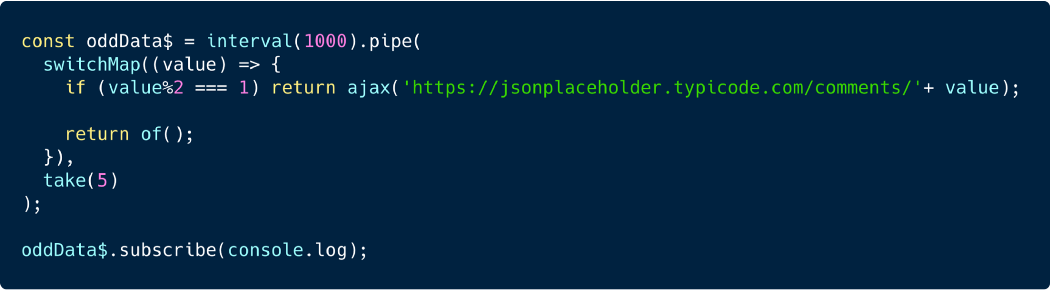
Invoking of() also returns an empty sequence (snippet link)
Feel free to test this for yourself and experiment here.
Using toPromise with Subjects can lead to unresolved Promises
The Angular2 subreddit occasionally surfaces valuable insights.
Let me walk through the code from this particular help request:
- You have a WarehouseService that exposes a value through an RxJS BehaviorSubject. The service includes a
getDefaultWarehousemethod which returns that Subject in Observable form:
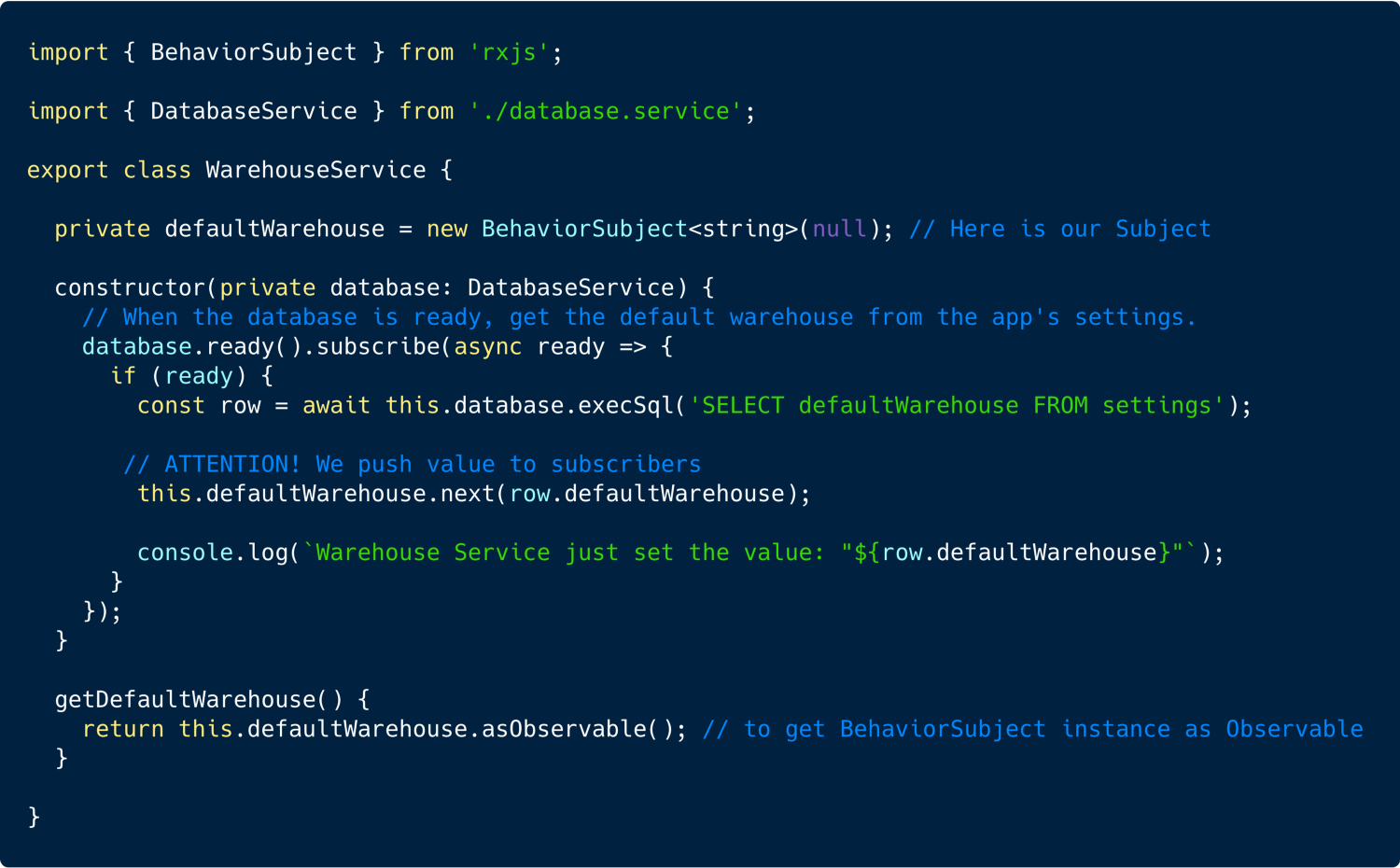
2. Now suppose we want to subscribe to the emitted value and then use it with the JavaScript await keyword. This means converting the Observable into a Promise via the toPromise() operator.
The result looks like this:

Once the database is ready, the code emits row.defaultWarehouse (see the previous snippet), and in index.ts we await the defWarehouse value.
Yet the Promise never settles. What's going on?
The explanation is straightforward: RxJS's toPromise() only resolves after the observable completes. A BehaviorSubject simply pushes values without ever completing — so the Promise created by toPromise() stays pending indefinitely.
There are two remedies:
- If the
WarehouseServiceis only supposed to emit a value once through theBehaviorSubject, then callcomplete()right after the emission:
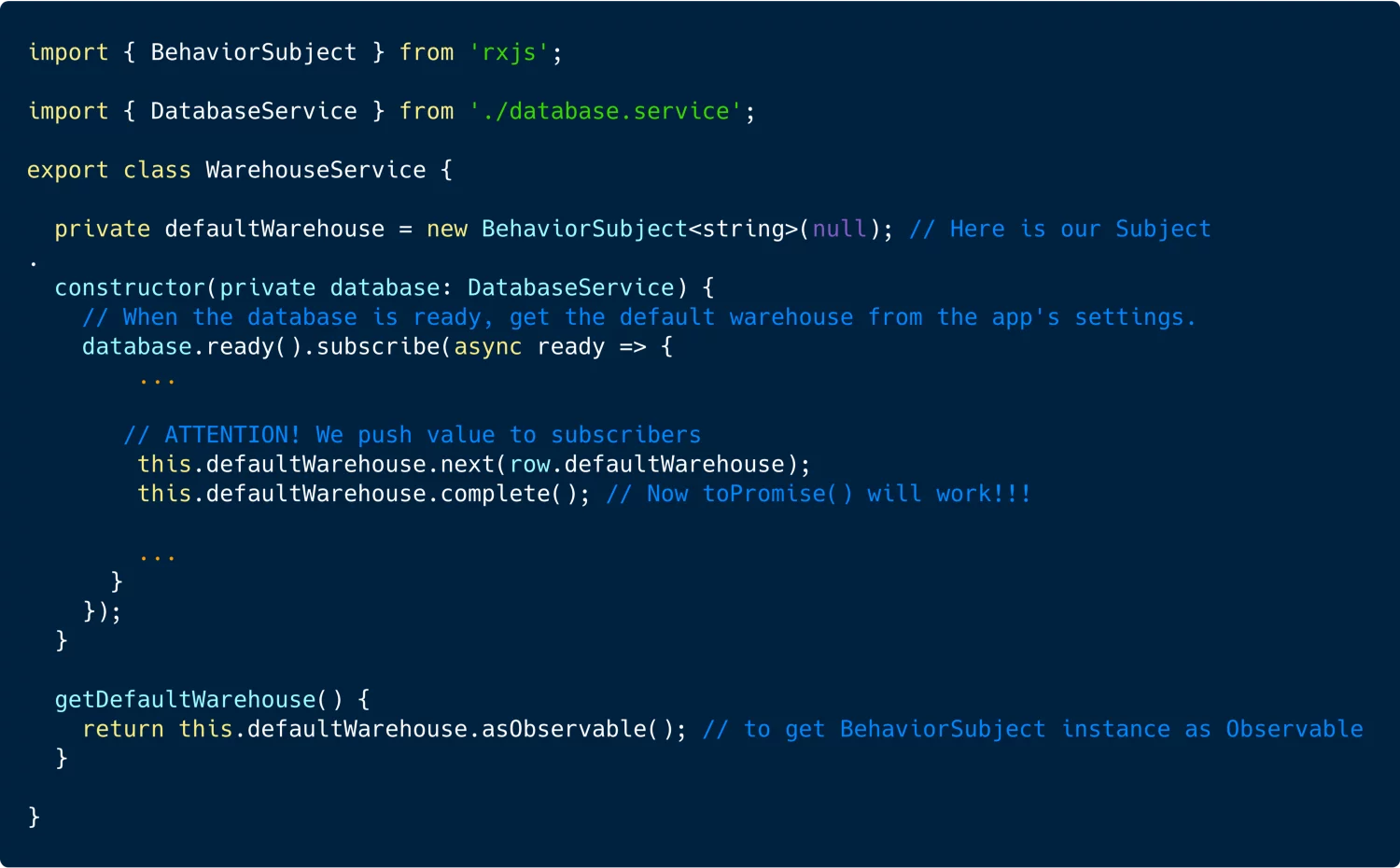
2. Alternatively, subscribe directly to the Observable and place the follow-up logic inside the subscription callback.

You can experiment with the full example here.
Further reading:
- The RxJS operator
toPromiseonly resolves when the observable completes!
Distinct post-completion behavior of RxJS Subjects (Behavior, Replay, Async)
The Angular-in-Depth 2019 conference in Kyiv, Ukraine highlighted the differing post-completion behavior of RxJS's BehaviorSubject, ReplaySubject and AsyncSubject. To keep things concise, here's a comparison table I put together:
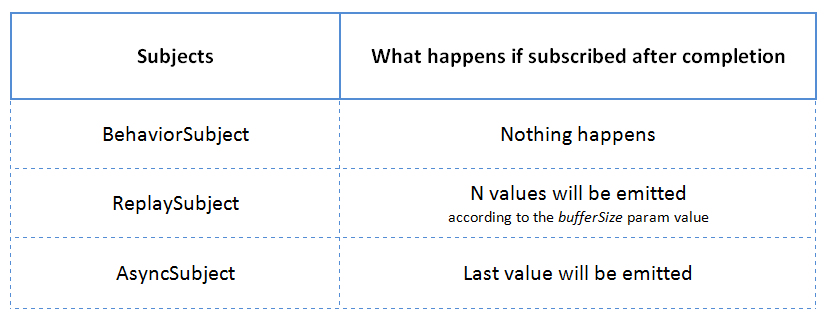
Feel free to try it out yourself here.
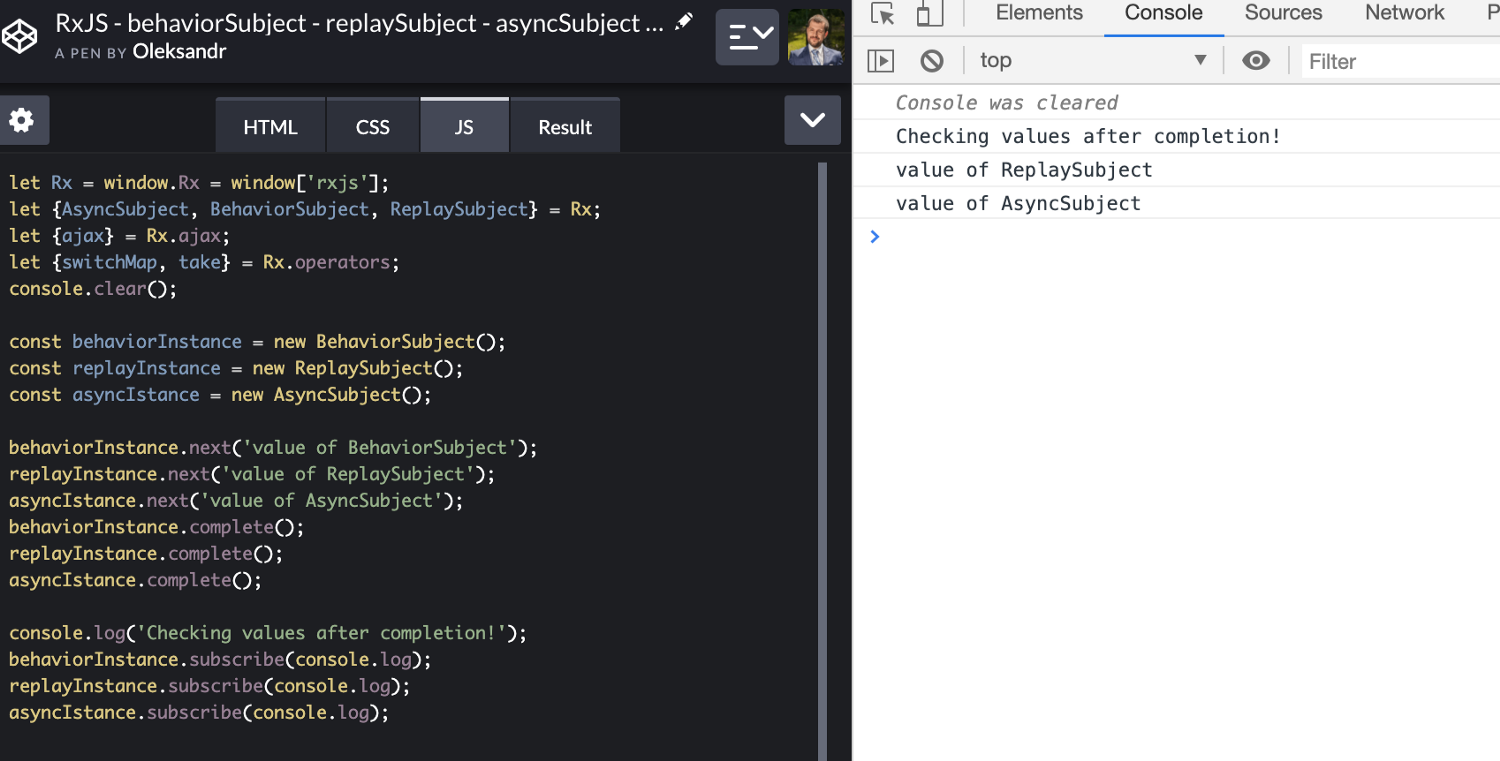
A key takeaway: BehaviorSubject doesn't re-emit its last value once it has been completed.
Additional resources:
- Check out Wojciech Trawiński's piece "BehaviorSubject vs ReplaySubject(1) -beware of edge cases".
- Watch Michael Hladky's talk: "A deep dive into RxJS subjects" from the AiD conference.
- Read "Understanding RxJS BehaviorSubject, ReplaySubject and AsyncSubject".
- All talks from the Angular-in-Depth conference 2019 are available as videos.
Reassigning an Observable consumed by asyncPipe in an Angular template — the subscription keeps working.
In most cases, Angular’s asyncPipe is used in a template like this:
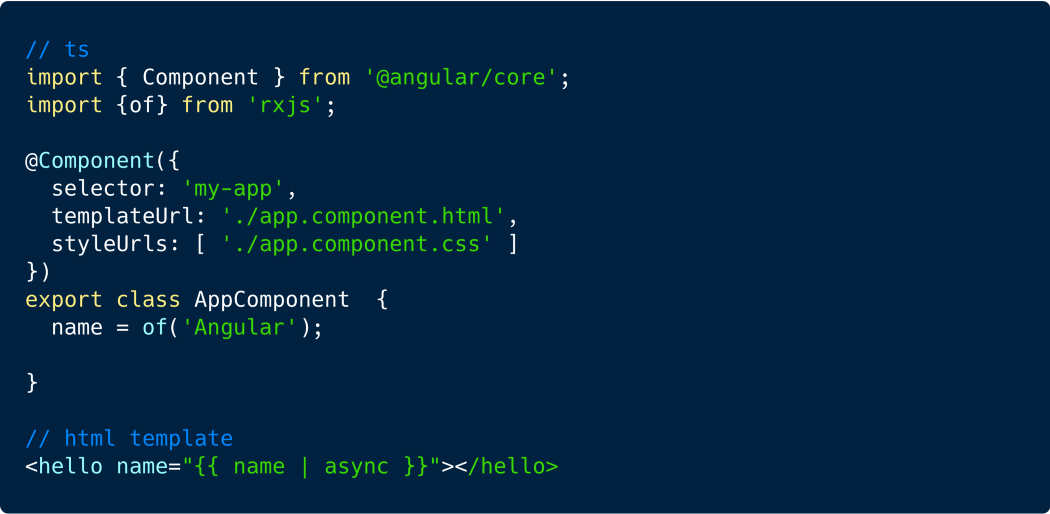
We rely on asyncPipe to take care of subscribing and unsubscribing from the Observable, so we don’t have to worry about memory leaks.
But what happens when we swap this.name with a completely different Observable instance? Does AsyncPipe unsubscribe from the old one automatically? Does it subscribe to the new one? Let’s find out.
- First, I’ll add a button that reassigns
this.nameto a brand-new Observable instance.
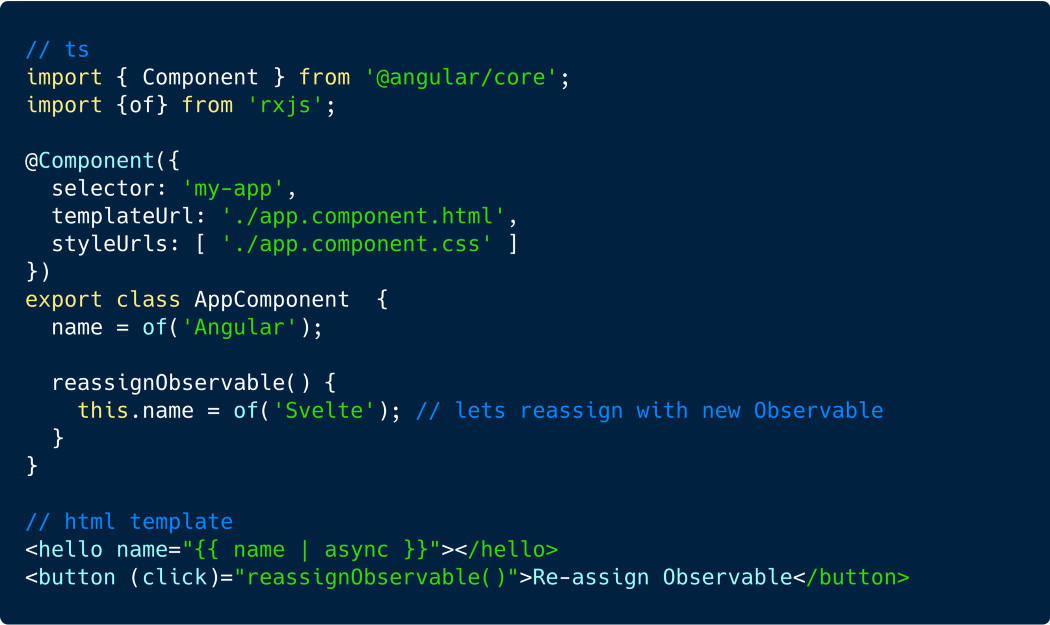
2. Next, to verify whether AsyncPipe actually unsubscribes from the previous Observable, I’ll copy the original Angular AsyncPipe source from GitHub and drop it into our demo Stackblitz project as a custom pipe.
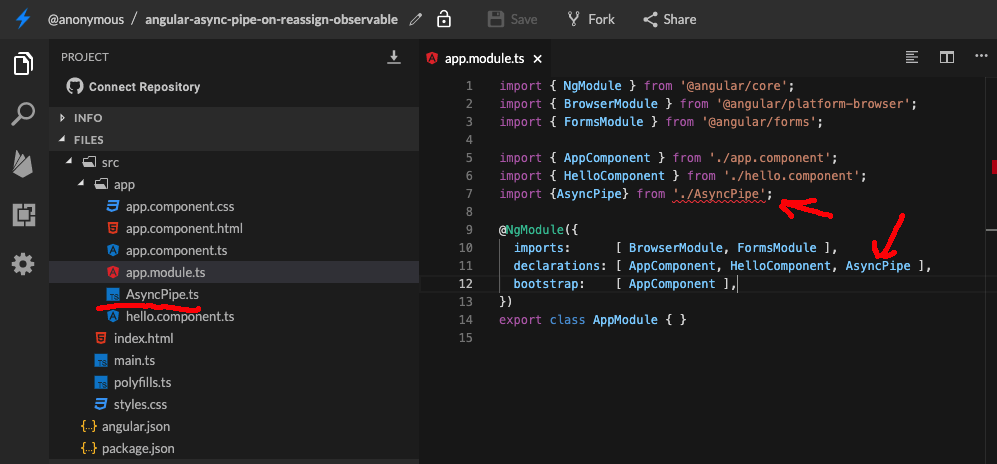
I also inserted a console.log inside the unsubscribe method so we can see if the previous Observable is being unsubscribed.
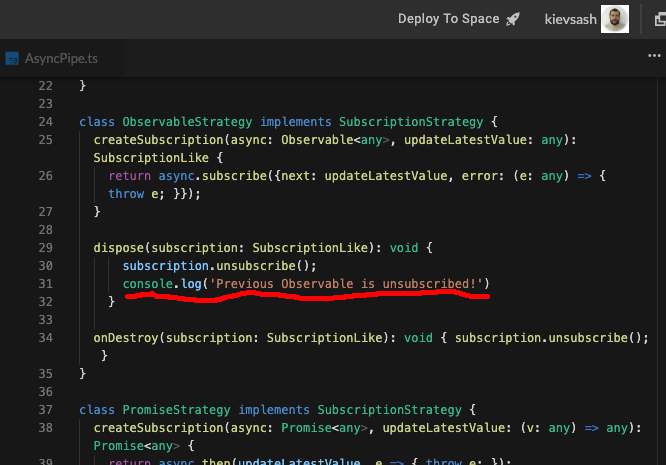
Now, let’s see what actually happens when we reassign the Observable property.
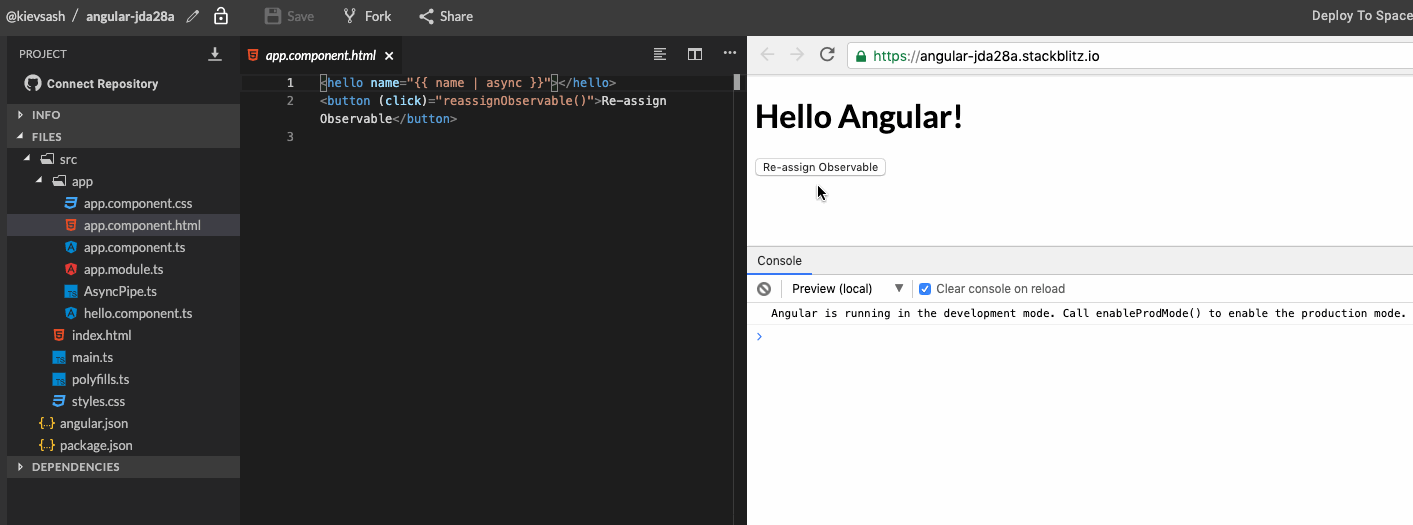
As you can see, the previous Observable gets unsubscribed — good news, we can all relax!
You can try this yourself in the Stackblitz playground.