Catching Angular template errors like a pro, or how I build Angular demos
I’m a fairly regular StackOverflow participant, though my activity level swings with my workload. I like answering questions tagged with Angular and always try to put together a runnable example to back up my suggestions.
For Angular demos, my go-to tools are plunker, stackblitz, and sometimes jsfiddle. They’re all solid, but when something goes wrong, I find myself wanting a more practical way to inspect the problem.
Most people posting questions on StackOverflow don’t isolate the issue or build a minimal reproduction — they just dump their whole codebase into the question. On top of that, the templates are often sloppy and full of syntax mistakes. To avoid endlessly chasing where an error comes from, I started building a tool that would help me zero in on the problem quickly.
Angular demo runner
Online angular editor for building demo.
ng-run.com
Here’s what I mean…

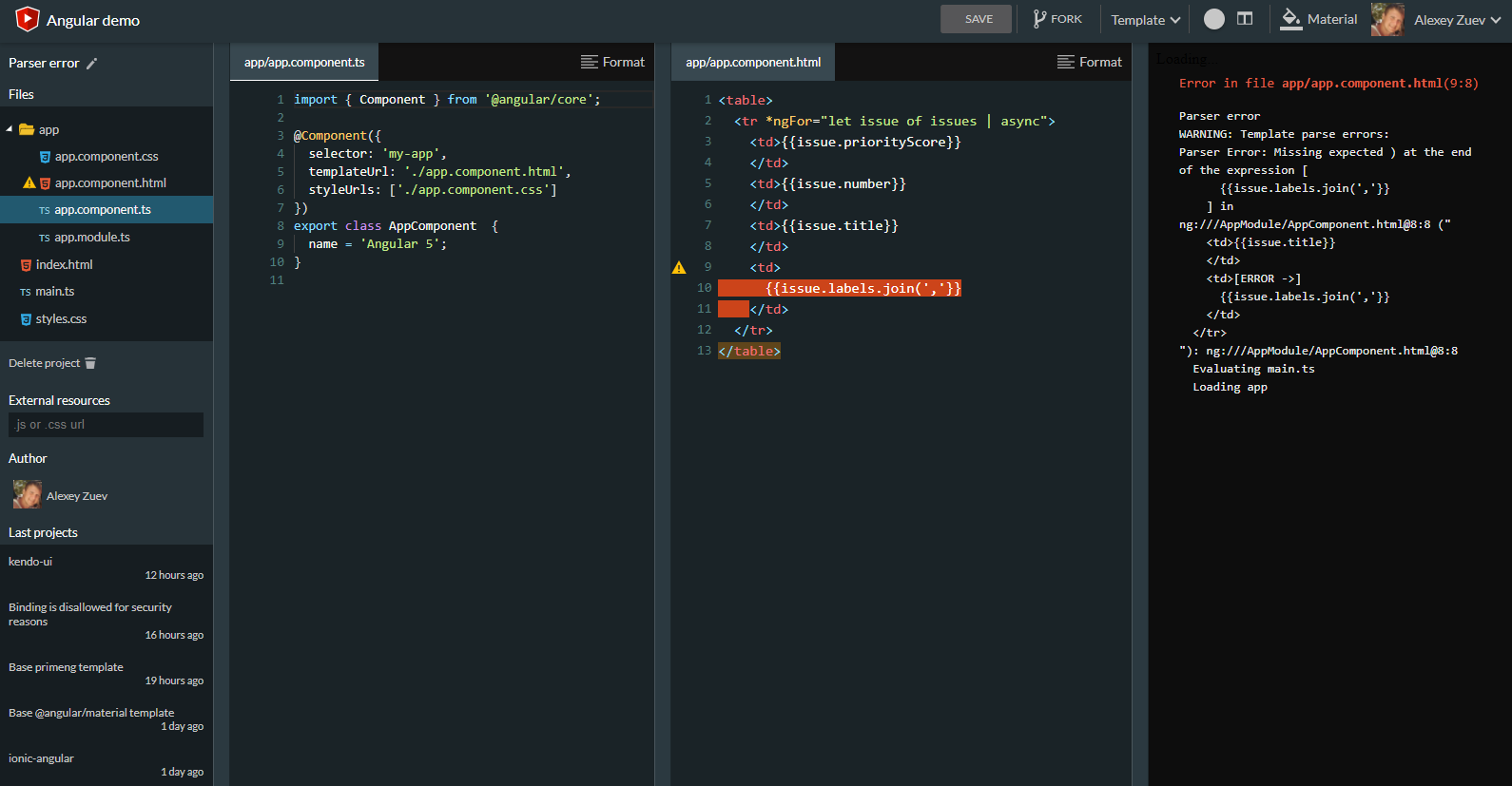
Errors from the template parser
Template parser errors are easy to catch with stackblitz.

It gives me some info, but what I really want is for the error to be visually flagged.

And it runs inside ts files too.
Runtime errors
Stackblitz catches every template parser error, but when I need to debug other runtime errors, I have to switch to DevTools Console. Even when the error shows up, it’s often unclear what it actually means or where it originated.
Let’s try a simple expression in a template:
{{ x.name }}
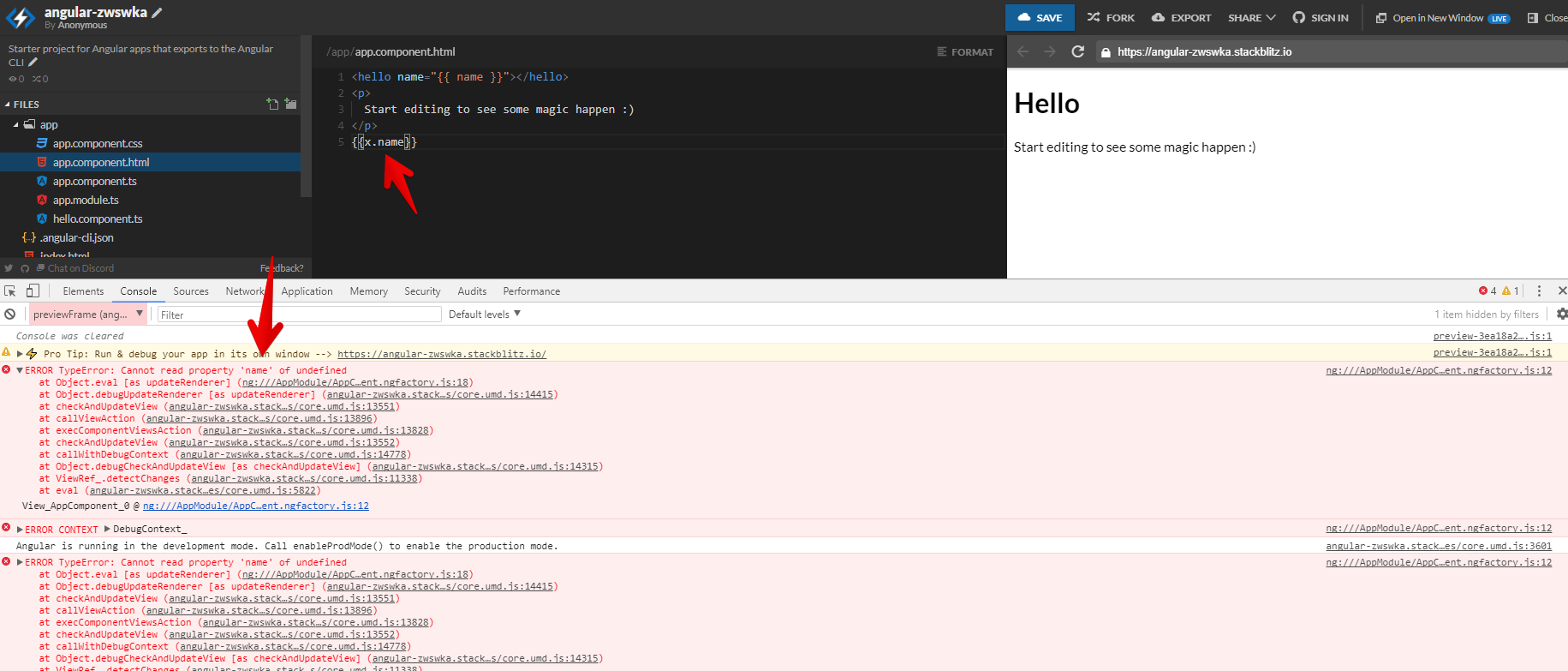
It would be much nicer to view it this way:

I regularly work with dynamic component creation and, like many others, sometimes overlook adding a component to the entryComponents array.

Other times, an event handler might throw an error mid-execution.
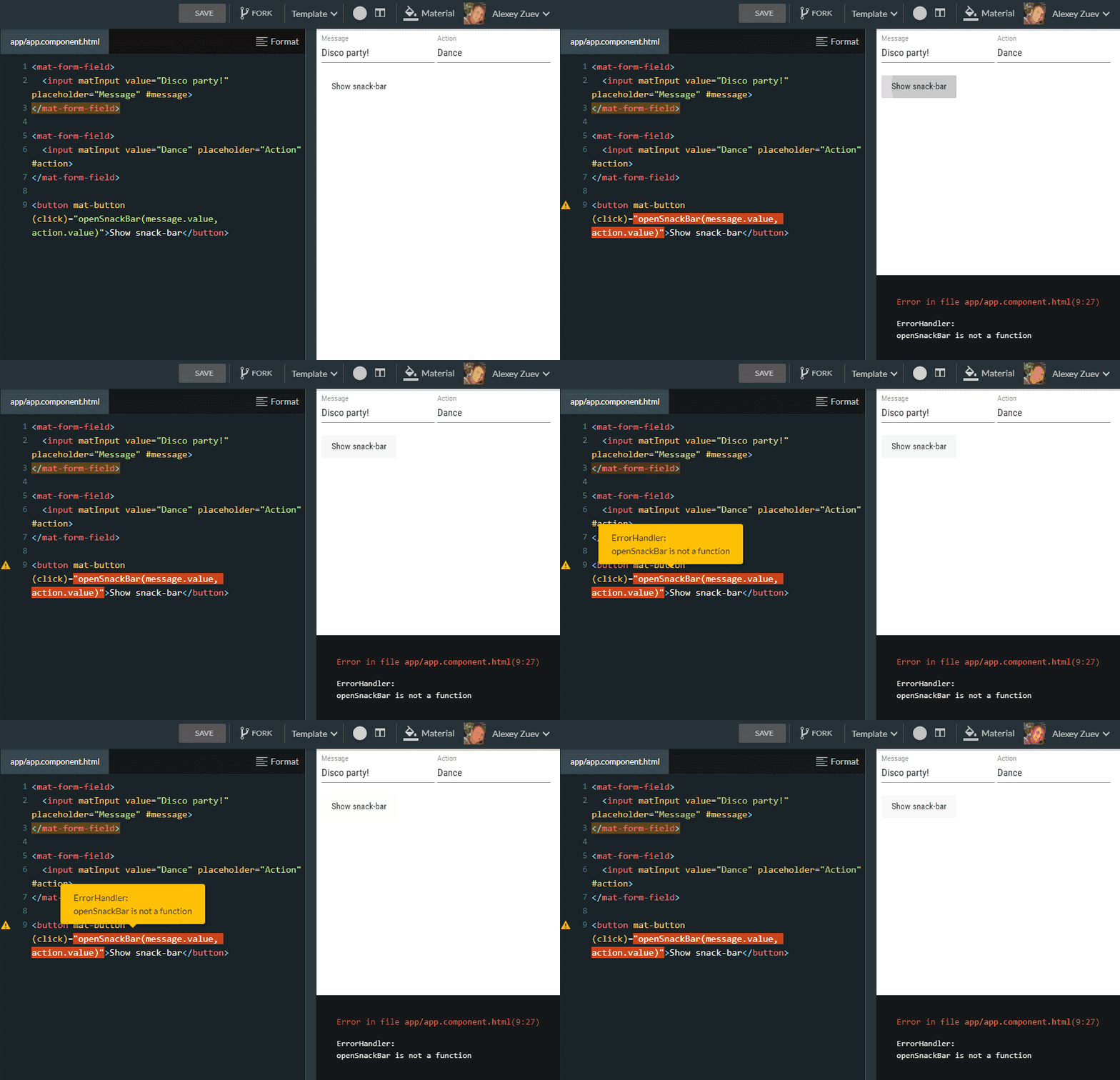
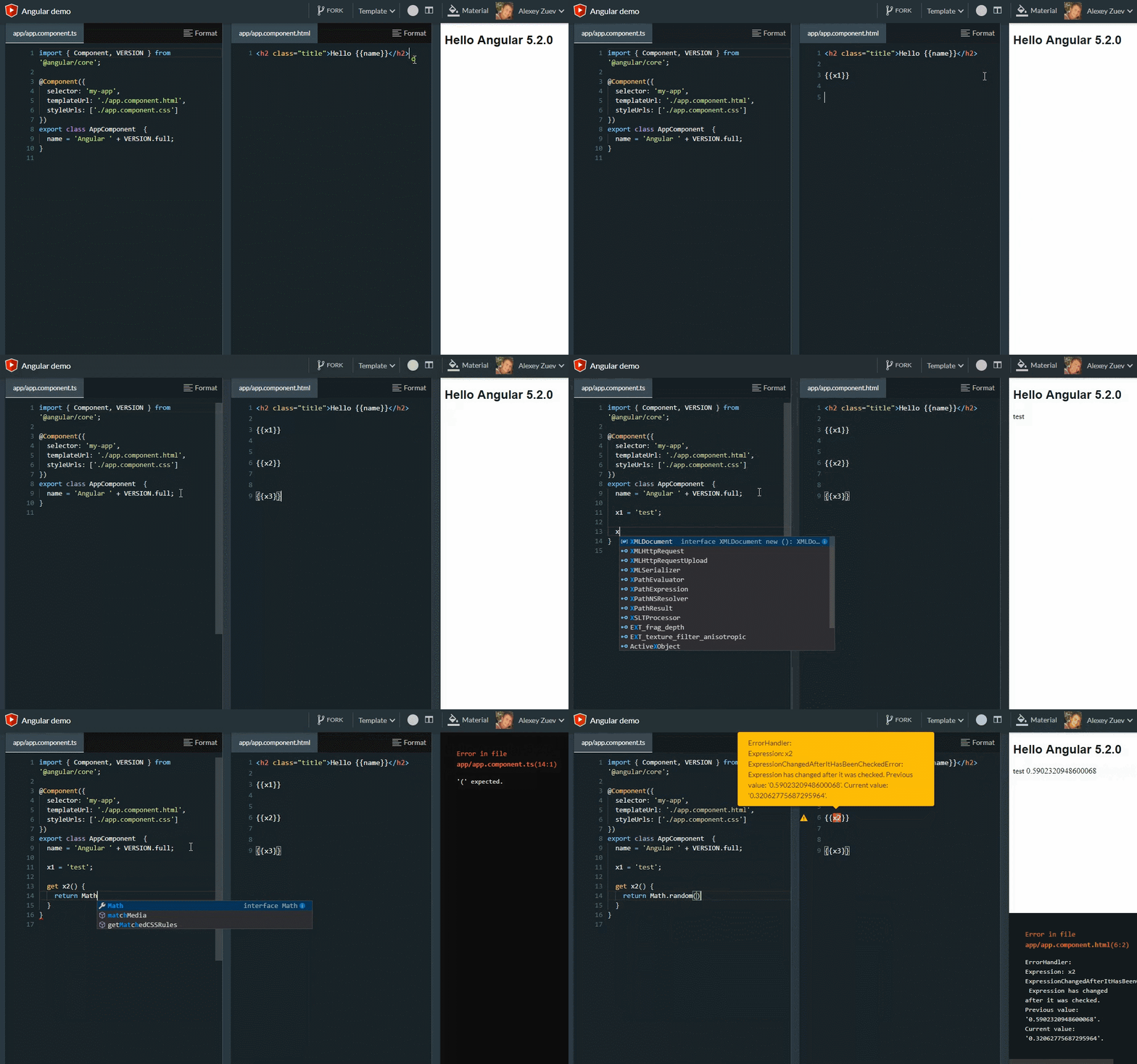
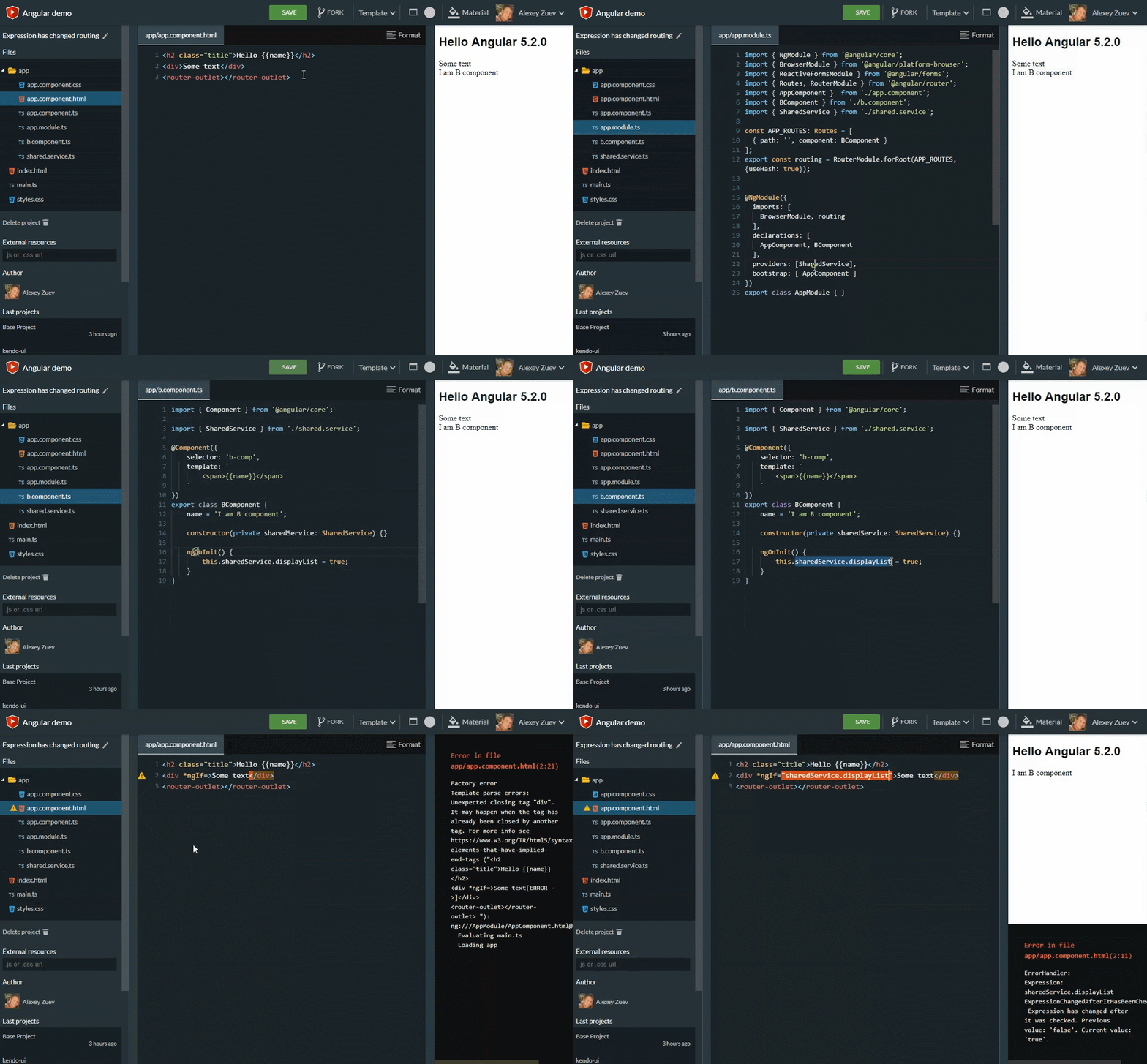
ExpressionChangedAfterItHasBeenCheckedError
Even though requests like these:
- Show more details with the ExpressionChangedAfterItHasBeenCheckedError
- Feature fix(core): add binding name to the error message `expression changed after it was checked
- Feature 2 feat(core): add expression name to ExpressionChangedAfterItHasBeenCheched
haven’t been implemented, I can still retrieve more useful details now.
(Update: starting with Angular 5.2.3, the binding name shows up in the error https://github.com/angular/angular/commit/2af19c96f215794260c22057f0f9b9a93cccdb00 — but this isn’t the case for interpolated values.)
Here’s a basic example:
Let’s also walk through a routing-based example:
What else is there?
A handful of other features make demo-building much quicker:
- Built-in Angular language service (HTML syntax diagnostics and autocomplete)
- Angular CLI Generator for Component, Service, Directive, Module and Pipe
- Auto import
- Go to definition
- Prettier
- Emmet in css and html (inline templates included)
- Syntax highlighting, completion and formatting for inline Angular templates
- Split layout into two sections
- Predefined templates
- A wide range of themes
- Snippets (
angcangd)
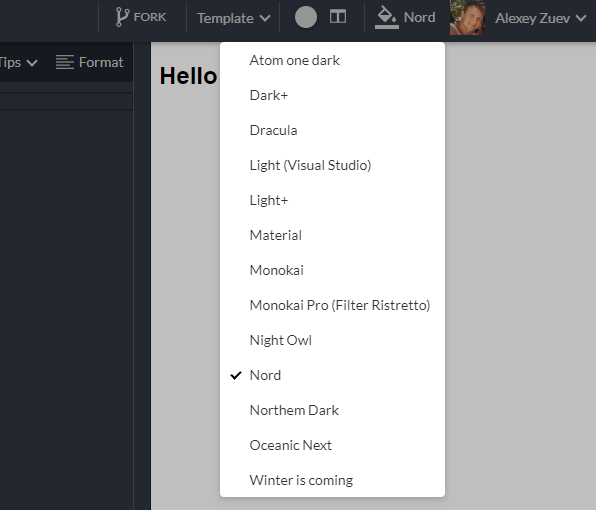
Available themes
Thanks for reading:)