Scenario Used for Demonstration
To illustrate how Module Federation handles various versions of shared libraries, I rely on a straightforward shell application familiar from earlier installments of this series. The shell is built to load micro frontends into its designated workspace:
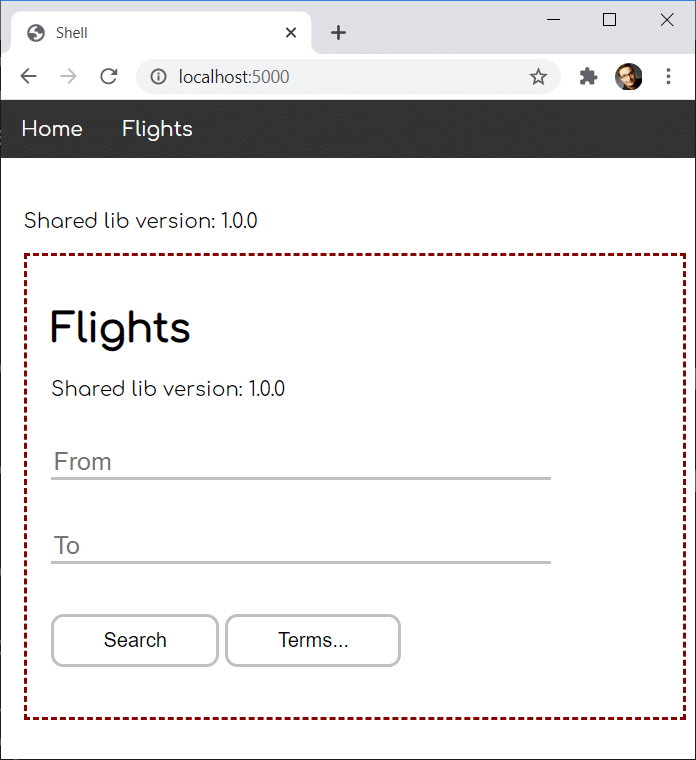
A red dashed border frames the micro frontend.
Both the shell and the micro frontend configure their webpack setups with the following settings to enable library sharing:
new ModuleFederationPlugin({
    [...],
    shared: ["rxjs", "useless-lib"]
 })
If you're unfamiliar with Module Federation, a detailed introduction is available here.
For this demo, I created a placeholder package called useless-lib and published it on npm. It exists in versions 1.0.0, 1.0.1, 1.1.0, 2.0.0, 2.0.1, and 2.1.0, with the possibility of adding more later. These versions give us the flexibility to simulate different kinds of version conflicts.
The package exposes a version constant that indicates which version is installed. In the screenshot above, both the shell and the micro frontend show this value. In that particular setup, they both rely on version 1.0.0, which means the library can be shared between them without duplication. As a result, useless-lib is loaded just a single time.
In the upcoming sections, we'll look at what happens when discrepancies arise between the version of useless-lib used by the shell and the one used by the microfrontend. This will also give me the opportunity to walk through several strategies Module Federation provides to manage these situations.
Semantic Versioning as the Default Approach
For the first scenario, imagine our package.json definitions reference the following versions:
- Shell: useless-lib@^1.0.0
- MFE1: useless-lib@^1.0.1
Here's the outcome:

Module Federation opts for version 1.0.1, given that it's the highest release compatible with both apps under semantic versioning rules (the ^1.0.0 range permits higher minor and patch versions).
When Versions Don't Align: Fallback Modules
Next, let's change the dependencies in package.json to the following:
- Shell: useless-lib@~1.0.0
- MFE1: useless-lib@1.1.0
These two versions are incompatible with one another (the ~1.0.0 range grants access to higher patch versions only, not to a higher minor version).
The result:
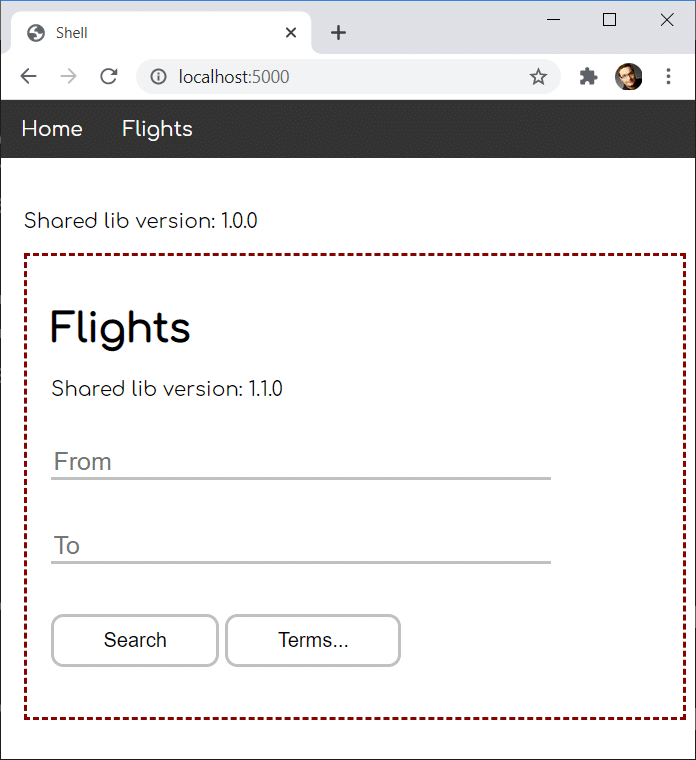
As you can see, Module Federation ends up loading separate versions for the two applications. In this example, each app defaults to its own version, often referred to as the fallback module.
How Dynamic Module Federation Changes Things
It's worth noting that the behavior deviates when micro frontends are fetched on demand, along with their remote entry points, via Dynamic Module Federation. Since dynamic remotes aren't present during the initial startup, Module Federation can't factor their versions into its initialization decisions.
To illustrate, let's say the shell loads the micro frontend dynamically and we're working with these versions:
- Shell: useless-lib@^1.0.0
- MFE1: useless-lib@^1.0.1
With traditional (static) Module Federation, both apps would settle on 1.0.1 during initialization. However, with the dynamic approach, the shell hasn't seen the micro frontend at that stage, so it can only select a version that works for itself:
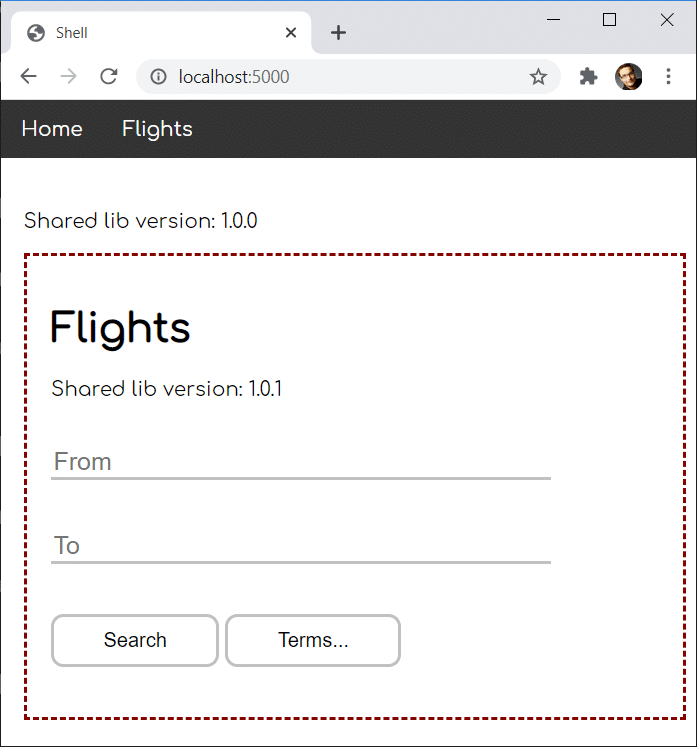
Had there been other pre-registered static remotes (like additional micro frontends), the shell could have picked a version compatible with those as well, following semantic versioning as discussed earlier.
When the dynamic micro frontend finally loads, Module Federation can't locate a previously loaded version that satisfies the 1.0.1 requirement. As a fallback, the micro frontend brings in its own copy at version 1.0.1.
Now, consider a case where the shell already has the highest compatible version installed:
- Shell: useless-lib@^1.1.0
- MFE1: useless-lib@^1.0.1
In this situation, the micro frontend will reuse the version that's already present:
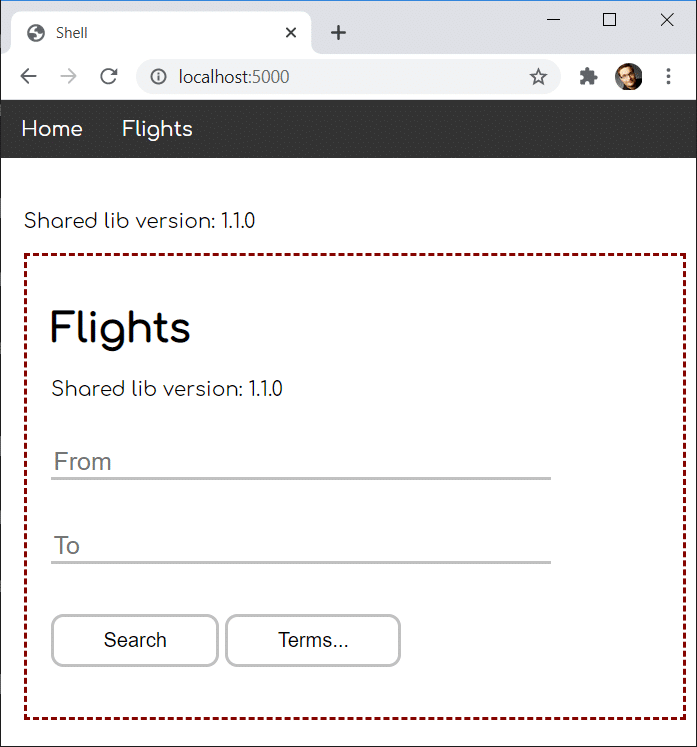
As a general guideline, it's wise to have your shell serving the highest compatible versions when you're dealing with dynamic remotes that load late.
However, as we touched on in the Dynamic Module Federation article, there's a way to fetch just the remote entry point during startup and then load the actual micro frontend only when needed. Splitting these two operations restores behavior identical to static Module Federation, because the remote's metadata becomes available early enough to influence the version negotiation.
Restricting Libraries to a Single Instance
Sometimes falling back to another version isn't ideal—especially when dealing with libraries that maintain state. Multiple instances of such libraries can lead to unpredictable outcomes. This is almost always the case for core frameworks like Angular, React, or Vue.
For these situations, Module Federation gives you the option to mark a library as a singleton. This ensures it's loaded exactly once.
If all the requested versions are compatible, Module Federation picks the highest one, as we've seen before. But when a version conflict exists, singletons stop Module Federation from spinning up an extra copy of the library.
Let's examine a conflict with these versions:
- Shell: useless-lib@^2.0.0
- MFE1: useless-lib@^1.1.0
Suppose we also set useless-lib as a singleton:
// Shell
 shared: {
   "rxjs": {},
   "useless-lib": {
     singleton: true,
   }
 },
The configuration here uses a more detailed setup for singletons. Rather than a plain array, we use an object where each property points to a package.
When a library is a singleton, it's typical to mark it that way across all configurations. I'll apply the same adjustment to the micro frontend's Module Federation config:
// MFE1
 shared: {
     "rxjs": {},
     "useless-lib": {
         singleton: true
     }
 }
To keep a singleton package from being loaded multiple times, Module Federation picks just the highest version it knows about during initialization. Here, that would be 2.0.0:
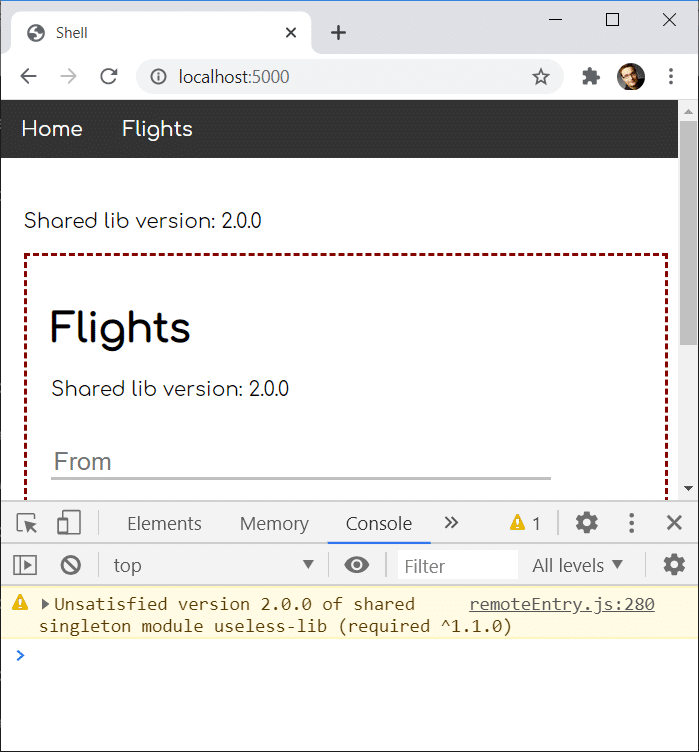
But because 2.0.0 and 1.1.0 aren't compatible per semantic versioning, a warning appears. In the best case, the federated app continues to work despite the mismatch. Yet if the newer major version has breaking changes that affect your code, the app could fail at runtime.
To avoid that uncertainty, you might prefer to fail fast when a mismatch is detected by triggering an error. Setting strictVersion to true makes Module Federation behave this way:
// MFE1
 shared: {
   "rxjs": {},
   "useless-lib": {
     singleton: true,
     strictVersion: true
   }
 }
At runtime, this produces the following outcome:
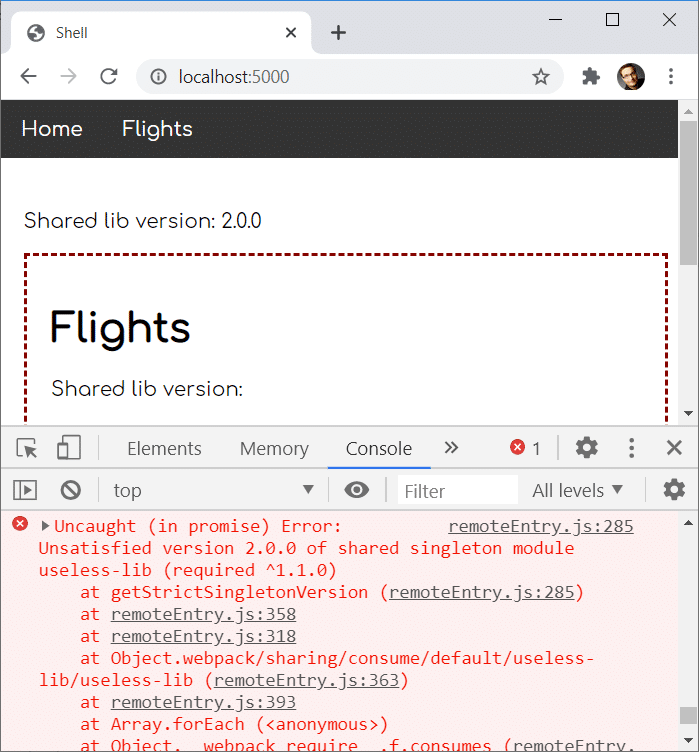
Allowing a Custom Version Interval
There are cases where you're aware that a higher major version is actually backward compatible, even if semantic versioning suggests otherwise. In such instances, you can tell Module Federation to accept a particular version range.
To demonstrate, let's reuse the same mismatch as before:
- Shell: useless-lib@^2.0.0
- MFE1: useless-lib@^1.1.0
This time, we can apply the requiredVersion option to useless-lib within the micro frontend's configuration:
// MFE1
 shared: {
   "rxjs": {},
   "useless-lib": {
     singleton: true,
     strictVersion: true,
     requiredVersion: ">=1.1.0 <3.0.0"
   }
 }
With this setting, we indicate that any version with a major of 2 is acceptable. Therefore, the micro frontend can use the shell's 2.0.0 version:
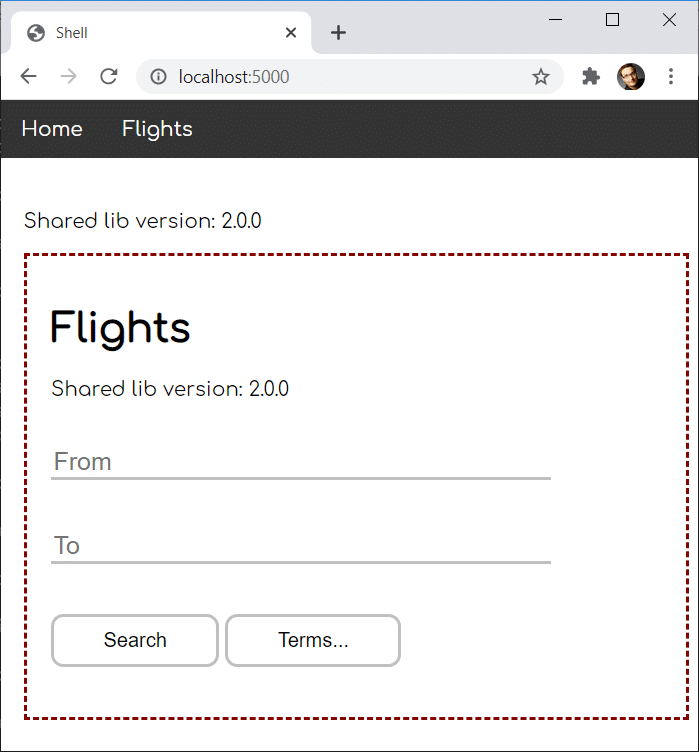
Wrapping Up
Module Federation offers several ways to address version differences and conflicts. In most cases, you don't need to intervene at all—semantic versioning guides it to select the highest mutually compatible version. When a remote demands an incompatible version, it falls back to its own as the default behavior.
To avoid loading multiple copies of a package, you can designate it as a singleton. Module Federation will then use the highest version it knows at startup, even if it doesn't meet every requirement. If you'd rather avoid silent incompatibilities, the strictVersion option makes Module Federation raise an exception instead.
Alternatively, you can loosen the version requirements using the requestedVersion field to define an acceptable range. For more complex cases, it's even possible to set up several scopes, each allowing its own version.
Beyond This Point: Architectural Considerations
Up to now, Module Federation has proven to be a direct approach for building Micro Frontends with Angular. Nevertheless, once you start working with it, a number of additional considerations tend to surface:
- What criteria should guide the sub-division of a large application into micro frontends?
- Which access restrictions are appropriate in this context?
- Which established patterns are worth adopting?
- How can common pitfalls with Module Federation be avoided?
- What advanced use cases can be realized?
Our free eBook, roughly 100 pages in length, addresses each of these topics in detail:
Go ahead and grab your copy here.