
Getting the sources and building a minimal test app
To work through this process, I need two things: the React source code and a small application that uses React so I can inspect what's happening at runtime. Let me start by grabbing the sources. I navigate to github.com/facebook/react and open the “releases” tab:
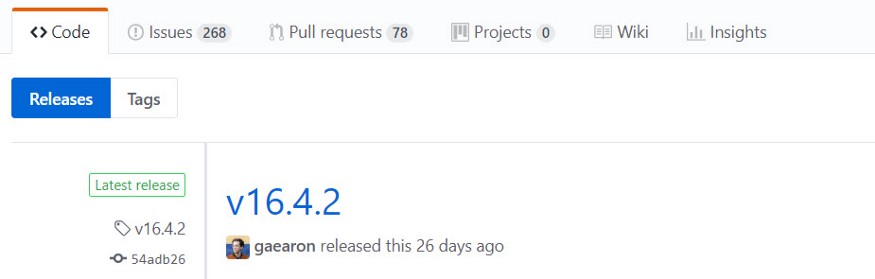
Right now, the most recent release is 16.4.2:
Next, I clone the repository:
$ git clone https://github.com/facebook/react.git
I look for the version tag:
$ git tag
…
v16.4.0
v16.4.0-alpha.16.4.0-alpha.7926752
v16.4.0-alpha.5a25959
v16.4.0-alpha.94a255d
v16.4.1
v16.4.2
and switch to the specific tag I want, which is v16.4.2:
$ git checkout tags/v16.4.2
Checking out files: 100% (728/728), done.
Previous HEAD position was 7d9b4ba35 Update bundle sizes for 16.1.0 release
HEAD is now at 54adb2674 16.4.2
For the test app, I'll use the simplest option — a single HTML file that loads the library. It's convenient that React ships a build that works this way.
After downloading the project, I need to make sure it uses React 16.4.2. I can point the unpckg reference inside the index.html to that exact version:
<script src="https://unpkg.com/react@16.4.2/umd/react.development.js" crossorigin></script>
<script src="https://unpkg.com/react-dom@16.4.2/umd/react-dom.development.js" crossorigin></script>
To confirm everything is wired up correctly, I start a local HTTP server in the directory alongside index.html:
$ http-server .
Starting up http-server, serving .
Available on:
  http://192.168.0.4:8080
  http://127.0.0.1:8080
Hit CTRL-C to stop the server
The server is listening on port 8080. Good to go.
Choosing a starting point in the codebase
Now I need to pick where to begin my exploration. The thing I'm most curious about is how React detects and applies changes. That will be my primary question.
But knowing what I want to learn doesn't immediately tell me which file to open or where to drop a debugger statement. To narrow it down, I'll use what I know about how modern change detection usually works.
Leveraging knowledge of common patterns
Change detection, in essence, is about reflecting a component's state changes in the DOM. In React, the process starts when you call setState. I could trace through that call, but the documentation mentions it is asynchronous, so it might not lead me straight to the interesting parts. Instead, I'll look for where React keeps track of the DOM nodes it generates. Once I spot where those nodes are kept, I can follow the code that touches them and trace my way to the change detection logic. That seems like a more direct route: my focus will be on the DOM nodes.
Figuring out which DOM nodes to watch for
Before I can find where these nodes are stored, I have to know exactly which nodes React will generate for my component. This is the component used in my minimal app:
class LikeButton extends React.Component {
  constructor(props) {
    super(props);
    this.state = { liked: false };
  }
  render() {
    if (this.state.liked) {
      return 'You liked this.';
    }
    return e(
      'button',
      { onClick: () => this.setState({ liked: true }) },
      'Like'
    );
  }
}
Look at the render method; it's what returns the component's template. In this code, e is a shorthand for React.createElement:
const e = React.createElement;
In a framework like Angular, templates are usually HTML files. But React's approach is different: it builds the template by nesting calls to the createElement function. So my job is to figure out what the resulting HTML looks like for this instruction:
return e(
    'button',
    {onClick: () => this.setState({liked: true})},
    'Like'
);
Since this is a call to createElement, I can just look at what that function does. The first step is locating it in the source tree. I open the project in WebStorm and use the Search Everywhere shortcut:
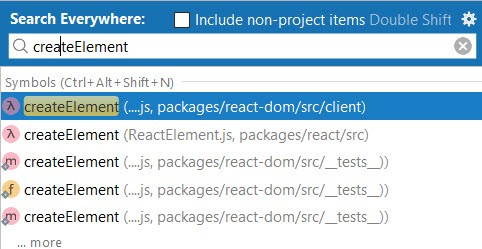
The top two results both look plausible. I'll rely on their signatures to tell them apart. This one is from the react-dom package:
export function createElement(
  type: string,
  props: Object,
  rootContainerElement: Element | Document,
  parentNamespace: string,
): Element { ... }
And here's the one in the react package:
export function createElement(type, config, children) { ... }
So which one is the right target?
Think like a scientist
In the earlier article, I laid out a basic scientific method:
- Start with an observation and form a hypothesis.
- Make a prediction based on that hypothesis.
- Run a test to see if the prediction holds.
Let's apply that now. By observing the function signatures, I hypothesize that the one inside the react-dom package is called by the render method. This seems more likely since it's in a package that deals with the browser. So my prediction is that this createElement function is the one that executes when React invokes the component's render method. To test this, I place a debugger line right before the createElement call, run the app, and when execution pauses, I step into the e function to see where I land:
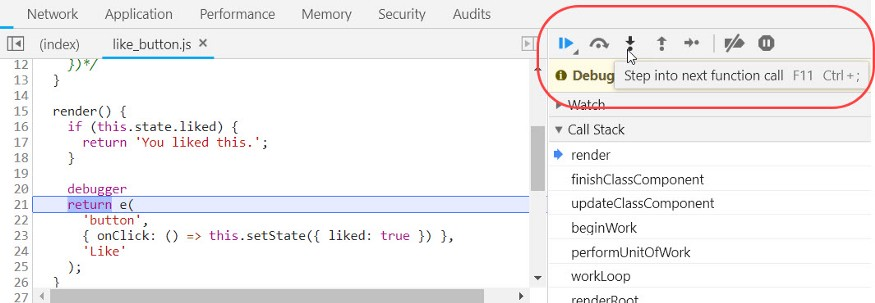
Unexpectedly, I find myself inside a function named createElementWithValidation:

That's not what I predicted. Looking at the name, I suspect this is a wrapper around the core createElement. So I find this wrapper in the source tree:
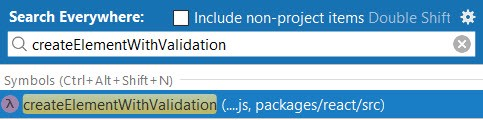
And, sure enough, inside it I see a call to the real createElement:
export function createElementWithValidation(type, props, children) {
  const validType = isValidElementType(type);
  ...
  const element = createElement.apply(this, arguments);
At this point, I have a choice: I can keep tracing the code in the IDE, which should be able to resolve where createElement is defined, or I can go right back to debugging. For JavaScript projects, I often prefer the debugger because the IDE might not always resolve references perfectly. But here, React uses ES modules for its imports, as seen in this snippet:
import {isValidElement, createElement, ...} from './ReactElement';
That makes the IDE's reference resolution reliable. So I'll explore the source a bit more. I control-click createElement, and WebStorm jumps to its definition in react/src/ReactElement.js:
export function createElement(type, config, children) { ... }
And it's not the function I thought would be called! My initial hypothesis was wrong. This happens often, so there's no reason to be discouraged.
Still, I like to double-check things when I'm surprised. I'll verify this in the debugger again. It's common to bounce back and forth between looking at the source and running the code.
Recall, we stopped in createElementWithValidation:

I'll scroll down in the debugger, set a breakpoint on the line that calls createElement, and use the Continue to here feature:

Once it stops there, I'll step in, and I arrive at the actual createElement function:

Good — it's the same one the IDE resolved to. Since I now know which function is invoked from render, I can work out the HTML by pairing the function call with its signature:
// signature
function createElement(type, config, children) { ... }

// actual call
return e(
    'button',
    {onClick: () => this.setState({liked: true})},
    'Like'
);
With my understanding of the browser's DOM, I can start hypothesizing. I'd guess the type parameter is the tag name of the DOM element, config holds event handlers and other props, and children lists the child nodes. So I predict that React will create a DOM structure that looks like this:
<button (click)="() => this.setState({ liked: true })">
    Like
</button>
This means a button element with a click listener and a text node inside it that says Like. That's the prediction I need to prove or disprove. The way to do that is by seeing the actual DOM nodes React makes and comparing them to my mental template.
You'll notice that familiarity with the underlying platform is essential here — you have to understand the different kinds of DOM nodes.
Ideally, these nodes will be created right inside the createElement function. Since my app is already paused inside that function, I'll keep going with the debugger to see what the rest of the function does. I do still use the source, but at this stage the debugger is more useful because I can see the actual variable values without guessing where things are defined.
I quickly scan the function body and see a call to ReactElement that's being returned:

Time to look up the ReactElement function in the source:
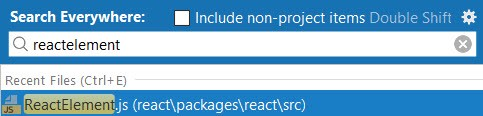
This doesn't look like it creates any DOM nodes. In fact, it only builds a data structure it calls a ReactElement. I'm starting to wonder how this structure gets used. I notice it has a type property:
const element = {
  // This tag allows us to uniquely identify this as a React Element
  $$typeof: REACT_ELEMENT_TYPE,
  // Built-in properties that belong on the element
  type: type,
  key: key,
  ...
};
I'm curious if the type for this element will be the string button. Since the app is currently halted right at the ReactElement call:

I can step into it to find out:
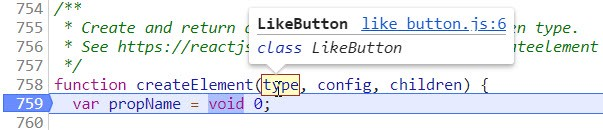
The first call's type isn't button — it's the class reference for the LikeButton component. I'll make a mental note of that. The string button should show up in a later call, probably after the render function starts running. I'm not sure how many calls that will take, but I have a plan. I'll turn off the breakpoint in createElement and let the app run until it stops at the debugger statement inside my render method:
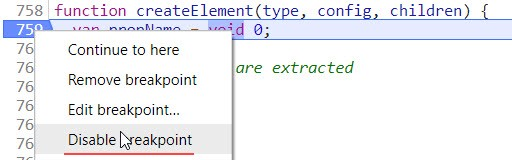
With that breakpoint suspended, I let the app continue:
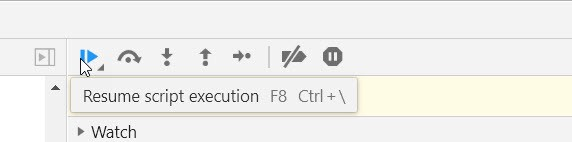
And now I'm at the debugger statement inside render:

I go back to the Breakpoints panel:
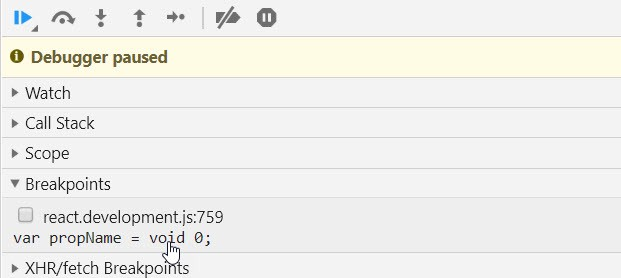
and toggle that breakpoint back on:
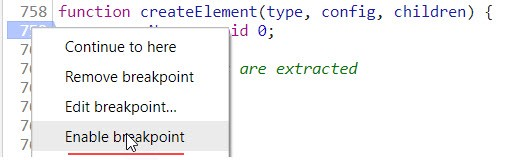
Now, as I resume execution, I can look at the value of the type argument:
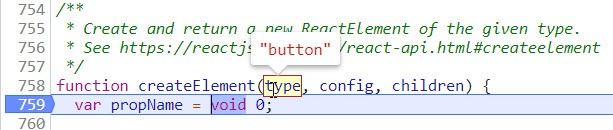
It's the button element, just as I predicted.
The comment in the code says it's for making a React Element. That's a new term for me. It appears React has a data structure called ReactElement that stands in for a DOM node. Interesting. There's also a helpful link to the docs that I'll need to check out eventually. But that's for later. Right now, I have to stay on task and check whether my prediction about the DOM elements is correct.
I keep debugging, and as I leave the render function, I see this code around me:
{
    ReactDebugCurrentFiber.setCurrentPhase('render');
    nextChildren = instance.render();
    if (debugRenderPhaseSideEffects || ...) {
        instance.render();
    }
    ReactDebugCurrentFiber.setCurrentPhase(null);
}
Looking around, I see the term Fiber used everywhere. I don't recognize it, so I quickly search online. The search results show me that Fiber is what they call the new engine. I'll need to do some reading on this later.
Stepping back and reflecting on discoveries
Alright, I'm going to take a brief pause to consider what I've learned. Every time createElement is called, it creates a ReactElement object. I'm noting that down:
createElement(type) -> ReactElement.type
I've seen two calls so far — one producing a ReactElement whose type is a component class, and another where the type is a string like button. It looks like there could be two kinds of React Elements: one for components and one for actual DOM tags.
I still haven't found the place where the real DOM node is created. That is the crucial spot I must find to test my guess about what DOM nodes get made.
Reading the Call Stack to understand the flow
Let me take a moment to study the Call Stack:
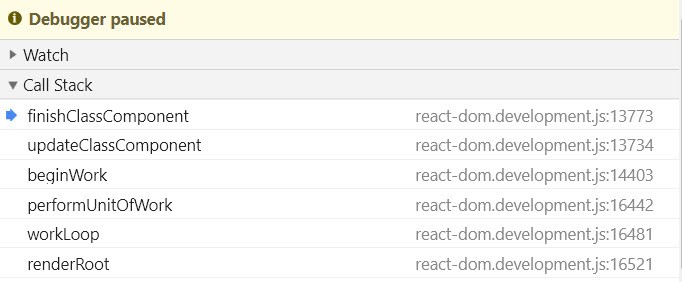
Looking at the functions listed, it seems React is running some kind of work loop, handling one task or chunk of work at a time. Creating a DOM node could be one of those tasks, but I'd have to go through several loop iterations to catch it. That kind of debugging can take a while, especially if the loop is asynchronous, which I suspect it is. The complexity could escalate quickly.
Applying what I know about the platform
Instead of tracing that loop, I'll take a more direct approach. I know that, on the web, you create a DOM node by calling document.createElement. React probably doesn't call that method directly, since it aims to be platform-independent. So I'll search for just .createElement (with a leading dot) to find where it wraps the native API.
First, I look inside packages/react/src. It's mostly tests in there. I'll widen my search to all the packages, excluding test files:

createElement has to be called on some document-like object. I think I see a strong candidate:
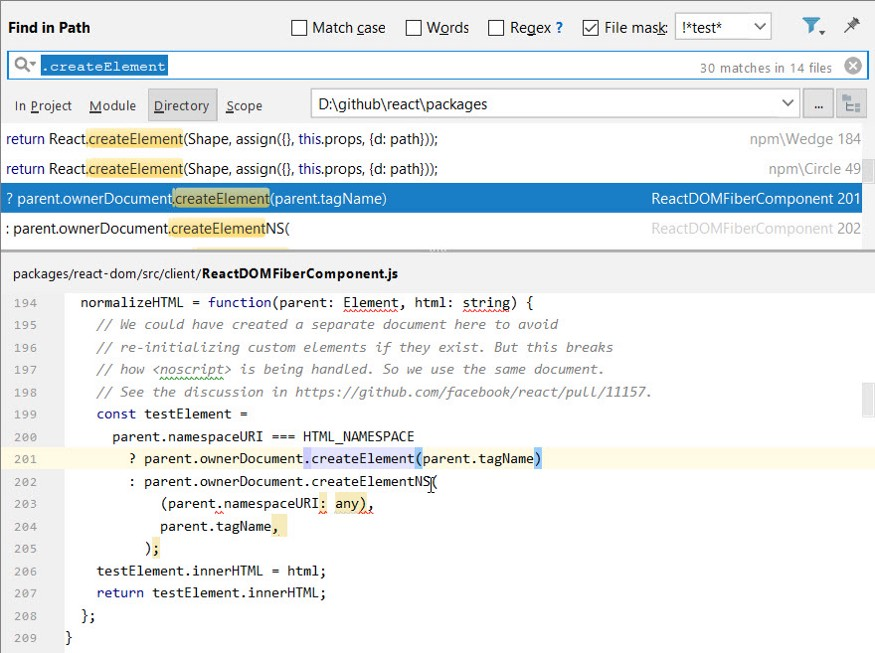
Just like before, I'll verify this by setting a breakpoint in the browser's debugger. I expect this to be the code that builds the button element. To test it, I have to find that code in the files served to the browser and stop it there.
Getting comfortable with debugging tools
I use Chrome's Dev Tools and hit Ctrl+Shift+F to search all files for the specific line parent.ownerDocument.createElement(parent.tagName). Here's the result:

I can double-click that result to open the file. I add a breakpoint and reload the page. Nothing. My breakpoint never triggers, so this isn't the path I need. Turns out I was wrong again.
Switching up the approach
Let me try another tactic that I find useful pretty often. I need a way to find out where something gets called. The trick is to wrap a specific method on an object with a new function that calls the original but also includes a debugger statement. This is like a decorator pattern. When that method gets called next, the debugger kicks in, and I can look at the Call Stack to see exactly where the call is coming from.
I want to do this to the document object's createElement method. But I need to do it early. Since I know my button won't be created until after render runs, I can wait until the app is paused inside render to set this up.
When the app is paused there, I just run these commands in the console:
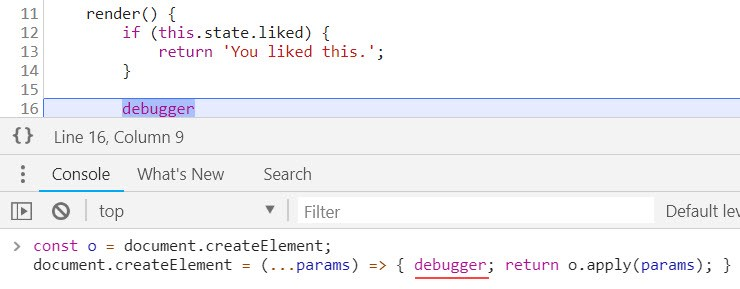
After I resume, the app stops right away at my added debugger statement:

I check the Call Stack. Looking one level up tells me the calling function:

Two important details here: the main function that creates a DOM node is called createElement$1, and React refers to the document object through a property named ownerDocument. This will help me find other DOM-related calls in the future.
Let me see what's calling that. It's the createInstance function:

Alright, this confirms it. The button DOM node is created here in a function called createInstance. The $1 in the other function name isn't important right now. Excellent — this is where the DOM node gets created!
Now I have to locate this in the static source code. I do another search in WebStorm:
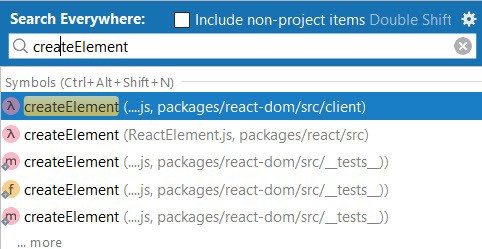
It's the same list I saw earlier! That's where we started. Initially, I thought that the createElement function from the react-dom package would be used inside render:
return createElement(
    'button',
    {onClick: () => this.setState({liked: true})},
    'Like'
);
But that turned out to be the react package's function, which builds React Elements.
So now I know: the react-dom package's createElement is the one that talks to the DOM, while the one from react only makes React Elements.
That's a key insight. It suggests the DOM-specific logic all lives in react-dom, while react holds the more generic, platform-agnostic code. This aligns with the fact that React is cross-platform. It mirrors how Angular splits up its code into @angular/core and @angular/platform-browser.
Now, I'm curious about the file that contains the createElement function. It's named ReactDomFiberComponent.js and it's full of DOM-related utilities like createElement, createTextNode, and updateDOMProperties. This is a jackpot for my investigation. I can put breakpoints in any of these if I need to intercept a DOM operation.
Now I can finally test the claim that this command:
return createElement(
    'button',
    {onClick: () => this.setState({liked: true})},
    'Like'
);
gives me a button with a text node inside it containing Like and a click listener attached.
I have the functions for element and text node creation, but I still don't know which one handles events. A quick search in the react-dom package surfaces a few likely functions:
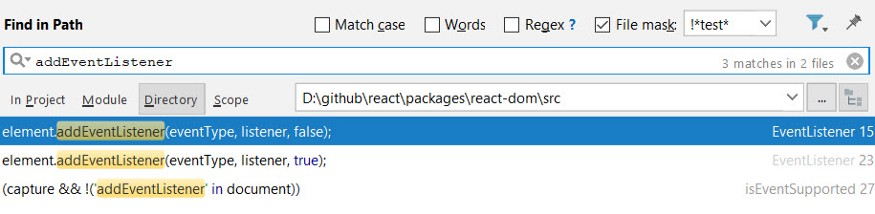
It's probably one of the first two I see there.
Let me set async debugger statements on createElement, createTextNode, and the event listener helpers. After I reload the app, my breakpoints in createElement and addEventBubbleListener are hit. It makes sense that the bubble variant is used, since a click event does bubble. But I'm surprised that createTextNode is never called. So how is the text node for Like being made? I suspect it might be happening inside the existing createElement flow.
To see what's happening, I'll keep stepping over each call while checking the childNodes property of the button. This is where understanding the platform helps a lot. By doing this, I can quickly see which function is actually adding that child node.
I step over the call to createElement first. Let's see the property now:
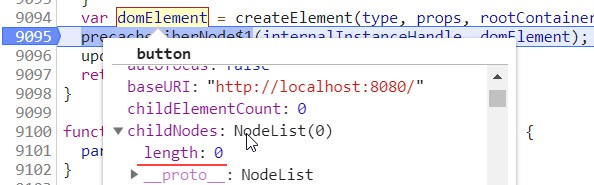
It's still 0, which means the text node wasn't added in that function. Next I step over precacheFiberNode$1 and updateFiberProps$1, checking the property again. No extra child yet. I keep going and now I'm inside the completeWork function:
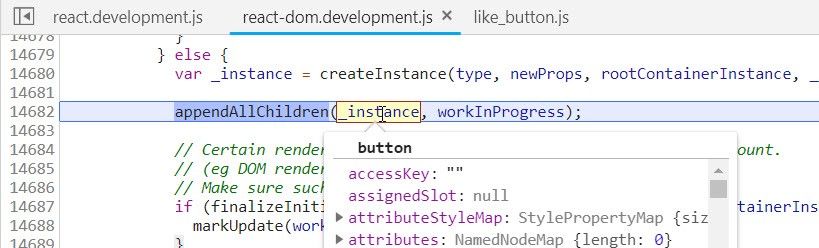
The _instance variable refers to the button we already created. I look at workInProgress, and it points to something called a FiberNode:
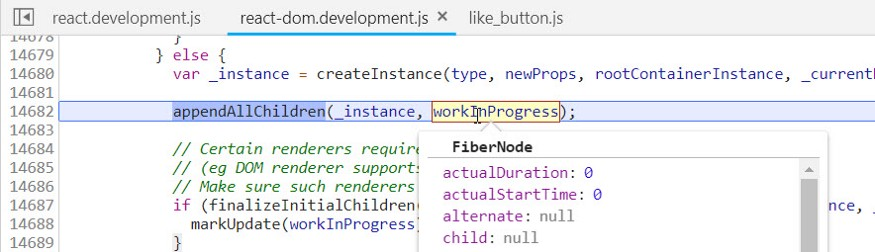
From the name and the little I've read about Fiber, it appears the FiberNode is an object that tracks a unit of work in this new architecture.
I continue stepping and hit a call to appendAllChildren. After I step over it, I check the child nodes once more:
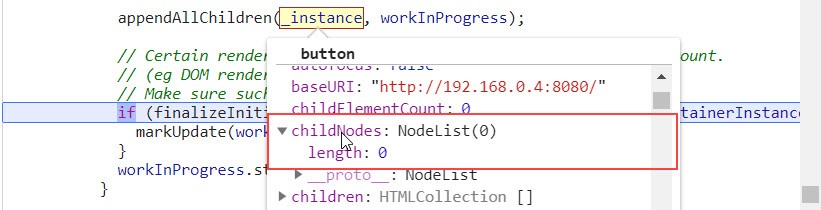
Still 0. So it wasn't in that function. I don't need to dig deeper into it now. I repeat the process for the finalizeInitialChildren call:
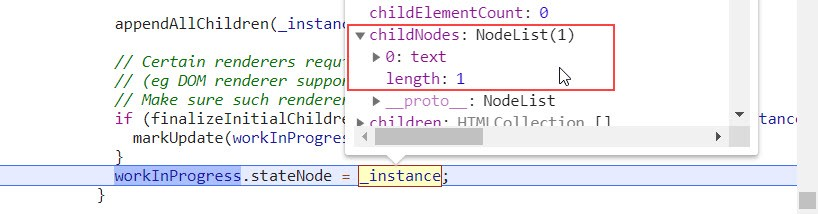
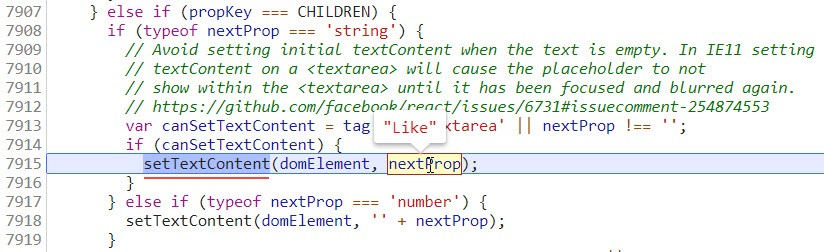
There it is — a child was created. So finalizeInitialChildren is the culprit. As I keep tracing with this method, I eventually find the exact code inside a function named setInitialDOMProperties:
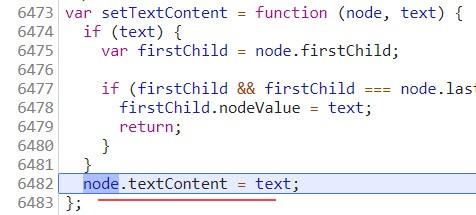
And looking at setTextContent itself, I can see exactly how it was done:
So my hunch about the type of DOM nodes was right, and we've learned a lot more along the way. We now know where React Elements and DOM nodes are each produced, what the package separation means, and we've gotten a glimpse of the Fiber architecture. That was quite a bit of ground to cover.
On being lucky
In my previous post, I mentioned the part that luck and chance can play in this kind of work. Here's a perfect example. I was deep in the code, trying to find where the DOM nodes are stored. If I just glance down a little lower in the code view, below the finalizeInitialChildren call, I see this:
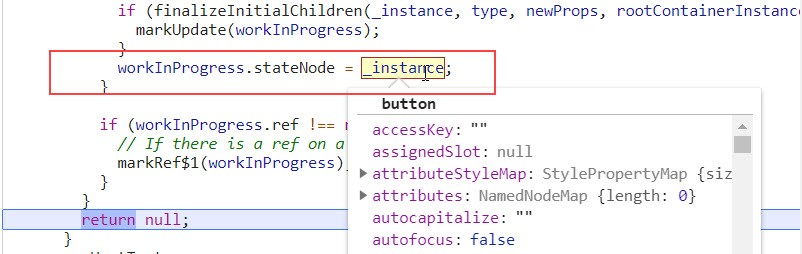
The button DOM element goes straight onto the workInProgress fiber node. So then, DOM nodes live on the Fiber Nodes. That answers my original question almost by accident.
That, of course, barely scratches the surface. There's a considerable amount of digging still ahead.
Right now, I know the framework attaches the newly created DOM element (and its children) to the stateNode property of a FiberNode. I figured it would store the hierarchy somewhere, in some sort of component-related structure. Maybe that Fiber Node — the unit of work — also holds the DOM links. I guess that's possible, though I haven't seen any evidence yet. Let me think about how I would design it, assuming that's the model. It would mean I'd need a list of Fiber Nodes I could iterate when a DOM update is required.
This means I still need to examine the actual Fiber Node class and its many types. I'll have to learn where these nodes are kept and how the framework walks through them. There's a lot of ground to cover. I'm looking forward to it.