
Understanding the `repeat` Operator
The RxJS repeat operator takes a source Observable and re-subscribes to it a designated number of times. For a deeper comparison with the retry operator, you can refer to my earlier write-up on ‘retry vs repeat’.
Simply put, repeat brings a completed Observable back to life. You might wonder why that matters — stick with me and we'll explore that shortly.
Let's work through a practical scenario to see when this "necromancer" tool becomes essential.
Here's the problem, borrowed from a StackOverflow question:
- We need to observe mouse press-and-hold, as well as mouse drag actions on our page.
- When the user holds the mouse down without moving for more than 2 seconds, a mouse_hold$ observable should emit the string
'HOLD'. - When the user presses the mouse and moves it within 2 seconds, a mouse_drag$ observable should emit the
mousemoveevent values.
Building the Solution
First, we set up the three core Observables that will capture the relevant mouse events:
Crafting mouse_hold$
We'll follow this plan to create the mouse_hold$ observable:
- When
mouse_Down$fires, we start a 2000ms timer. - If that timer completes, we emit the string
'HOLD'. - If either
mouse_Up$ormouse_Move$emits before the timer finishes, we need to complete themouse_hold$observable.
For the first step, we'll make use of the RxJS timer function. While it's often used for recurring emissions, when called with a single argument (a delay duration), it emits a single value (zero) only once after that delay.
const timer$ = timer(2000);
const timer$ = timer(2000);
For the second step, we turn to the switchMap operator to return an Observable that ultimately yields the HOLD string.
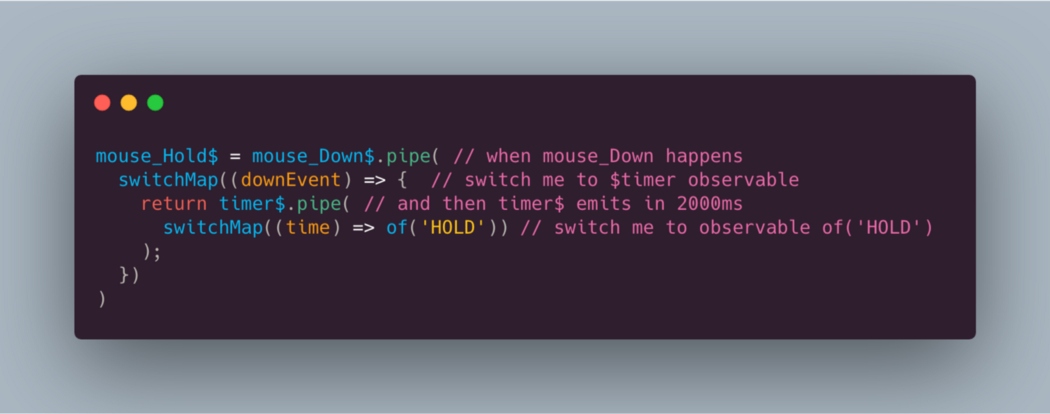
In this code, we perform a double switch: the initial mouse_Down$ emission prompts a switch to the timer$ Observable. When that timer fires after 2 seconds, we switch again to an of('HOLD') Observable. Consequently, subscribers to mouse_Hold$ will receive the HOLD string after the 2-second period.
Now for step 3 — terminating the observable if mouse_Up$ or mouse_Move$ emits. We achieve this by combining the merge function (to subscribe to both events) with the takeUntil operator, which completes the source observable when the notifier emits.
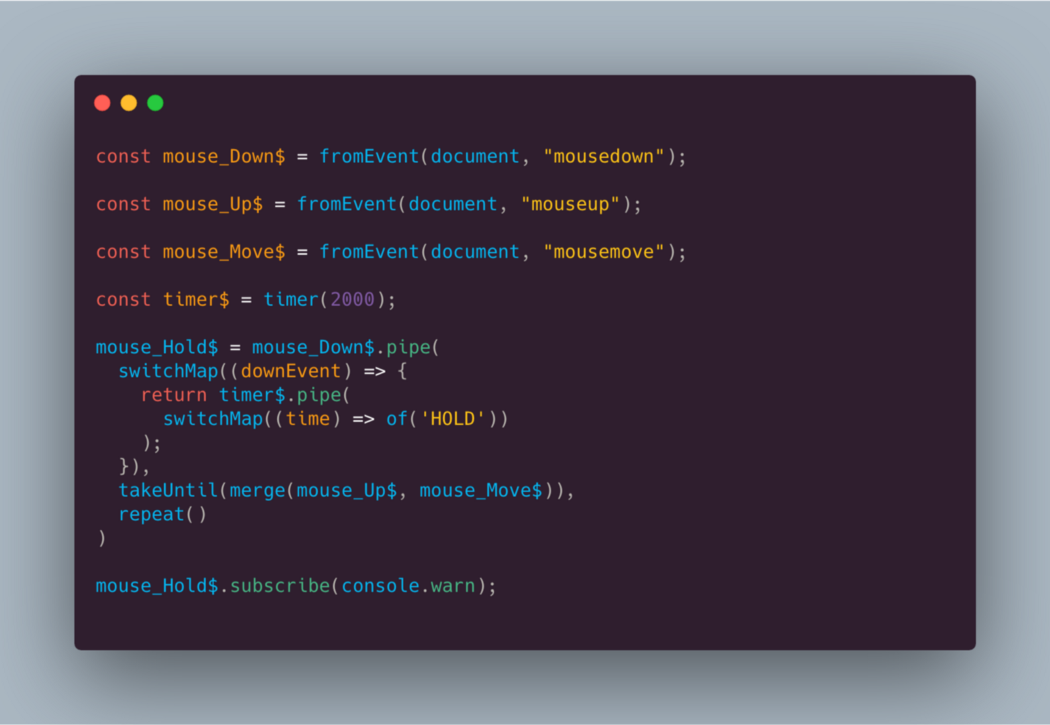
Constructing mouse_drags$
Now we'll build the mouse_drags$ observable using this logic:
- When
mouse_Down$emits, we begin to listen for bothmouse_hold$andmouse_move$. - If
mouse_move$emits beforemouse_hold$, we should re-emit the mousemove event object — which is our primary objective. - If
mouse_Up$ormouse_hold$emits, we should complete the mouse_drags$ observable.
For step 1, we'll again rely on switchMap.
For step 2, a switchMap is used to switch to the mouse_Move$ observable.
mouse_drags$ = mouse_Down$.pipe(
  switchMap((time) => mouse_Move$)
)
Then, for step 3, we can apply the same takeUntil and merge combination as before:
mouse_drags$ = mouse_Down$.pipe(
  switchMap((time) => mouse_Move$,
  takeUntil(merge(mouse_Up$, mouse_Hold$)),
)
At this point, everything looks complete, doesn't it?
While we're at it — Packtpub.com and I have prepared a comprehensive RxJS course that covers many more strategies for tackling common development challenges with this powerful library. Both beginners and advanced users will find valuable content there. Check it out!
But, where's the magic?
Let's subscribe to mouse_drags$ and mouse_hold$ and run the code (I explain why subscribing is necessary to start the flow in another post).
If you execute this in a codepen (click Run, then press and hold the mouse button for over 2 seconds), you'll notice it only works once.
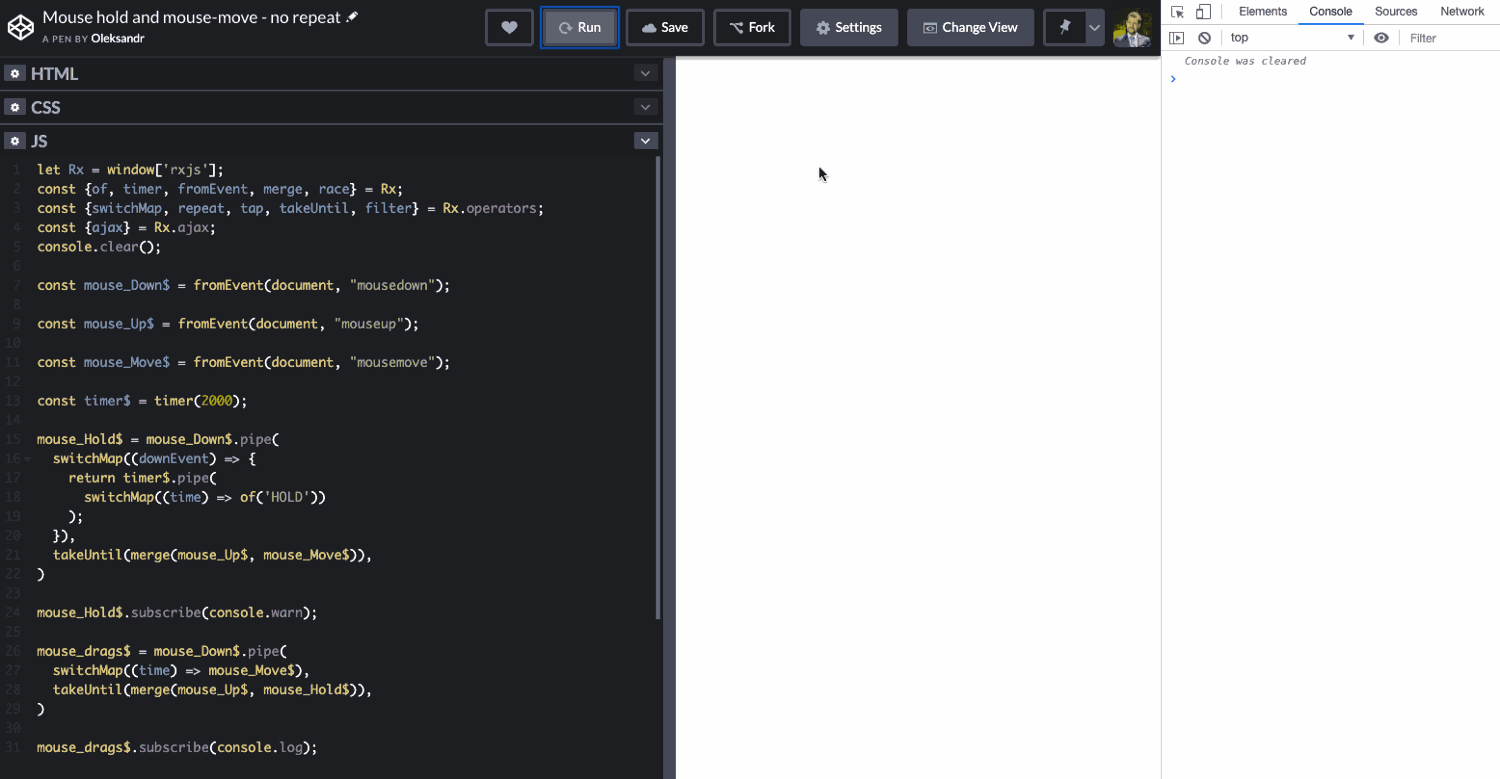
Both observable sequences emit once, then complete.
Why is that?!
The culprit is the takeUntil operator, which completes the sequences. We need to bring these dead observables back from the dead to listen for the mousedown event once more.
Let's try a bit of incantation!

Photo by Paige Cody on Unsplash
As expected, that had no effect…
So, it's time to consult the chief necromancer:
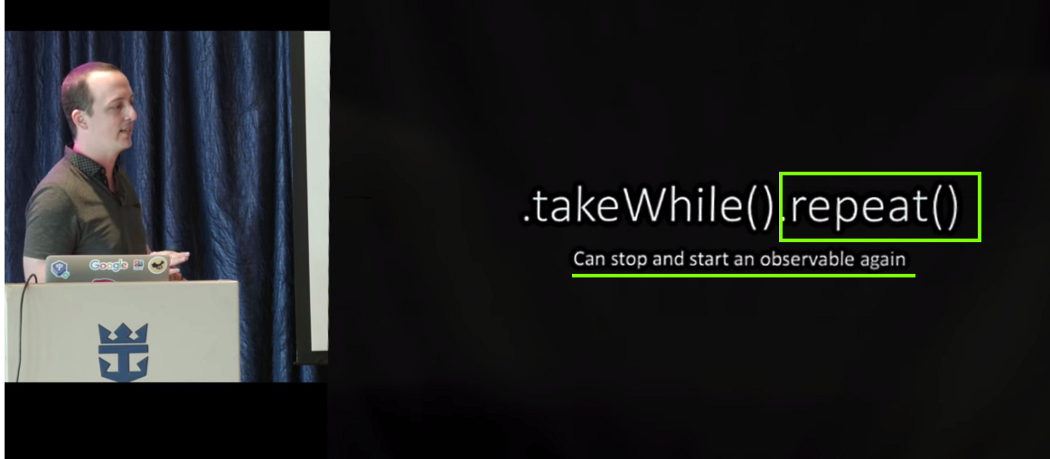
The RxJS master necromancer guides the novices.
All we have to do is invoke the repeat operator, found in the main spellbook.
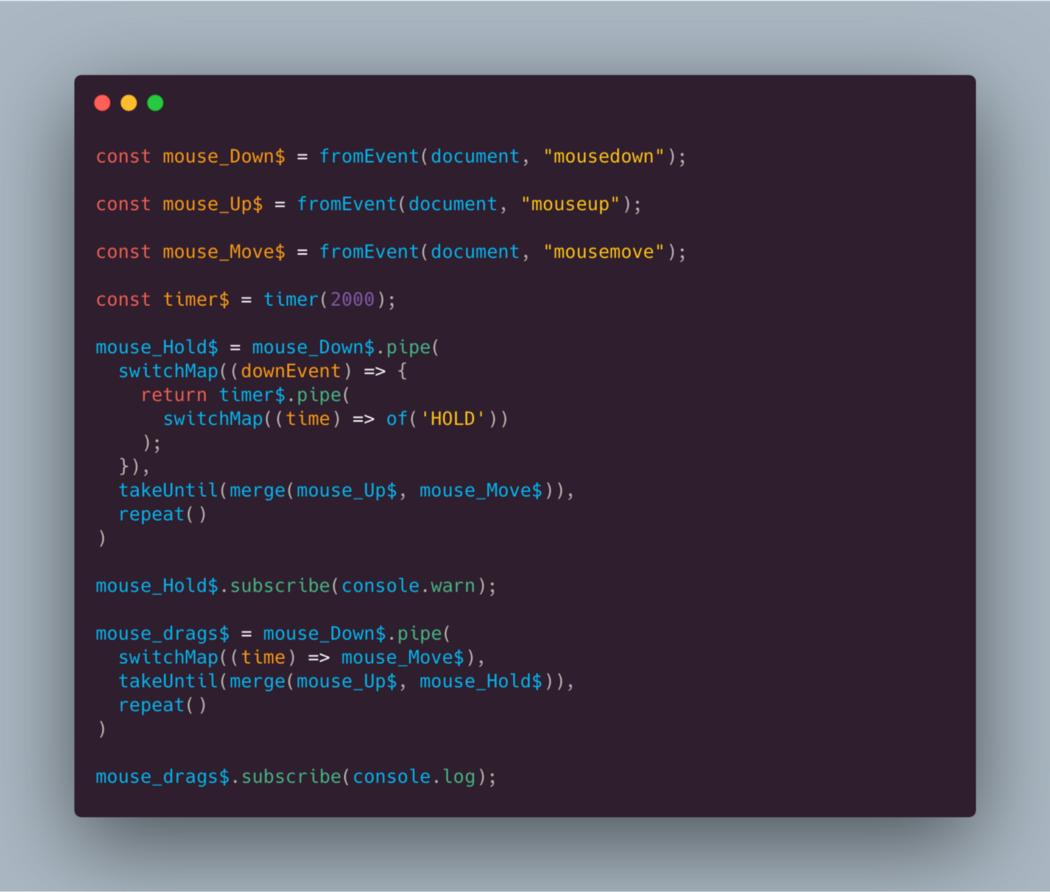
When you run this code in a codepen, you'll find it now behaves as needed!
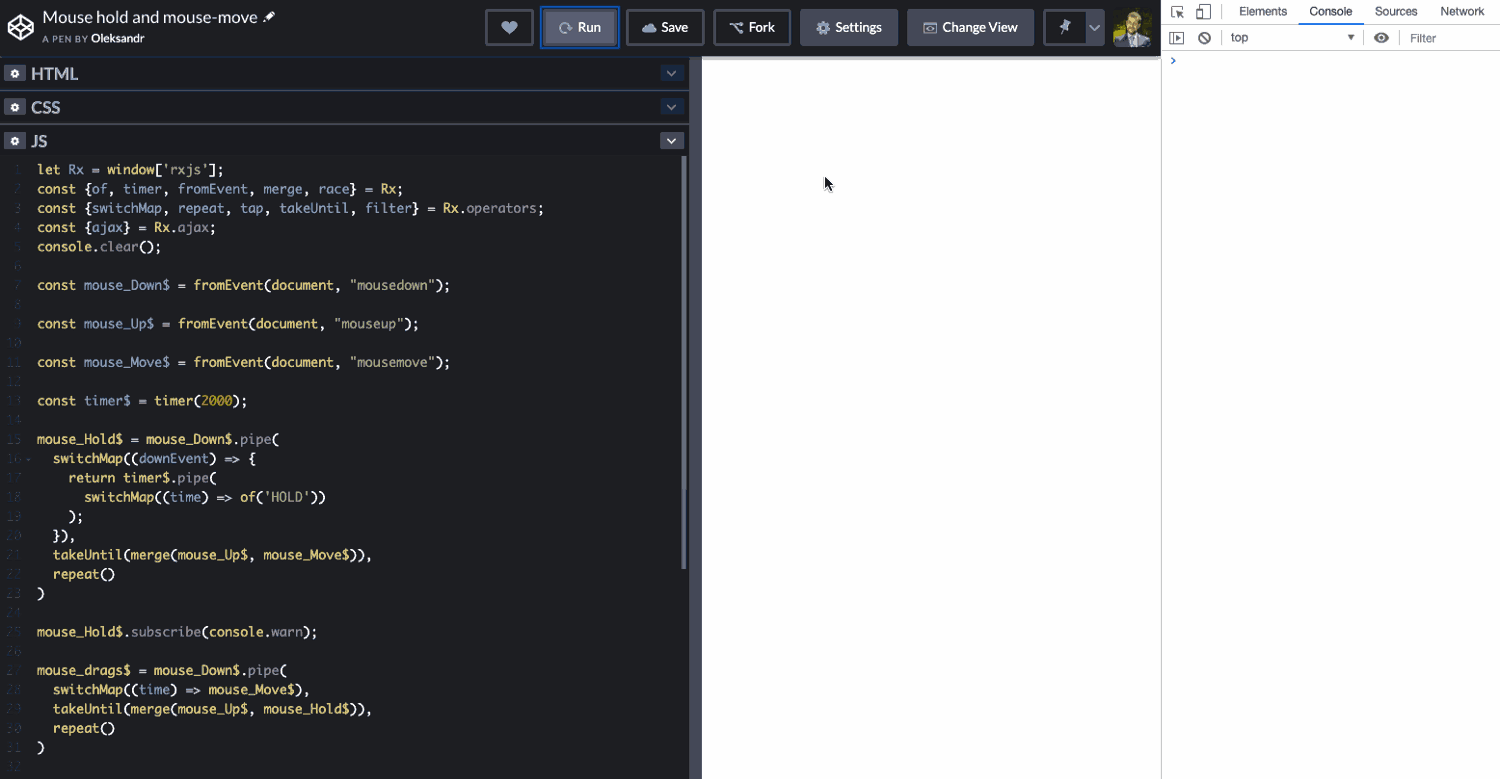
The observable sequences are now reborn.
Inside ‘repeat’
Let's examine the internal logic by looking at the source code from the RxJS repository:

As you can see, this isn't so mystical after all. The logic is straightforward: it tracks how many times the source$ has completed. If the count allows for more runs (greater than 0), it simply subscribes to source$ one more time.
Wrapping Up
repeatis a powerful tool for reviving observables that have completed.- For a deeper dive into the mechanics of this operator, check out the article ‘retry vs repeat’.
- Don't miss the insightful video “RxJS By Example” from Ben Lesh, the head of the RxJS Core team.
- Live fast, code clean!
Enjoying the content? Let's connect on Twitter.
From section 4 onward, my RxJS video course covers advanced topics — if you're already comfortable with RxJS fundamentals, you'll find plenty of useful material there: higher-order observables, anti-patterns, schedulers, unit testing, and more! Give it a go!
Many thanks to Alex Okrushko and Nicholas Jamieson for taking the time to review this piece!