What Exactly Is Cypress?
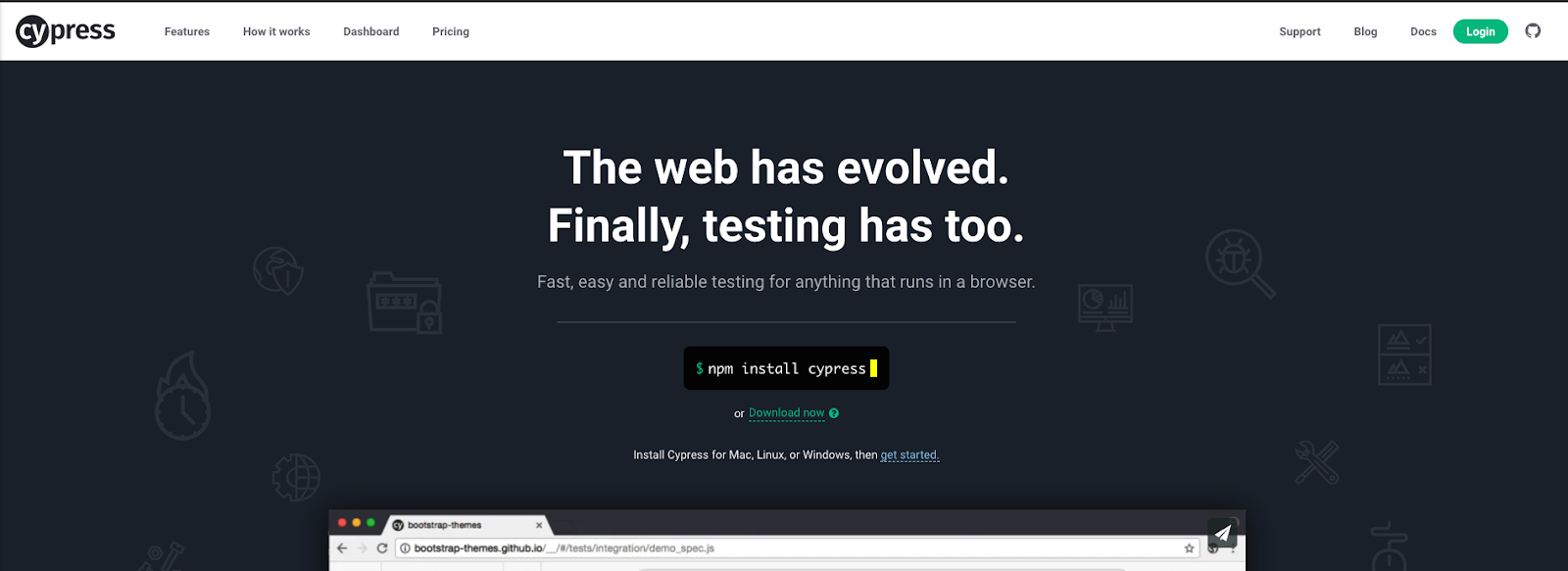
Cypress is an Open Source JavaScript-based testing framework. It supports end-to-end, integration, and unit testing within your projects. Its e2e capabilities currently draw the most attention, thanks to both the polished developer experience and the broad set of advantages it brings.
What sets Cypress apart is that it operates in the same execution context as your application during testing. While you can direct Cypress tests against a separate environment, most examples I've encountered run the application locally alongside the test runner in both development and CI. In my case, I ran a local instance of the app with Cypress tests executing in both local and CI pipelines. Locally, Cypress launches a test runner; in CI, it executes in a headless mode.
Beyond that, Cypress automatically generates videos, screenshots, and test reports with every execution. You can either store these artifacts in your repository or connect your project to Cypress Dashboards.
The main limitation is that it currently supports only Chrome, although expansion to other browsers is under discussion. However, given Chrome's massive user base, this constraint rarely poses a real issue for most applications.
For many developers, writing tests feels like a chore they have to endure. Cypress flips that perception, making test creation an enjoyable part of the development workflow.
The real strength of Cypress lies in the simple fact that it motivates developers to include tests in their projects. When developers eagerly add tests, the business side reaps the rewards through cleaner, more maintainable code. Developers enjoy the process, and managers benefit from steadier codebases.
How Does Cypress Operate?
As mentioned earlier, Cypress runs within the same event loop as your application. You do have the option to point tests at a separate environment, but the typical examples involve running a local version of your project alongside the Cypress Test Runner in the same space.
Cypress functions as a local Node Server that runs alongside your application. This contrasts sharply with older testing setups using Selenium and Webdriver. Operating as a local Node Server gives you direct access to both your tests and the underlying server.
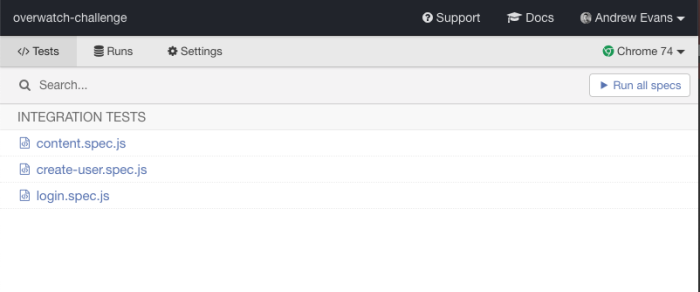
The local Test Runner appears when you execute your Cypress tests. It reads spec files from a Cypress directory, allowing you to run individual tests or the whole suite.
Because the Cypress Test Runner runs as a local Node Server, you will typically need a utility to launch the application and the runner together.
For my tests, I relied on:
- The NPM module concurrently for local development
- The NPM module start-server-and-test for CI environments
The Cypress docs suggest using wait-on and start-server-and-test. In my experience, concurrently outperformed wait-on. For details, check the docs here, and also see the concurrently NPM page here.
When it comes to writing the actual tests, the learning curve is quite gentle because Cypress builds upon tools that most developers already know. Cypress is constructed on top of:
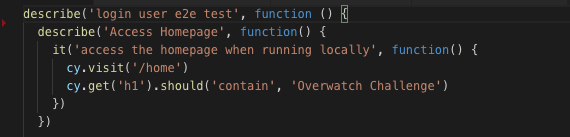
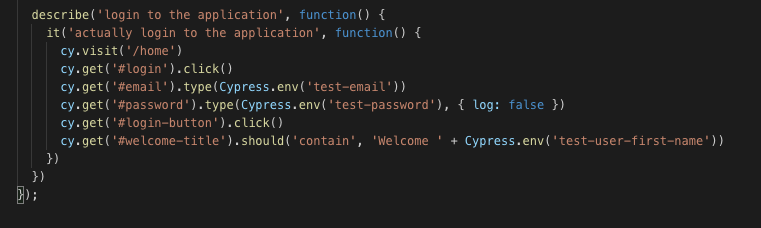
Looking at this code, the test structure closely mirrors what you would see with the major frontend testing frameworks in use today. This familiarity is a major advantage, keeping the learning curve minimal for developers new to Cypress.
Most Cypress commands begin with the cy prefix and resemble the Jasmine syntax many developers have used for years. That similarity, combined with excellent documentation, results in a very short ramp-up time.
Watching Cypress in Action
When you execute tests locally, a Chrome window opens next to the Cypress Test Runner. That Chrome window presents a console view of each test as it executes. The console supports time travel, allowing you to click on any completed test and see exactly what the browser displayed at that moment. This capability makes debugging broken tests significantly easier.
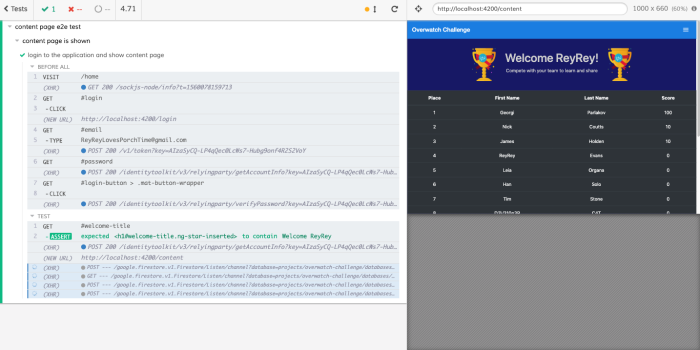
Cypress Test Runner Chrome Window
Cypress also records a video of every test run by default, though you can disable this in the configuration. I found this feature particularly appealing. Imagine in an enterprise setting a product owner wanting to see the test output from a production run — having a video available is a substantial advantage.
Reports and Dashboards in CI
When Cypress executes in your CI pipeline, it produces a report detailing the tests and their outcomes. This is comparable to the reports generated by other frameworks like Karma.
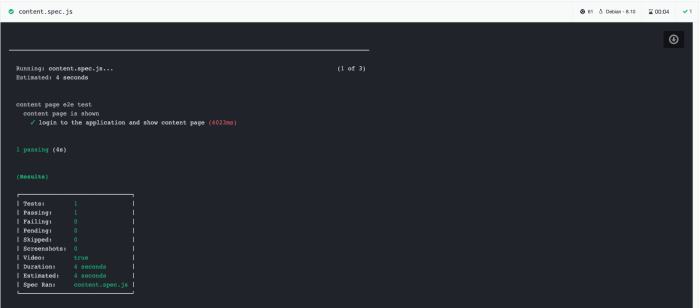
Cypress Report from CI Run
Cypress goes further, however, by offering a Dashboard service that aggregates all of your test runs and their outputs. This becomes particularly useful when you need to review history or compare failing tests across different pipeline runs.
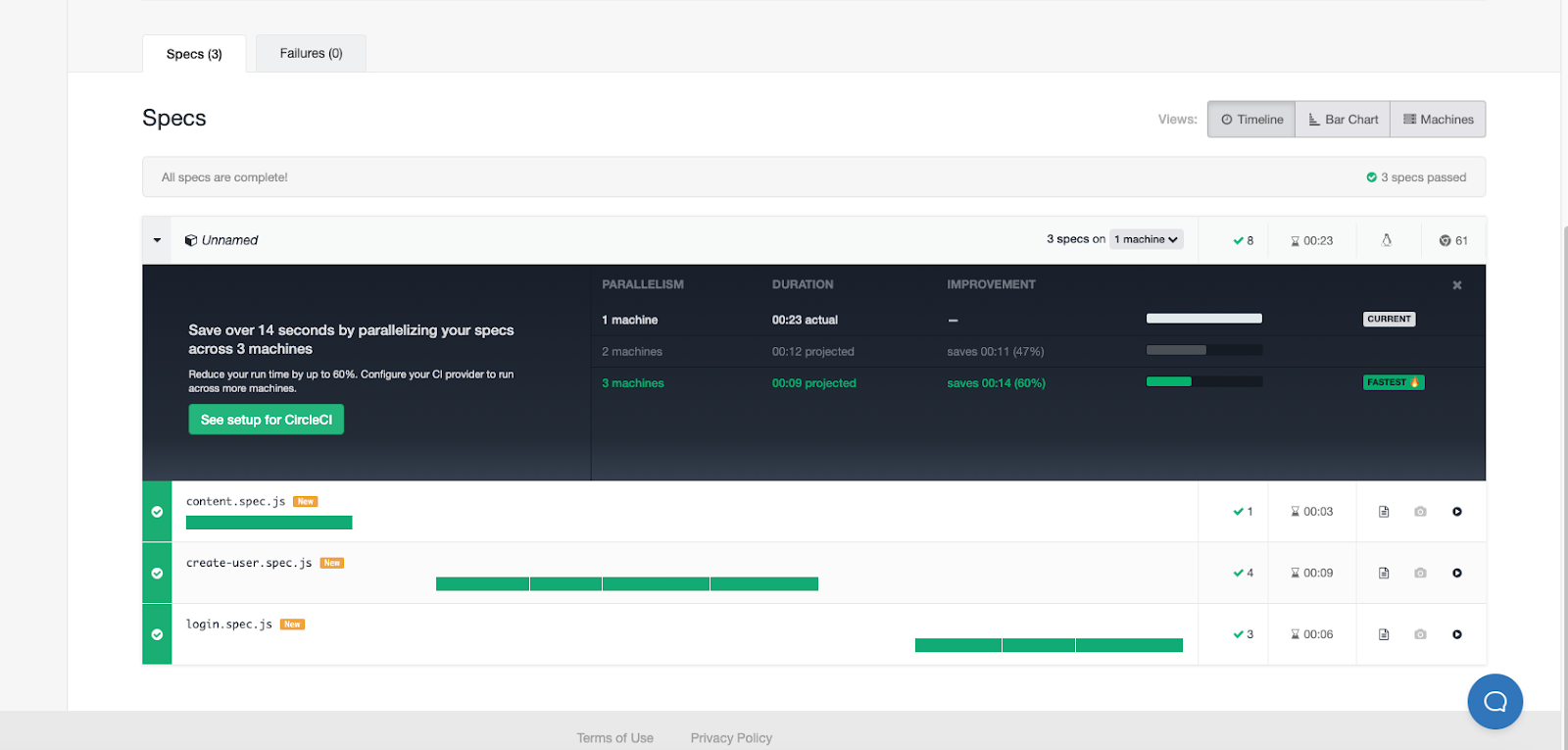
Cypress Dashboard
Configuration Options
Cypress comes with a wide range of customizable configuration options. As highlighted earlier, you can tweak both the frontend and backend aspects of the Test Runner.
The framework includes a cypress.json file where you place configuration settings; these are loaded whenever the test runner starts. Within your tests, you can access these values directly through Cypress.env.
You can also inspect the configuration in the Test Runner GUI by clicking the settings button.

Intercepting Network Requests
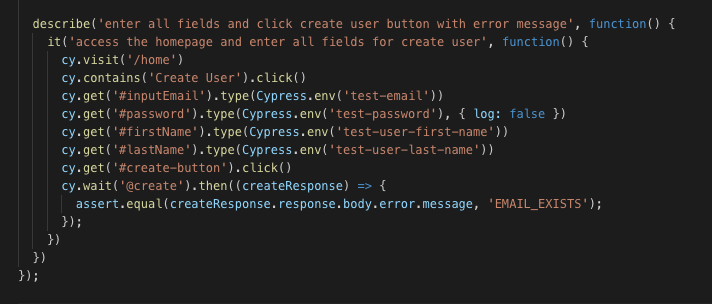
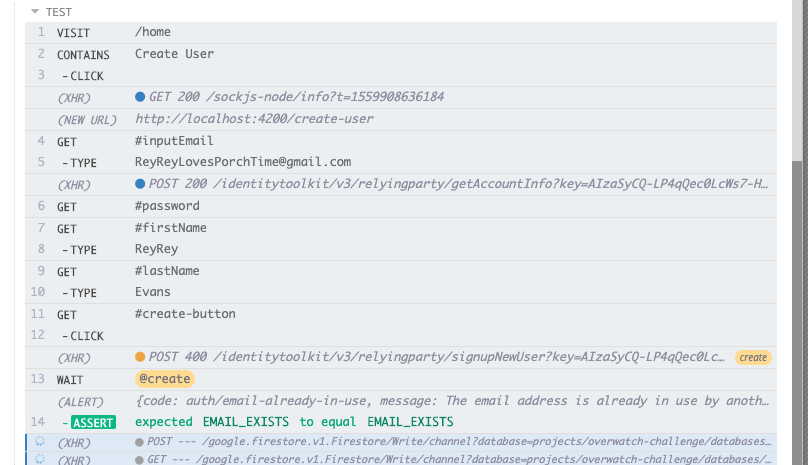
One standout feature is Cypress's ability to intercept network requests. This proves invaluable when you need to verify that an API call returns the expected response.
To accomplish this, you add a beforeEach block containing cy.server() along with a route definition, as shown here:

In your test, you then call cy.wait() and capture the response from the specified route.
This behavior is also visible in the Chrome window that opens with your Test Runner:
Cutting Down on Boilerplate
Cypress reduces repetitive code through fixtures and custom commands.
Within the Cypress support folder, you can define a custom command like this:
Then, in your test, you invoke the command directly as seen in the before block with cy.login():
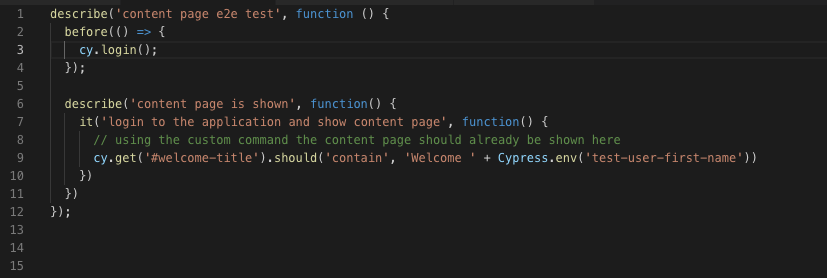
This approach significantly cuts down on the amount of code you would otherwise repeat throughout your application. A common scenario where this shines is tests requiring an authenticated user. Instead of duplicating sign-in logic across multiple tests, you simply call the command once and it handles all that boilerplate.
Final Thoughts

Tony Stark reviewing his Cypress tested Iron Man suits (image source)
After working with Cypress, I honestly cannot praise it enough. The framework has transformed testing into something easy and even enjoyable. It introduces numerous features that older frameworks simply didn't offer, and integrating it into my project's pipeline was seamless.
Returning to an earlier point, the genuine power of Cypress is that it makes developers want to write tests. The experience of writing Cypress tests is far less painful than anything I've encountered in my career. Seeing developers actually look forward to writing tests is a major win for both the quality of the software produced and the organizations behind it. One of the biggest challenges companies face is getting developers to write tests. Cypress offers a framework that makes it both fun and straightforward. I encourage you to take a look at Cypress and perhaps write some tests for your own project. Feel free to leave comments. Thanks for reading!
Originally published at http://rhythmandbinary.com on June 9, 2019.